

How WordPress Optimization Plugin Improves Website Performance for Media-Heavy Sites
A smarter way for photographers, agencies, and image-heavy websites to speed up loading times, reduce hosting costs, and improve user experience without sacrificing visual quality.
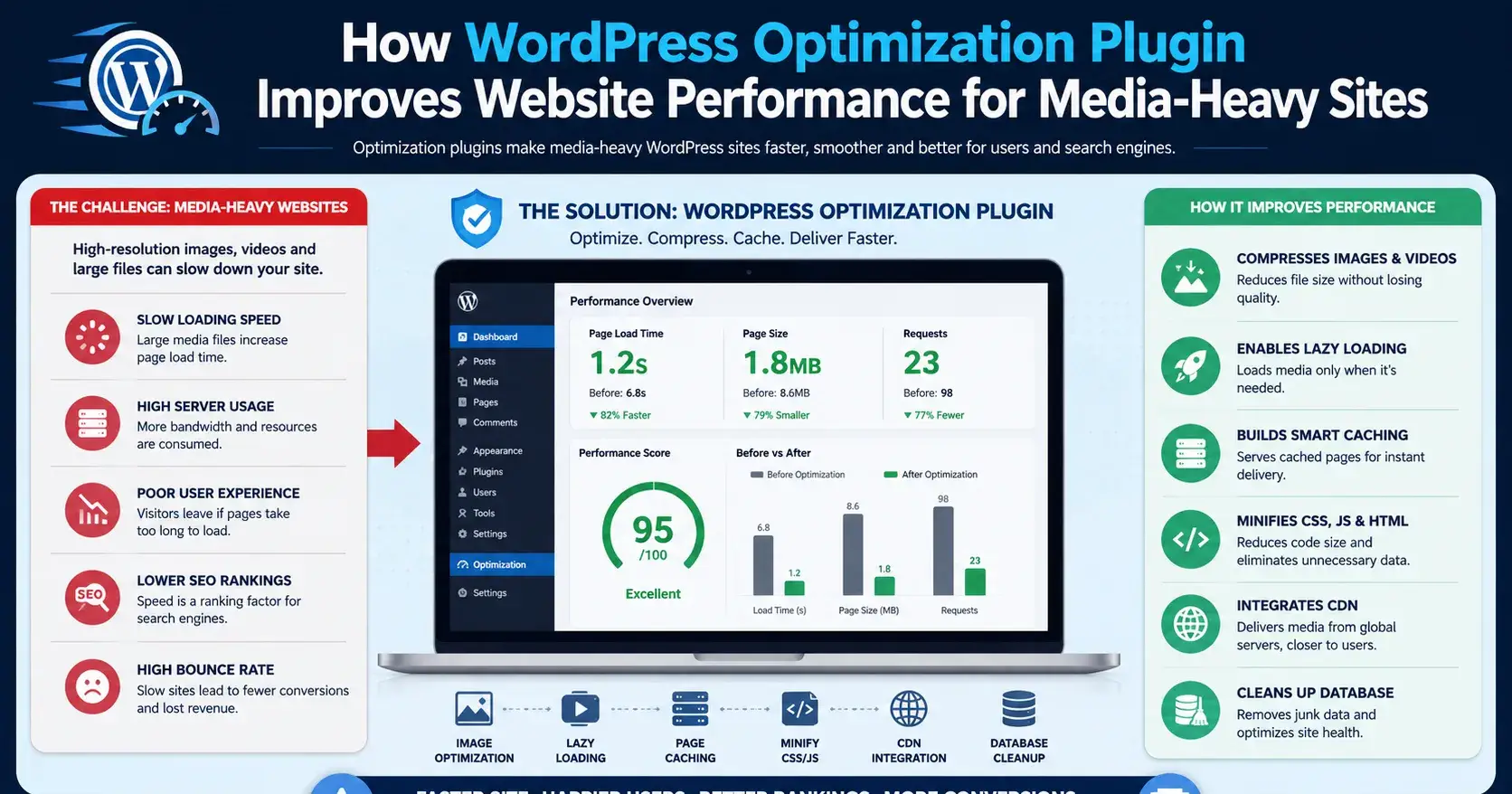
A slow website silently kills conversions, SEO rankings, and user engagement. For photographers, creative agencies, portfolio websites, and businesses managing large image galleries, performance problems become even more frustrating. High-resolution photos, videos, sliders, and large media libraries can quickly overwhelm a WordPress server.
The result?
Slow-loading pages
Poor Google PageSpeed scores
Higher hosting costs
Increased bounce rates
Frustrated visitors
Many website owners struggle to balance visual quality with performance. Compressing images too much reduces quality, while keeping original files often slows everything down.
That’s where a modern media optimization solution becomes essential.
The Biggest Performance Bottleneck in WordPress
For most media-heavy websites, the real issue isn’t WordPress itself.
It’s how media files are stored and delivered.
Every uploaded image consumes:
Server storage
Bandwidth
Processing resources
As traffic grows, websites become slower and more expensive to maintain.
This is especially common for:
Photography portfolios
Creative agency websites
WooCommerce stores
Video-based content platforms
Blog sites with heavy visuals
How Smarter Media Optimization Improves Performance
Offloading Media Files to Cloud Storage
Instead of serving all media directly from your hosting server, optimized systems move files to scalable cloud platforms like:
Amazon S3
Backblaze B2
This reduces server load significantly while improving file delivery speed.
The website becomes lighter, faster, and more scalable without sacrificing image quality.
Photographers, agencies, and image-heavy WordPress websites can improve speed, reduce hosting load, and deliver a better user experience with smarter media optimization strategies like Next3 Offload.
Faster Loading Speeds Without Lowering Quality
Photographers and agencies often avoid optimization tools because they fear losing image quality.
A better optimization workflow allows:
Faster image delivery
Reduced bandwidth usage
Improved caching
Better mobile performance
Visitors get high-quality visuals without waiting several seconds for pages to load.
Better Core Web Vitals & SEO Performance
Google prioritizes fast websites.
Performance directly affects:
Search rankings
Mobile usability
User experience signals
Engagement metrics
Optimizing media handling helps improve:
Largest Contentful Paint (LCP)
Page loading time
Overall Core Web Vitals
This creates both SEO and conversion benefits.
Lower Hosting Costs for Growing Websites
Large media libraries often force businesses into expensive hosting upgrades.
By reducing server storage and bandwidth usage, optimization tools help:
Lower infrastructure costs
Handle traffic spikes more efficiently
Improve website stability
This is particularly valuable for agencies managing multiple client websites.
Why Media-Heavy Websites Need Optimization Most
Text-based websites can often perform well with basic caching alone.
But image-heavy websites require a smarter infrastructure strategy.
Without optimization:
Galleries become slow
Admin panels lag
Backups become huge
CDN costs increase
User experience suffers
A proper media optimization system helps maintain both performance and visual quality at scale.
Final Thoughts
Website speed is no longer optional. For photographers, agencies, and businesses using large amounts of media, performance optimization directly impacts SEO, conversions, and user satisfaction.
A smart WordPress optimization solution helps:
Speed up media-heavy websites
Reduce hosting pressure
Improve Core Web Vitals
Deliver better user experiences
Most importantly, it allows businesses to keep high-quality visuals without sacrificing performance.

Join Mir on Peerlist!
Join amazing folks like Mir and thousands of other builders on Peerlist.
0
1
0