

Why Developers Prefer Markdown for Writing Documentation
Discover how Markdown makes documentation faster, cleaner, and easier to maintain across teams.
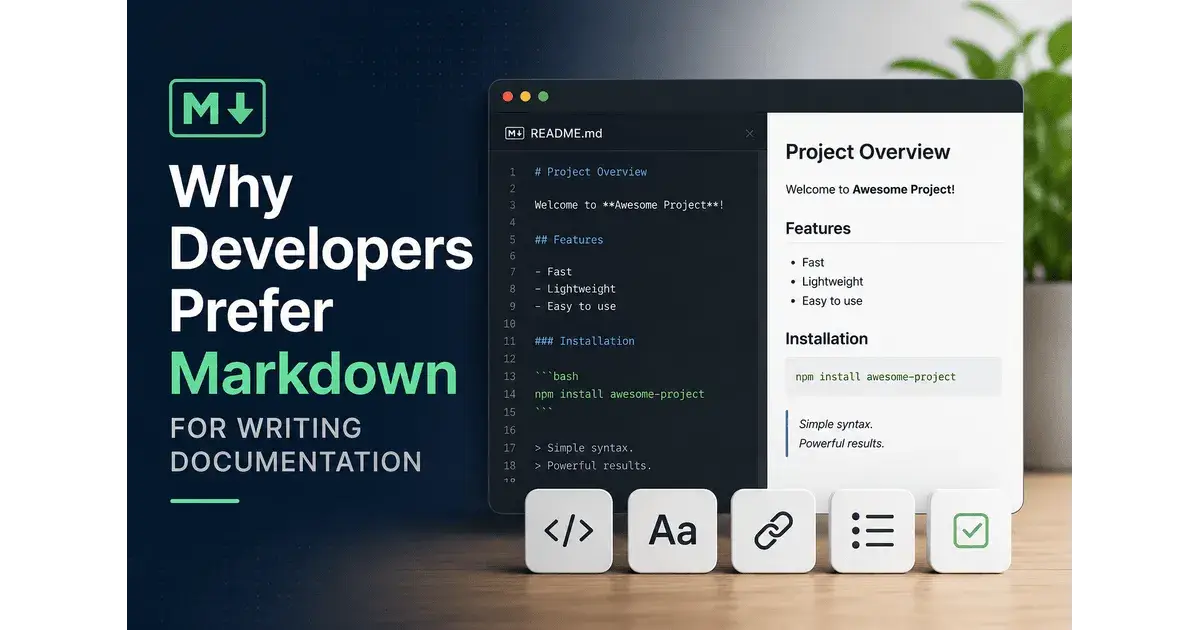
If you've spent any time in developer communities — GitHub, Stack Overflow, Reddit's programming subs — you've seen Markdown everywhere. README files, pull request descriptions, wikis, API docs, technical blogs.
It's not a coincidence.
Developers have collectively settled on Markdown as their go-to format for documentation, and there are concrete, practical reasons why. This guide breaks all of them down — so whether you're a developer trying to improve your docs, a technical writer working with a dev team, or just curious about the format, you'll understand exactly why Markdown dominates.
What Is Markdown, Really?
Before diving into the "why," let's be clear on the "what."
Markdown is a lightweight markup language created by John Gruber in 2004. The goal was simple: let people write formatted text using plain, readable syntax — without needing to know HTML.
# This is a heading
**This is bold text**
- This is a list item
[This is a link](https://example.com)
That's it. No angle brackets. No closing tags. No <strong> or <ul> or <li>. Just readable, writable plain text that converts into beautifully formatted HTML.
It's deceptively simple. And that simplicity is exactly the point.
8 Reasons Developers Choose Markdown for Documentation
1. It Reads Like Normal Text (Even Before Rendering)
This is the reason that doesn't get said enough.
Open an HTML file in a text editor and it's a wall of tags. Open a Word document in Notepad and it's garbled binary. But open a Markdown file in any text editor, and you can read it immediately — even without rendering it.
## Installation

Run the following command to install the package:

 npm install my-package

Make sure you have **Node.js 18+** installed before proceeding.
Even without a Markdown renderer, that content is clear. The ## obviously means "section heading." The ** obviously means "bold." The indented block obviously means "code."
This readability-by-design matters for documentation specifically because docs get read by people — often quickly, often under pressure. When someone is debugging at 2am, they don't need friction.
2. It Lives Happily in Version Control
Developers live in Git. Their code is versioned, their commits are tracked, their changes are reviewable.
Documentation written in Word, Google Docs, or Confluence? None of that plays well with Git. You can't run git diff on a .docx file and see what changed. You can't review a documentation PR line-by-line. You can't roll back a docs change with git revert.
Markdown is plain text. Plain text is Git's natural habitat.
Every documentation change can be:
Tracked — see exactly what changed, when, and who changed it
Reviewed — PR reviews work identically for docs and code
Rolled back — revert a bad docs update the same way you'd revert bad code
Branched — write documentation for a feature branch before it ships
This alone makes Markdown the default choice for any team already using Git. Keeping docs in the same repo as code means documentation updates ship alongside the code they describe — reducing the painful lag between "feature ships" and "docs updated."
3. It Works Everywhere That Matters to Developers
Markdown isn't just supported — it's expected on the platforms developers use daily.
GitHub and GitLab render Markdown in READMEs, issues, pull requests, wikis, and comments. Write a properly formatted README.md and GitHub automatically displays it as the landing page of your repository.
Static site generators like Jekyll, Hugo, Gatsby, MkDocs, and Docusaurus all use Markdown as their primary input format. You can take a folder of .md files and deploy a full documentation site in minutes.
Note-taking tools used by developers — Obsidian, Notion, Logseq, Bear — all support Markdown natively.
Dev-focused platforms like Dev.to, Hashnode, and Ghost all accept Markdown. Even Reddit's code blocks use a Markdown-like syntax.
When Markdown is the lingua franca, you stop worrying about format conversion. Write once, publish anywhere.
4. Code Blocks Are First-Class Citizens
Documentation without code examples isn't developer documentation — it's a press release.
Markdown makes code trivially easy to include, both inline and as blocks:
Inline code: Use backticks to reference function names, file paths, or command flags in a sentence.
Code blocks with syntax highlighting:
```python
def calculate_total(items):
 return sum(item.price for item in items)
```
That block will render with full Python syntax highlighting on GitHub, in MkDocs, in your IDE, in your static site — automatically.
Compare this to writing code examples in Word or Confluence. You need custom styles, manual formatting, and even then it rarely looks right. In Markdown, code formatting is built in and consistent everywhere.
For developers writing documentation about APIs, CLIs, configuration files, or code itself, this is non-negotiable.
5. It Forces Focus on Content, Not Formatting
This is subtle but powerful.
When you write in a WYSIWYG editor — Word, Google Docs, Confluence — it's easy to spend 20 minutes adjusting fonts, fiddling with spacing, changing heading colors, and tweaking margins. None of that improves the documentation. It's displacement activity.
Markdown removes these options. You can't change the font. You can't tweak spacing. You can't add a fancy text box.
All you can do is write.
Good documentation requires clear thinking: deciding what to explain, in what order, with what level of detail. Markdown creates a constraint that makes you do that thinking instead of reaching for formatting controls. Many developers report that their documentation actually got better after switching to Markdown — because they were forced to communicate with words instead of visual styling.
6. It's Easy to Learn in Under an Hour
Adoption friction matters. Any tool or format that requires significant training won't get used consistently by a whole team.
Markdown's entire syntax fits on a single reference card:
# Heading → H1 heading
## Heading → H2 heading
**bold** → bold
*italic* → italic
[Link](url) → hyperlink
 → image
- item → bullet list
1. item → numbered list
`code` → inline code
> quote → blockquote
--- → horizontal ruleThat's most of it. A developer who has never seen Markdown before can be writing it productively within an hour. A non-developer — a product manager, technical writer, or designer contributing to docs — can pick it up equally fast.
Low learning curve + high return = high adoption.
7. It Separates Content from Presentation
This is a software engineering principle applied to writing.
In good software design, you separate concerns: business logic from UI, data from display, structure from style. The same principle applies to documentation.
In Markdown, the document contains structure and content only. How it looks — fonts, colors, spacing, layout — is handled by a separate stylesheet or theme applied at render time.
This means:
Rebrand your docs by changing a CSS file, not editing thousands of documents
Publish the same content in multiple formats: web, PDF, dark mode, print
Teams write content without needing design skills or tool access
Accessibility improvements apply site-wide instantly
Compare this to Word documents where styling is baked into every paragraph. Changing the look of 200 pages of documentation in Word is a project in itself. In Markdown + a static site generator, it's changing a theme file.
8. It Scales with Your Project
Small projects need simple READMEs. Large projects need full documentation sites with search, versioning, multiple languages, and API references.
Markdown scales across this entire range.
A solo developer's project starts with a README.md explaining what the project does and how to install it. As the project grows, they add more .md files: CONTRIBUTING.md, CHANGELOG.md, a /docs folder. When the project is large enough to need a documentation site, they point MkDocs or Docusaurus at that folder and have a full site in an afternoon.
At the enterprise level, Markdown underpins documentation systems for companies like Stripe (their developer docs are legendary), Twilio, Cloudflare, and Vercel — companies whose developer experience is genuinely a competitive advantage.
The format doesn't change. Only the tooling around it scales up.
Markdown vs. Alternative Documentation Formats
Markdown vs. HTML
HTML is more powerful but far more verbose. Writing **bold** in Markdown vs. <strong>bold</strong> in HTML isn't just about keystrokes — it's about cognitive load. Every nested <div> and closing </p> tag is a distraction from the actual content. Markdown is for writing; HTML is what Markdown converts into.
Markdown vs. reStructuredText (RST)
RST is Markdown's main competitor in the technical writing space, popular in the Python ecosystem (Sphinx uses it by default). RST is more powerful and more consistent — but significantly more complex. Markdown's simplicity wins on adoption and community support. Most modern Python projects are moving toward Markdown even when using Sphinx, thanks to extensions like MyST.
Markdown vs. Word/Google Docs
Word and Google Docs are excellent for collaborative business documents: contracts, proposals, reports. They're poor choices for technical documentation because they don't version-control well, don't integrate with developer workflows, and export to formats that are hard to work with programmatically. For docs that live near code, Markdown wins decisively.
Markdown vs. Confluence
Confluence is a capable wiki platform used at many larger companies. Its editing experience has improved significantly over the years. But it's a proprietary platform with a per-seat cost, it doesn't integrate with Git workflows natively, and documentation written in Confluence can be hard to migrate if you ever need to move. Markdown in a Git repo is portable by nature.
The Different Flavors of Markdown
One thing that confuses newcomers: Markdown exists in multiple "flavors," not a single spec.
CommonMark is the standardized specification — an attempt to pin down exactly how Markdown should behave. It's the baseline most tools implement.
GitHub Flavored Markdown (GFM) extends CommonMark with features useful for code collaboration: task lists (- [x] Done), tables, strikethrough, and auto-linking of URLs and issue numbers.
MDX extends Markdown with JSX, allowing React components to be embedded directly in documentation — increasingly popular with JavaScript documentation sites.
MyST Markdown extends CommonMark for scientific and technical writing, with support for citations, cross-references, and directives.
For most documentation purposes, knowing CommonMark plus the GitHub extensions covers everything you need.
How to Write Better Markdown Documentation
Choosing Markdown is step one. Writing good Markdown documentation is the harder work.
Structure before you write. Outline your document's headings before writing the content. Good structure is the backbone of good docs.
Lead with the most important information. Developers are often looking for a specific answer. Put it near the top, not buried after three paragraphs of context.
Use code examples liberally. Show, don't just tell. A concrete code example is worth more than a paragraph of description.
Keep paragraphs short. Documentation is reference material, not narrative. Short paragraphs are easier to scan.
Use headers to create scannable structure. People read docs non-linearly. Good headings let them jump to exactly what they need.
Explain the "why," not just the "how." Good documentation doesn't just say what to do — it explains why, so developers can apply the principle to situations the docs don't cover.
Keep it current. Outdated documentation is worse than no documentation. When code changes, update the docs in the same commit.
Tools That Make Markdown Documentation Easier
Once you're writing Markdown, the right tools make the work faster and less error-prone.
Editors with Markdown preview: VS Code has excellent built-in Markdown preview. Typora renders Markdown as you type. iA Writer is loved for distraction-free writing.
Static site generators: MkDocs Material is the gold standard for software project documentation. Docusaurus is popular for JavaScript projects. GitBook offers a hosted option.
Linters: markdownlint catches formatting inconsistencies. Vale enforces your style guide.
Converters: When you have content in other formats (Word, Google Docs, web pages) that needs to become Markdown, a text-to-Markdown converter is invaluable. Tools like the Text to Markdown Converter let you paste in rich text and get clean Markdown back instantly — handling headings, lists, bold/italic, and links automatically without any server upload of your content.
Table generators: Markdown tables are verbose to write by hand. A dedicated Markdown table generator saves time on table-heavy documentation.
Common Mistakes Developers Make with Markdown Documentation
Even experienced developers make these errors:
Writing docs after the fact. Documentation written long after code is written tends to be incomplete and inaccurate. Write docs when you're building the feature — you'll never know the details better than you do right now.
Documenting implementation instead of behavior. Users care what your code does, not how it does it. Document the interface, not the internals (unless those internals are what users need to understand).
No examples. Pure prose documentation of an API is nearly useless. Every parameter, every option, every edge case should have an example.
Broken links. As documentation grows, internal links rot. Use a link checker as part of your CI pipeline.
Inconsistent formatting. Mix of heading levels, inconsistent code fence styles, some files using * for bullets and some using -. This isn't just aesthetic — inconsistency signals to readers that the content might also be inconsistent. A linter like markdownlint catches this automatically.
Neglecting the README. The README is the front door to your project. Many projects have solid internal docs but a thin README that tells potential users nothing. Your README should explain what the project does, why someone would use it, how to install it, and how to get started — in that order.
FAQ: Why Developers Prefer Markdown for Documentation
1. Is Markdown good for all types of documentation?
Markdown is excellent for most developer documentation: READMEs, API references, tutorials, changelogs, contributing guides, and technical blogs. It's less ideal for complex documents that need precise visual layout — like legal documents, highly formatted reports, or anything that needs pixel-perfect PDF output. For those, more specialized formats serve better. But for the vast majority of developer documentation needs, Markdown is the right tool.
2. Why do some teams use reStructuredText instead of Markdown?
RST has deeper semantic capabilities — better support for cross-references, directives, and extensions — which is why the Python documentation world historically preferred it. Tools like Sphinx were built around RST. However, RST's syntax is more complex and less forgiving than Markdown. The trend has been toward Markdown even in the Python ecosystem, with tools like MyST bringing RST's power to a Markdown syntax.
3. Can Markdown handle complex documentation with multiple files and navigation?
Yes, with the right tooling. Markdown files become the source content, while a static site generator (MkDocs, Docusaurus, Sphinx with MyST, etc.) handles multi-file structure, navigation, search, and cross-references. Large documentation sites like those for Kubernetes, FastAPI, and many others are built entirely from Markdown files.
4. How do I handle images in Markdown documentation?
Image syntax in Markdown is . For hosted documentation, keep images in an /assets or /images directory in your repo. Use descriptive alt text — it helps accessibility and search engines. Avoid embedding screenshots of code (use actual code blocks instead — they're searchable, copy-paste-able, and don't break when your screen resolution changes).
5. Does Markdown support tables? Are they easy to write?
Markdown supports tables (in GFM and most flavors), but writing them by hand is tedious. The syntax looks like:
| Column 1 | Column 2 |
|----------|----------|
| Value 1 | Value 2 |
For anything more than a tiny table, use a Markdown table generator tool. It handles the alignment automatically.
6. How can I convert existing documentation from Word or Google Docs to Markdown?
The most practical approach is to use a rich-text-to-Markdown converter. Copy the content from your Word document or Google Doc (Ctrl+C), paste it into a converter tool, and it'll produce clean Markdown that preserves your headings, lists, bold/italic, and links. Then you can paste that into your .md file and do any final cleanup needed.
7. Is there a way to preview Markdown without a special editor?
Yes, several ways. VS Code has a built-in Markdown preview (Ctrl+Shift+V). GitHub renders any .md file automatically when you view it in your browser. Many browser extensions add Markdown preview to your local file browser. And many online Markdown editors (like StackEdit) offer split-pane editing with live preview.
8. Should documentation be in the same Git repository as the code?
Generally yes, especially for open source and smaller teams. "Docs as code" — keeping documentation in the same repo as the software it describes — means documentation changes ship in the same PR as code changes, docs get the same code review process, and there's one source of truth. Larger organizations sometimes maintain separate docs repositories, but even then, the content is usually Markdown flowing into a centralized documentation site.
Wrapping Up
Markdown's dominance in developer documentation isn't an accident, and it isn't just inertia.
It's genuinely the right tool for the job. It reads clearly without rendering. It integrates with Git. It works on every platform developers use. It puts code first. It separates content from presentation. It scales from a one-page README to a hundred-page documentation site.
The format has survived 20 years and shows no signs of going anywhere — because it solves the right problems in the right way.
If your team isn't already writing documentation in Markdown, the transition is easier than you might think. Start with your next README. Add a CONTRIBUTING.md. Put your API docs in a /docs folder. The workflow will click quickly — and you'll wonder how you managed without it.

Join Bansidhar on Peerlist!
Join amazing folks like Bansidhar and thousands of other builders on Peerlist.
0
0
0