

Deploying My Project Taught Me 2 Things I Didn’t Know (Trust Proxy & Email)
Why “trust proxy” matters when you’re behind a load balancer, and why sending emails from a server is different from sending from your laptop.
Why does deployment break things?
Locally, your app talks directly to the browser and to services like Gmail. On a host like Render, your app sits behind a proxy/load balancer and runs from a different IP. That can break things that depend on “who is the user?” or “where is the request coming from?” — like rate limiting and email. These are the two issues I ran into and how I fixed them.
Problem 1: Everyone got “Too many requests” (rate limiting)
What I had
I use a rate limiter so one user (one IP) can’t hit the API more than 200 times in 15 minutes. Code looked like this:
import rateLimit from 'express-rate-limit';

const app = express();

const limiter = rateLimit({
    windowMs: 15  60  1000, //15 minutes
    max: 200,
    message: {
        success: false,
        error: 'Too many requests, please try again later',
    },
});

app.use('/api', limiter);
On my machine this worked: each user had their own IP, so the limit was per person.
What happened after deploy
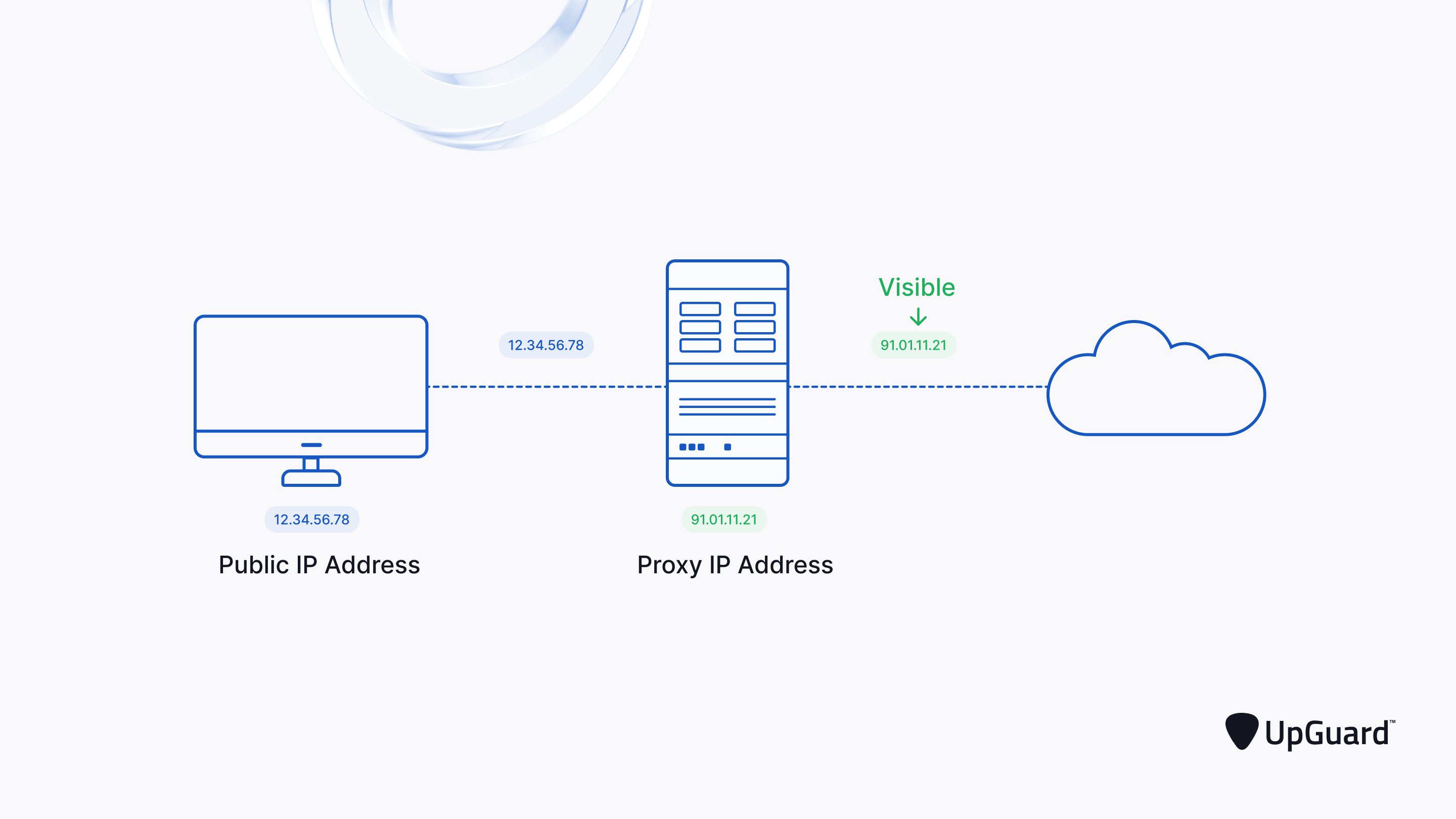
On Render, the path is: User → Render’s proxy/load balancer → My app.
So my app only sees the proxy’s IP, not each user’s IP. For the rate limiter, that meant all users shared one IP. After 200 requests in total (from everyone), that one IP got blocked — and everyone saw “Too many requests.”
The fix: trust the proxy
The proxy sends the real client IP in a header (e.g. X-Forwarded-For). By default, Express doesn’t use it. Telling Express to trust the first proxy fixes req.ip so the rate limiter counts per user again.
Add this once, at the top of your app, before any middleware (including the rate limiter):
const app = express();

// Trust the proxy so req.ip = real user IP (needed on Render, etc.)
app.set('trust proxy', 1);
// ... then your other middleware and rate limiter

app.use('/api', limiter);
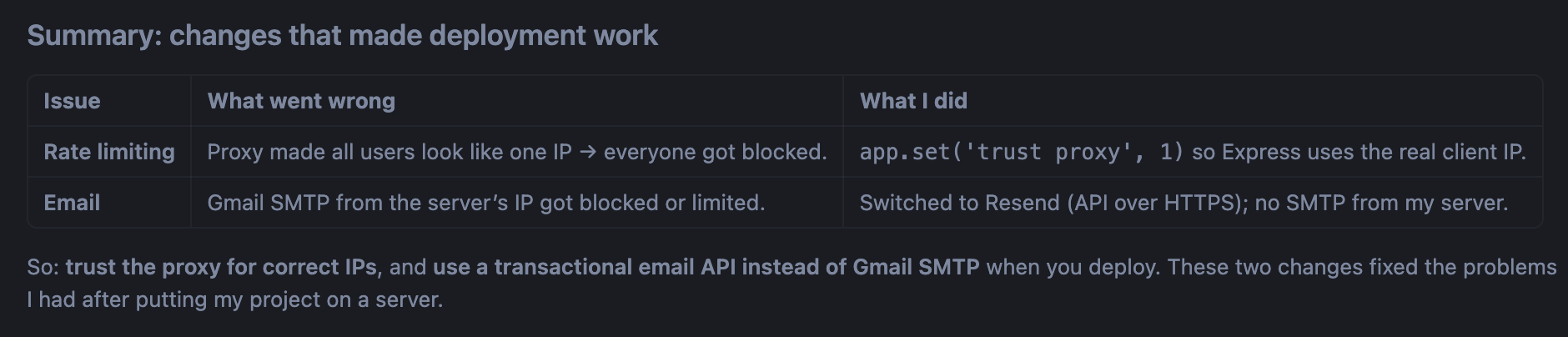
After this, rate limiting worked per user again.
Problem 2: Verification emails stopped working (Gmail SMTP)
What I had
I was sending verification and password-reset emails with Nodemailer and Gmail:
import nodemailer from 'nodemailer';

const createTransport = async () => {
    return nodemailer.createTransport({
        service: 'gmail', //SMTP
        auth: {
            user: process.env.EMAIL_USER,
            pass: process.env.EMAIL_PASS
        },
    });
};

export const sendVerificationEmail = async (email, token, firstName) => {
    const transporter = await createTransport();
    const verificationUrl = ${process.env.FRONTEND_URL}/verify-email?token=${token};

    const html = loadTemplate('verify.html', { firstName, verificationUrl });
    await transporter.sendMail({
        from: Coding platform <${process.env.EMAIL_USER}>,
        to: email,
        subject: 'Verify your Email - coding platform',
        html,
    });
};
Locally it worked. After deploy, emails often had delay of 2 mins or never arrived.
Why it broke
With Gmail, your server has to do an SMTP “handshake”: connect to Gmail, log in, then send. Gmail is tuned for your browser and your home/office network. When the same login happens from a datacenter IP (Render’s server), Gmail can treat it as suspicious and block or limit it. So the handshake fails or gets restricted — and your app can’t send mail reliably.
The fix: use Resend (or another transactional email API)
Instead of your server talking to Gmail’s SMTP, your server sends one HTTPS request to Resend with an API key. Resend delivers the email. No SMTP handshake from your server, so no Gmail blocking.
Example with Resend (same idea for verification email):
import { Resend } from 'resend';

const resend = new Resend(process.env.RESEND_API_KEY);

export const sendVerificationEmail = async (email, token, firstName) => {
    const verificationUrl = ${process.env.FRONTEND_URL}/verify-email?token=${token};

    const html = loadTemplate('verify.html', { firstName, verificationUrl });
    await resend.emails.send({
        from: 'Coding platform <[email protected]>',
        to: email,
        subject: 'Verify your Email - coding platform',
        html,
    });
};
You get an API key from resend.com, add RESEND_API_KEY to your env on Render, and use a verified domain (or their sandbox) for from. After this, verification and password-reset emails worked again in production.

Join Aditya on Peerlist!
Join amazing folks like Aditya and thousands of other builders on Peerlist.
0
2
0