

From AWS Credits to Running Code in the Cloud
What I Learned Deploying Judge0 on EC2

Why I started
I created a free AWS account and received credits (starter credits, plus extra credits after doing some AWS activities—often time-limited, e.g. a few months). That gave me a deadline and a reason to stop only watching tutorials and actually use the console.
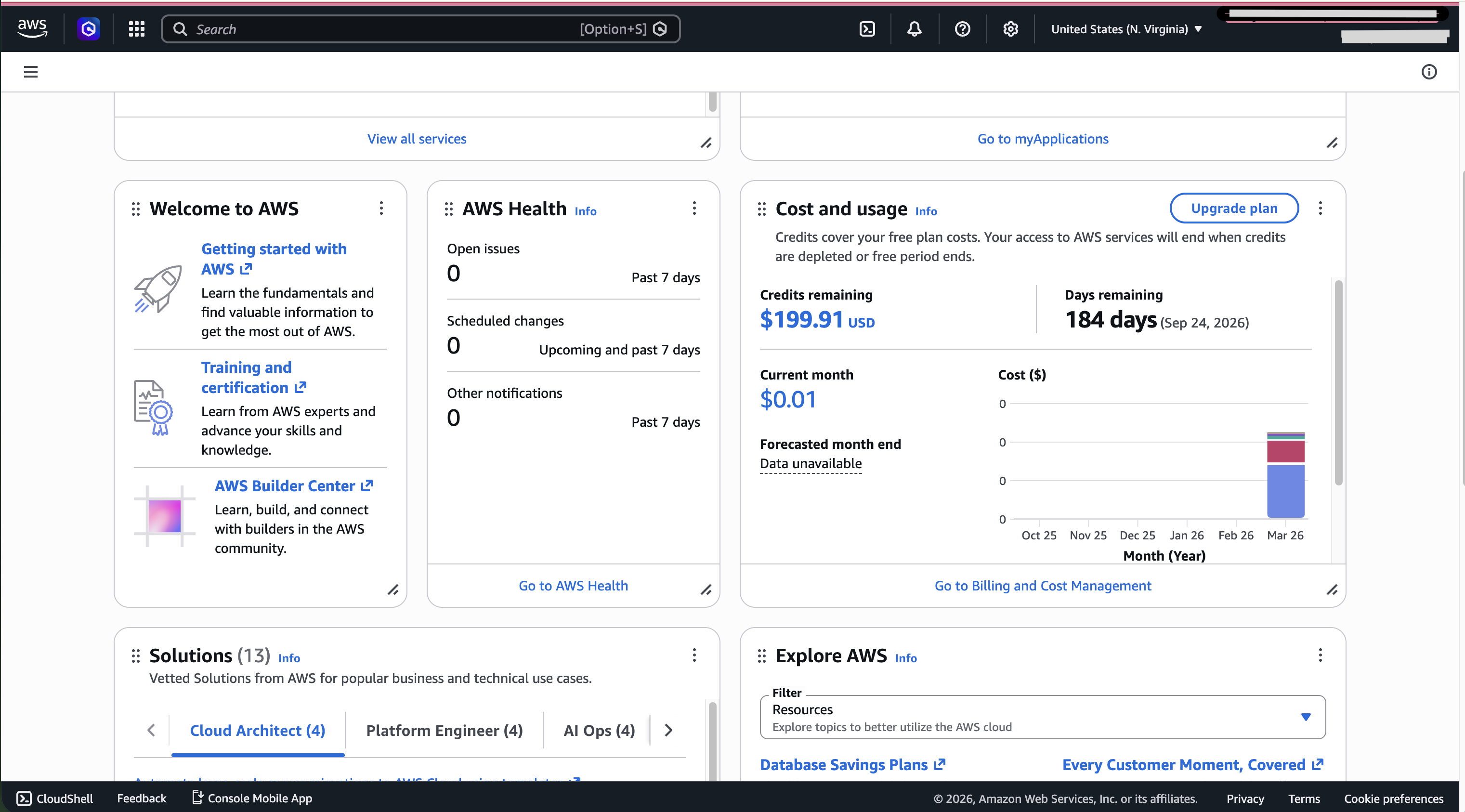
Caption: My credits and billing overview so I could track how much I was using.
What I set out to build
I’m building a coding platform where students write code in exams. Running untrusted code in your own API process is unsafe, so I integrated Judge0—a system that runs submissions in a sandbox and returns output. I needed a Linux server in the cloud where Judge0 could run with Docker.
The AWS pieces I touched
EC2 (Elastic Compute Cloud)
EC2 is a virtual machine in the cloud. You pick an OS image (I used Ubuntu), a size (CPU/RAM), and storage. You get a public IP (unless you change it) and you control who can connect via security groups (a firewall).
What I learned:
The server is not “magic”—it’s CPU + RAM + disk + network rules. If something works on the machine but not from my laptop, the problem is often security groups or wrong IP, not my app.
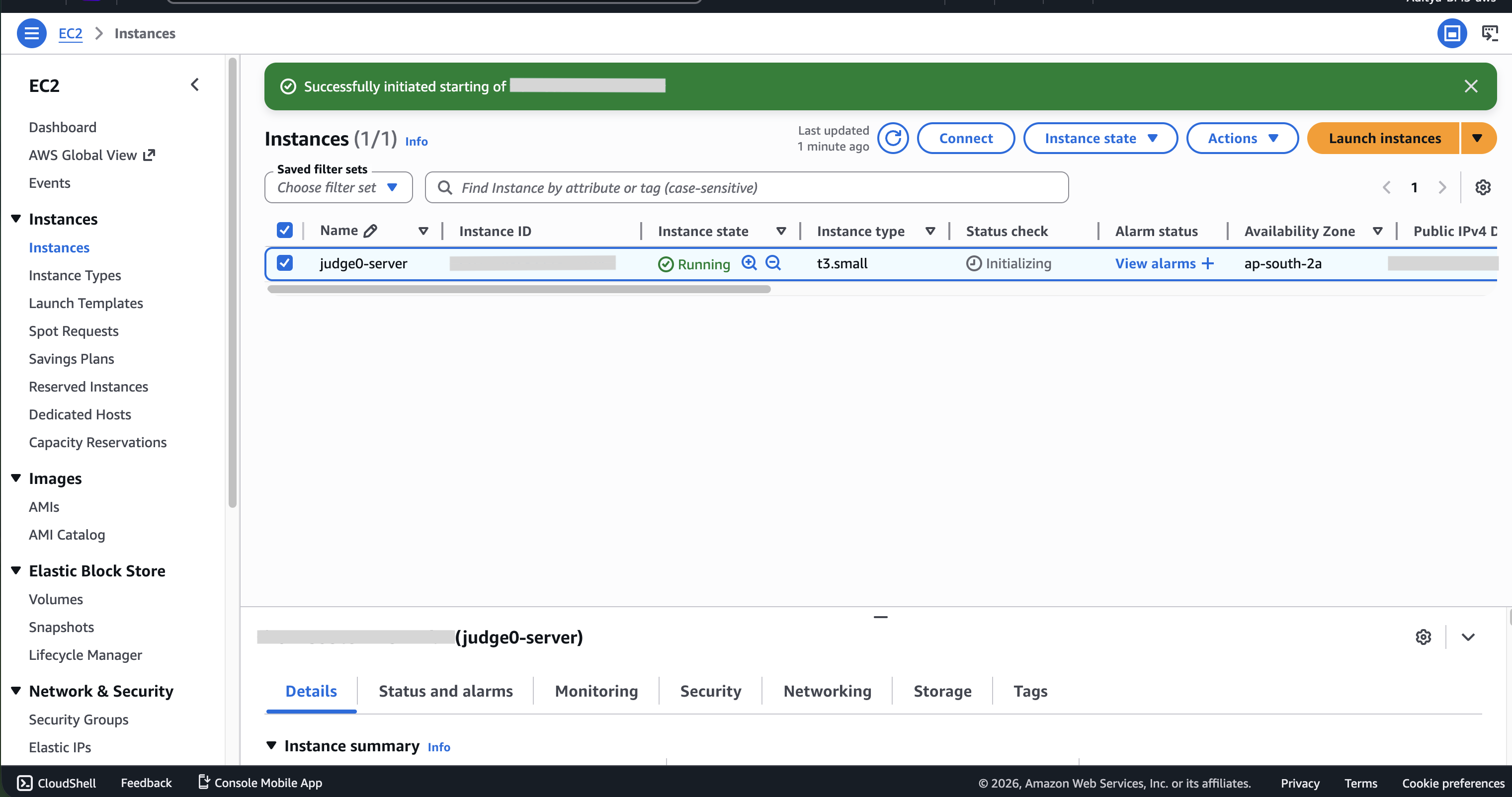
Caption: My instance.
Docker and “container orchestration”
Docker packages an app and its dependencies into a container—easy to run the same way on any Linux box.
Container orchestration means: who decides when and where containers run, how many copies, how they restart, how they get traffic?
Docker Compose (what Judge0 uses in its official setup): great for one server—you describe services in a file and run
docker compose up. This is lightweight orchestration for a single machine.Kubernetes / AWS ECS: built for many servers, rolling updates, auto-scaling, and production traffic. More power, more concepts (clusters, tasks, services).
What I learned:
I don’t need Kubernetes for every project. For a side project and a single Judge0 host, EC2 + Docker Compose was enough. I still read about ECS and ECR so I know what the “next step” looks like.
ECR (Elastic Container Registry)
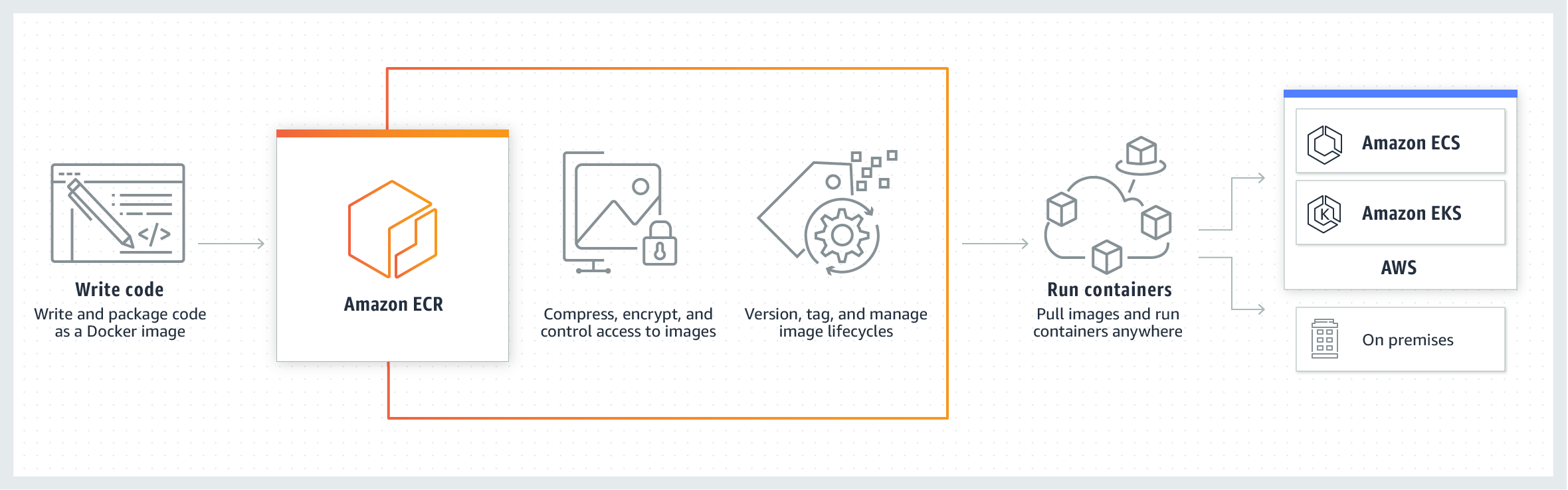
ECR is where you store Docker images in AWS (private registry, tied to IAM).
What I learned:
The flow is: build image → tag → push to ECR → pull/run somewhere else (for example ECS or EC2). It’s the “artifact” you ship, not the source code.
ECS (Elastic Container Service)
ECS runs containers on AWS—you define tasks (which image, ports, env) and services (how many copies, load balancer, etc.). Capacity can be Fargate (no servers to manage) or EC2 (you manage EC2, ECS places tasks).
What I learned:
ECS is closer to real production than a single docker compose box, but it has a steeper learning curve. For my Judge0 experiment, plain EC2 matched the docs and got me to a working demo faster.
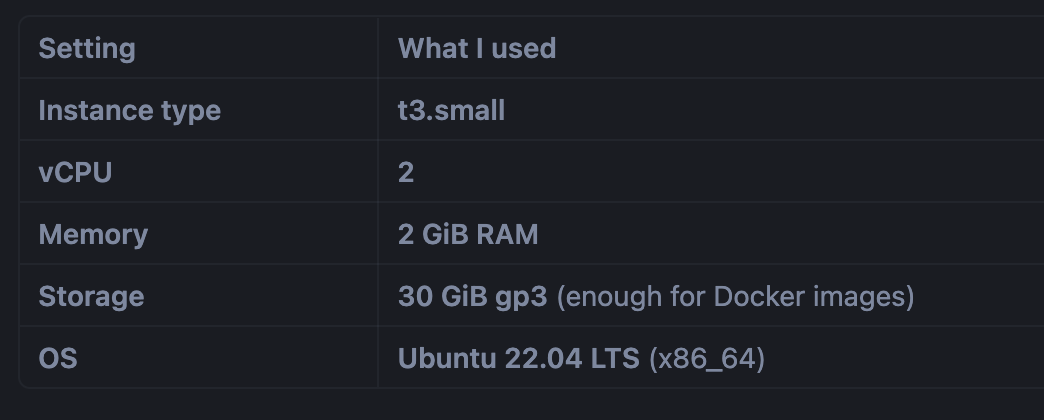
What I actually chose for Judge0: EC2 specs
I used a small instance to stay within free-tier / budget constraints:
Closing
This journey taught me AWS basics, Docker, a bit of ECR/ECS theory, and real debugging (firewall, kernel, Docker hosts). If you’re sitting on credits with a time limit, pick one real project, deploy it, break it, fix it—that’s where the learning sticks.

Join Aditya on Peerlist!
Join amazing folks like Aditya and thousands of other builders on Peerlist.