

ChatGPT + Netlify Integration: What It Actually Can (and Can’t) Do
If you’ve seen the buzz about ChatGPT integrating Netlify, here’s the straight, no-nonsense breakdown of what this tool integration actually does... and what it absolutely doesn’t.

This isn’t about Netlify as a whole platform. It’s about what I, through the ChatGPT Netlify tool, can execute for you directly.
✅ What I Can Do with Netlify inside ChatGPT
1. Projects / Sites
List projects (sites) under your team.
Get detailed info on a specific site.
Create a new project (site).
Rename an existing project.
Enable or disable Netlify Forms at the site level.
Configure access controls (SSO, password-protected access).
2. Deployments
Retrieve details for a specific deploy.
Fetch a deploy that belongs to a site.
Trigger a new site deploy (
deploy-site).
3. Environment Variables
List all environment variables for a site.
Create or update environment variables.
Delete environment variables.
Manage:
Scopes (builds, functions, runtime, etc.)
Contexts (dev, branch deploy, preview, production)
Secret vs non-secret values
4. Forms
Enable or disable forms on a site.
Retrieve form submissions.
Delete specific form submissions.
5. Teams
List teams you’re a part of.
Retrieve details for a particular team.
6. Extensions
List available Netlify extensions.
Get full details for a specific extension.
Install or uninstall extensions on a site.
Initialize a Netlify-managed database (if supported).
7. User Info
Retrieve your Netlify user account details (read-only).
8. Coding Context (Critical for Dev Work)
Access relevant Netlify-specific context before modifying code for:
Serverless functions
Edge functions
Blobs
Image CDN
Forms
Databases
(This step ensures you’re coding with full context — not blind guessing.)
❌ What I Can’t Do with Netlify inside ChatGPT
1. No Source Code Access
Cannot read, edit, or commit to your repo.
No pushing branches or triggering GitHub/GitLab actions.
2. No Build or Runtime Logs
Cannot view build logs, inspect function logs, or debug runtime failures.
You’ll need to supply logs manually if troubleshooting.
3. No Domain or DNS Management
Cannot add/remove custom domains, manage DNS records, or configure SSL.
Netlify DNS zones remain untouched.
4. No Identity or Auth Management
Cannot manage users, reset passwords, or assign roles in Netlify Identity.
No access to JWTs or session details.
5. No Role or Permission Management
Cannot add/remove team members or alter roles and access levels.
6. No Billing or Account Controls
Cannot view invoices, change plans, modify payment details, or view usage quotas.
7. No Background or Scheduled Actions
Cannot monitor deploys or run recurring checks.
Everything is immediate — one-off executions only.
8. No Guessing or Auto-Discovery
Cannot guess site, team, or deploy IDs.
You must provide identifiers or list them first.
⚙️ Bottom Line
The ChatGPT + Netlify integration is powerful for:
Site/project management
Triggering deployments
Managing environment variables
Handling forms
Working with extensions
Keeping clean configuration practices
It’s limited (by design) for:
Code-level operations
Log inspection
Domain/DNS work
User identity management
Billing and permissions
Continuous or background workflows
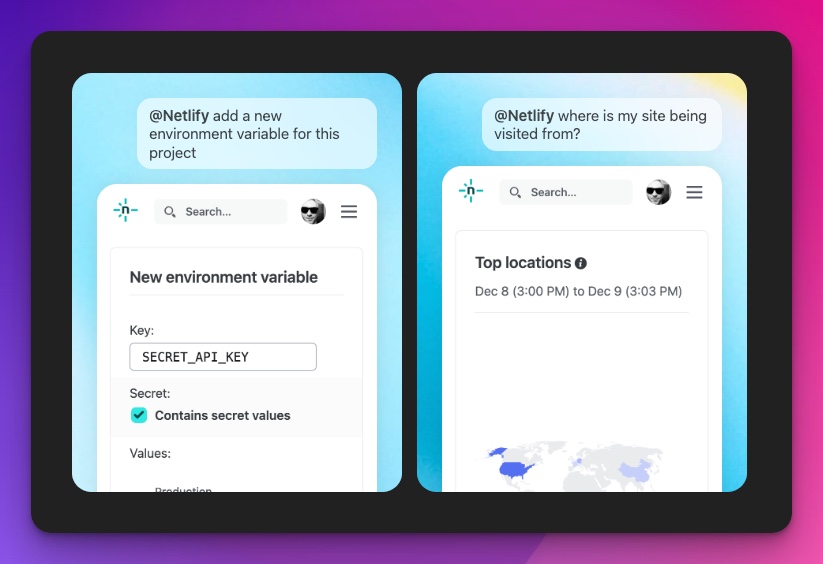
Hope this helps, Peers! I had the mistake of asking it to list where my visitors are coming from. Well, it was listed in the promo page! I made the mistake so you don't have to.

Join Allan on Peerlist!
Join amazing folks like Allan and thousands of other builders on Peerlist.
2
2
0