

Automating WhatsApp Contact Extraction for Better Workflows and Lead Management
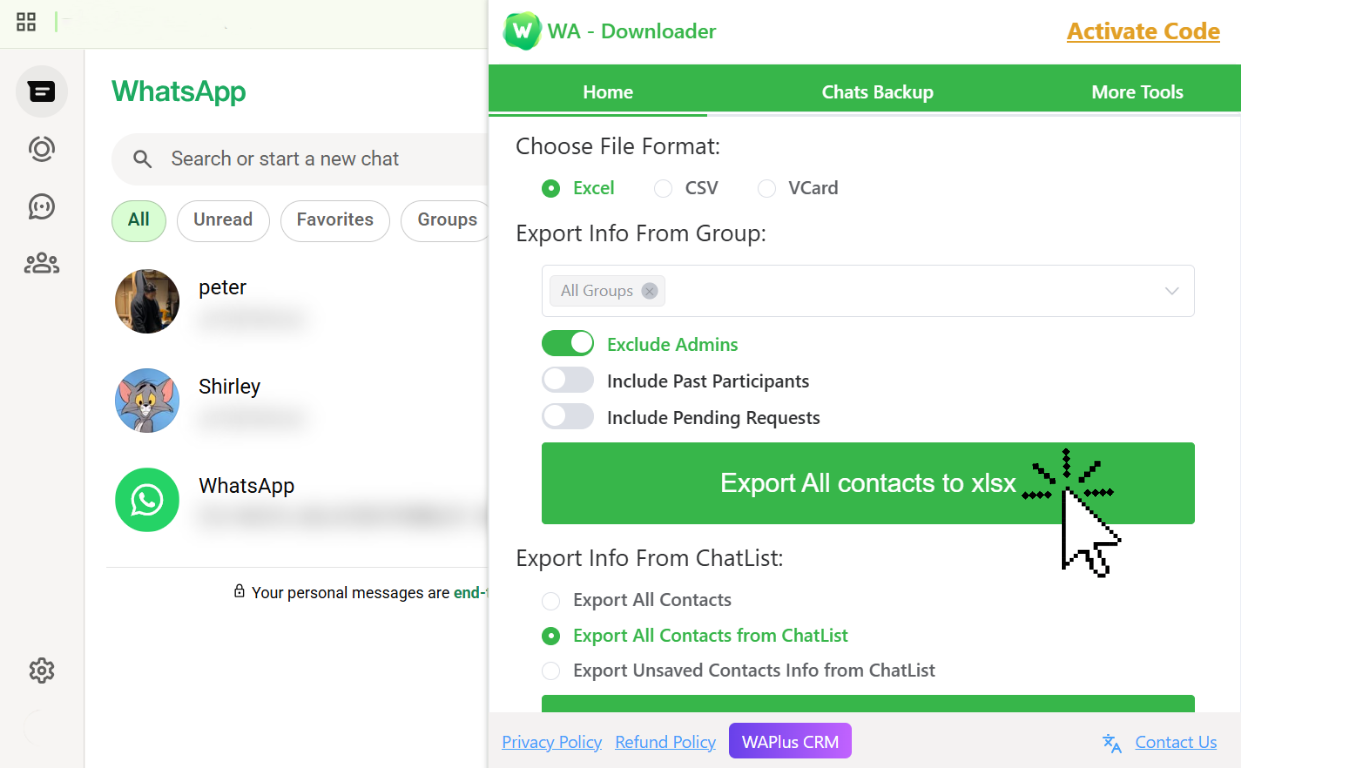
WhatsApp has become a critical part of daily communication for freelancers, developers, support agents, and businesses. As WhatsApp Web adoption continues to grow, more workflows rely on the platform: customer engagement, technical support, onboarding automation, and even CRM syncing.
But despite its popularity, WhatsApp still has one major limitation—there is no built-in way to export contacts. For developers and operations teams who depend on structured data, this missing capability creates a gap between messaging workflows and automation workflows.This is where tools like
WA Contacts Extractor become extremely useful.
Why Contact Extraction Matters
Most modern workflows revolve around data mobility:
Syncing contacts into CRM systems
Creating automated outreach campaigns
Integrating WhatsApp data into internal tools
Preparing datasets for analytics or AI workflows
Without an export method, all this becomes unnecessarily manual. Teams resort to copying phone numbers one by one—an inefficient and error-prone process that does not scale.For anyone building workflows or automation pipelines, contact extraction is not just a convenience; it is a requirement.
How WA Contacts Extractor Solves the Problem
WA Contacts Extractor automates the entire process. Instead of scraping data or writing brittle scripts that break when WhatsApp updates its UI, this tool:
Scans WhatsApp Web safely
Collects all contact details
Organizes them into a clean list
Allows export into CSV, spreadsheets, or CRM-ready formats
What makes it versatile is that it fits naturally into developer workflows. If you're building automation using Make, Zapier, or custom scripts, having a structured list of contacts unlocks integrations that WhatsApp itself doesn’t support.
Add-On for Privacy-Sensitive Users
While optimizing WhatsApp workflows, many professionals also worry about privacy—especially those who work in open offices, record tutorials, or share screens during meetings.
For this, Privacy Extension for WhatsApp Web is an excellent companion tool. It blurs messages, contact names, and media previews on WhatsApp Web so sensitive information is never exposed unintentionally.
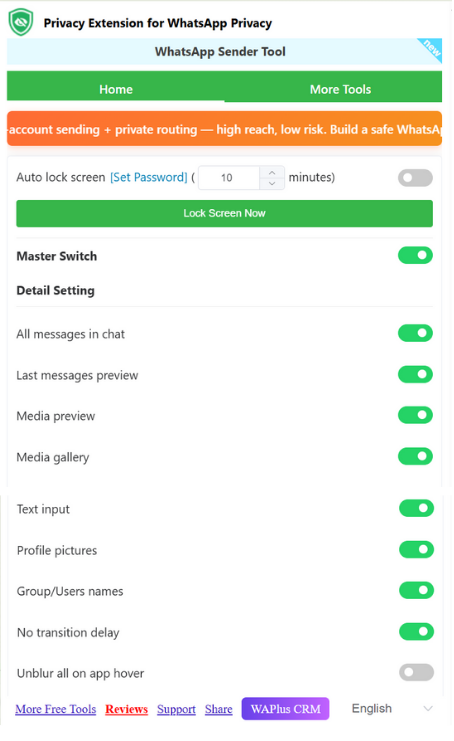
Pairing both tools gives you:
Smooth contact extraction
A safer, more private interface
More productive WhatsApp-based workflows
Common Use Cases
Developers and professionals use WA Contacts Extractor for:
Automating lead management
Syncing WhatsApp data to CRM tools
Preparing datasets for AI message classification
Migrating user lists into chatbot platforms
Backing up important customer contact information
In each case, the tool removes friction and significantly speeds up operations.
Conclusion
WhatsApp Web is powerful but incomplete. For professionals who rely on structured data and automation workflows, the absence of native contact export creates unnecessary manual work.
Tools like WA Contacts Extractor bridge that gap by enabling fast and accurate contact extraction. Combined with privacy-oriented extensions, they create a more efficient and safer environment for developers, teams, and businesses working with WhatsApp daily.
If you're building automation, CRM workflows, or operational pipelines around WhatsApp, this is one tool that can immediately improve your productivity and reduce repetitive work.

Join Alexandra on Peerlist!
Join amazing folks like Alexandra and thousands of other builders on Peerlist.
0
0
0