

From Traffic to Sales: Complete Funnel Automation with WPBot (2026 Guide)
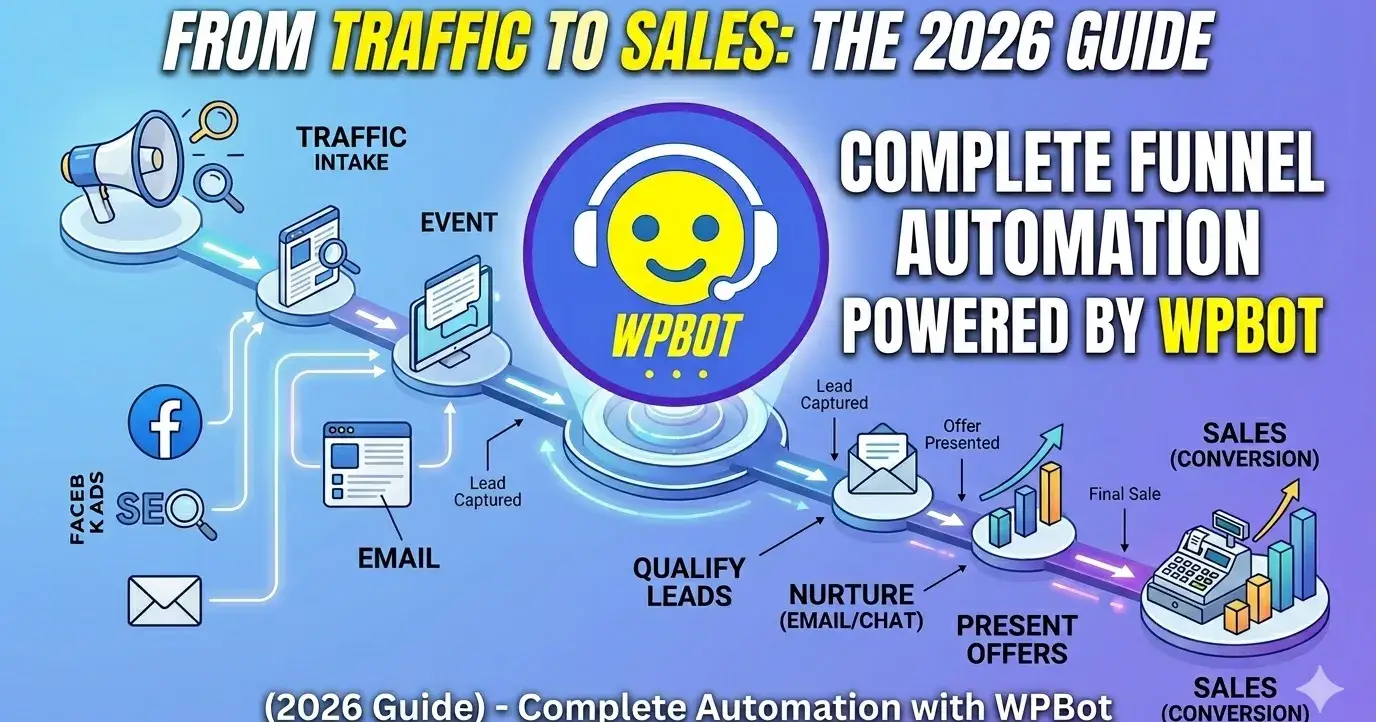
If your website gets traffic but doesn’t convert, WPBot can fix that—by turning your entire funnel into an automated, always-on sales system.
Instead of losing visitors, WPBot captures, engages, qualifies, and converts them—without needing constant manual work.
Let’s break it down in a simple, practical way.
What is WPBot?
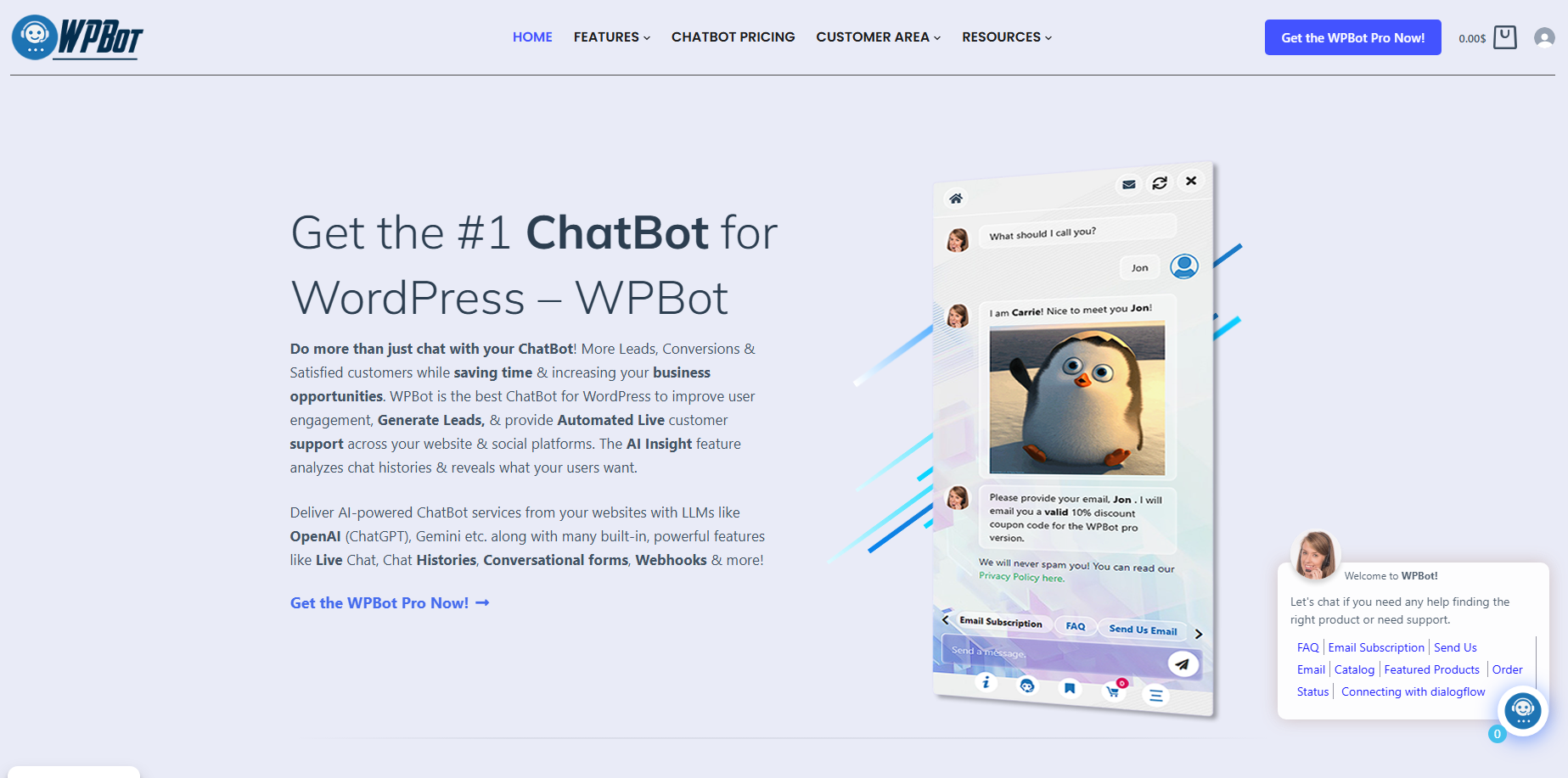
WPBot is a WordPress AI chatbot plugin that helps you:
Talk to visitors instantly
Answer questions automatically
Capture leads
Recommend products
Guide users toward purchase
Think of it as a 24/7 sales assistant built into your website.
Why Traffic Alone Doesn’t Work
Most websites focus on getting traffic.
But here’s the problem:
Visitors leave without taking action
No follow-up happens
Questions go unanswered
Buying decisions get delayed
Result: Lost sales.
A typical funnel looks like this:
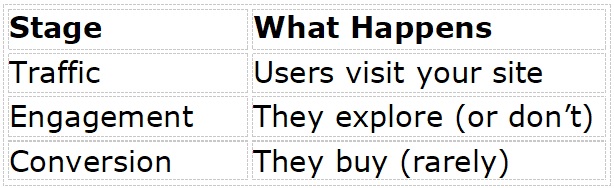
Without automation, most users drop off between stages.
What Does “Funnel Automation” Actually Mean?
Funnel automation means:
👉 Every visitor is guided step-by-step toward a goal—automatically.
With WPBot, your funnel becomes:
Visitor lands on site
Bot greets and engages
Bot understands intent
Bot recommends solution
Bot captures lead or drives purchase
No manual effort needed.
How WPBot Converts Traffic into Sales
Let’s go deeper.
1. Instant Engagement (No More Bounce)
Most users leave within seconds.
WPBot fixes that by:
Showing a welcome message
Asking simple questions
Offering help immediately
Example:
“Hi! Looking for something specific today?”
This keeps users on your site longer.
2. Smart Conversations That Guide Users
WPBot doesn’t just chat—it guides decisions.
It can:
Suggest products
Answer FAQs
Show relevant pages
Provide quick options
Why this matters:
Users don’t want to search—they want answers fast.
3. Lead Capture Without Forms
Forms feel boring. Chat feels natural.
WPBot collects:
Name
Email
Phone number
Through conversation.
Example flow:
“Want me to send you more details?”
User says yes
Bot collects info
Simple. Effective.
4. Product Recommendations That Sell
WPBot can recommend products based on:
User input
Behavior
Keywords
This is like having a smart salesperson on your site.
5. 24/7 Availability (Zero Missed Opportunities)
Your business doesn’t sleep.
WPBot works:
Day and night
During holidays
Without breaks
Every visitor gets attention.
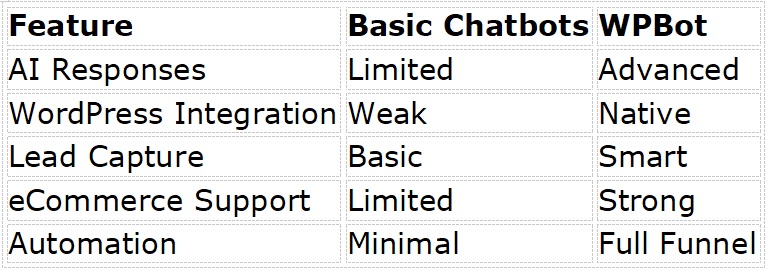
What Makes WPBot Different from Basic Chatbots?
Not all chatbots are equal.
Here’s how WPBot stands out:
Key Features That Drive Sales
Let’s look at the most important features.
🔹 AI-Powered Chat
Understands user intent
Responds naturally
Improves engagement
🔹 WooCommerce Integration
Recommends products
Shows pricing
Helps checkout
🔹 Lead Generation
Captures emails inside chat
Stores data automatically
🔹 Retargeting Support
Connect with email tools
Follow up later
🔹 Custom Flows
Build your own funnel
Control conversations
How to Set Up a Complete Funnel with WPBot
Let’s keep it simple.
Step 1: Install WPBot
Go to WordPress dashboard
Install WPBot plugin
Activate it
Step 2: Configure Basic Settings
Set up:
Welcome message
Bot name
Language
Step 3: Create Conversation Flows
Design your funnel:
Greeting → Question → Suggestion → Action
Step 4: Connect Lead Capture
Enable:
Email collection
CRM integration
Step 5: Add Product Recommendations
If using WooCommerce:
Link products
Enable smart suggestions
Step 6: Optimize and Test
Check:
Response speed
User flow
Conversion points
Real Use Cases (Where WPBot Works Best)
🛒 eCommerce Stores
Reduce cart abandonment
Suggest products
Answer product questions
💼 Service Businesses
Capture leads
Book appointments
Qualify prospects
📚 Blogs & Content Sites
Recommend articles
Increase time on site
Grow email list
🏢 Agencies
Automate client inquiries
Pre-qualify leads
Save time
How WPBot Reduces Cart Abandonment
Cart abandonment is a big problem.
WPBot helps by:
Reminding users about items
Answering last-minute questions
Offering help at checkout
Result: More completed purchases.
Common Mistakes to Avoid
Don’t do this:
❌ Overloading users with messages
❌ Making the bot too complex
❌ Ignoring mobile experience
❌ Not testing flows
Do this instead:
✔ Keep conversations simple
✔ Focus on user intent
✔ Optimize based on data
WPBot vs Live Chat: Which is Better?
Here’s the truth:
Live chat = Human support
WPBot = Automated support
Best approach?
👉 Use both together
WPBot handles:
Basic queries
Lead capture
First interaction
Humans handle:
Complex issues
SEO Benefits of Using WPBot
Yes, WPBot can help SEO indirectly.
How?
Increases time on site
Reduces bounce rate
Improves engagement
These are strong ranking signals.
Advanced Funnel Strategies with WPBot
Want better results? Try this:
🔥 Strategy 1: Intent-Based Triggers
Show messages based on user behavior
🔥 Strategy 2: Exit Intent Popups
Catch users before they leave
🔥 Strategy 3: Personalized Offers
Offer discounts via chat
🔥 Strategy 4: Multi-Step Qualification
Ask 2–3 questions before showing offer
Example Funnel (Simple and Effective)
Step-by-step flow:
Visitor lands
Bot says hello
Asks what they need
Suggests solution
Captures email
Sends to product page
That’s it.
FAQs
What is WPBot used for?
WPBot is used to automate conversations, capture leads, and convert website visitors into customers.
Can WPBot increase sales?
Yes. It improves engagement, reduces drop-offs, and guides users toward purchase.
Is WPBot beginner-friendly?
Yes. You don’t need coding skills to set it up.
Does WPBot work with WooCommerce?
Yes. It integrates directly and helps with product recommendations and checkout.
Can I customize the chatbot?
Yes. You can fully control messages, flows, and behavior.
Final Thoughts
Traffic without conversion is wasted effort.
WPBot fixes that by:
Engaging visitors instantly
Guiding them through a funnel
Turning interest into action
If you want a simple, scalable way to automate sales, WPBot is a solid solution.
Quick Recap
WPBot = Automated sales assistant
Converts traffic into leads and customers
Works 24/7
Easy to set up
Powerful for WordPress users
If your site gets traffic but struggles to convert, this is exactly where WPBot makes the difference.

Join abu noim on Peerlist!
Join amazing folks like abu noim and thousands of other builders on Peerlist.
0
3
0