

How WooCommerce Stores Reduce Cart Abandonment with AI Chatbots (And Why WPBot Delivers Results)
WooCommerce stores reduce cart abandonment by using AI chatbots to answer questions instantly, remove checkout confusion, build trust, and guide shoppers to complete purchases.
WPBot works especially well because it integrates deeply with WordPress and WooCommerce, responds in real time, supports product search, and engages shoppers at the exact moment they hesitate.
If your store is losing sales at checkout, this article shows why it happens, how AI chatbots fix it, and why WPBot is built for the job.
Why Cart Abandonment Is a Serious Problem for WooCommerce Stores
Let’s be honest.
Most WooCommerce stores don’t have a traffic problem.
They have a conversion problem.
Industry data shows that over 65–70% of carts are abandoned before checkout.
That means:
You pay for traffic
Shoppers add products
Then… they leave
No sale. No revenue.
Common Reasons Shoppers Abandon Carts
Shoppers don’t abandon carts randomly.
They leave because something feels unclear or risky.
The most common reasons are:
Unexpected shipping costs
Confusing checkout steps
Payment or trust concerns
Product questions left unanswered
No instant support
Distractions or hesitation
Here’s the key insight:
Most cart abandonment happens because shoppers don’t get answers fast enough.
This is where AI chatbots change everything.
What Is an AI Chatbot for WooCommerce?
An AI chatbot is a virtual assistant that lives on your WooCommerce store and interacts with visitors in real time.
Instead of:
Searching FAQs
Sending emails
Waiting for replies
Shoppers can ask questions instantly and get immediate answers.
What AI Chatbots Do in WooCommerce
A good WooCommerce chatbot can:
Answer product questions
Explain pricing, shipping, and returns
Help users find the right product
Guide users through checkout
Reduce friction at decision points
Capture leads and intent
AI chatbots don’t replace humans.
They remove friction before humans are needed.
Why AI Chatbots Are So Effective at Reducing Cart Abandonment
Cart abandonment is a timing issue.
Shoppers hesitate in the moment.
If no help appears, they leave.
AI chatbots work because they:
Respond instantly
Stay visible during checkout
Engage without being intrusive
Handle multiple shoppers at once
Let’s break this down properly.
How Exactly Do AI Chatbots Reduce Cart Abandonment?
1. Instant Answers at the Moment of Doubt
When shoppers hesitate, they usually ask questions like:
“Is this product compatible with X?”
“How long is shipping?”
“Can I return this?”
“Is there any discount?”
If those answers are not immediate, the cart is abandoned.
AI chatbots respond in seconds — not hours.
2. Removing Checkout Confusion
Checkout pages often confuse buyers.
Common problems:
Too many fields
Unclear steps
Payment uncertainty
AI chatbots guide users by:
Explaining each step
Clarifying payment options
Reassuring security and privacy
Less confusion = more completed orders.
3. Building Trust in Real Time
Trust is fragile in eCommerce.
AI chatbots help by:
Showing return policies instantly
Explaining guarantees
Answering “Is this legit?” questions
A confident buyer is more likely to complete checkout.
4. Product Discovery That Feels Personal
Sometimes carts are abandoned because buyers aren’t sure they picked the right product.
AI chatbots help users:
Compare products
Find alternatives
Understand differences
This reduces uncertainty — a major abandonment trigger.
5. Gentle Engagement Without Popups
Popups often annoy users.
Chatbots:
Sit quietly on the page
Engage only when needed
Feel more conversational
This keeps users engaged instead of frustrated.
What Is WPBot?
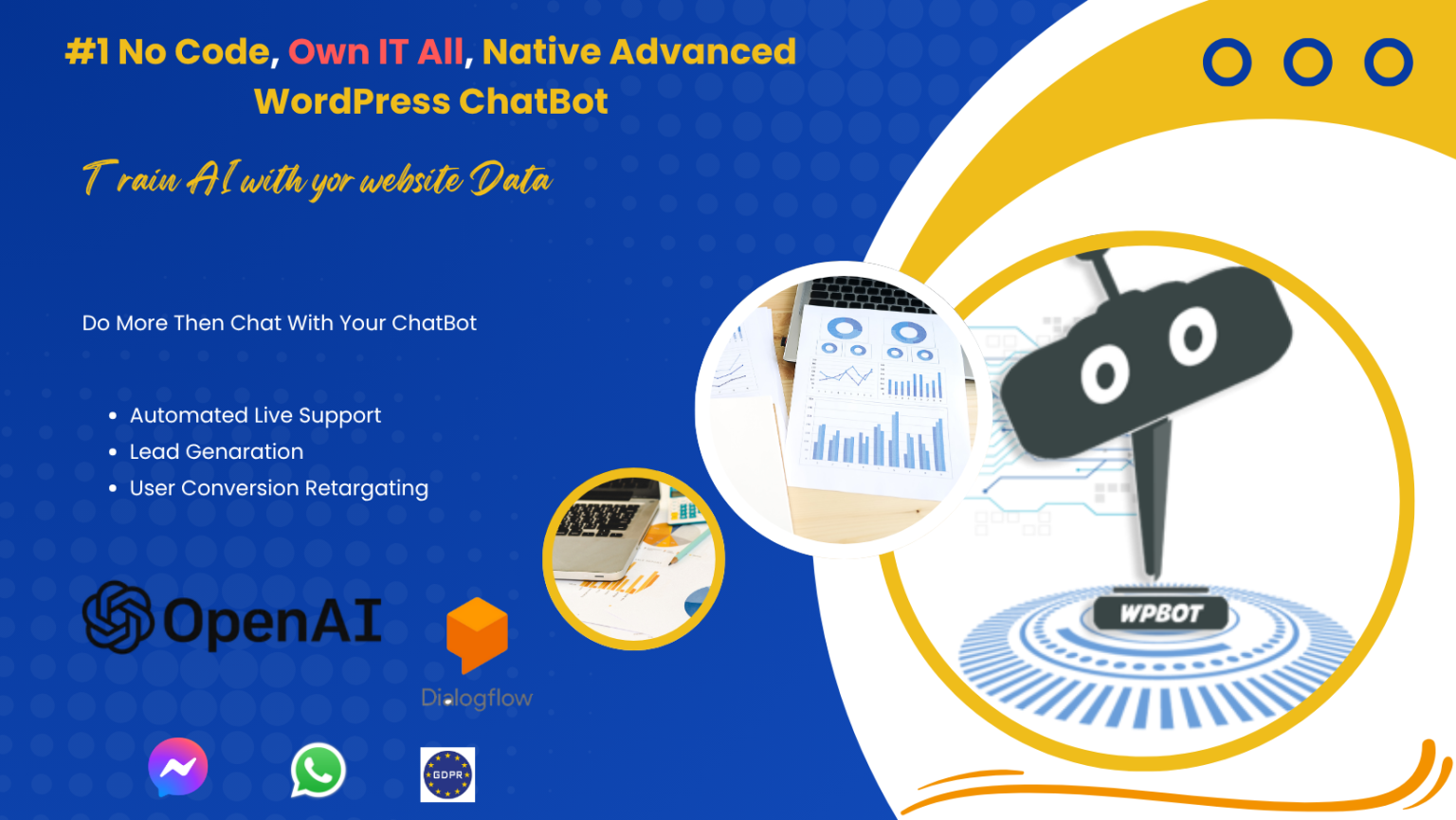
WPBot is an AI-powered chatbot plugin built specifically for WordPress and WooCommerce.
It’s not a generic SaaS chatbot.
It’s designed to work inside your WordPress ecosystem.
What Makes WPBot Different
WPBot is:
WordPress-native
WooCommerce-aware
Product-search enabled
Easy to customize
Lightweight and fast
It understands your store — not just your visitors.
How WPBot Reduces Cart Abandonment in WooCommerce
Now let’s get practical.
Here’s how WPBot directly helps recover lost sales.
1. WooCommerce Product-Aware Conversations
WPBot can:
Search products
Show prices
Share availability
Link directly to product pages
This means shoppers don’t leave the cart page to browse again.
They stay focused.
2. Smart Product Search Inside Chat
Instead of using filters or menus, users can simply ask:
“Show me black sneakers under $100”
WPBot responds instantly.
This reduces:
Friction
Confusion
Page exits
3. Cart & Checkout Assistance
WPBot helps during checkout by answering:
Shipping cost questions
Payment method queries
Coupon-related issues
This is where most abandonments happen — and where WPBot shines.
4. Automated FAQs That Actually Work
WPBot uses:
Your FAQs
Store policies
Custom responses
No guessing.
No hallucinations.
The answers come from your data.
5. 24/7 Availability (No Missed Sales)
WooCommerce stores sell globally.
WPBot works:
Day
Night
Weekends
Holidays
Every visitor gets help — anytime.
Real-World WooCommerce Use Cases for WPBot
Use Case 1: High-Ticket Products
High prices increase hesitation.
WPBot helps by:
Explaining value
Clarifying guarantees
Answering technical questions
Use Case 2: Subscription Products
Subscriptions raise questions:
Billing cycles
Cancellations
Trials
WPBot answers these instantly — reducing fear.
Use Case 3: Digital Products
Buyers ask:
“How do I download?”
“Is it refundable?”
“Is it compatible?”
WPBot removes doubt before purchase.
Use Case 4: Seasonal Sales & Campaigns
During sales, support teams get overwhelmed.
WPBot handles:
Coupon questions
Sale terms
Stock availability
This keeps conversions high during peak traffic.
WPBot vs Live Chat: Which Reduces Cart Abandonment Better?
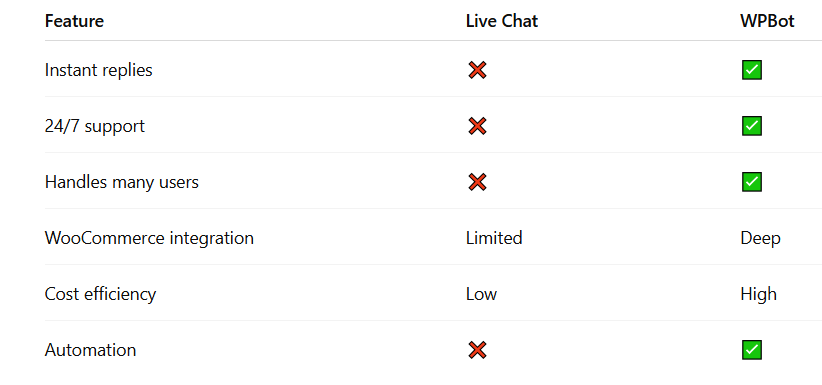
Live chat helps — but only when agents are online.
WPBot works all the time.
SEO & UX Benefits of Using WPBot
WPBot improves SEO indirectly by:
Lowering bounce rates
Increasing time on site
Improving engagement signals
Helping users find content faster
Search engines reward helpful experiences.
Best Practices: How to Use WPBot for Maximum Results
1. Focus on Checkout Pages First
Place WPBot where abandonment happens:
Cart page
Checkout page
Pricing page
2. Keep Answers Short
Busy shoppers don’t read paragraphs.
Use:
Short replies
Bullet-style answers
Clear CTAs
3. Train WPBot with Real Questions
Use:
Support tickets
Chat logs
Emails
Real questions = real conversions.
4. Don’t Over-Automate
Always allow:
Human contact
Email follow-ups
WPBot should assist, not trap users.
Common Mistakes WooCommerce Stores Make with Chatbots
Avoid these:
Using generic chatbot scripts
Ignoring checkout-specific questions
Making the chatbot intrusive
Not updating answers regularly
A chatbot is only as good as its setup.
Is WPBot Worth It for WooCommerce Stores?
If your store:
Gets traffic
Sells products
Loses carts
Then yes — WPBot is worth it.
It doesn’t magically create demand.
It protects the demand you already have.
Final Thoughts
Cart abandonment is not about traffic.
It’s about missed conversations.
AI chatbots fix that.
And WPBot works especially well for WooCommerce because it’s built for WordPress, understands products, and engages shoppers at the exact moment they hesitate.
If you want more completed orders without hiring more staff — WPBot is a smart move.
Frequently Asked Questions (FAQs)
What causes cart abandonment in WooCommerce?
Unexpected costs, checkout confusion, lack of trust, and unanswered questions are the top reasons.
Can AI chatbots really increase conversions?
Yes. By answering questions instantly and reducing friction, chatbots directly improve checkout completion rates.
Is WPBot suitable for small WooCommerce stores?
Absolutely. WPBot is lightweight, affordable, and easy to set up for stores of any size.
Does WPBot replace human support?
No. WPBot handles repetitive questions so humans can focus on complex issues.
Where should I place WPBot on my store?
Cart pages, checkout pages, product pages, and pricing pages work best.

Join abu noim on Peerlist!
Join amazing folks like abu noim and thousands of other builders on Peerlist.
0
1
0