

How WPBot Turns Your WordPress Website into a 24/7 AI Sales Machine
If your WordPress site gets traffic but not enough sales, the missing piece is real-time engagement. A chatbot like WPBot solves this by automatically greeting visitors, answering questions, recommending products, and capturing leads — all day, every day.
In simple terms, WPBot turns a passive website into an active sales assistant.
Instead of waiting for visitors to figure things out on their own, the chatbot guides them toward conversion.
This guide explains how WPBot works, why it increases conversions, and how you can turn your WordPress website into a 24/7 AI sales machine.
Why Most WordPress Websites Fail to Convert Traffic
Let’s start with a simple truth.
Traffic alone does not generate revenue.
Many websites receive thousands of visitors but still struggle to convert them into customers.
Why does this happen?
Most websites fail because they lack instant interaction.
Common problems include:
Visitors can’t find information quickly
Questions go unanswered
Navigation is confusing
Support is not available immediately
Visitors lose patience.
They leave.
When that happens, you lose potential customers.
An AI chatbot solves this by engaging visitors instantly.
What Is WPBot?
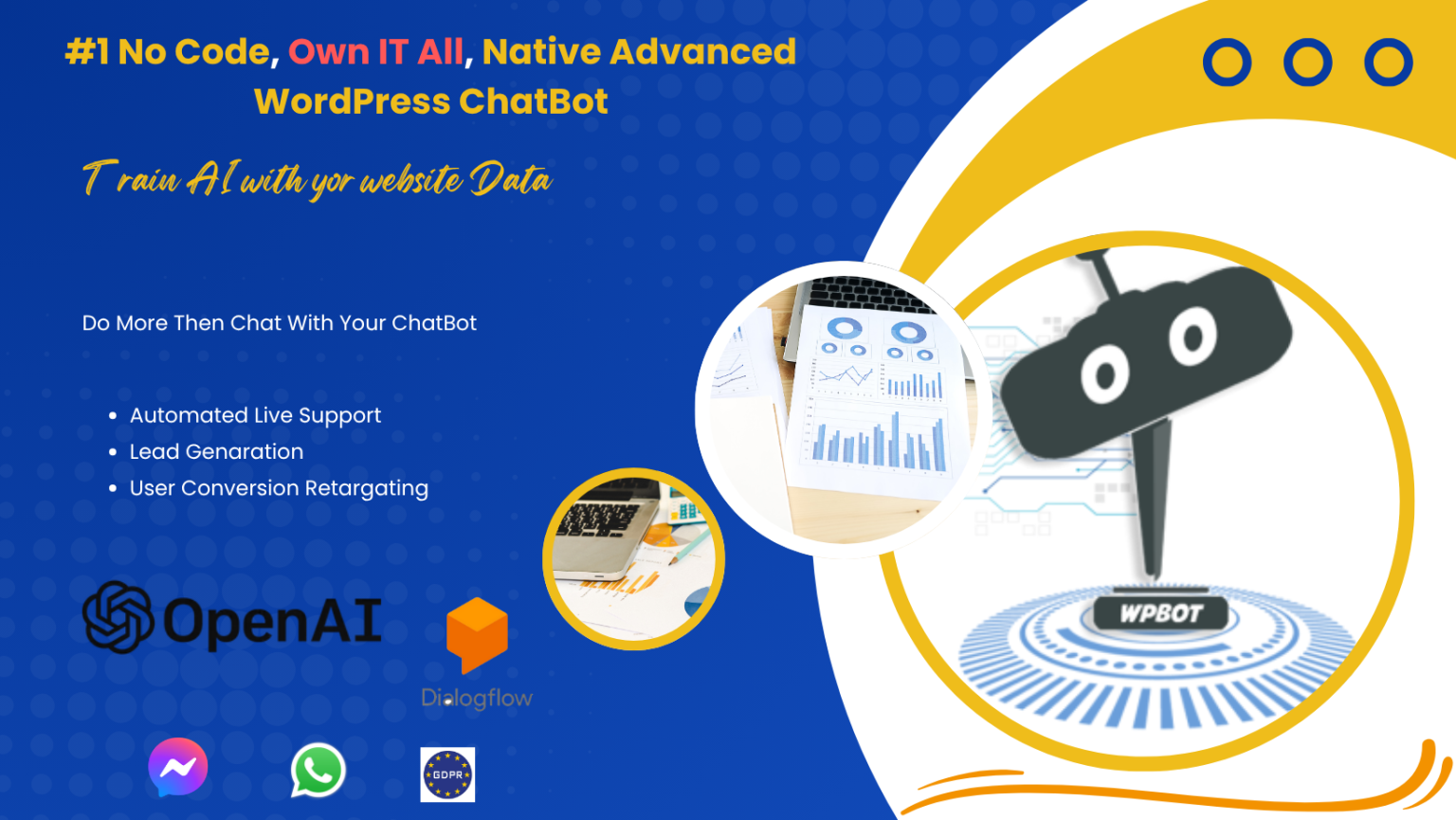
WPBot is a WordPress AI chatbot plugin that interacts with visitors automatically.
It works like a digital assistant inside your website.
The chatbot can:
Answer visitor questions
Help users find information
Recommend products
Capture leads
Provide customer support
Guide visitors toward purchase decisions
The best part?
It runs 24 hours a day without human intervention.
What Does a “24/7 AI Sales Machine” Actually Mean?
A sales machine performs three key functions:
Engage visitors
Provide information
Encourage purchases
WPBot does all three automatically.
Instead of relying only on static pages, your website becomes interactive.
Visitors can ask questions, get recommendations, and receive guidance instantly.
That interaction increases trust — and trust increases conversions.
How WPBot Converts Visitors into Customers
Let’s break down the conversion process step by step.
Step 1: Instant Engagement
The first few seconds on a website are critical.
If nothing grabs attention, visitors leave.
WPBot solves this with automatic welcome messages.
Examples include:
“Hi there! Looking for something?”
“Need help choosing a product?”
“Ask me anything.”
These simple messages invite interaction.
Once a visitor responds, the conversation begins.
This increases:
Time on site
Page views
Engagement
More engagement often leads to higher conversion rates.
Step 2: Answering Questions in Real Time
Visitors frequently leave because they cannot find answers.
Typical questions include:
What does this product do?
How much does it cost?
Is there documentation?
Do you offer support?
When answers are delayed, visitors leave.
WPBot eliminates this problem by providing instant responses.
The chatbot can pull answers from:
Website content
Knowledge bases
Product data
Custom training data
Visitors receive information immediately.
That reduces frustration and increases trust.
Step 3: Smart Content Discovery
Large websites often overwhelm visitors.
Users don’t know where to go.
WPBot helps by acting like a smart search assistant.
Visitors can type questions like:
“Where is the installation guide?”
“How does this plugin work?”
“Show me pricing.”
The chatbot instantly provides:
Relevant pages
Documentation links
Product information
This makes the website easier to navigate.
Step 4: Product Recommendations
For eCommerce sites, WPBot becomes a virtual salesperson.
When visitors ask about products, the chatbot can recommend options.
Example conversation:
Visitor:
“I need a chatbot for WooCommerce.”
Bot response:
Suggested products
Short descriptions
Direct links to purchase
This helps visitors make decisions faster.
Step 5: Lead Capture
Not every visitor is ready to buy.
Some just want information.
Instead of losing them, WPBot can capture leads.
The chatbot can request:
Name
Email address
Phone number
Example prompt:
“Would you like to receive updates or a demo?”
Collected leads can be sent to:
Email marketing tools
CRM systems
Support platforms
This turns casual visitors into future customers.
Step 6: Reducing Cart Abandonment
Cart abandonment is a major issue in eCommerce.
Many customers add items to their cart but never finish checkout.
Common reasons include:
Shipping questions
Payment confusion
Product doubts
WPBot helps resolve these issues instantly.
Example interaction:
Visitor:
“Do you offer refunds?”
Bot:
“Yes, we offer a 30-day refund policy.”
This reassurance can save a lost sale.
Key Features That Power the AI Sales Machine
Here are some core features that make WPBot effective.
AI Chat Automation
The chatbot can understand user questions and provide relevant answers.
Benefits include:
Faster responses
Better engagement
Automated support
WooCommerce Integration
WPBot integrates directly with WooCommerce.
This allows the chatbot to:
Search products
Recommend items
Assist with orders
Knowledge Base Integration
You can connect your documentation or knowledge base.
This allows the chatbot to answer technical questions.
Perfect for:
SaaS businesses
Software products
Support-heavy websites
Lead Generation Tools
WPBot can collect visitor information.
This enables:
Email list growth
Customer follow-ups
Marketing automation
Smart Search
The chatbot can search your entire website.
Visitors get answers faster than browsing manually.
Who Should Use WPBot?
WPBot works across many industries.
eCommerce Stores
Online stores benefit from:
Product recommendations
Purchase guidance
Cart recovery
SaaS Companies
Software businesses use WPBot for:
Product explanations
Documentation support
Lead generation
Agencies
Digital agencies can:
capture leads
answer service questions
book consultations
Content Websites
Blogs and media sites use chatbots to:
help readers find content
increase time on site
recommend articles
WPBot vs Traditional Live Chat
Many websites still rely on human live chat.
However, AI chatbots offer several advantages.
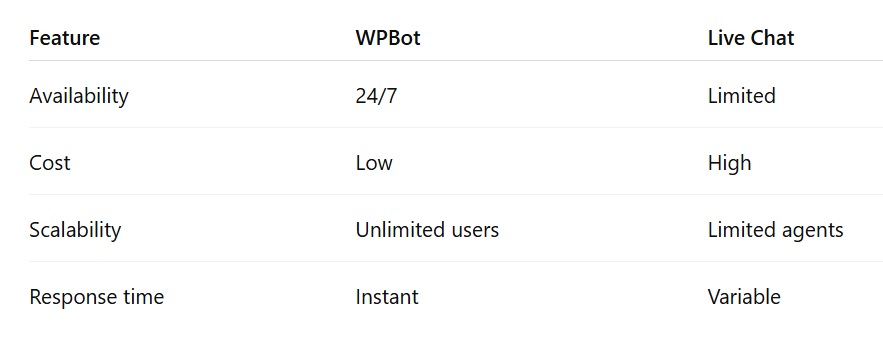
Live chat still has value.
But chatbots scale far better.
How to Set Up WPBot on Your WordPress Website
Setting up WPBot is straightforward.
Step 1: Install the Plugin
Download and install WPBot from your WordPress dashboard.
Step 2: Configure the Chatbot
Customize the chatbot settings:
Welcome messages
Chatbot appearance
Conversation flows
Step 3: Add Knowledge Sources
Train the bot using:
Documentation
Website pages
Step 4: Connect Integrations
Integrate with tools like:
WooCommerce
Email marketing platforms
Step 5: Launch the Chatbot
Activate the chatbot.
Visitors can begin interacting immediately.
Real Example of a Conversion Journey
Here’s what a typical user journey looks like.
Visitor lands on website
Chatbot greets the visitor
Visitor asks a question
Bot provides relevant information
Bot recommends product
Visitor clicks product page
Visitor completes purchase
The chatbot acts like a digital salesperson guiding the process.
Best Practices for Using WPBot
To maximize results, follow these strategies.
Focus on common customer questions
Start with FAQs about:
Pricing
Features
Setup
Support
Keep chatbot responses short
Visitors prefer quick answers.
Avoid long paragraphs.
Use product recommendations
Suggest relevant items during conversations.
Analyze chatbot logs
Look at visitor questions.
Improve responses based on real interactions.
SEO Benefits of AI Chatbots
Chatbots also improve website engagement metrics.
Benefits include:
Lower bounce rate
Longer session duration
Better user experience
Increased page views
These signals may indirectly support search rankings.
Frequently Asked Questions
What is WPBot?
WPBot is a chatbot plugin designed for WordPress websites. It automatically interacts with visitors and helps convert them into customers.
Do I need coding skills to use WPBot?
No.
WPBot is designed for non-technical users and can be configured through the WordPress dashboard.
Can WPBot work with WooCommerce?
Yes.
WPBot integrates with WooCommerce to provide product search, recommendations, and customer support.
Does WPBot replace live chat?
Not entirely.
It can automate many tasks, but human support may still be needed for complex issues.
Can WPBot generate leads?
Yes.
WPBot can collect visitor information such as name and email to support lead generation.
Final Thoughts
A static website is no longer enough.
Visitors expect instant interaction.
Without it, many potential customers leave.
It works continuously.
It scales easily.
And it helps businesses turn traffic into revenue.
If your website already receives visitors, adding a chatbot may be one of the simplest ways to increase conversions without increasing marketing costs.

Join abu noim on Peerlist!
Join amazing folks like abu noim and thousands of other builders on Peerlist.
0
0
0