

The Agency Growth Blueprint: Using WPBot Live Chat, Conversational Forms, and WooCommerce Retargeting to Deliver Better Client Results
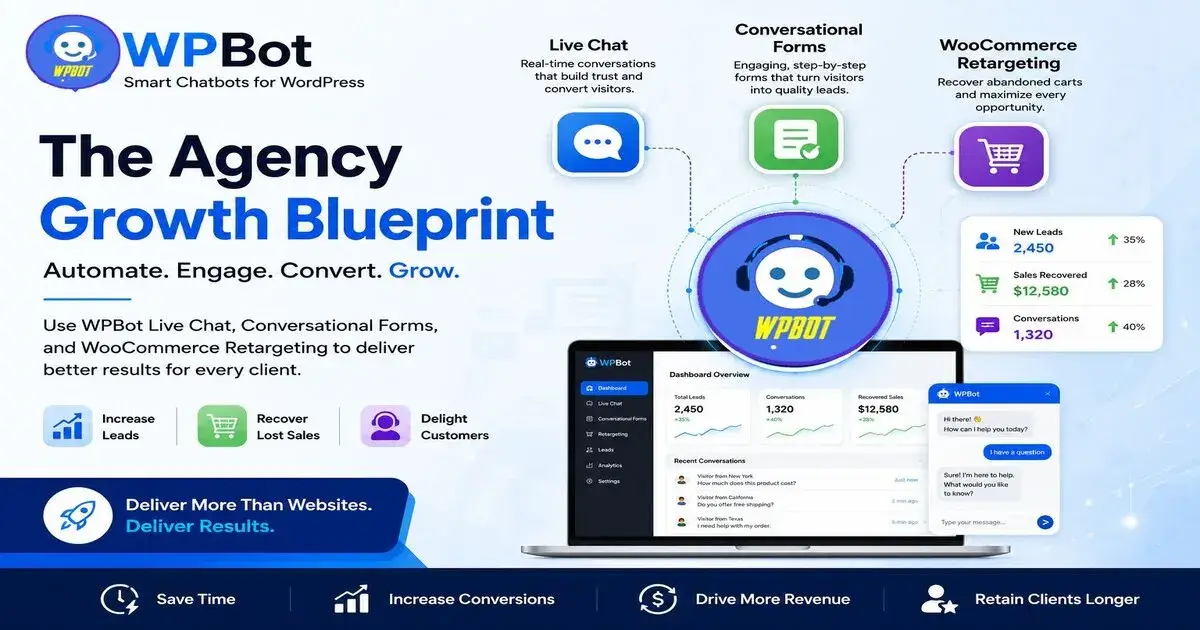
Web design agencies grow faster when they stop selling only websites and start selling results systems. WPBot helps you do that using three core tools—Live Chat, Conversational Forms, and WooCommerce Retargeting—which together increase leads, improve conversions, and recover lost sales for clients.
This is not theory. It’s a practical agency blueprint you can apply to every WordPress project.
Why Most Web Design Agencies Stop Growing
Let’s be honest.
Most agencies hit the same ceiling:
Too many one-time projects
Not enough recurring revenue
Clients ask for “more results” after launch
No clear system to improve conversions
Too many tools to manage per client
So what happens?
�� You work more but earn the same.
Scaling breaks because you are only selling design, not outcomes.
What is the Agency Growth Blueprint?
This blueprint is simple:
Instead of building websites only, you build:
Lead generation system
Customer support system
Sales recovery system
All inside WordPress using WPBot.
The 3 Core Engines:
1. Live Chat → Capture and convert visitors instantly
2. Conversational Forms → Turn visitors into leads
3. WooCommerce Retargeting → Recover lost sales
Each one solves a different revenue problem.
Together, they turn a normal website into a conversion machine.
What is WPBot in Simple Terms?
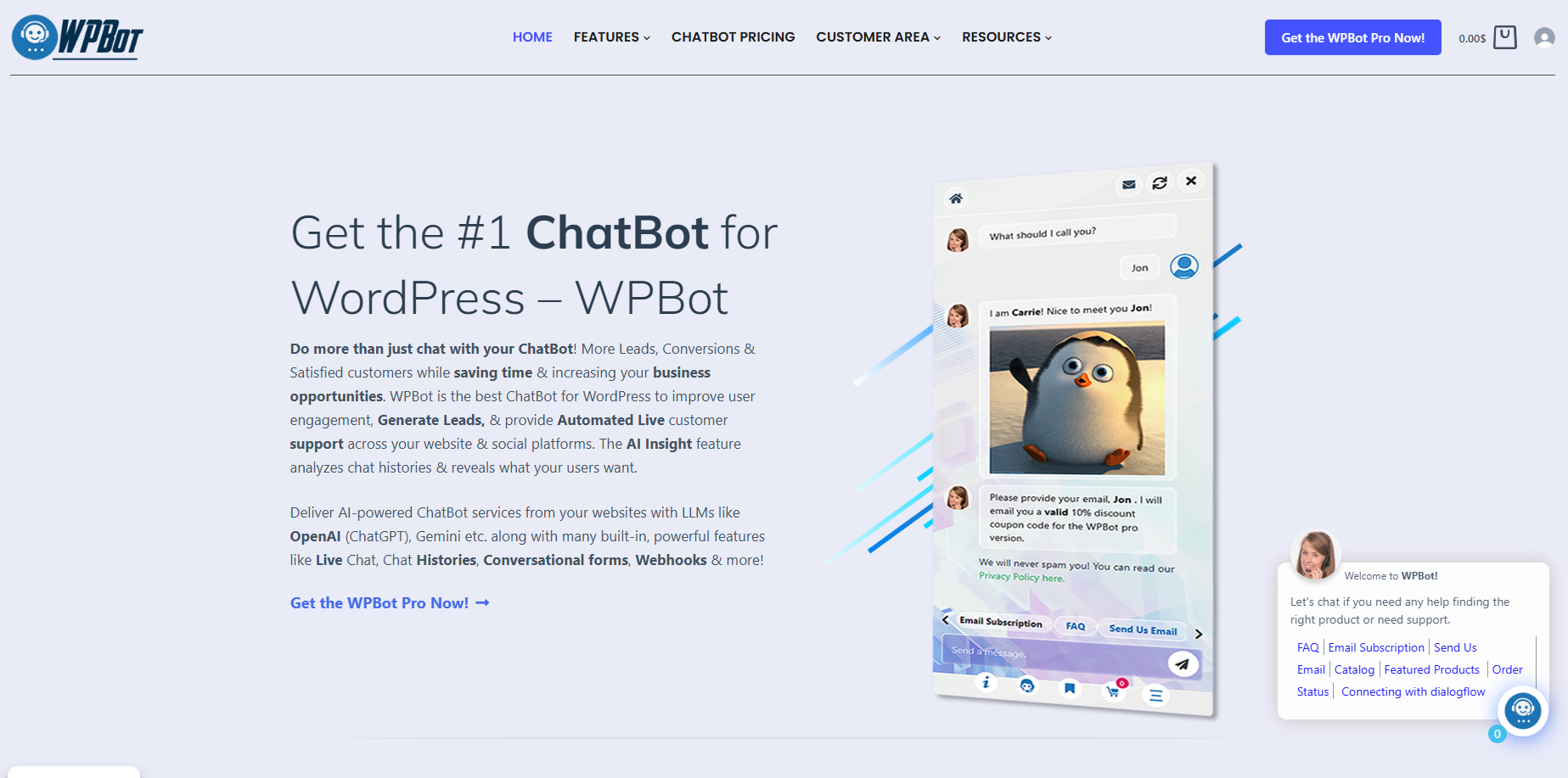
WPBot is a WordPress AI chatbot system that helps websites:
Talk to visitors automatically
Collect leads through chat
Provide live human support
Recover abandoned carts in WooCommerce
Think of it like this:
�� A 24/7 digital employee working inside every client website
Engine 1: How Live Chat Helps Agencies Deliver Faster Results
What is WPBot Live Chat?
Live chat allows real-time conversations between website visitors and support agents or business owners.
WPBot integrates chatbot + live chat together.
Why Live Chat matters for agencies
Because visitors don’t wait.
They leave.
Live chat solves this problem:
Instant answers
Faster trust building
Higher conversions
What agencies can offer using Live Chat:
Real-time customer support setup
Sales chat system for landing pages
Lead qualification during chat
Human takeover from chatbot
Real impact on client websites:
Faster response time
Higher engagement rate
More completed purchases
Lower bounce rate
Simple example:
A visitor lands on a service page.
Without live chat:
They scroll
They hesitate
They leave
With WPBot Live Chat:
They ask a question instantly
They get an answer
They convert into a lead
�� Same traffic. Better conversion.
Engine 2: Why Conversational Forms Beat Traditional Forms
What are Conversational Forms?
Instead of showing a static form like:
Name
Email
Message
WPBot uses chat-style interaction:
“What are you looking for?”
“What is your budget?”
“When do you want to start?”
One question at a time.
Why this works better
People don’t like forms.
But they like conversations.
So conversion improves.
Benefits for agencies
1. Higher lead completion rate
Users finish chat flows more often than forms.
2. Better lead quality
You collect structured answers, not random messages.
3. Mobile-friendly experience
Typing in chat is easier than filling forms.
Example flow:
Visitor enters site:
Bot: “What service do you need?”
User: “Website design”
Bot: “What is your budget range?”
User: “$1000–$3000”
Bot: “Got it. Want a free quote?”
�� That’s a qualified lead.
Agency advantage:
You are not just giving websites.
You are giving lead qualification systems.
Engine 3: WooCommerce Retargeting That Recovers Lost Revenue
What is WooCommerce Retargeting?
It means re-engaging users who didn’t complete a purchase.
Examples:
Abandoned cart users
Product viewers who didn’t buy
Checkout drop-offs
Why this matters
Most eCommerce stores lose money here:
�� Around 70% of carts are abandoned (industry average)
That is huge lost revenue.
What WPBot does
WPBot helps recover these users by:
Sending chat reminders
Offering discount prompts
Nudging users back to checkout
Engaging them with product questions
Real-world example:
User adds shoes to cart → leaves site
Later:
Bot message appears
“Still thinking about those shoes?”
“Here’s 10% discount to complete your order”
�� Sale recovered
Why agencies should care
Because now you can say:
“We help recover lost sales”
Not just “we build WooCommerce stores”
That is a premium service.
How These 3 Systems Work Together
This is where the blueprint becomes powerful.
Step-by-step flow:
1. Visitor enters site
WPBot greets user
2. Live chat engages user
Answers questions instantly
3. Conversational form starts
Collects lead or intent
4. WooCommerce tracking activates
If cart abandoned → retargeting starts
Result:
Every visitor becomes:
A lead OR
A customer OR
A retargeted opportunity
Nothing is wasted.
Why This Blueprint Helps Agencies Scale
Let’s connect it to business growth.
1. Higher project value
Instead of selling:
“Website design”
You sell:
“Conversion system setup”
�� Higher pricing justified
2. Faster delivery
You reuse WPBot systems:
No custom chatbot coding
No third-party tools setup
Faster deployment per client
3. Better client retention
Clients stay longer because:
They see leads coming in
They see sales improvement
They get ongoing optimization
4. New revenue streams
Agencies can charge for:
Chatbot optimization
Lead flow updates
Retargeting improvements
Monthly reporting
�� This creates recurring income
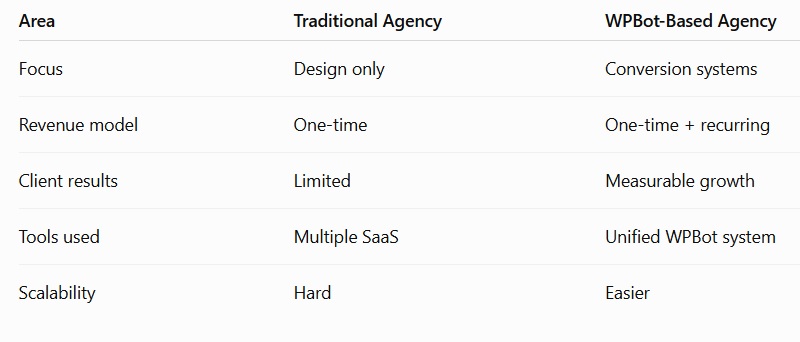
Comparison: Traditional Agency vs WPBot Agency
Real Use Cases for Agencies
1. Local business websites
Lead capture via chat
Appointment booking
2. eCommerce stores
Cart recovery
Product engagement
3. Service businesses
Quote generation
Qualification chats
4. Agencies managing clients
Central chatbot system rollout
Standardized automation setup
How to Implement This Blueprint (Step-by-Step)
Step 1: Install WPBot
Set it up on WordPress.
Step 2: Create chatbot flow
Start simple:
Greeting
FAQ answers
Lead capture
Step 3: Enable live chat
Let humans take over when needed.
Step 4: Build conversational form
Ask qualifying questions.
Step 5: Activate WooCommerce retargeting
If store exists:
Enable cart recovery
Set triggers
Step 6: Test and optimize
Check:
Conversion rate
Engagement rate
Lead quality
Metrics Agencies Should Track
If you want to prove value, track:
Lead conversion rate
Chat engagement rate
Cart recovery rate
Bounce rate reduction
Response time improvement
These numbers help you justify higher pricing.
Common Mistakes Agencies Make
1. Overcomplicating chatbot flows
Keep it simple first.
2. Ignoring live chat setup
Automation + human support works best.
3. Not using retargeting
This is where revenue is lost.
4. Not showing results to clients
Clients stay when they see data.
Who Should Use This Blueprint?
Freelance web designers
WordPress agencies
WooCommerce developers
Digital marketing agencies
If you build WordPress sites, this applies to you.
FAQs
What is WPBot used for?
It is used for chatbot automation, live chat support, lead generation, and WooCommerce retargeting in WordPress.
Can WPBot increase sales?
Yes. It improves engagement, captures more leads, and helps recover abandoned carts.
Is WPBot good for agencies?
Yes. It helps agencies deliver higher-value services and scale faster.
Does WPBot work with WooCommerce?
Yes. It supports product interaction and cart recovery features.
Is WPBot hard to set up?
No. It is designed for WordPress users and can be configured without advanced coding.
Final Thoughts
Most agencies stay stuck because they sell websites.
But websites alone don’t scale.
This blueprint changes that.
With WPBot, you are no longer delivering a static site.
You are delivering:
A live sales assistant
A lead generation system
A revenue recovery engine
That shift is what separates struggling agencies from scaling ones.
If you apply even one part of this blueprint properly, you will see a clear difference in:
Client satisfaction
Project value
Long-term revenue
And if you apply all three engines together, your agency stops being a service provider—
and starts becoming a growth partner for clients.

Join abu noim on Peerlist!
Join amazing folks like abu noim and thousands of other builders on Peerlist.
0
0
0