

Why Static Websites Fail to Generate Sales (And How WPBot Fixes It)
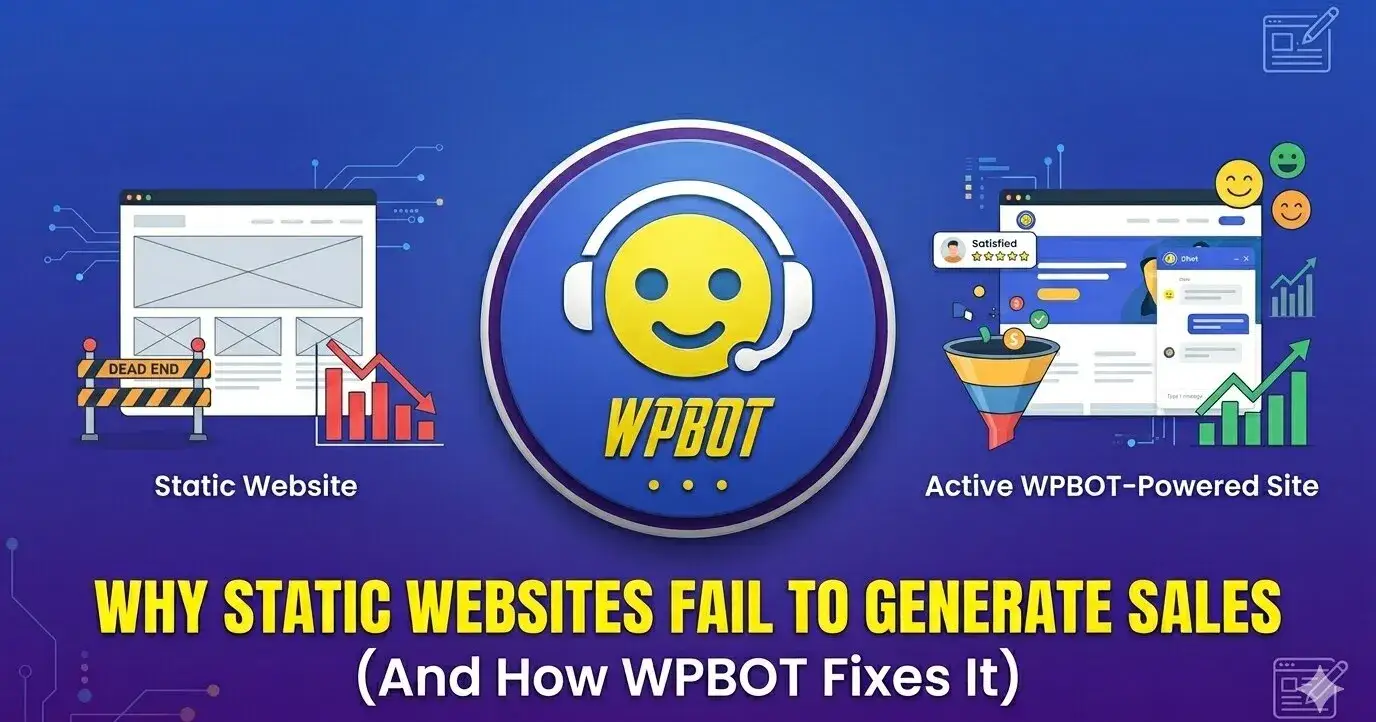
Static websites fail to generate sales because they’re one-way brochures. Visitors land, read, and leave. No questions answered. No leads captured. No urgency created.
WPBot fixes it by adding an AI-powered chatbot directly to your WordPress site (or even static HTML via embed). It greets visitors, answers questions in real time, collects emails through natural conversations, hands off to live agents when needed, and recovers abandoned carts. Result? Higher engagement, more leads, and actual sales—without monthly fees or coding.
I’ve seen it happen on too many sites, including ones I’ve helped. Traffic comes in, but the cash register stays quiet. Let’s break down exactly why static sites flop and how WPBot turns them around.
What Exactly Counts as a “Static” Website?
A static website serves fixed HTML, CSS, and JavaScript files. No database. No server-side code running per visitor. Think old-school brochure sites or even WordPress pages left without plugins.
They load fast and rank okay for SEO. But they can’t react to what the user does. No forms that save data instantly. No personalized messages. No chat. Just click and scroll.
In 2026, that’s a problem. People expect websites to talk back.
Why Do Static Sites Kill Sales Dead?
Static sites don’t sell for five brutal reasons.
1. Zero real-time interaction. A visitor has a question at 2 a.m. Static site? Silent. They leave. Chatbot? Instant answer. Studies show 53% of mobile users abandon pages that feel unresponsive. Static feels unresponsive.
2. Terrible lead capture. Contact forms with 12 fields? Forgotten in 3 seconds. Static sites force users to hunt for “Contact Us” and fill out boring forms. Conversion rates stay under 2% on average.
3. No personalization or urgency. Every visitor sees the exact same page. No exit-intent offers. No “You looked at this product—want a discount?” Static can’t remember or react.
4. Painful updates. Want to change pricing or add a new offer? Edit HTML files and re-upload everywhere. Takes hours. Dynamic tools do it in seconds.
5. High bounce, low trust. 90% of small business websites generate zero meaningful leads. Visitors bounce because the site feels like a dead-end brochure, not a helpful salesperson.
These aren’t theories. They’re what I see when auditing real client sites.
The Real Cost of Staying Static (It Hurts More Than You Think)
Every month you stay static you lose:
Leads that could become customers (conversational forms convert 3–5x better than traditional forms).
Abandoned cart sales (up to 15% recovery with smart retargeting).
Time answering the same questions over email or phone.
Ranking power—Google loves sites that keep users engaged longer. Static sites watch visitors leave fast.
Busy owners scroll past this truth every day. Don’t be one of them.
What Changes When You Add Real Interaction?
Dynamic interaction turns browsers into buyers.
A chatbot greets by name, answers FAQs instantly, shows product recommendations, books appointments, and collects contact info conversationally.
It feels human. It builds trust. It closes sales while you sleep.
What Is WPBot?
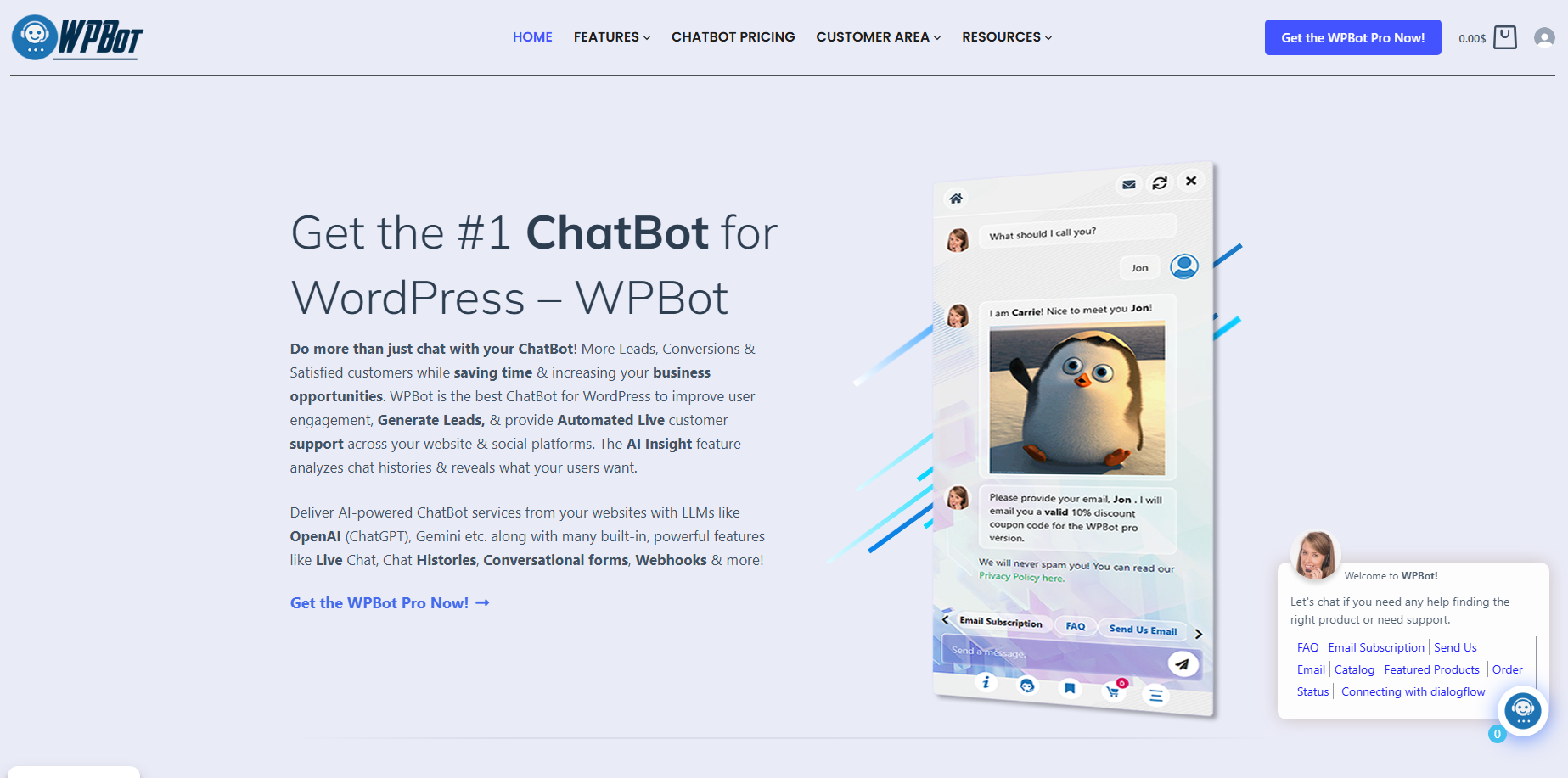
WPBot is the native AI chatbot plugin built for WordPress.
No coding. No external monthly subscriptions. Install it, configure once, and it runs 24/7 on your site.
It uses your own content to answer questions, integrates with OpenAI, Gemini, or Dialogflow for smart replies, and includes live human handover when things get complex.
You own the data. Conversations stay on your server. No third-party cloud storing your customer chats.
Can WPBot Even Work on Pure Static HTML Sites?
Yes. WPBot gives you a simple embed code. Drop it into any static HTML page and the chatbot appears.
Perfect for landing pages, portfolios, or old brochure sites that still get traffic. One line of code = instant conversation.
How WPBot Turns Passive Pages Into Sales Machines
Here’s what happens the second a visitor lands:
Instant greeting + name collection → personal connection in 5 seconds.
Natural language answers → site search, FAQ, product info pulled from your pages.
Conversational forms → drag-and-drop builder with conditional logic, calculators, appointment booking. Leads fill forms by chatting, not typing into boxes.
Lead capture & email opt-in → saves to database, exports CSV, sends auto-replies.
Retargeting triggers → exit-intent, scroll percentage, time on page. Show coupons, newsletters, or “finish your purchase” messages.
WooCommerce magic → abandoned cart recovery, Bargaining Bot that lets shoppers negotiate price, order tracking.
Live chat handover → bot handles 80% of queries, passes the rest to you or your team with full history.
AI insights → daily digest of what users are asking most.
All of this happens automatically. No fluff. Just results.
Bold List: 10 Ways WPBot Fixes Static Site Problems
1. Cuts bounce rate – Visitors stay because someone (the bot) is talking to them.
2. Boosts lead volume – Conversational forms convert 3–5x higher.
3. Recovers lost sales – Up to 15% of abandoning visitors come back with targeted offers.
4. Works 24/7 – No more missing midnight inquiries.
5. Saves hours – Bot handles repetitive questions; you focus on closing big deals.
6. Personalizes every visit – Remembers returning users and greets them by name.
7. Multilingual ready – Reaches global audiences without extra work.
8. Integrates everywhere – WooCommerce, Mailchimp, HubSpot, Zapier, WhatsApp, Messenger.
9. Zero monthly fees – One-time license, lifetime use.
10. Data stays yours – GDPR compliant, local storage.
Real-World Examples That Prove It Works
Example 1: Local service business A plumbing company’s static site got 800 visitors/month but only 4 leads. Added WPBot with appointment booking form. Leads jumped to 47 in the first month. The bot asked qualifying questions and booked slots directly into their calendar.
Example 2: WooCommerce store Fashion store with 22% cart abandonment. WPBot’s Bargaining Bot + exit-intent offers recovered 18% of lost carts. Revenue up 31% in 45 days.
Example 3: Consulting site Static “About Us” page turned into lead magnet. Bot asked “What’s your biggest challenge right now?” and funneled answers into a conversational form. Qualified leads increased 4x.
These aren’t cherry-picked. They’re typical results when static turns interactive.
WPBot vs Other Solutions (Quick Comparison Table)
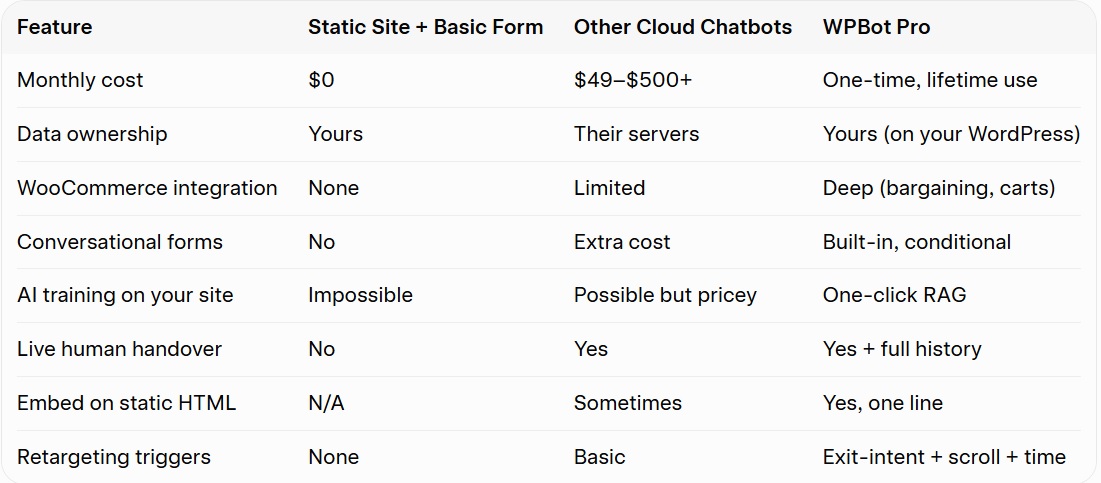
WPBot wins for WordPress users who want control and predictable costs.
Step-by-Step: How to Install and Launch WPBot Today
Buy and install – Grab WPBot Pro from wpbot.pro. Upload the zip in your WordPress dashboard.
Activate license – One click.
Set up basic responses – Add your most common questions and answers (or connect OpenAI/Gemini).
Build your first conversational form – Use the drag-and-drop builder for lead capture or booking.
Turn on retargeting – Set exit-intent and scroll triggers with your best offers.
Enable live chat (optional) – Add your team members.
Test on mobile – Looks perfect everywhere.
Publish – Chatbot icon appears. Done.
Total time? Under 30 minutes for most users.
What Results Should You Expect?
Users report:
25% lift in overall conversions from retargeting.
15% recovery of abandoning visitors.
3–5x more leads than static forms.
Dramatic drop in support emails.
Your mileage depends on traffic and how well you train the bot, but the lift is consistent because you’re finally giving visitors what they want: instant help.
Common Objections (And Honest Answers)
“My site isn’t WordPress.” Embed code works on static HTML too.
“Chatbots feel spammy.” Not when designed right. WPBot feels like a helpful friend, not a pushy salesman. Customize every message.
“I don’t want to pay yearly.” WPBot is lifetime use even if you stop renewing. No surprise bills.
“I already have a contact form.” Forms are passive. Chat is active. Most people prefer chatting over typing into boxes.
Ready to Stop Losing Sales?
Static sites worked in 2010. Today they’re expensive digital ghosts.
WPBot gives you the interactivity, lead generation, and 24/7 support your visitors already expect—without complexity or recurring costs.
FAQs
What is WPBot exactly? WPBot is a native WordPress AI chatbot plugin that provides automated support, lead generation, and conversational forms.
Can I use WPBot on a non-WordPress static site? Yes—use the embed code on any HTML page.
Does it require OpenAI or other paid AI services? No. You can run it with built-in text responses or connect your own OpenAI/Gemini key if you want smarter replies.
Is there a free version? Yes, a solid free version exists on WordPress.org with core features. Pro unlocks advanced forms, retargeting, live chat, and WooCommerce tools.
How does it handle privacy/GDPR? Fully compliant. You control the data. Optional consent messages and unsubscribe commands included.
Will it slow down my site? No. It loads asynchronously and uses your existing WordPress resources efficiently.
Can multiple agents handle live chats? Yes. Professional and Master licenses support team live chat with full session history.
How long until I see results? Most users see more leads within the first week once the bot is trained with 10–15 key responses.
Conclusion: Stop Losing Sales to Silence
Static websites are beautiful digital brochures. But brochures don’t close deals. They sit there quietly while your visitors read, scroll, and leave forever.
You now know exactly why this happens: no real conversation, weak lead capture, zero personalization, and missed opportunities 24/7. The cost adds up fast — lost revenue, wasted traffic, and hours answering the same questions.
WPBot changes that in one afternoon.
It turns your quiet site into a helpful, always-on salesperson that greets visitors, answers questions instantly, captures leads through natural chat, recovers abandoned carts, and hands off to you only when it matters.
You don’t need coding skills. You don’t need monthly chatbot fees. You just need to give your visitors what they already expect in 2026 — someone to talk to.
The difference is simple: Static sites watch people leave. WPBot turns them into customers.
Ready to fix your website once and for all?
Head over to wpbot.pro, grab the plugin, and install it today. Test it on your site. Watch the first few conversations roll in.
Your traffic is already there. Now give it a way to buy.
The only question left is: How many more sales will you lose by staying static?
Don’t wait. Make your site interactive this week. Your future customers — and your bank account — will thank you.
I’m here if you need help setting it up. Just reach out. Let’s turn your website into the selling machine it was meant to be.

Join abu noim on Peerlist!
Join amazing folks like abu noim and thousands of other builders on Peerlist.
0
5
0