

Mockey AI: The AI Mockup Generator That Replaced My Design Backlog
One design in. Mockups, angles, and video out. Here's the tool that killed my creative backlog.
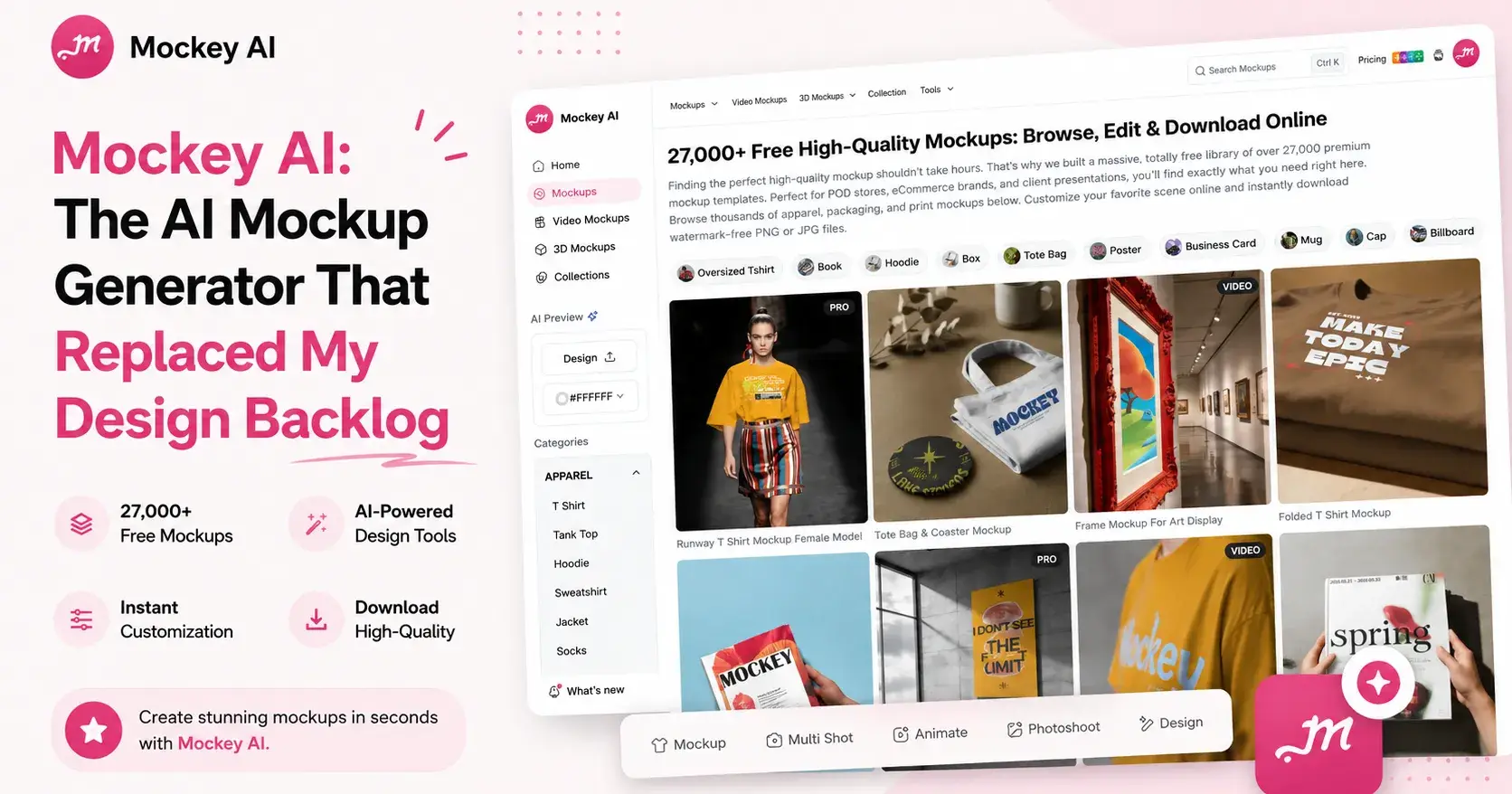
If you've ever shipped a product, you know the bottleneck isn't the idea. It's the visuals.
You've got a design ready. The store is built. And then you hit the wall: you need a clean product shot for the listing, a lifestyle image for the ad, a square crop for Instagram, and a hero image for the landing page. Four assets, four different angles, and historically — a designer, a photoshoot, or a long weekend in Photoshop.
I work on growth at Mockey, so I'm not pretending to be neutral here. But the reason I joined is the same reason I'm writing this: an AI mockup generator that's good enough genuinely removes that wall. This is a practical look at what Mockey does, who it's actually for, and where it fits in your stack.
What an AI mockup generator actually does
A mockup is your design shown on a real-world product — a t-shirt on a model, your artwork on a mug, your app on a phone screen. For years, making one meant downloading a Photoshop template, fighting with smart objects, and hoping the lighting matched.
An AI mockup generator skips that. You upload a design, pick a template, and it maps your artwork onto the product — following the folds, shadows, and fabric texture so it looks shot, not pasted. Mockey runs entirely in the browser. No install, no smart objects, no learning curve. Most people get a usable result in under a minute.
The shift that matters: mockups used to be a production task. Now they're a prompt.
The features that make Mockey stand out
Plenty of tools place a design on a template. What separates a good product mockup generator from a forgettable one is what happens after that first image. Here's where Mockey earns the "best" claim.
Multi-angle shots from one image. This is the feature I'd defend hardest. Generate a front view, then turn that single image into the back, side, three-quarter, close-up, and flat lay — all with the same model and the same lighting. For a product listing that needs six consistent angles, this is the difference between a coherent gallery and a patchwork of mismatched shots.
Video mockups. Static images are fine. Motion stops the scroll. Mockey turns a still mockup into a short video — a model moving, the product catching real-world light — which is exactly the kind of native content that performs in a feed without a film crew.
AI photoshoots and backgrounds. Tired of the same white sweep everyone uses? Drop your t-shirt onto a model walking through Tokyo or sitting in a Paris café, generated on demand. It's a full photoshoot scene without booking one.
Design from scratch. No artwork yet? Describe what you want, generate a design, and flow straight into mockups. The whole loop — idea to design to mockup to video — lives in one place.
Range. Over 100 product categories and 27,000+ templates, refreshed weekly: apparel, packaging, stickers, mugs, phone cases, and genuinely excellent device mockups for phones, laptops, and tablets. If you ship digital products, that last one matters — independent reviewers consistently call out Mockey's device mockups as a highlight, with accurate bezels and reflections.
One more thing builders care about: it's watermark-free, even on the free tier. You're not exporting a preview with a logo stamped across it.
Who Mockey is actually for
I'll be specific, because "everyone" is a useless answer.
Indie hackers and solo founders. You're the designer, the marketer, and the support team. You don't have a creative backlog because you don't have a creative team. Mockey is the closest thing to one that costs nothing to start.
Print-on-demand and eCommerce sellers. Testing 20 design ideas a week? Photographing each one is impossible. Generating a clean mockup for every concept before you commit to printing is the entire point.
Designers who value their time. Not every job needs Photoshop. When a client wants to see a logo on a tote, a hoodie, and a business card by end of day, a custom mockup generator gets you there in minutes, and you save the deep work for what actually needs it.
Marketers. Ad creative is a volume game. Ten variants for a test shouldn't mean ten design tickets. This is where Mockey quietly changes your testing budget.
Mockey vs. the usual options
Here's how the three usual paths stack up:
Time to first mockup — Mockey: under a minute. Photoshop: 30–60 minutes per template. A designer: days.
Skill required — Mockey: none. Photoshop: high. A designer: none, because it's their skill, not yours.
Cost to start — Mockey: free. Photoshop: a paid subscription. A designer: a per-asset fee that adds up fast.
Multi-angle consistency — Mockey: built in, one click. Photoshop: manual, redone for every angle. A designer: a separate shot each time.
Video mockups — Mockey: yes, natively. Photoshop: no, you'd need another tool. A designer: a separate shoot.
Watermark on the free tier — Mockey: none. The other two don't have a free tier to compare.
The honest caveat: if you're a premium fashion brand needing flawless fabric rendering at scale, a specialized studio tool will still out-polish any one-click generator, Mockey included. For the other 90% of use cases — validating ideas, social content, listings, ads, launch pages — the speed-to-quality trade is firmly in Mockey's favor.
How to make your first mockup in 3 steps
Upload your design. PNG, JPG, or WebP. Transparent PNGs give the cleanest results.
Pick a template. Filter by product type, scene, and orientation. Drop your design on, adjust placement.
Generate and export. Want every angle? Run Multi Shot. Want motion? Animate it. Download in high resolution, no watermark.
That's the whole flow. The reason it sticks isn't any single step — it's that the next thing you need is always one click away instead of one app away.
What it costs
Mockey is free to start, and the free tier is genuinely functional rather than a crippled demo — you can create and export real mockups without paying. Paid plans start at around $7/month (as of June 2026), unlocking PNG exports, unlimited downloads, 3D mockups, bundles, and an ad-free experience, with annual billing knocking the price down further. There's also a one-time lifetime option if subscriptions aren't your thing. Check the current pricing before you commit, since plan details change.
FAQ
Is Mockey AI really free?
Yes. There's a free-forever plan with watermark-free exports and a daily download allowance. You only pay when you need higher volume, PNG exports, or premium features — and the entry plan is around $7/month.
Do I need design skills to use it?
No. That's the point. If you can upload a file and click a template, you can make a professional mockup. The learning curve is effectively zero.
Can I use Mockey mockups commercially?
Yes — exports are watermark-free and built for store listings, ads, and social. For licensing specifics on premium templates, confirm the terms on the current plan you're on.
What can I make besides t-shirts?
Over 100 categories: hoodies, mugs, stickers, phone cases, packaging, tote bags, posters, plus device and website mockups for digital products. New templates land every week.
How is it different from Photoshop?
Photoshop gives you total manual control and a steep time cost. Mockey gives you a photorealistic result in under a minute with no skill required. Different tools for different jobs — and most product visuals don't need the manual route.
The takeaway
The best AI mockup generator isn't the one with the most features on a comparison page. It's the one that turns "I need product visuals" from a multi-day project into a five-minute task you do yourself. For founders, sellers, designers, and marketers who'd rather ship than wait on a creative queue, Mockey does exactly that — free to start, watermark-free, and fast enough that you'll stop treating mockups as a chore.
Make one with your own design and see how far it gets you. That first export tends to do the convincing better than any article can.

Join SHAHID on Peerlist!
Join amazing folks like SHAHID and thousands of other builders on Peerlist.
0
0
0