

5 ways to self-host n8n
A practical primer on CloudOps
While n8n is amazing at speeding up backend processes, it comes at a fee of at least $20/mo at a 12 month commitment.
You can run it for FREE though.
Here is how.
I provide a video tutorial for the visual learners.
Run locally on npm
This is completely free. Open up a terminal and execute npx n8n
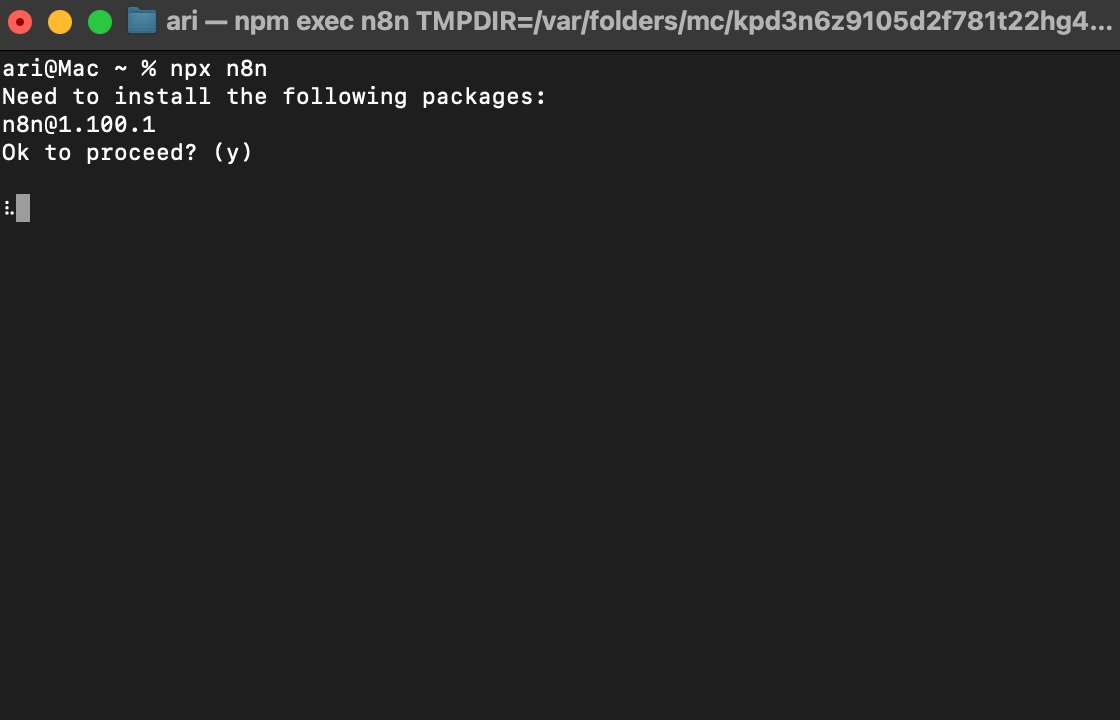
one line command in your terminal! same for all operating systems (Windows, Mac, Linux)
Benefits: Super simple.
Limitations: Your computer must be on, if you wish to run workflows at any given time.
Run locally on Docker
steps
If you have downloaded Docker, go to Step 3
Download Docker from https://www.docker.com/ — pick the version that matches your computer
Install it > Open the Docker App on Desktop
Docker Hub > Search for n8n
Choose n8nio/n8n > Click “Pull”
Images > Click the “Run” button to start > Expand the dropdown menu of the Optional Setting
Ports: you can input whatever port you like, e.g. 5678, under the host port field > Run
Benefits: Super simple and you learn coveted basic DevOps skills
Limitations: Your computer must be on, if you wish to run workflows at any given time.
Deploy on Render
This is the FASTEST (2 mins) and CHEAPEST ($0) way.
Make an account.
From your dashboard overview click on select web service
Make a service using the
Existing Imageoption and enter indocker.n8n.io/n8nio/n8n
Check the images below for guidance.
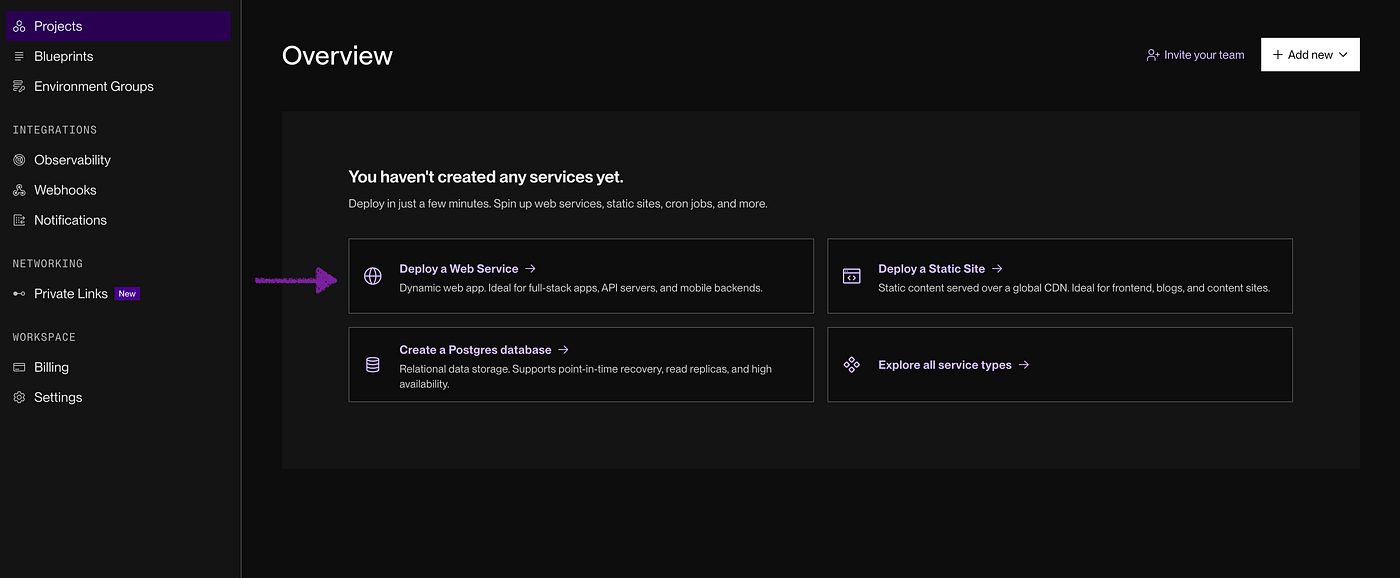
Deploy a Web Service option for Render
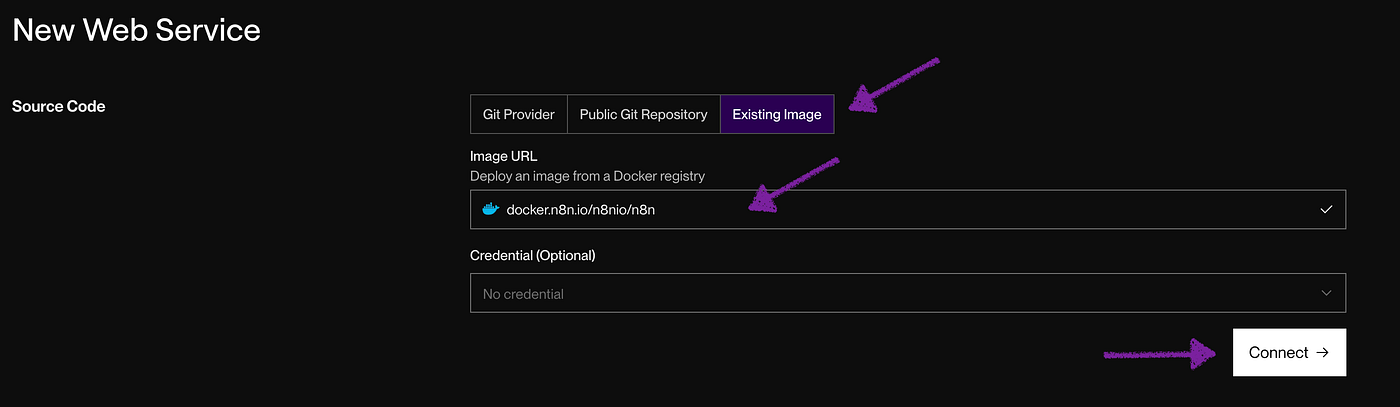
Create a Web Service from an existing image using the docker.n8n.io/n8nio/n8n image
Benefits: It will cost you $0 if you have up to ~100 invocations a month.
Limitations: You need to maintain activity, otherwise the Free instance shuts down — it will reactivate on its own, but with a delay (cold start)
Deploy on Railway
Another modern platform with a smooth experience.
Sign up with either Github or Email
Accept terms and conditions
Choose to create from the template
Search for n8n (it should be on top)
I provide images for guidance.
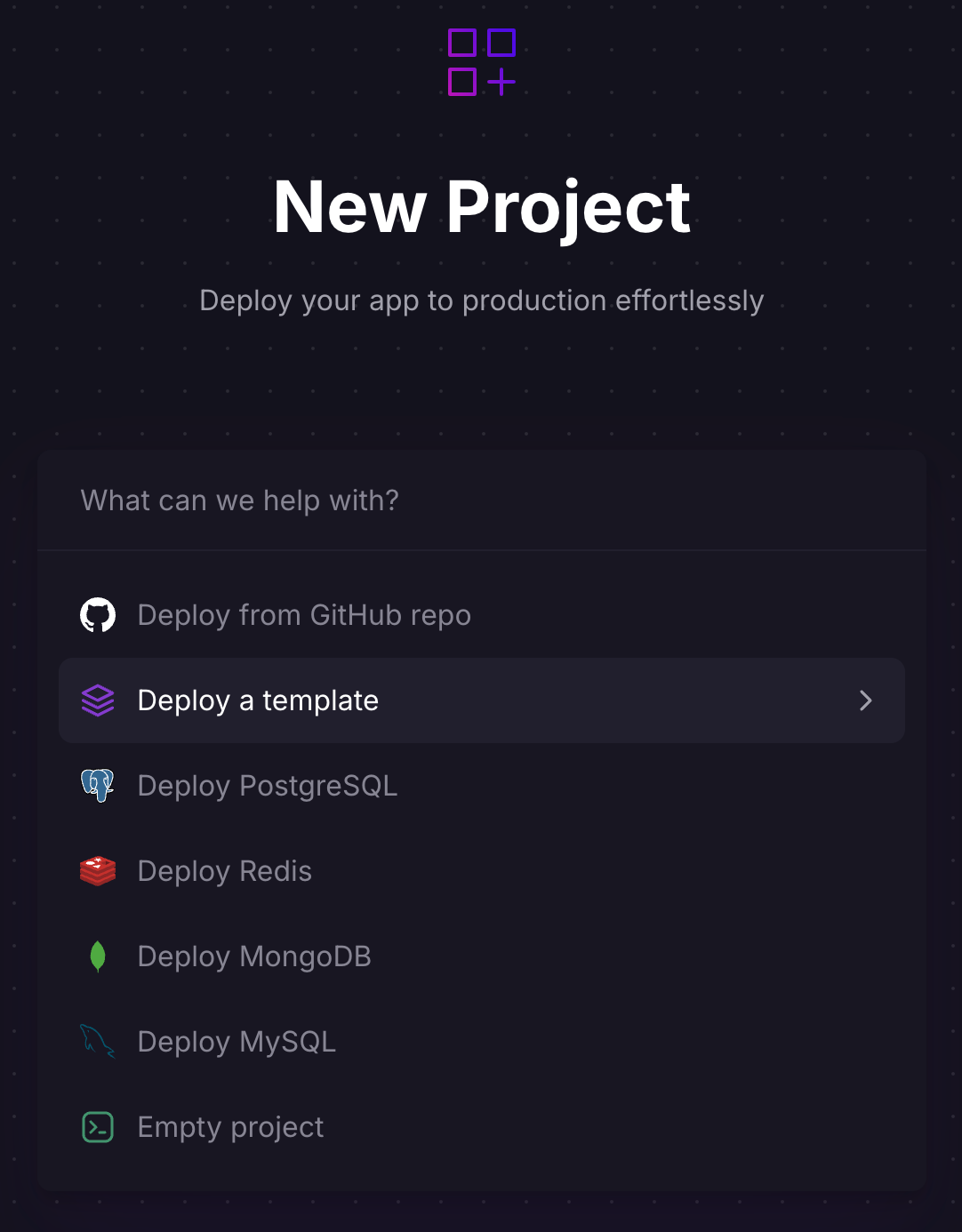
Railway’s options for deploying a project
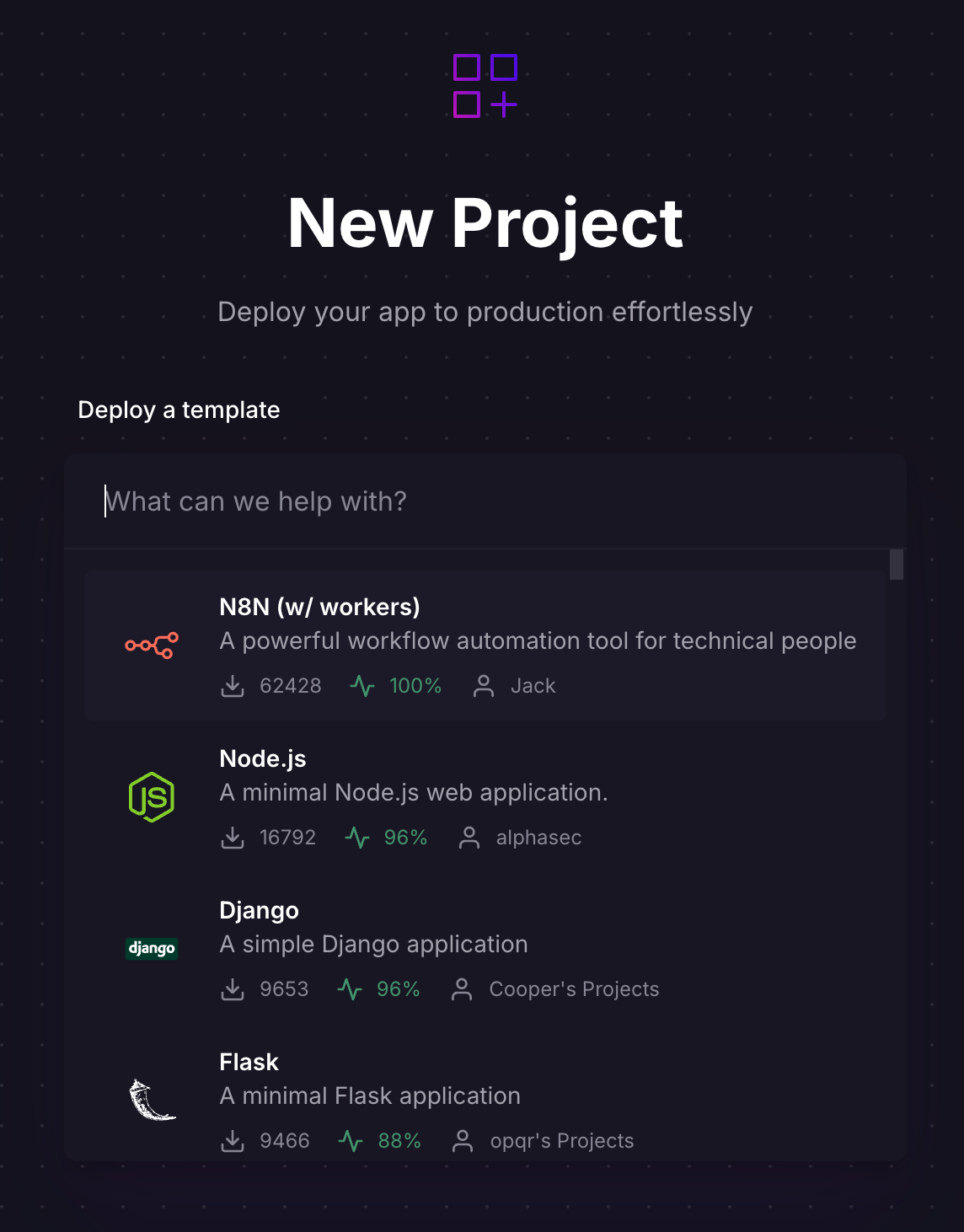
Choose the n8n template
Benefits: Super fast. You get a free trial credit of $5
Limitations: You need to pay to keep running — reasonable!
Deploy on Digital Ocean
This platform is a bit more tedious to operate and will cost you $6 / month to operate — not free.
Steps
Make an account on Digital Ocean
Onboard
Go to Marketplace
Search and click on the n8n image 1-click deploy
Configure the lowest cost settings for your droplet and choose password for ease of access
Execute and wait for a few mins
Go to droplet and copy the ipv4 address into a new
A DNS Recordfor the domain you wish to use for this service — will be n8n.yourdomain.comClick on
consoleafter your DNS record has propagated — check whatsmydns.net to ensure propagationComplete the configuration on the console
For the visual learners I recommend you check the video.
Benefits: You learn a lot about CloudOps and DevOps.
Limitations: More steps to complete and at least $6/month.
Summary
These are the easiest and most robust ways to self host.
Want local control? Go with Docker.
Want speed ? Render
Want to learn DevOps and CloudOps ? Digital Ocean.

Join Ari on Peerlist!
Join amazing folks like Ari and thousands of other builders on Peerlist.
0
5
0