

Easily Generated Leads in 4 Steps using Apify & n8n
Before you plug AI into your cold outreach pipeline, you need high quality enriched leads.
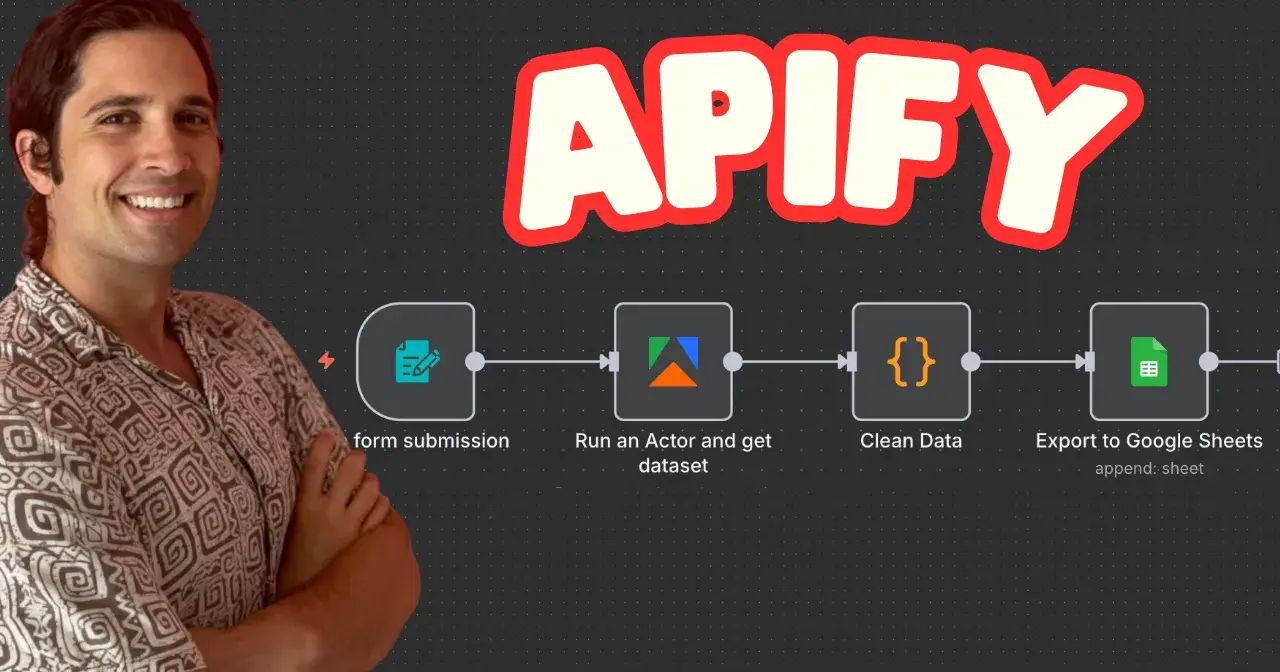
With n8n and Apify you can get 50 high quality leads with a website, email, phone number in < 2 minutes for only $0.21.
In this tutorial, we will create a simple tool you can use today to get more clients.
Objective
Generate high-quality business leads from Google Maps using Apify and cleanly export them into Google Sheets — all automated with n8n.
Tools
Apify — pre-built actors for scraping structured data (Google Maps, TikTok, LinkedIn, and more).
n8n — the workflow automation engine.
Google Sheets — final export and storage of your leads.
👉 Sign up for Apify here: Apify.com
Framework
To build an effective lead generation pipeline, you need to:
Capture the right data — decide your niche (e.g. dentists in Los Angeles).
Run a reliable scraper — Apify actors are plug-and-play, and cheap (my last run cost just $0.21 for 50 enriched leads).
Clean the results — normalize phone numbers, emails, and profile data for consistency.
Export to Google Sheets — your ready-to-use lead database.
Tutorial Steps
YouTube video for the visual learners is below.
Step 1 — Form Submission
We begin with a simple input form in n8n. This is where you specify the query:
Example
Search term : Dentists, Los Angeles, California
Location : Dentists, Los Angeles, California
This becomes the search string that we’ll pass into Apify’s Google Maps actor.
Step 2 — Run the Apify Actor
Apify makes scraping point-and-click simple.
Set up an Apify account and connect it to n8n via OAuth2.
Use the Google Maps Scraper Actor → copy its Actor URL from Apify.
Paste it into the n8n HTTP Request node.
Provide the JSON body with your search query. (This tutorial flow already includes it for free).
Optionally bump memory to 4GB to avoid out-of-memory issues for larger runs.
Run the node → n8n waits for Apify to finish the scraping job.
💡 Typical output includes:
Business name
Address
Website
Phone number
Email (if public)
Reviews count
“Claimed” status (whether the business has claimed their Google profile)
Step 3 — Clean the Data
Raw data isn’t fun to use. That’s why we add a JavaScript Function node:
Lowercase business names for consistency.
Strip symbols (
+, spaces, dashes) from phone numbers → export just digits.Normalize emails.
Ensure review counts are numbers, not strings.
This step ensures your dataset is campaign-ready before exporting.
Step 4 — Export to Google Sheets
Finally, connect your cleaned output to a Google Sheets node. Here’s the Gsheets template.
Each row in the sheet = one lead.
For example, after scraping dentists in Los Angeles, you’ll immediately see:

Snapshot of scraped data
This is a gold mine: unclaimed profiles are often lower in search rankings, making them excellent SEO outreach targets.
Conclusion
With n8n, Apify, and Google Sheets, you can spin up a fully automated lead generation engine in under an hour. The workflow is cost-efficient, scalable, and easy to adapt to any niche.
Need dentists in Los Angeles? ✅
Plumbers in Toronto? ✅
Restaurants in Berlin? ✅
The same flow applies.
Try the n8n workflow here and start building your own lead lists today.
Remember, converting one of these clients for a service will pay itself many times over with future work.

Join Ari on Peerlist!
Join amazing folks like Ari and thousands of other builders on Peerlist.
3
10
1