

How to Connect Slack to AllyStatus for Real‑Time Incident Alerts
🚀 Why Connect Slack to AllyStatus?
When your service experiences downtime, every second counts. Sending incident alerts directly to a dedicated Slack channel ensures your entire team sees the issue immediately – no email delays, no missed notifications.
With AllyStatus + Slack, you can:
Get real‑time incident trigger, update, and resolve messages
Keep a permanent log of all status changes in your team’s Slack workspace
Reduce alert fatigue by consolidating notifications into one channel
✅ Prerequisites
An active AllyStatus account (free trial works)
A Slack workspace where you have permission to add apps
The ability to create an Incoming Webhook in Slack
📝 Step‑by‑Step Guide
Step 1: Create a Slack App
Go to api.slack.com/apps.
Click Create New App.
Choose “From scratch”.
Give your app a name (e.g.,
AllyStatus Alerts).Select your workspace and click Create App.
Step 2: Enable Incoming Webhooks
In the left sidebar of your app settings, click Incoming Webhooks.
Toggle the switch to On.
Scroll down to the bottom of the page.
Step 3: Add Webhook to Your Workspace
Click Add New Webhook to Workspace.
Choose the Slack channel where you want incident alerts to appear (e.g.,
#incidents,#ops,#alerts).Click Allow.
Copy the generated Webhook URL – it will look like:
https://hooks.slack.com/services/T00000000/B00000000/XXXXXXXXXXXXXXXXXXXXXXXX
Step 4: Connect Slack to AllyStatus
Log in to your AllyStatus dashboard.
Navigate to Integrations → Slack.
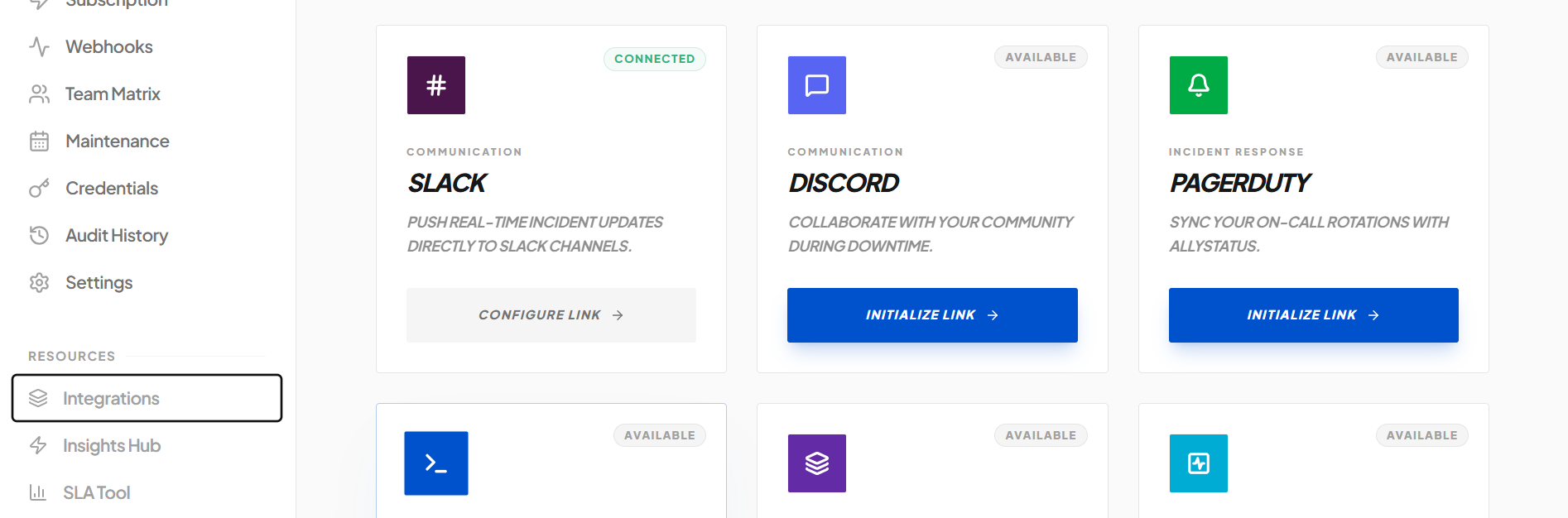
Paste the Webhook URL into the input field.
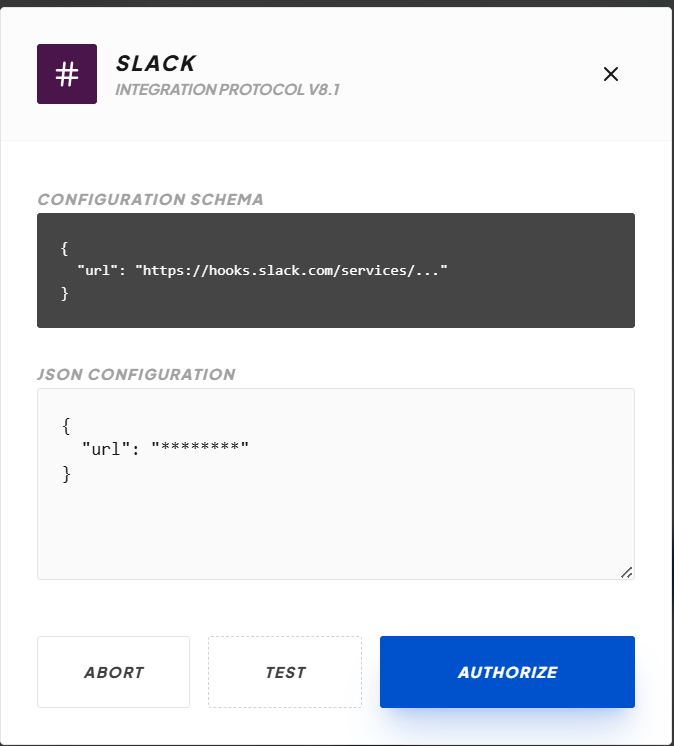
Click Connect.
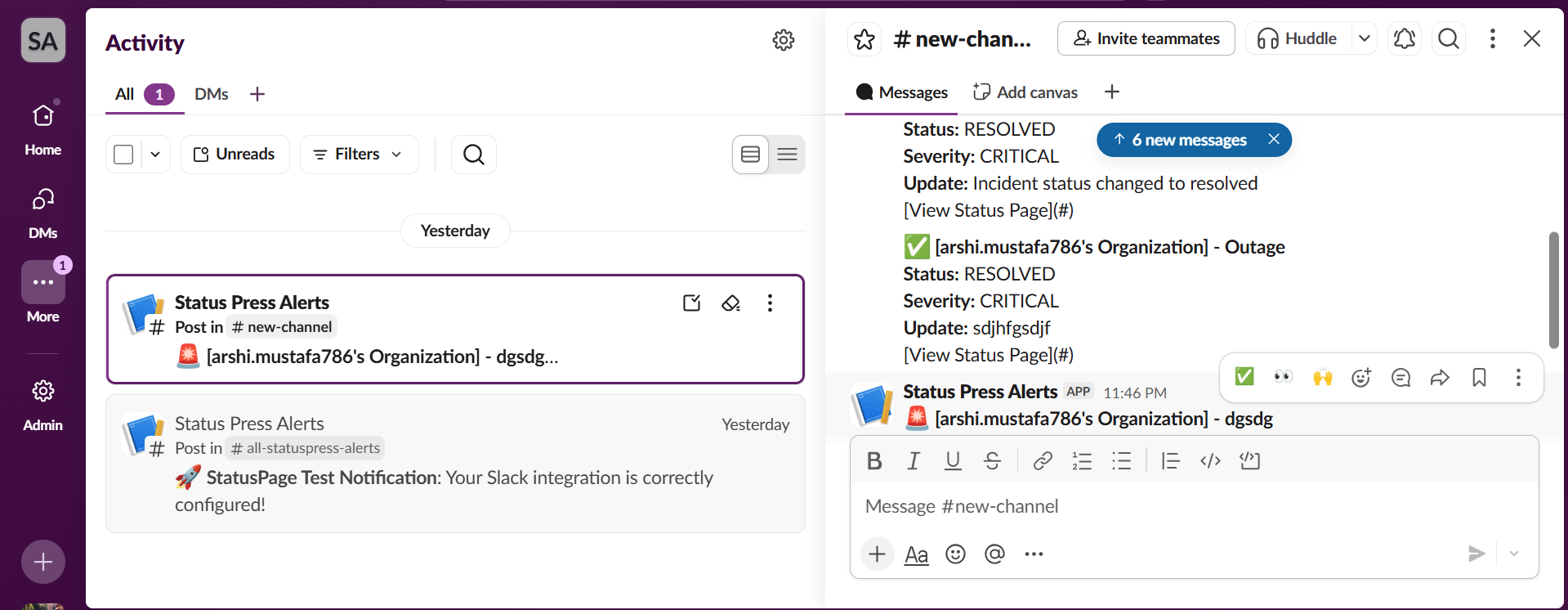
That’s it! AllyStatus will now send every incident (creation, update, resolution) to your chosen Slack channel.

Join arshi on Peerlist!
Join amazing folks like arshi and thousands of other builders on Peerlist.
1
5
0