

Database Chatbot: Ways to Chat with SQL Database
How Businesses Can Use AI Database Chatbots to Access SQL Data Without Technical Complexity
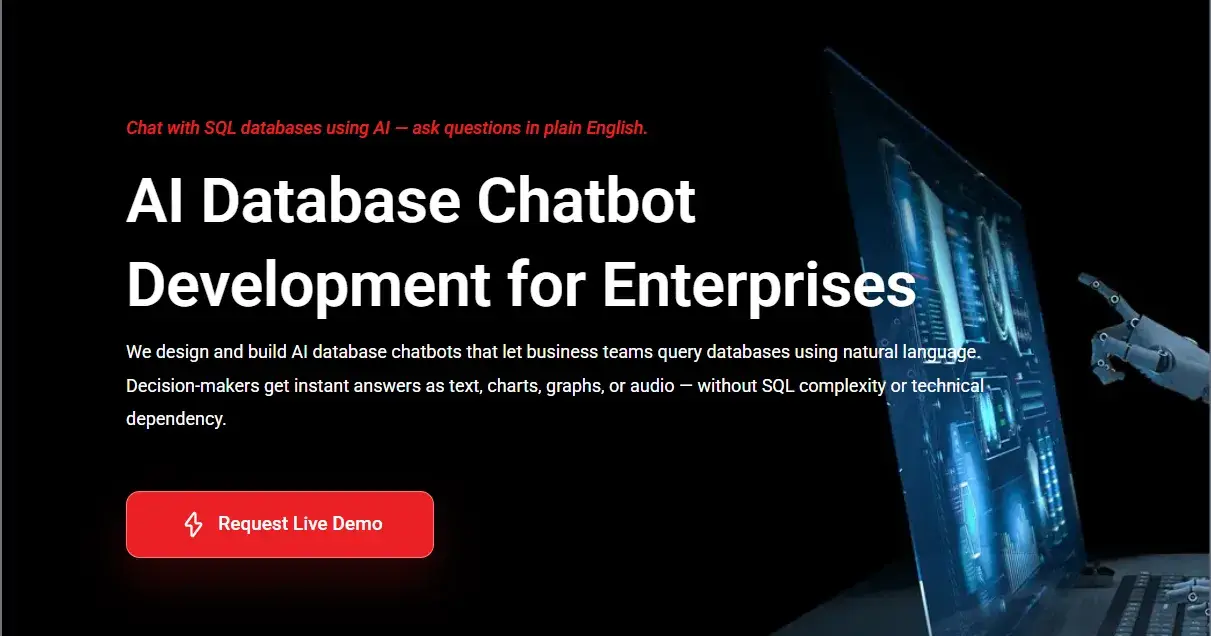
Database Chatbot: Ways to Chat with SQL Database
We have developed a database chatbot that can directly connect with your SQL, MySQL, or even Excel files. This makes it very easy to chat with your own data without dealing with technical complexity.
From what I’ve seen with current technologies, interacting with data no longer needs dashboards or query writing. You can simply ask questions and get answers.
In this article, I will explain how you can chat with your own database in a practical and easy way.
From my experience working with businesses across different industries, one pattern keeps repeating. Companies are not struggling to collect data. In fact, most of them are sitting on years of valuable business data — sales numbers, customer behavior, operational metrics, marketing performance, and more.
The real problem starts after data is collected.
Teams don’t know how to use it effectively.
I have seen companies where leadership decisions are still based on assumptions, even though the data to support better decisions already exists somewhere inside their systems. Not because they don’t care about data, but because accessing it is slow, technical, and dependent on specific teams.
As per industry data available, nearly 55% of enterprise data remains unused, and around 68% goes underutilized. That means most businesses are operating without fully using the information they already own.
This is exactly the gap I started noticing while working on AI solutions — businesses don’t need more data, they need better access to their existing data.
We have worked on building database chatbot solutions that allow teams to interact with their SQL databases using simple language. Instead of writing queries or waiting for reports, users can directly ask questions and get answers from their data in real time. It’s a shift from “data stored” to “data actually used.”
The Reality: Businesses Have Data But Don’t Use It
From what I’ve seen across multiple projects, data is not the problem anymore. Almost every business today is generating data at every step — from customer interactions and website visits to sales transactions and operational activities.
The challenge is somewhere else.
It’s in actually using that data when it matters.
Many business leaders I’ve worked with strongly believe in data-driven decision making. In fact, most of them say data is critical for growth. But when it comes to using it in daily decisions, things slow down.
Simple questions like:
What worked last month?
Which campaign gave the best return?
Where are we losing customers?
…don’t get answered instantly.
Instead, the process looks like this:
👉 Ask the data team
👉 Wait for reports
👉 Review dashboards
👉 Ask follow-up questions
👉 Wait again
By the time answers arrive, the situation has already changed.
As per available data, nearly 80% of business leaders consider data important for decision-making, but a large portion still struggles to act on it in real time. From my experience, this gap is not because businesses lack tools — it’s because most tools are not built for how business users think.
Dashboards, reports, and SQL queries work well for analysts, but not for decision-makers who just want quick, clear answers.
Over time, this creates a silent problem.
Teams stop asking questions.
Not because they don’t have questions, but because getting answers feels slow and complicated. And when that happens, decisions slowly shift from data-driven → assumption-driven.
That’s where the real loss begins.
The Core Problem: Why Traditional SQL Databases Block Business Insights
When I started working closely with data systems, one thing became very clear to me — databases are extremely powerful, but they were never built for business users.
They were built for engineers.
SQL databases like MySQL, PostgreSQL, or MS SQL Server are excellent at storing, organizing, and retrieving large volumes of data. But interacting with them requires a completely different skill set — writing queries, understanding schemas, knowing table relationships, and interpreting raw outputs.
For technical teams, this is normal.
But for business teams — marketing managers, sales heads, operations leaders, founders — this becomes a barrier.
From what I’ve seen, even a simple question like:
👉 “Which product performed best last month?”
can turn into a task that involves:
Identifying the right tables
Writing SQL queries
Validating joins and filters
Exporting data
Creating a readable format
This is not how business people think.
Business users think in questions, not queries.
Because of this mismatch, organizations start facing common but serious problems:
Simple questions take hours or days to answer
Business teams depend heavily on analysts or developers
Data teams get overloaded with repetitive requests
Many important questions are never even asked
Over time, this creates a gap between data availability and data usability.
I’ve seen companies investing heavily in data infrastructure, dashboards, and BI tools — but still struggling to make fast decisions. Not because the data isn’t there, but because accessing it is not natural.
The real issue is not technology.
It’s the interface between humans and data.
And until that interface becomes simple, fast, and intuitive, data will continue to remain underused — no matter how advanced the systems are.
The Hidden Cost of Inaccessible Data
From my experience, the biggest problem with data is not that it’s missing — it’s that it’s sitting unused.
Most businesses already have years of data stored across systems. Sales history, customer behavior, campaign performance, operational metrics — everything is there. But when teams cannot access it easily, that data quietly loses its value over time.
And this is where the real cost starts building.
When answers are not available instantly, decision-making slows down. Leaders are forced to wait for reports, depend on others, or move forward with partial information. In fast-moving businesses, even a small delay can mean missing the right opportunity at the right time.
I’ve seen situations where teams knew something was going wrong, but they couldn’t identify why quickly enough — simply because accessing data required multiple steps and people involved.
When data is difficult to access, businesses typically face:
Slower decision-making across teams
Higher dependency on data or tech teams
Missed growth opportunities
Repeated mistakes due to lack of insights
But there’s another problem that is less visible.
Over time, people stop asking questions.
If getting answers feels complicated, curiosity naturally drops. Teams begin to rely on past experience, assumptions, or guesswork instead of exploring what the data is actually saying.
This is where businesses unknowingly shift from being data-driven to habit-driven.
And that’s dangerous.
Because the same data that could have helped:
identify top-performing strategies
detect customer drop-offs
optimize costs
improve conversions
…remains unused in the background.
The loss is not just operational.
It’s strategic.
Making data accessible is not about convenience. It’s about enabling faster learning, better decisions, and continuous improvement using the information the business already owns.
What Does It Mean to Chat with Your Database?
When I explain this concept to business owners, I keep it very simple.
Chatting with your database means you can ask questions in plain English and get answers directly from your data, without writing SQL queries or opening complex dashboards.
Instead of thinking like:
👉 “Which table has this data?”
👉 “What query should I write?”
You simply think like:
👉 “What were my total sales last month?”
👉 “Which customers are not buying anymore?”
And the system gives you the answer.
Behind the scenes, there’s a structured process happening, but the user doesn’t need to worry about it. From a user perspective, it feels like having a conversation with your own business data.
Technically, what happens is:
The system understands your question (intent)
It converts that question into a SQL query
It runs the query on your database
It returns the result in a readable format
But the important part is this:
👉 All the complexity stays hidden.
From what I’ve seen, this changes how teams interact with data completely. Instead of waiting for reports or depending on technical teams, they start exploring data on their own.
It turns data from something passive into something interactive.
And once that shift happens, the way decisions are made inside a company also starts changing — faster, clearer, and based on actual numbers rather than assumptions.
How Database Chatbots Actually Work (Simple Explanation)
When most people hear about AI chatting with databases, they assume it’s something very complex happening in the background. And technically, yes — there are multiple layers involved.
But from what I’ve learned while building these systems, the goal is not to make things complex — it’s to make complexity invisible to the user.
At a high level, a database chatbot works in four simple steps.
First, it understands the question.
When a user types something like “What were our total sales last quarter?”, the AI model processes the language, identifies intent, and understands what the user is actually asking for — not just the words, but the meaning behind them.
Second, it converts that question into a structured query.
This is where text-to-SQL comes in. The system translates the natural language question into a valid SQL query based on the database schema — selecting the right tables, applying filters, and structuring the logic correctly.
Third, it securely fetches the data.
The generated query is executed on the connected database. Depending on the setup, this can be done through direct database connections or secure APIs, ensuring that only relevant data is accessed without exposing the entire system.
Fourth, it presents the result in a human-friendly way.
Instead of returning raw data, the system formats the output into something easy to understand — summaries, tables, or even visual insights where required.
What I’ve seen in real implementations is that the real value is not just in converting text to SQL.
It’s in doing it accurately, securely, and consistently.
Because in business environments, even a small mistake in data interpretation can lead to wrong decisions.
That’s why a well-built database chatbot is not just an AI layer — it’s a combination of:
language understanding
database intelligence
access control
and response formatting
All working together to make data interaction feel simple.
And when this system is implemented correctly, users don’t think about queries, schemas, or tools anymore.
They just ask questions — and get answers.
Ways to Chat With SQL Database (Step-by-Step Practical Approach)
From what I’ve seen while working with different businesses, there is no one fixed way to start chatting with your database. It depends on how your data is currently stored and how frequently you need insights.
In most real-world scenarios, there are two practical ways businesses start.
Scenario 1: Upload Your Data and Start Instantly
This approach works well when your data is already available in files like Excel, CSV, or reports.
If your data is inside tools like CRM, ERP, or internal systems, the first step is simply exporting it.
Once you have the data in a usable format, the process becomes very straightforward.
First, you download your data.
Most systems allow export in formats like Excel (XLS/XLSX), CSV, Google Sheets, JSON, or even PDF reports. These formats are easy to process and widely supported.
Second, you upload the file into the chatbot.
The system reads the file, understands the structure, and prepares it for querying. From my experience, a well-built system should handle this automatically without requiring manual setup.
Third, you start asking questions.
Instead of filtering rows or creating pivot tables, you simply ask:
“What were our total sales last quarter?”
“Which products are performing the best?”
And the system gives you a clear answer — not raw data, but meaningful insights.
This method is quick to set up and useful for:
historical analysis
reporting
quick decision-making
Scenario 2: Connect Your Database for Real-Time Insights
For businesses that need continuous and real-time access to data, direct database integration is the better approach.
This is where systems are connected using secure APIs.
An API acts as a controlled bridge between your database and the AI layer. It ensures that only required data is accessed without moving or exposing the entire dataset.
The process usually looks like this.
First, systems are connected.
Your SQL databases, CRM, ERP, or data warehouses are integrated through secure APIs. The data remains in your environment — nothing is copied unnecessarily.
Second, permissions are defined.
Access control is important. Teams only see the data they are allowed to see. This becomes critical in larger organizations where data sensitivity matters.
Third, you start interacting with live data.
Now, instead of static reports, you can ask:
“What does our sales pipeline look like today?”
“Which customers are at risk of churn?”
And the system responds with real-time insights based on current data.
From what I’ve seen, this setup changes how teams operate. Decisions are no longer delayed because data is always accessible when needed.
Both approaches solve the same core problem — making data accessible.
The first is faster to start.
The second is more powerful for long-term use.
And in many cases, businesses start with file-based interaction and gradually move towards full database integration as they see the value.
How Database Chatbots Are Different from General AI Chatbots
From what I’ve observed, one of the biggest misconceptions people have is assuming that a database chatbot is just another version of a general AI chatbot.
In reality, they are built for completely different purposes.
General AI chatbots are designed to generate responses based on patterns, training data, and probabilities. They are great for conversations, content generation, or answering general questions. But when it comes to business data, that approach has a limitation.
They don’t know your data.
They generate answers, not verify them.
On the other hand, database chatbots are built for precision.
They don’t guess. They don’t assume. They don’t rely on external knowledge.
They connect directly to your actual business data and respond based only on what exists inside your systems.
From my experience, this difference becomes critical in real-world scenarios.
For example, if a general AI chatbot is asked:
👉 “What were our sales last month?”
It cannot give a reliable answer unless the data is manually provided.
But a database chatbot:
👉 connects to your database
👉 fetches actual numbers
👉 and returns accurate results
This makes it suitable for decision-making environments.
Another key difference is control.
General AI tools often operate as public systems, where data handling and privacy may not be fully transparent. In contrast, database chatbots are usually deployed in controlled environments where data access, permissions, and security are clearly defined.
From a business perspective, this leads to three major advantages:
Accuracy → Answers come from real data, not generated assumptions
Reliability → Results can be traced back to the source
Security → Data stays within your system and control
In simple terms:
👉 General AI chatbots help you talk about information
👉 Database chatbots help you talk to your own data
And that difference is what makes them practical for real business use, especially when decisions depend on accuracy.
Business Benefits of Chatting with Your Own Database
From what I’ve seen in real business environments, the biggest shift happens when data becomes instantly accessible. It changes not just how teams work, but how decisions are made across the organization.
When people can directly interact with data, the entire approach becomes faster, clearer, and more confident.
One of the first benefits is speed in decision-making.
Instead of waiting hours or days for reports, leaders can ask questions and get answers in seconds. This matters more than most people realize. In many cases, the value of a decision depends on timing. If insights come late, even the right decision loses impact.
Another major benefit is wider data access.
Earlier, only technical teams or analysts could explore data. Now, anyone in the organization — sales, marketing, operations, finance — can ask questions and understand what’s happening. From my experience, this creates a more data-aware culture where teams start thinking in numbers rather than assumptions.
There is also a significant reduction in dependency on technical teams.
Data teams often spend a large portion of their time answering repetitive questions. With a database chatbot in place, these routine queries are handled automatically. This allows technical teams to focus on more complex and high-value work instead of daily reporting requests.
Accuracy improves as well.
When insights are pulled directly from live databases, there is less risk of human error or outdated reports. Teams work with real-time data instead of static snapshots, which leads to better alignment and fewer mistakes.
Then comes efficiency.
Businesses reduce the need for multiple dashboards, tools, and manual reporting processes. Instead of switching between platforms, users interact with a single system. This not only saves time but also simplifies the overall data workflow.
But beyond all these points, the biggest benefit I’ve noticed is behavioral.
Teams start asking more questions.
When accessing data becomes easy, curiosity increases. People explore more, test ideas faster, and learn from real data instead of relying on past assumptions.
And that’s when data starts creating real value.
Not just as stored information, but as something that actively drives business growth.
Industry & Department-Wise Use Cases
From my experience, the real value of a database chatbot becomes clear when you see how different teams start using it in their daily work.
It’s not limited to one function or department. Once implemented, it naturally spreads across the organization because every team has questions that data can answer.
Let’s look at how this works in real scenarios.
Sales Teams
Sales teams are constantly tracking performance, pipeline, and targets. But getting quick answers is often difficult when data is spread across systems.
With a database chatbot, sales leaders can instantly ask:
“What does our current pipeline look like?”
“Which deals are likely to close this week?”
“Where are we losing opportunities?”
From what I’ve seen, this helps teams react faster, adjust strategies quickly, and improve forecasting accuracy.
Marketing Teams
Marketing teams deal with campaigns, channels, and performance metrics every day.
Instead of navigating dashboards, they can simply ask:
“Which campaign gave the highest ROI?”
“Which channel is generating the best leads?”
“Where are users dropping off?”
This allows faster optimization of campaigns and better allocation of budgets based on real-time insights.
Operations Teams
Operations teams focus on efficiency, processes, and bottlenecks.
Using a database chatbot, they can quickly identify:
delays in processes
performance gaps
operational inefficiencies
From what I’ve observed, this leads to faster issue resolution and smoother workflows without waiting for detailed reports.
Finance Teams
Finance teams require accurate and up-to-date data for planning and control.
They can ask questions like:
“What is our current cash flow status?”
“How did expenses change this month?”
“What are our top revenue sources?”
This improves financial visibility and helps in better forecasting and risk management.
Leadership & Executives
For founders, CXOs, and decision-makers, time is the most critical factor.
Instead of waiting for presentations or reports, they can directly ask:
“How is the business performing this quarter?”
“What are the biggest risks right now?”
“Where should we focus next?”
From what I’ve seen, this enables faster strategic decisions and reduces dependency on multiple layers of reporting.
Across all these use cases, one thing remains common.
People stop chasing data.
Data starts responding to them.
And that shift is what makes organizations more agile, more informed, and better prepared to grow.
Types of Databases You Can Chat With
From what I’ve seen, one of the common questions businesses ask is whether this approach works only with specific types of databases.
The answer is — it works with most structured data systems that businesses already use.
In real-world implementations, database chatbots are not limited to a single source. They can connect to multiple systems and bring everything into one conversational layer.
The most commonly used data sources include SQL databases.
These include systems like MySQL, PostgreSQL, and Microsoft SQL Server. These databases usually store core business data such as customers, orders, transactions, and operational records. This is where most structured data already exists.
Then come CRM and ERP systems.
These platforms hold critical business information like customer interactions, sales activities, finance data, and internal operations. Connecting them allows teams to access insights without switching between tools.
Sales and revenue databases are another important source.
These include pricing data, transactions, product performance, and revenue trends. From my experience, this is one of the most frequently queried datasets in any business.
Analytics and reporting databases are also commonly connected.
These systems store summarized and processed data used for dashboards and reports. When connected to a chatbot, users can skip dashboards and directly ask questions.
The important thing to understand is this:
👉 It’s not about replacing your existing systems.
👉 It’s about creating a smarter way to interact with them.
A well-designed database chatbot acts as a unified layer across all these data sources, making it easier for teams to access insights without worrying about where the data actually lives.
Chat With Your Database Without Compromising Security
From what I’ve seen, the biggest concern businesses have while adopting AI is not capability — it’s security.
And honestly, that concern is valid.
Most public AI tools are not designed to handle sensitive business data. When companies try to use open platforms for internal data queries, they risk exposing confidential information, losing control over data usage, and facing compliance issues.
This is where the approach matters more than the technology.
A database chatbot built for business use should never require you to move your data into unknown environments. Instead, it should work within your existing infrastructure, keeping your data exactly where it already is.
In practical implementations, this is how secure setups are designed.
Your data stays in your system.
There is no unnecessary duplication or transfer of entire datasets. The AI layer only accesses the required information when a query is made, and even that happens through controlled channels like secure APIs.
Access is clearly defined.
Not every user should see every piece of data. Role-based permissions ensure that teams only access the information they are authorized to view. This becomes especially important for finance, HR, and sensitive operational data.
The system operates within a private environment.
Unlike public AI tools, enterprise-grade database chatbots are deployed in controlled environments — either on private servers or secure cloud infrastructure. This ensures full ownership and control over how data is accessed and used.
No data is used for external training.
From my experience, this is a major concern for many companies. A properly built system ensures that your data is not used to train external models or shared with third parties.
Everything remains within your control.
There is also visibility and monitoring.
Every interaction can be tracked — who asked what, what data was accessed, and how it was used. This creates transparency and supports compliance requirements.
The key difference here is simple.
👉 Public AI tools are built for general use
👉 Private database chatbots are built for controlled business environments
And when implemented correctly, they allow teams to interact with data freely — without compromising security, ownership, or trust.
Final Thoughts
From everything I’ve seen while working with data-driven systems, one thing is very clear.
Most businesses already have the answers they are looking for.
Those answers are sitting inside their databases — collected over months or even years. The real challenge is not collecting more data, but making that data usable in everyday decisions.
When access to data is slow or complicated, its value starts fading. Teams rely on assumptions, decisions get delayed, and opportunities are missed. But when data becomes easy to interact with, the entire dynamic changes.
People start asking better questions.
Teams move faster.
Decisions become clearer and more confident.
That’s exactly what database chatbots enable.
They don’t replace your systems or processes. They simply remove the friction between people and data. Instead of navigating tools, writing queries, or waiting for reports, users can directly interact with the information they need.
And from my experience, that shift — from accessing data to actually using it — is where real business impact happens.
Because at the end of the day, data is only valuable when it helps you make better decisions.

Join Ashish on Peerlist!
Join amazing folks like Ashish and thousands of other builders on Peerlist.
0
0
0