

JavaScript Modules Explained: A Modern Developer’s Guide
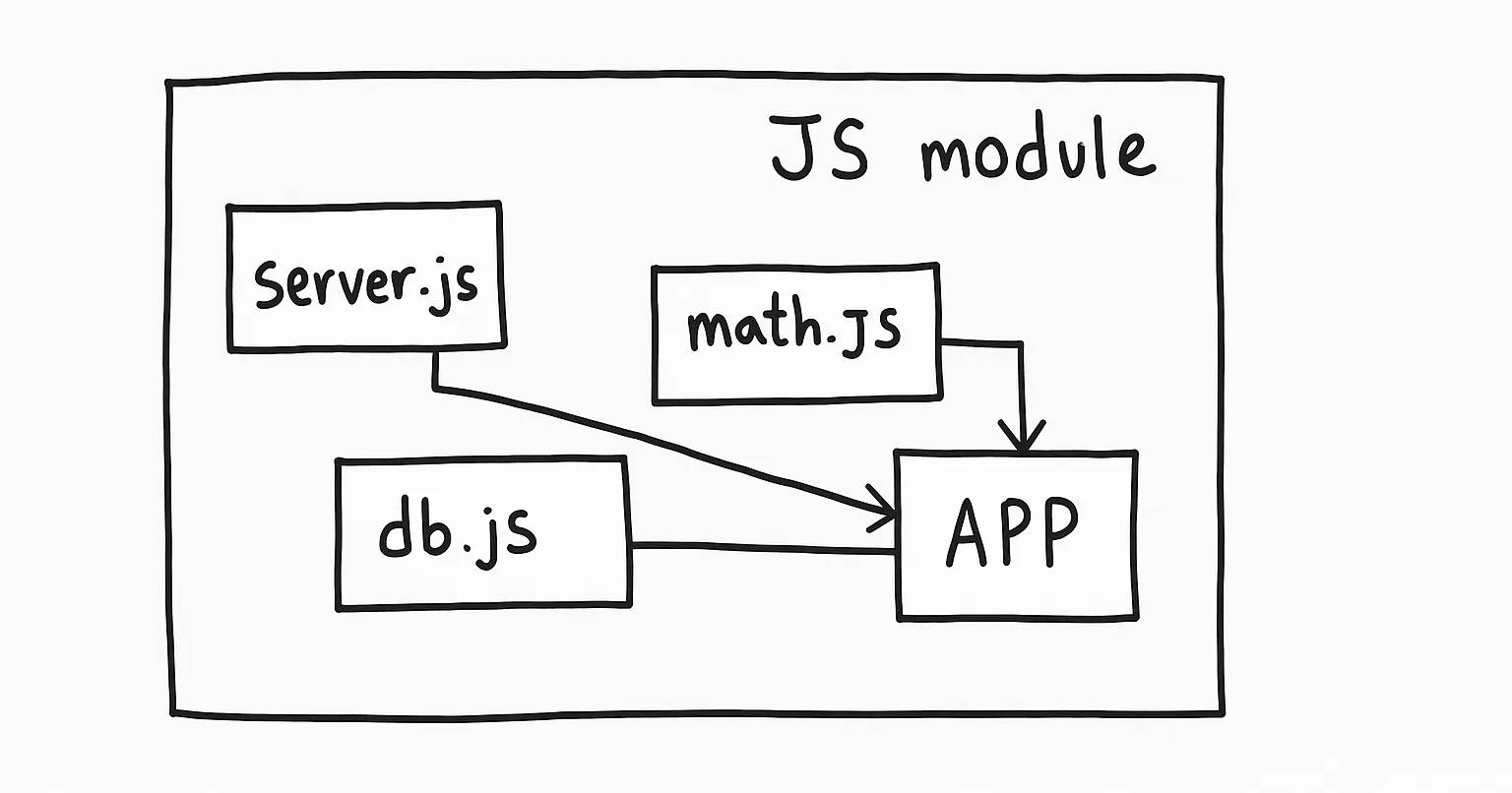
Every JavaScript developer begins a project with one or two files. Everything appears straightforward, doable, and possibly even enjoyable. However, as the project expands, all of a sudden, chaos reigns.
Most likely, you've seen it:
Hundreds of lines in one enormous file
Functions all over the place
Colliding variables
It feels like copying and pasting spaghetti to reuse logic 🍝
JavaScript Modules are exactly what you need in this situation. They enable us to scale with confidence, organize our code, and make it maintainable.
Everything you need to know will be covered in this post, from the fundamentals of modules to dynamic imports and tree shaking, all with developer-friendly language and real-world examples.
✅ What Are Modules in JavaScript? Why Make Use of Them?
Simply put, a JavaScript Module is a file that contains a piece of functionality and can be exported and imported into other files. Its scope ensures that variables or functions declared within it won't contaminate the global space.
Consider it similar to developing an app for restaurant management:
customer.js: Customer logic is handled here.menu.js: Items are handled here.order.js: Orders are processed here.billing.js: Invoices are managed here.
Every file turns into a tiny, autonomous unit of accountability.
Your app is made by this structure:
More tenable
Debugging is simple
Easy to scale
Very reusable
The Core of Modules: Export and Import
✅ Export (Sharing Functionality)
You "export" from a file what you wish to distribute:
// greet.js
export const greet = (name) => `Hello, ${name}!`;
🔹 Bringing it in, or Importing
When necessary, you "import" it into another file:
// main.js
import { greet } from './greet.js';

console.log(greet('Ashraful')); // Hello, Ashraful!
Modules are able to communicate with one another because of this.
✅ Named Exports: Exporting a Variety of Items
Named exports come in handy when you wish to export multiple functions or variables.
// math.js
export const add = (a, b) => a + b;
export const sub = (a, b) => a - b;
Next, import them as follows:
import { add, sub } from './math.js';✅ You have to use the precise names.
✅ Excellent for utility files containing several tools.
✅ Default Export: One Primary Purpose for Each File
You can export a single value or function from a file using default exports.
// greet.js
export default function(name) {
  return `Hi, ${name}`;
}
Additionally, you are free to import it under any name you choose:
import welcome from './greet.js';
console.log(welcome('Alice')); // Hi, Alice
✅ Ideal for files with a single primary function.
To prevent conflicts, rename imports using aliases.
You can use as to rename your imports. This is beneficial if:
There are name conflicts with you.
You would like your current file to have more meaningful names.
import { add as sum } from './math.js';
console.log(sum(10, 20)); // 30
✅ Readable
✅ Clean
✅ No naming disputes
✅ Namespace Imports: All in One Object
You can import everything as a single object if a module exports a lot of things:
import * as MathUtils from './math.js';

console.log(MathUtils.add(5, 3)); // 8
console.log(MathUtils.sub(10, 4)); // 6
✅ Maintains a clean namespace
✅ Makes it simple to see the source of functions
✅ Perfect for utility libraries such as Firebase, Lodash, and others.
✅ Centralized Import Point with Combined Exports
Assuming you have several utility files (math.js, date.js, and string.js), you can make a central index.js file:
// index.js
export * from "./math.js";
export * from "./date.js";
export * from "./string.js";
You can now import from a single location:
import { add, formatDate, capitalize } from './index.js';
✅ Import statements are less cluttered
✅ Scaling is simple
✅ Serves as a "gateway."
✅ Dynamic Imports: When Required, Load Code
Dynamic import, which was first introduced in ES2020, enables you to load modules as needed.
button.addEventListener('click', async () => {
  const { downloadFile } = await import('./file-utils.js');
  downloadFile();
});
✅ Quickens the initial page load
✅ Minimizes bundle size
✅ Excellent for non-critical paths, modals, and admin dashboards
✅ Promise.all's Multiple Dynamic Imports
Do you need to load multiple modules simultaneously? Take this action:
Promise.all([
  import('./module1.js'),
  import('./module2.js')
]).then(([mod1, mod2]) => {
  mod1.init();
  mod2.start();
});
✅ Effective parallel loading
✅ Beneficial for pages with lots of features
✅ Tree Shaking: Production Optimization
Tree Shaking is a build-time optimization technique that eliminates unnecessary exports from your finished bundle.
📦 How it operates:
Only the features you really use are retained.
Disregards the others.
Makes the app faster and smaller.
// utils.js
export const unused = () => {};
export const used = () => {};
unused() won't appear in your production bundle if only used() is imported (when using tools like Webpack/Rollup).
✅ A smaller bundle
✅ A quicker page load time
✅ Improved performance
It functions best with named exports.
Conclusion
JavaScript Modules are a philosophy of writing better, cleaner, and more maintainable code, not just a language feature.
Modular code enables you to:
Create small scripts or large applications
Concentrate on just one duty.
Effectively reuse logic
Improve your teamwork.
Sustain scalability and performance
💬 I can still clearly recall the day I turned a disorganized project into modules; it was like going from a cluttered desk to a neatly arranged workstation.
❤️ Did you find this article useful?
Please like it.
Share with your friends who are developers.
Leave a comment with your ideas or queries!
One clean line of code at a time, let's grow and learn together. 🌱
#JavaScript #FrontendDevelopment #ReactJS #WebDev #ESModules #CleanCode #DeveloperTips #CodingInPublic #LearningTogether #darkasfu #ashraful

Join Md. on Peerlist!
Join amazing folks like Md. and thousands of other builders on Peerlist.
0
9
0