

How to Generate sitemap.xml in Next.js for Better SEO

Search engines like Google and Bing rely on sitemaps to crawl your site effectively. If you're using Next.js you can generate a dynamic sitemap to keep search engines up to date automatically.

This guide will cover,
What a sitemap is and why it matters
How sitemaps impact SEO
The anatomy of a sitemap.xml file
Splitting Large Sitemaps with Index Files
Automating Sitemap Generation in Next.js with next-sitemap
What a sitemap is and why it matters
A sitemap is simply a list of all important URLs on your website, expressed in XML format. It acts as a "roadmap" for search engines, showing them where your content lives and when it last changed.
Key benefits,
Ensures new pages are discovered quickly
Helps index deep content (blog posts, E - commerce products, dynamic pages)
Provides metadata (last modified date, change frequency, priority)
Allows you to prioritize content for crawling
Even though Google can discover URLs through links, a sitemap acts like a direct invitation to crawl every page you want indexed.

How Sitemaps Impact SEO
A sitemap doesn't directly improve rankings, but it makes it much easier for search engines to discover, crawl, and index your content. That can indirectly improve your SEO because your pages get into the index faster and more completely.
Key impacts,
Faster indexing of new content - (When you publish new pages or update old ones, search engines see them immediately if they’re in your sitemap.)
Improved coverage - (Large or deep sites (with many categories or paginated content) can be hard to crawl through links alone. A sitemap tells Google where everything is.)
Crawl efficiency - (Search engines have a "crawl budget" for each site. A sitemap helps them spend it more wisely by pointing only to canonical, important URLs.)
Metadata signals - (The
<lastmod>,<changefreq>, and<priority>tags provide hints about how often a page changes and how important it is. Google treats them as advisory, but they still help guide crawling.)
Think of a sitemap as a road map you hand to search engines. It doesn't guarantee rankings, but it makes sure the crawler doesn't miss any of your roads.
The anatomy of a sitemap.xml file
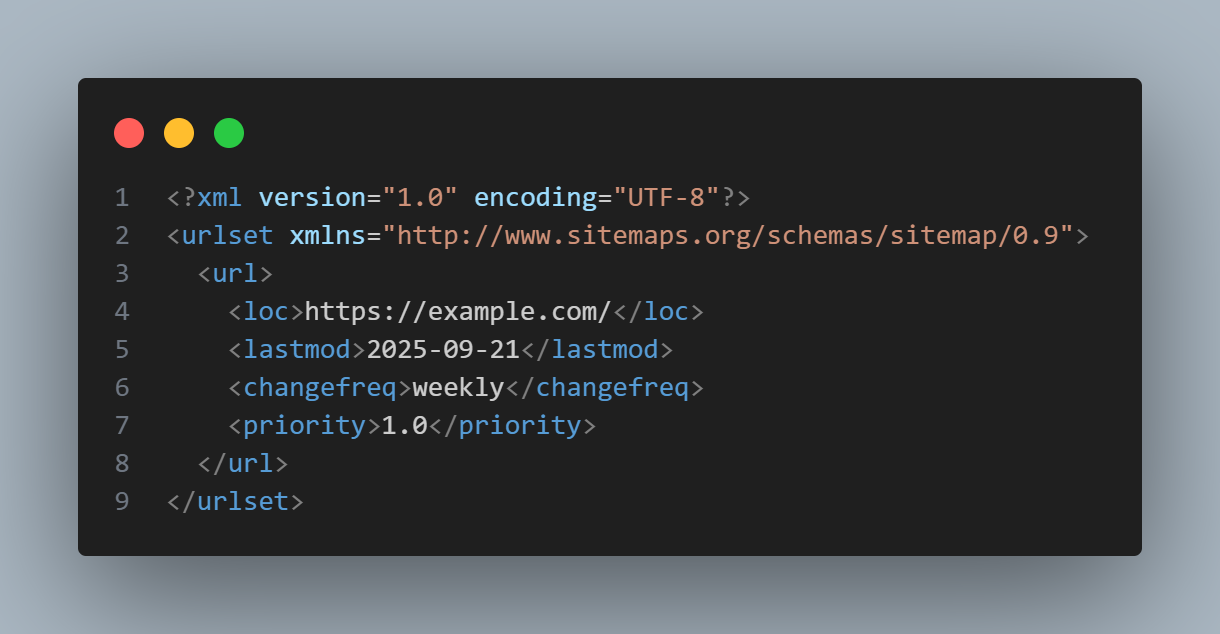
<loc>- URL of the page<lastmod>- last modification date<changefreq>- how often the content changes (optional)<priority>- relative importance (optional)
Splitting Large Sitemaps with Index Files
If your site has more than 50,000 URLs or your XML file is over 50 MB, you must split it into multiple sitemaps and create a sitemap index.
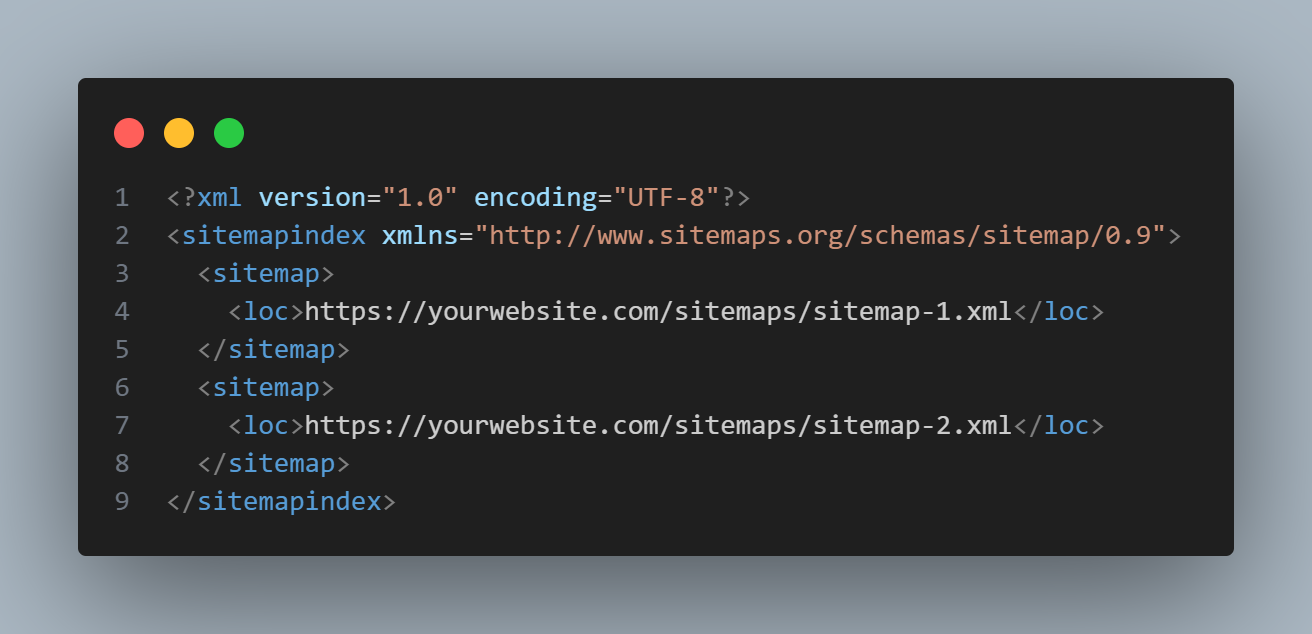
Each child sitemap then lists a portion of your URLs. Search engines crawl the index file and automatically discover all child sitemaps.
Automating Sitemap Generation in Next.js with next-sitemap
Manually crafting a sitemap.xml route can be overkill when your site already has dozens or hundreds of pages. The next-sitemap package takes care of the heavy lifting by generating a valid sitemap (and optional robots.txt) automatically during your build process.
Installation
Add the package to your project
npm install next-sitemap
# or
yarn add next-sitemap
Set Up Configuration
Create a file called next-sitemap.config.js in your project root and define how your sitemap should behave.
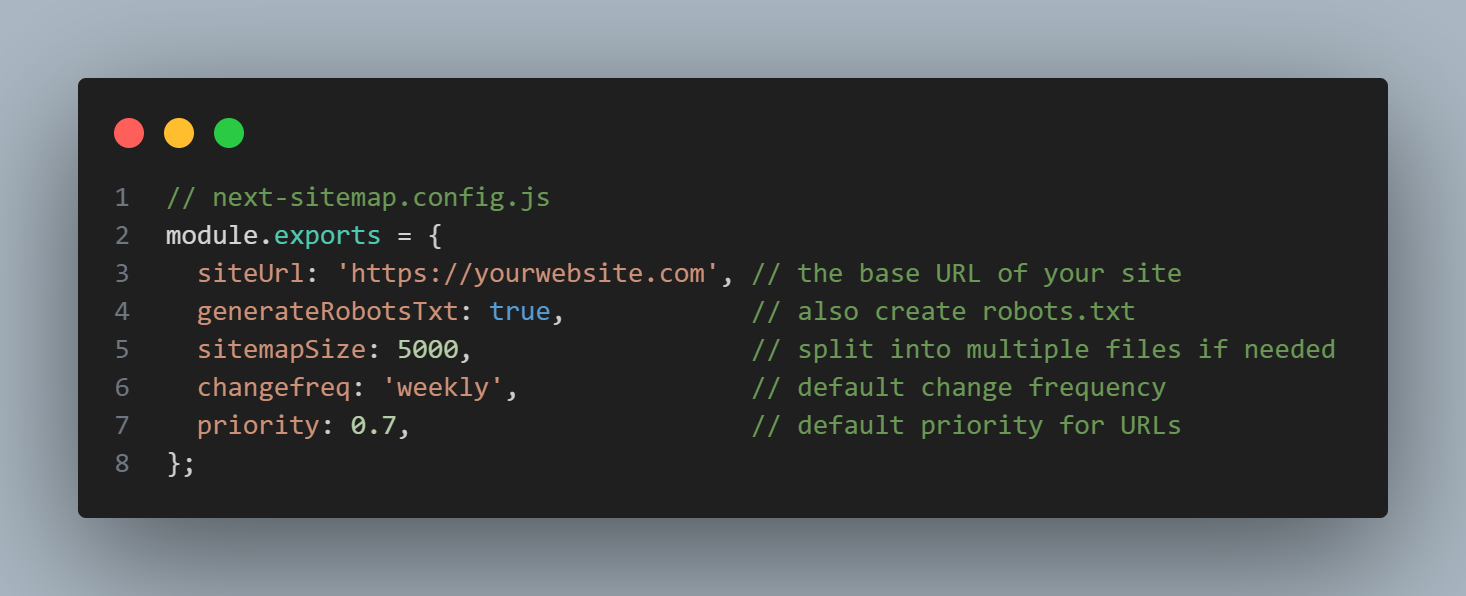
Update your build script to run next-sitemap right after next build.
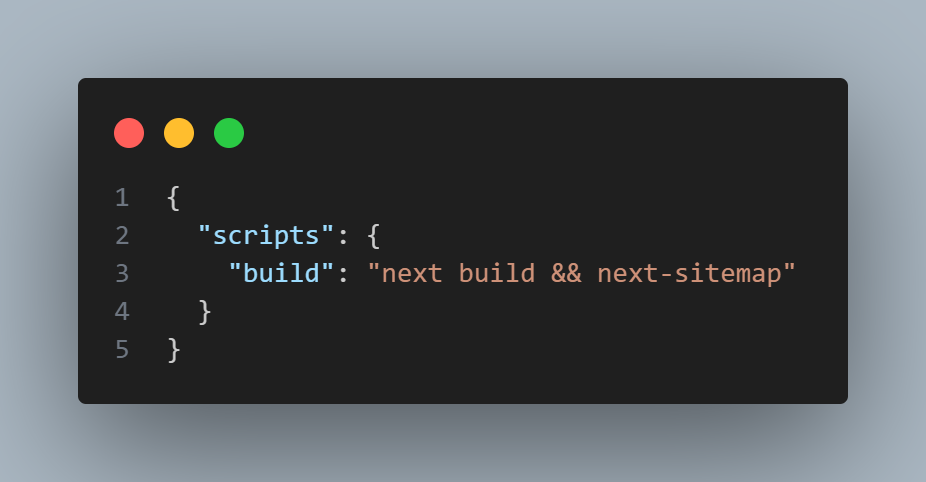
Now every time you run
npm run buildthe package will output
public/sitemap.xml (or several if your site is huge)
public/robots.txt
Conclusion
An up to date sitemap is one of the simplest yet most effective ways to help search engines understand your site's structure. By letting the next-sitemap package generate it automatically, you'll ensure every important page is discoverable and indexed quickly.
For small sites, a manual sitemap gives you complete control. For larger or frequently changing sites, the built -in App Router feature or next-sitemap can automate the process and remove maintenance overhead.
Once your sitemap is in place, don’t forget to
Submit it to Google Search Console and Bing Webmaster Tools
Keep your base URL and metadata accurate
Regenerate it on every deploy to reflect new content
Following these steps will give your Next.js project stronger SEO and smoother crawling. Making it easier for search engines (and your audience) to find your content faster.

Join Dhamith on Peerlist!
Join amazing folks like Dhamith and thousands of other builders on Peerlist.
0
10
0