

Building an AI Image Generation Tool with Ernie Image
A practical look at turning Ernie Image into a usable AI image generation experience
Why I Built an AI Image Tool Around Ernie Image
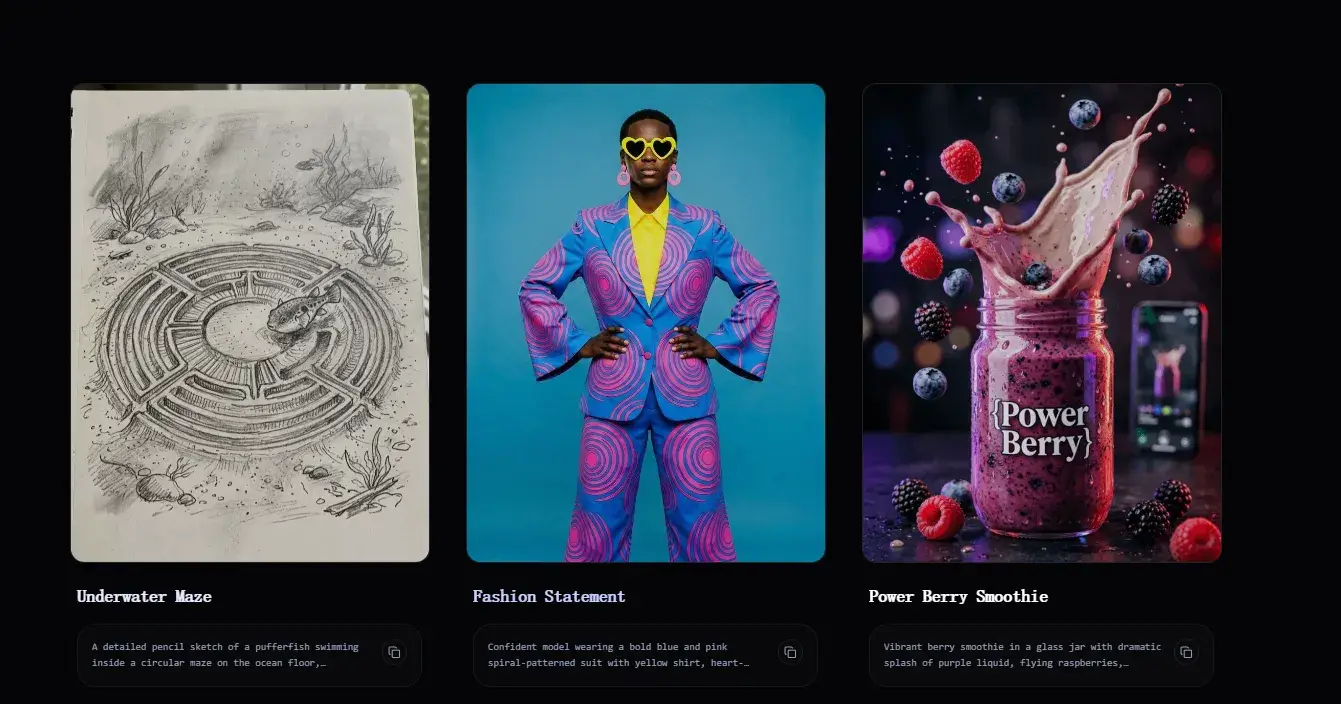
Over the past year, multimodal AI models have rapidly evolved — especially in the area of image generation. Among them, Ernie Image stands out for its strong understanding of prompts and ability to generate visually coherent results.
Instead of just testing the model in isolation, I wanted to explore something more practical:
Can this model be turned into a usable product for global users?
That question led me to build a lightweight AI image generation tool.
What Makes Ernie Image Interesting?
Compared to traditional diffusion-based tools, Ernie Image focuses heavily on several key aspects.
First, it has a stronger semantic understanding of prompts, which allows it to better interpret user intent.
Second, it produces more structured compositions in generated images, making outputs feel more intentional rather than random.
Third, it shows strong alignment between text and visual output, which is critical for real-world usability.
Because of these strengths, it becomes particularly useful for content creators, designers, and indie developers who are building AI-first tools.
From Model to Product: Key Challenges
Turning a model into a usable product is not as straightforward as it seems. Several practical challenges come up during the process.
The first challenge is prompt handling. Most users do not write perfect prompts, so the system needs to guide, optimize, or even enhance their input.
The second challenge is balancing speed and quality. Faster generation improves user experience, but lower quality can reduce trust. Finding the right balance is critical.
The third challenge is UI simplicity. Most users are not interested in how the model works. They only care about getting results quickly and easily.
Building a Simple AI Image Workflow
To address these challenges, I designed a minimal and straightforward workflow.
Users start by entering a prompt. They can optionally choose a style depending on their needs. Then the system generates an image, and users can either download it or iterate further.
This simple flow keeps the experience clean, fast, and accessible.
For those who want to see how this works in practice, you can explore the live demo here.
Who Is This Tool For?
This tool is designed for a broad range of users.
It works well for creators who need visual assets, developers who want to explore AI capabilities, and anyone interested in experimenting with prompt-based image generation.
Final Thoughts
Building on top of models like Ernie Image is not just about the model itself. It is about how you design the experience around it.
As AI tools become more accessible, the real opportunity lies in making them usable, simple, and fast.
If you are building something similar, it is worth focusing less on the model and more on the overall user journey.
Join michael on Peerlist!
Join amazing folks like michael and thousands of other builders on Peerlist.
0
1
0