

FlashVSR Video Upscaler: 4K AI Super-Resolution for Low-Res & Blurry Footage
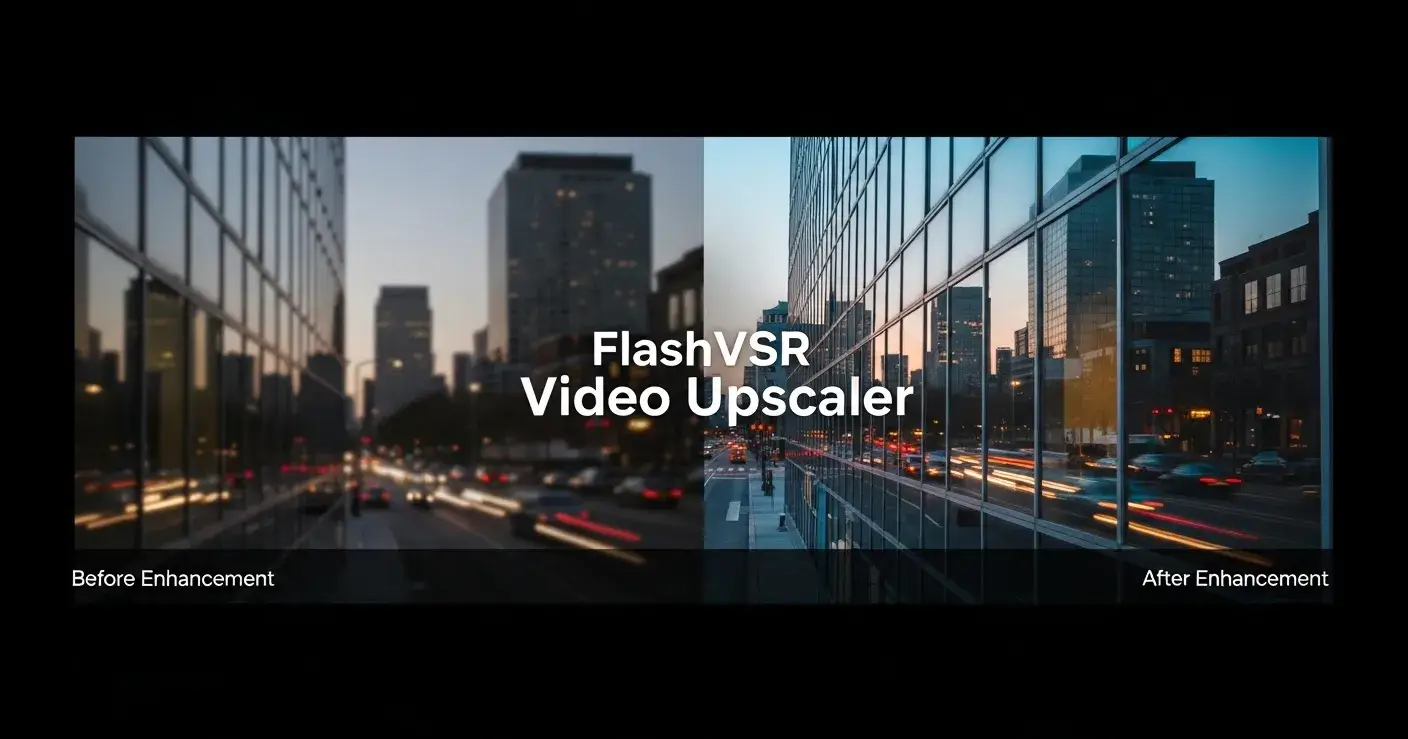
AI-generated videos and social media clips often suffer from low resolution, compression artifacts, or flickering frames. If you’re struggling with blurry footage from Runway, Sora, or vertical content, FlashVSR offers a powerful solution. This real-time AI video super-resolution tool uses diffusion models to upscale videos up to 4K—without sacrificing motion clarity or temporal consistency.
Why AI Video Needs High-Fidelity Upscaling
AI video generators typically output at 480p or 720p, especially for short-form or vertical formats. These videos often:
Lack sharp textures or edge detail
Contain visible compression noise
Flicker during fast motion or scene changes
FlashVSR solves these problems by applying a frame-consistent, single-step diffusion model that restores detail while preserving temporal stability.
Key Benefits
High-fidelity 4K upscaling for compressed videos
4× upscaling for short-form and vertical videos
Upscale old video content to 4K without artifacts
Real-time processing with GPU acceleration
Video enhancer for fast motion and flicker removal
How FlashVSR Works: Diffusion and Sparse Attention
FlashVSR uses a single-step diffusion model, distilled for speed, and integrates a local sparse attention mechanism to efficiently process high-resolution inputs. Unlike interpolation-based tools, it restores lost textures intelligently and ensures visual consistency across frames.
Technical Highlights
Single-Step Diffusion: Reduces latency while maintaining generative detail
Local Sparse Attention: Optimizes GPU memory use for 2K/4K processing
Conditional Decoder: Combines low-res inputs for better structural alignment
Streaming Video Support: Ideal for long-form or real-time workflows
Use Cases: Who Should Use FlashVSR?
FlashVSR is purpose-built for creators, developers, and post-production teams dealing with:
AI-generated video content (Runway, Sora, Pika)
Vertical videos from TikTok, Instagram, or YouTube Shorts
Low-quality archive or surveillance footage
Gaming or sports clips with fast motion scenes
Batch enhancement workflows requiring automation and speed
🧠 FAQ: FlashVSR Video Upscaling
Q1: Does FlashVSR support 4K output for vertical videos?
Yes. FlashVSR supports 4× upscaling for all aspect ratios, including vertical content. You can upscale 480x854 to 1920x3416 seamlessly.
Q2: Is it suitable for AI-generated clips with temporal flicker?
Absolutely. FlashVSR is designed to preserve frame-to-frame consistency, making it ideal for flicker-prone AI outputs.
Q3: What hardware is recommended?
A GPU with at least 12GB VRAM is recommended. RTX 30/40 series or A100-class GPUs offer real-time performance.
Q4: Can I process multiple videos in batch?
Yes. FlashVSR supports long-form and batch inference workflows. There’s also a Tiny variant for lower-memory environments.
Q5: Is FlashVSR open source?
Yes. FlashVSR is available on GitHub under the Apache 2.0 license. Pretrained weights are hosted on HuggingFace.
🚀 Conclusion
If you're looking for an efficient way to bring AI-generated, blurry, or compressed videos up to 4K with clarity and consistency, FlashVSR is one of the most advanced AI video upscalers available today. It combines the precision of diffusion models with real-time performance—perfect for creators who won’t settle for pixelated output.
👉 Explore Video Upscaler or test it with your own videos.

Join michael on Peerlist!
Join amazing folks like michael and thousands of other builders on Peerlist.
0
2
0