

Building MotionVideo AI: A Motion Control AI Video Generator
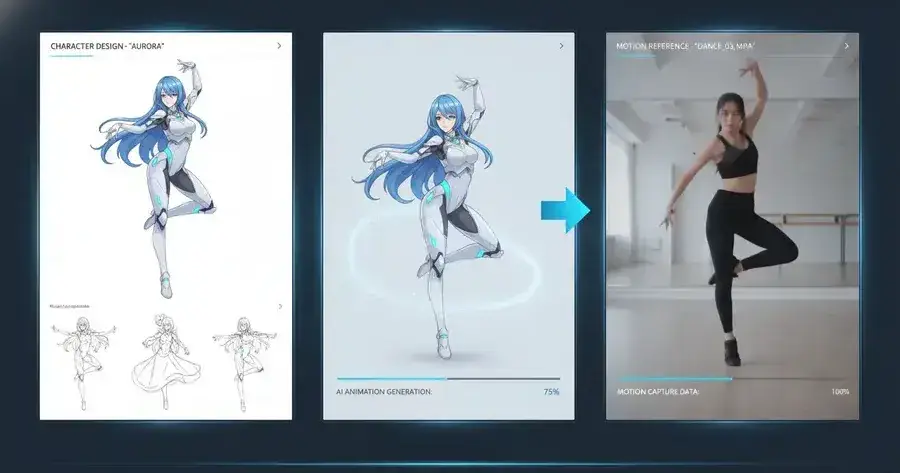
AI video generation is getting better very quickly.
But while testing different AI video workflows, I noticed one recurring problem:
The output can look impressive, but the motion is often hard to control.
A prompt can describe a scene, a character, or a style.
But it is still difficult to describe exact body movement, timing, gesture, and rhythm using only text.
That is the problem I wanted to explore with MotionVideo AI.
The problem
Most AI video tools are still very prompt-driven.
You write what you want, then wait for the model to interpret it.
This works well for exploration, but not always for repeatable creation.
For example, if a creator wants a character to wave, walk, dance, or follow a specific gesture, a text prompt may not be precise enough.
The model may generate something beautiful, but not exactly useful.
The idea
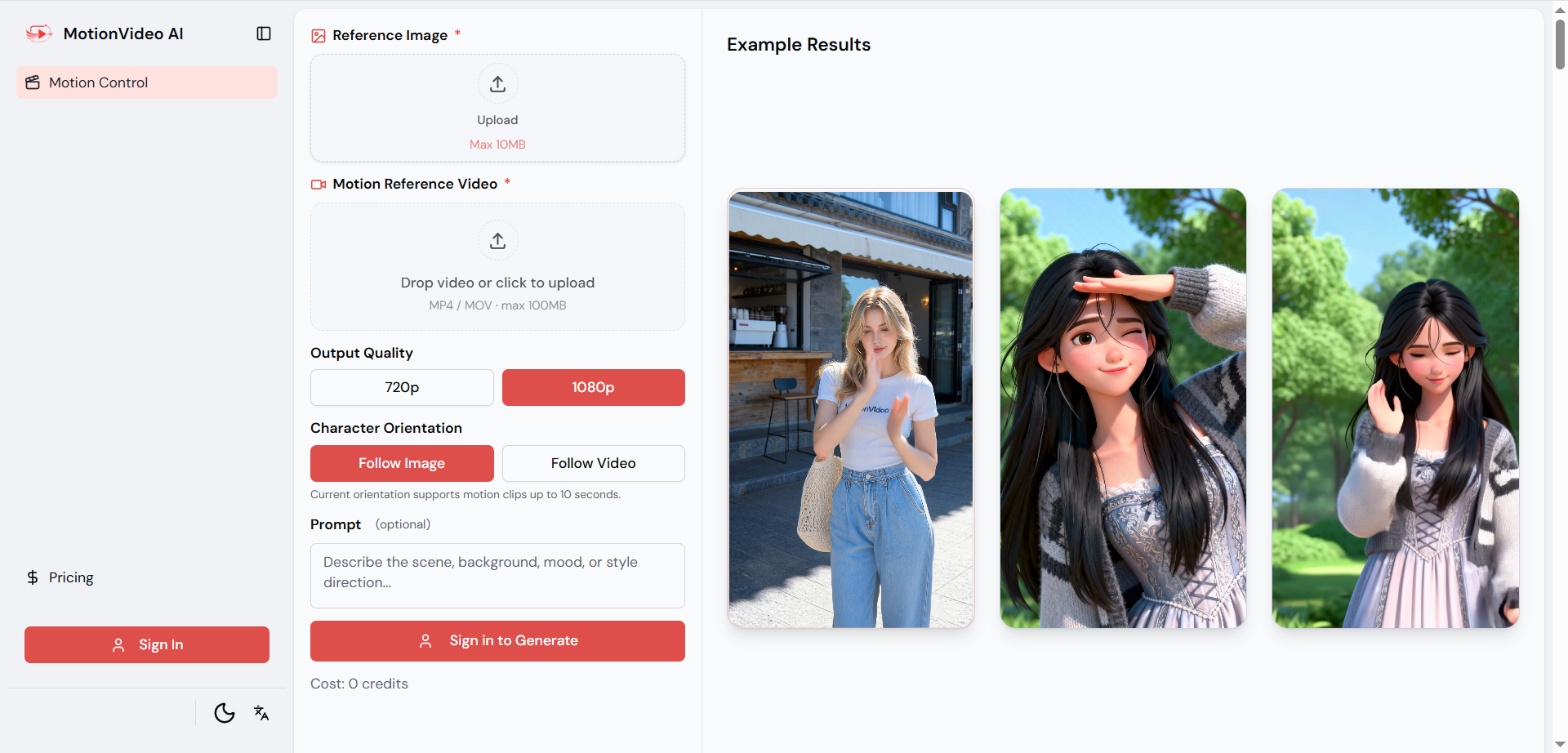
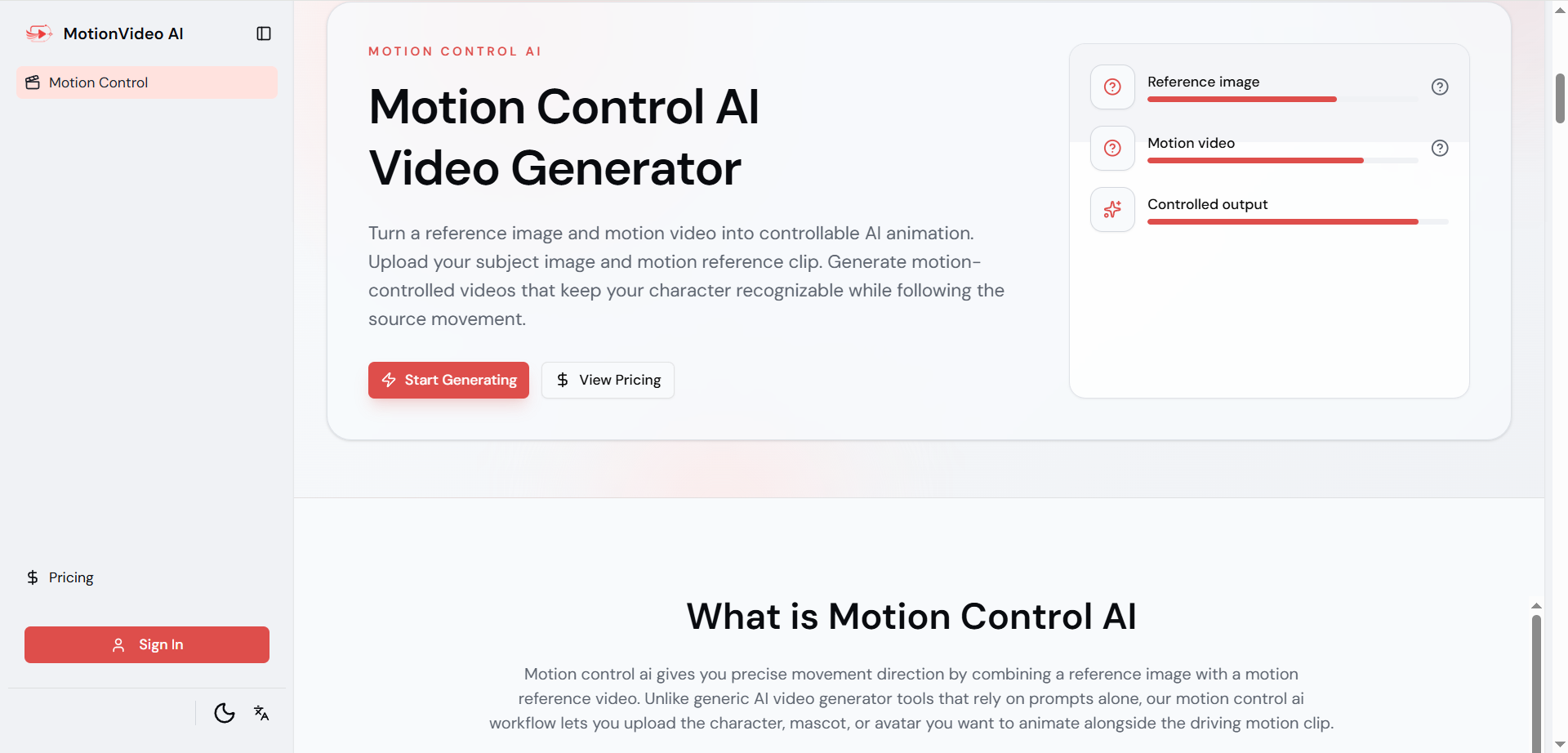
MotionVideo AI focuses on a simple motion control workflow:
Upload a reference image.
Upload a motion reference video.
Generate a new AI video with controlled movement.
The image defines the subject.
The video defines the motion.
The final output combines both.
This makes the workflow easier to understand, especially for creators who already know what movement they want.
Who it is for
MotionVideo AI is designed for people who want to create:
AI character animations
Avatar motion videos
Brand mascot videos
AI influencer clips
Short-form social videos
Marketing and creative video concepts
The goal is not just to generate a random AI video.
The goal is to make AI video generation more controllable.
What I learned while building it
The biggest challenge is not only video quality.
It is product clarity.
Users need to understand the workflow immediately:
Reference image + motion video = motion-controlled AI video
That is why the first screen, examples, and onboarding matter so much.
If users cannot understand what the tool does in the first few seconds, even a good AI feature can feel confusing.
What is next
This is still an early version.
The current focus is motion control video generation, but the long-term direction is to build MotionVideo AI into a broader AI video platform with more tools for controlled video creation.
I am especially interested in improving:
Better examples
More motion templates
Clearer onboarding
More stable output quality
More AI video workflows beyond motion control
I would love to hear feedback from other builders and creators.
What kind of motion controlled AI video examples would make this product easier to understand?
Product link:

Join chou on Peerlist!
Join amazing folks like chou and thousands of other builders on Peerlist.
0
0
0