

What Is Image to Image? A Complete Guide to Smarter Photo Editing
Learn what Image to Image is, how it works, real-world use cases, prompt examples, and how to transform photos effortlessly with EzMaker AI Image to Image.
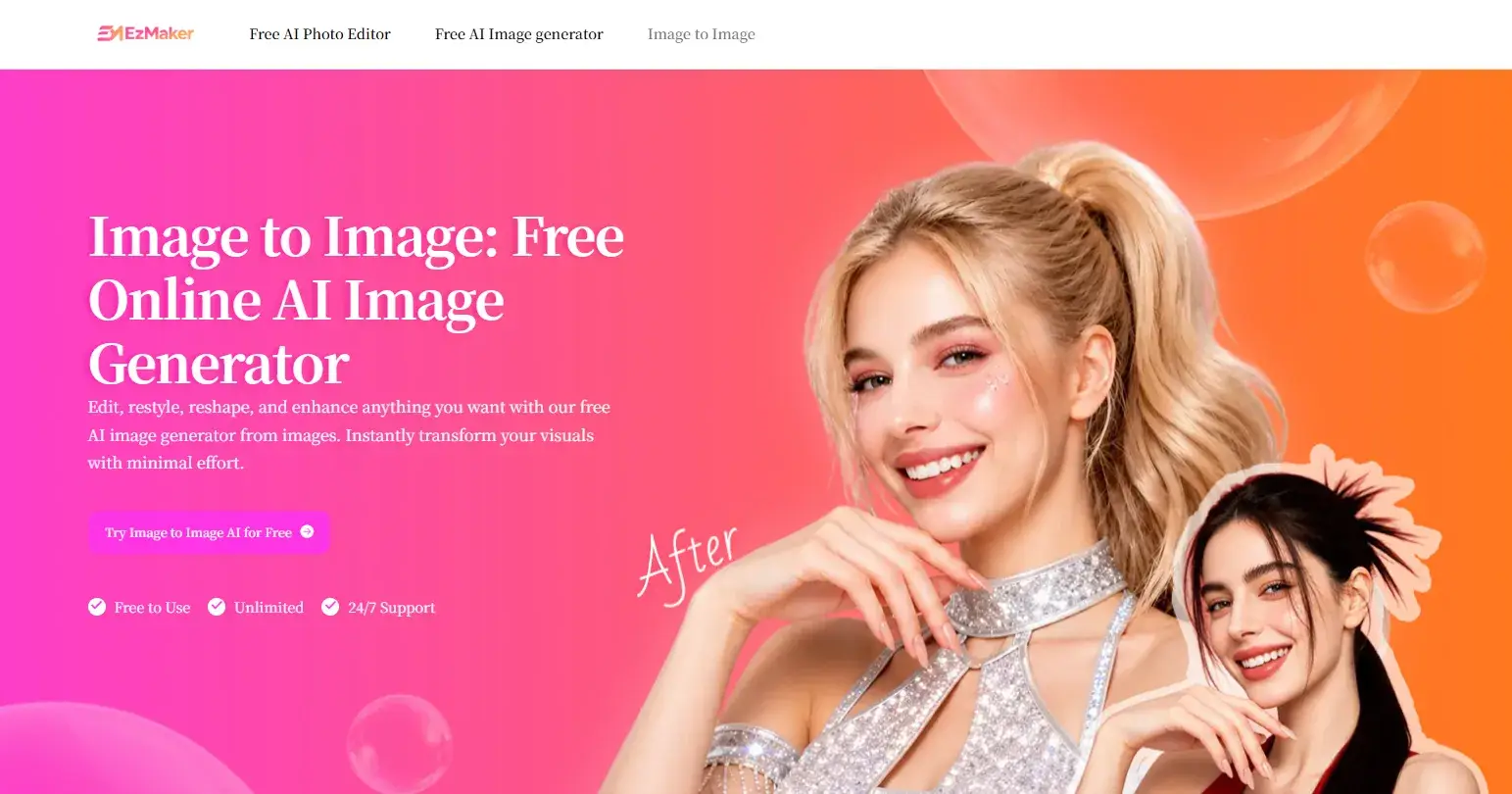
Have you ever taken a photo that was almost perfect, only to realize that one small detail ruined the entire image? Maybe the background is too distracting, an unwanted person appears in the frame, the lighting feels flat, or you simply wish the photo looked more professional. In the past, if you want to make these kinds of changes, you are supposed to learn complicated editing tools, and spending anywhere from a few minutes to several hours making manual adjustments.
Today, AI has inserted an influence on the editing workflow. Instead of editing every pixel yourself, AI Image to Image allows you to upload an existing photo and describe what you want to change with simple prompts. Thus, if you want to replace objects, transform a product photo into an advertising one, or restyle a portrait, AI can understand your instructions and generate a result in seconds.
In our daily lives, Image to Image is quickly becoming one of the most practical AI technologies available. In this guide, we'll explore how it works, why it's changing modern photo editing, common use cases, prompt tips, and how you can use EzMaker AI Image to Image to create charming visuals with low effort.
1. What Is Image to Image?
Image to Image is an AI-powered editing technology based on an existing image, instead of generating one from scratch. Unlike converting image with text, which relies entirely on written prompts to create completely new visuals, Image to Image begins with a reference photo and modifies it according to your instructions. The AI analyzes the original composition, colors, lighting, and subject while preserving the elements you want to keep, making it possible to restyle the photo without losing the identity or structure of the original.
Because it combines visual understanding with natural language instructions, AI Image Editor delivers results that are both consistent and realistic. And it's an ideal solution for creators who want precise control without the complex editing software.
2. Why Is Image to Image Becoming So Popular?
Some businesses, online sellers, marketers, and creators are expected to publish high-quality images every day, yet some editing softwares often require time, technical knowledge, and expensive subscriptions. Even relatively simple edits such as removing an object or replacing a background can involve multiple manual steps that slow down the whole process.
Image to Image removes these barriers by allowing users to communicate with AI using simple prompts, and AI can complete the transformation automatically. This definitely reduces editing time while ensuring the quality.
Traditional Image Editing:
Requires editing software
Manual selection and masking
Learning curve
Time-consuming workflow
Multiple editing tools
Image to Image
Works directly in the browser
AI edits the image automatically
Beginner-friendly
Results in seconds
One simple prompt
3. What Can You Do with Image to Image?
One of the biggest advantages of Image to Image is its flexibility. Whether you're improving personal photos, creating marketing materials, managing an online store, or experimenting with artistic concepts, the same workflow applies—upload an image, describe your ideas, and let AI handle the complex editing behind the scenes.
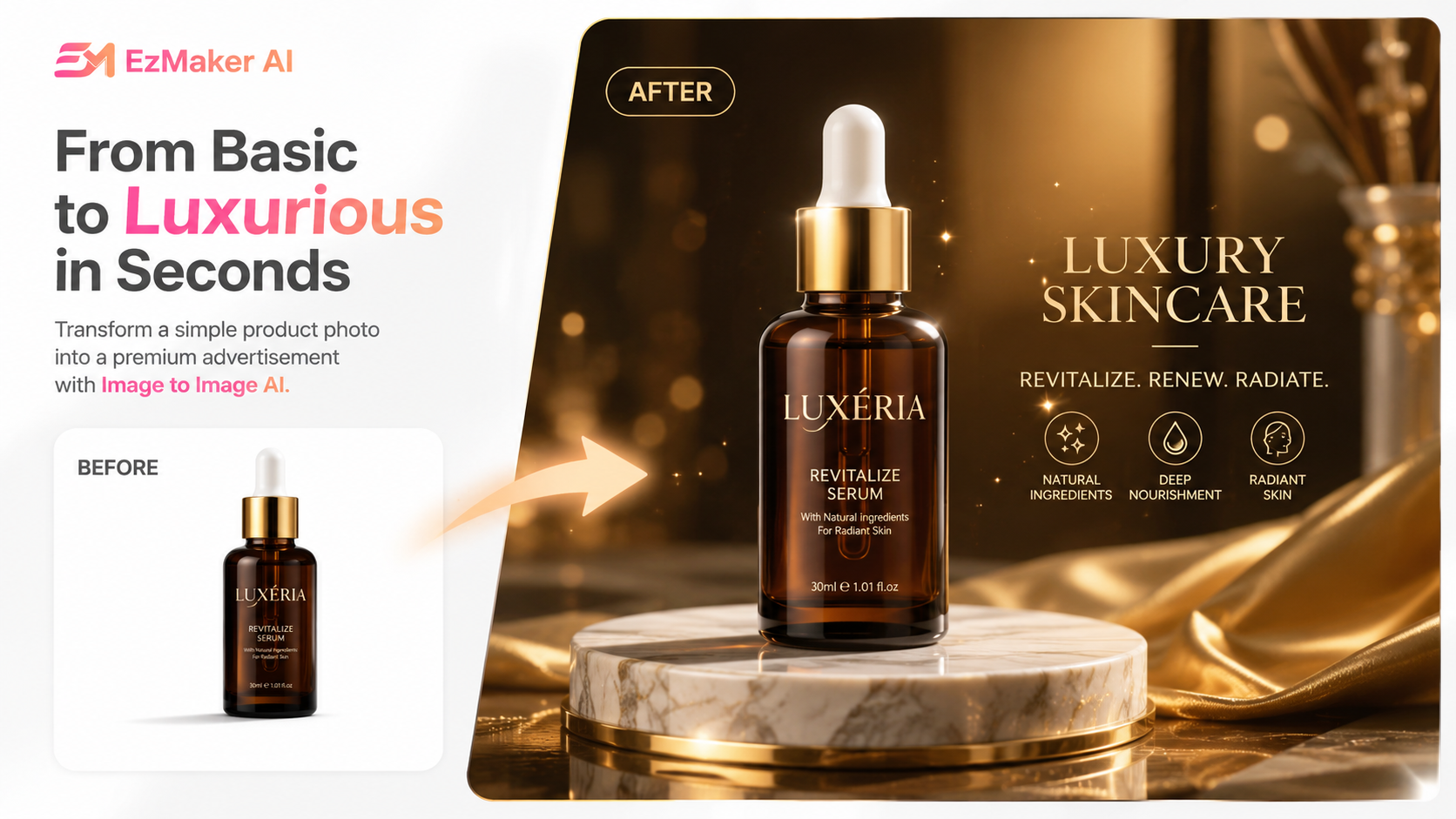
Create Professional Product Photos
High-quality product images are essential for attracting customers. A basic white-background product image can become a luxury advertisement, a lifestyle scene, or a seasonal promotional banner within seconds, making it better for e-commerce platforms, online marketplaces, and advertisement poster.
Enhance Portraits
Portrait editing no longer needs to focus on complicated retouching techniques. With Image to Image, users can enhance hairstyles, change hair colors, replace clothing, improve lighting, or create professional headshots.
Replace Backgrounds Without Manual Editing
Removing and replacing backgrounds is one of the most common editing tasks, yet it traditionally requires careful selections and masking. Image to Image simplifies this process by understanding the subject automatically and generating a completely new environment around it.
Remove Unwanted Objects
Unexpected objects often ruin otherwise perfect photos. Tourists, parked vehicles, trash bins, power lines, logos, or random objects can easily draw attention away from your subject. Image to Image intelligently removes these unwanted elements and reconstructs the surrounding environment.
Improve Image Quality
Many photos suffer from low resolution, poor lighting, or image noise. Image to Image can restore lost details, sharpen textures, improve clarity, and enhance overall visual quality. So if you're restoring old family photos, it helps produce cleaner and more professional results.
Transform Images into Different Art Styles
Beyond practical editing, Image to Image is also an excellent creative tool. Users can transform photographs into anime styles, watercolor paintings, oil paintings, sketches, pixel art, or cinematic concepts.
4. How Does Image to Image Work?
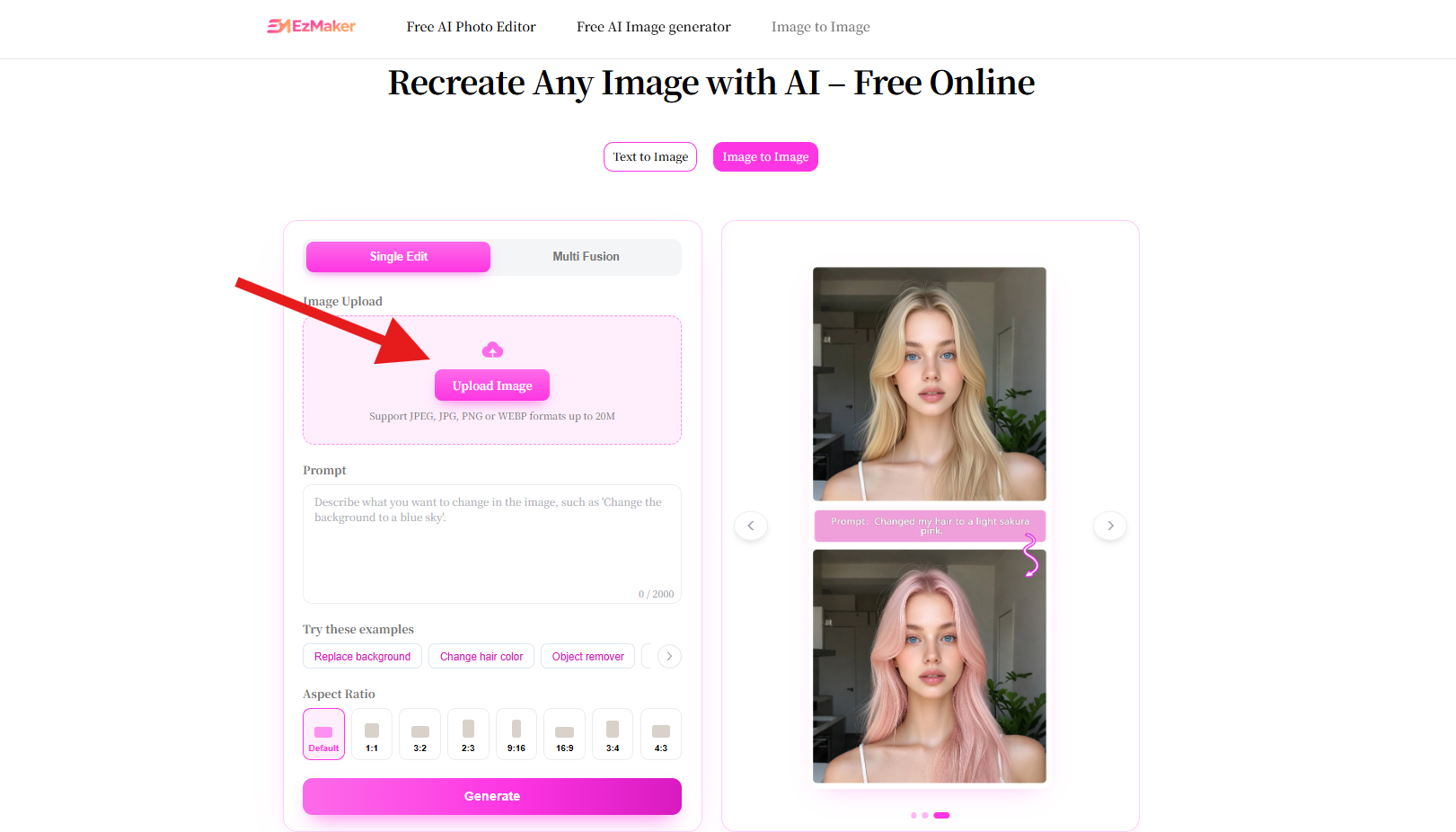
Step 1 Upload Your Image
Begin by uploading the image you want to transform. EzMaker AI supports common formats such as JPG, PNG, and WEBP, so you'll find it easy to work with photos saved from smartphones, cameras, or downloaded from other sources.
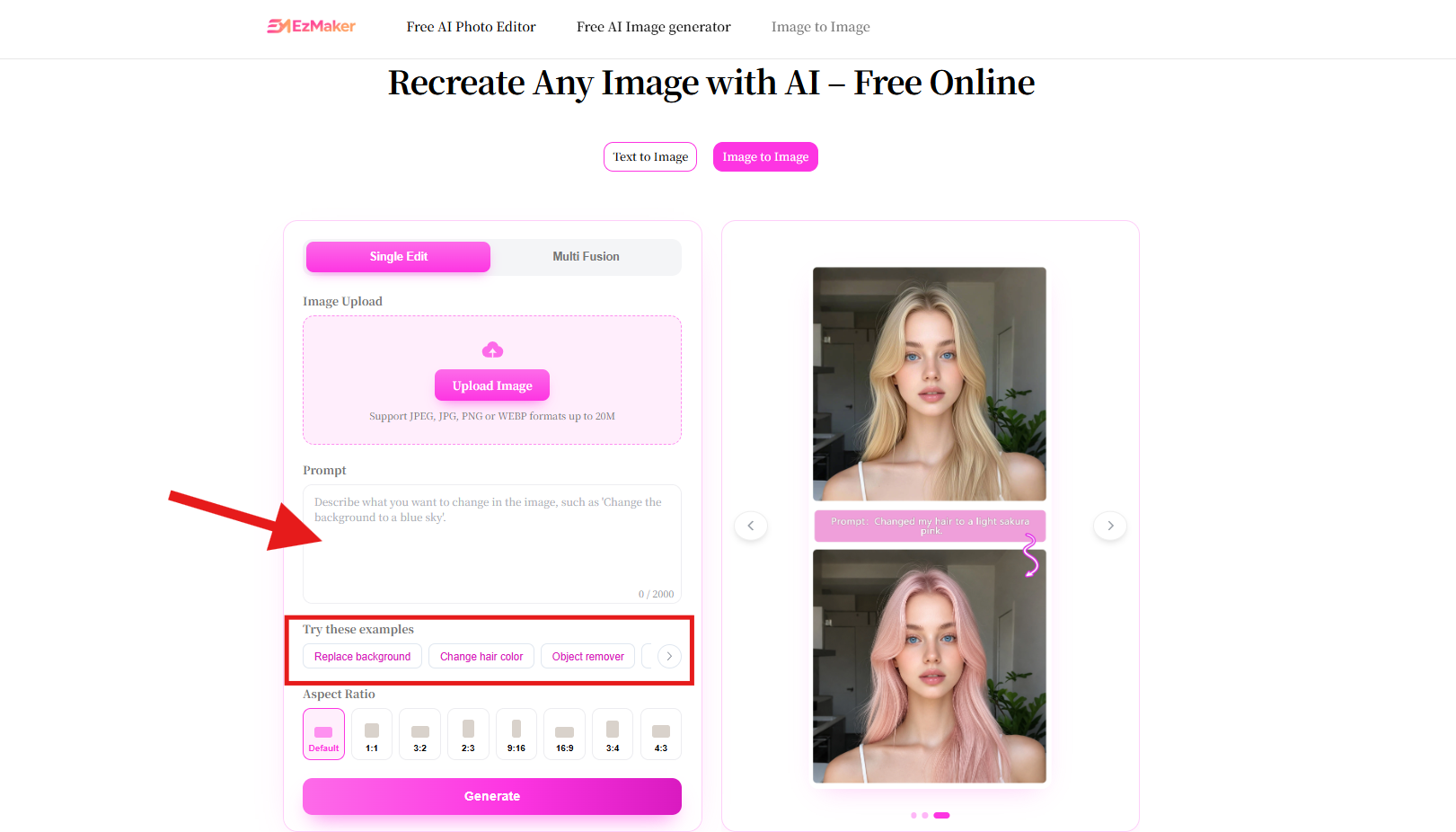
Step 2 Describe Your Changes
Users don't need to adjust dozens of editing settings manually, simply describe your desired result using natural language. If you don’t want to spend time crafting prompts for simple edits, there are some common examples you can use.
Step 3 Generate and Download
Select aspect ratio and click Generate, wait a few seconds while the AI processes your request, and download the finished image.
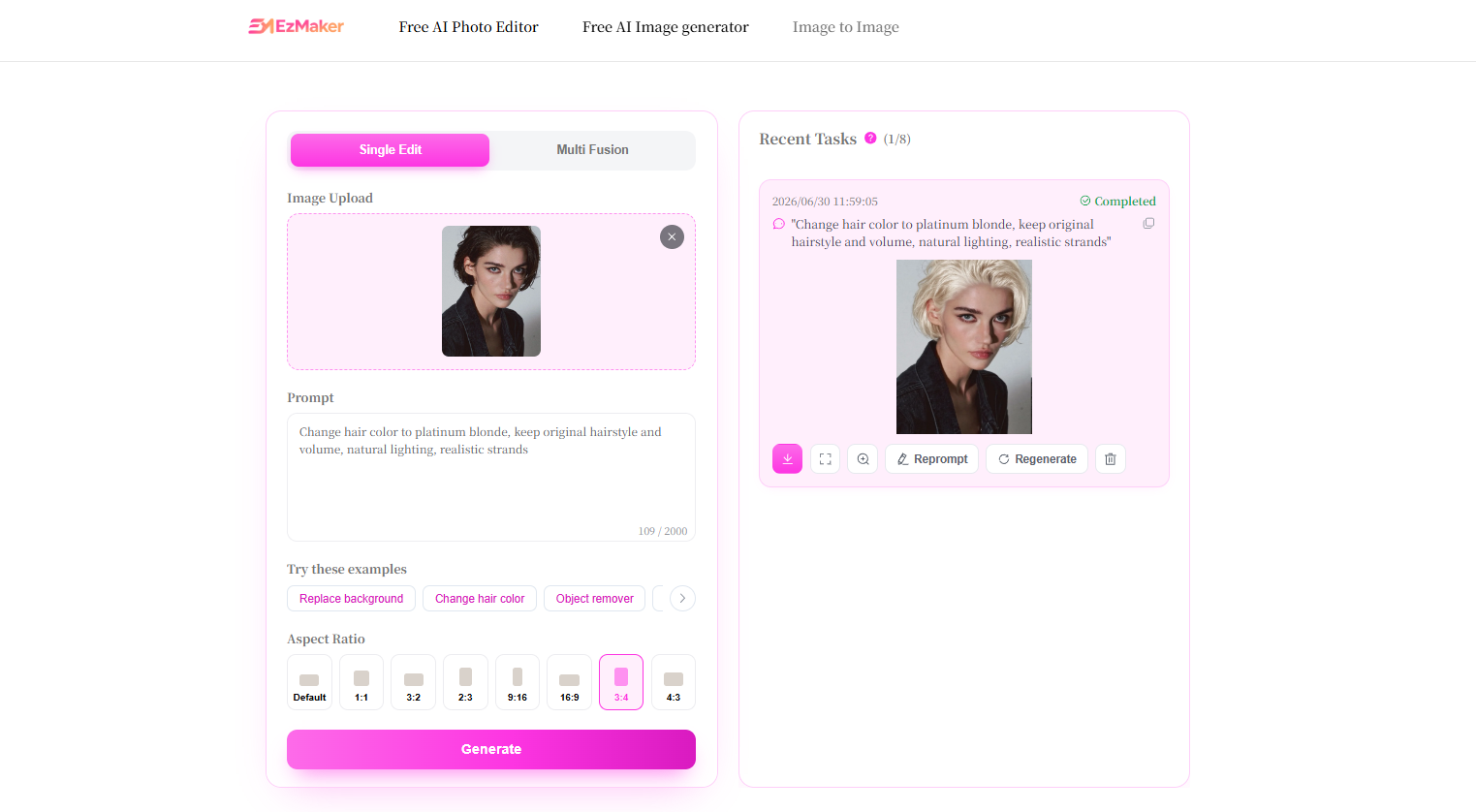
5. Best Image to Image Prompt Examples
Portrait
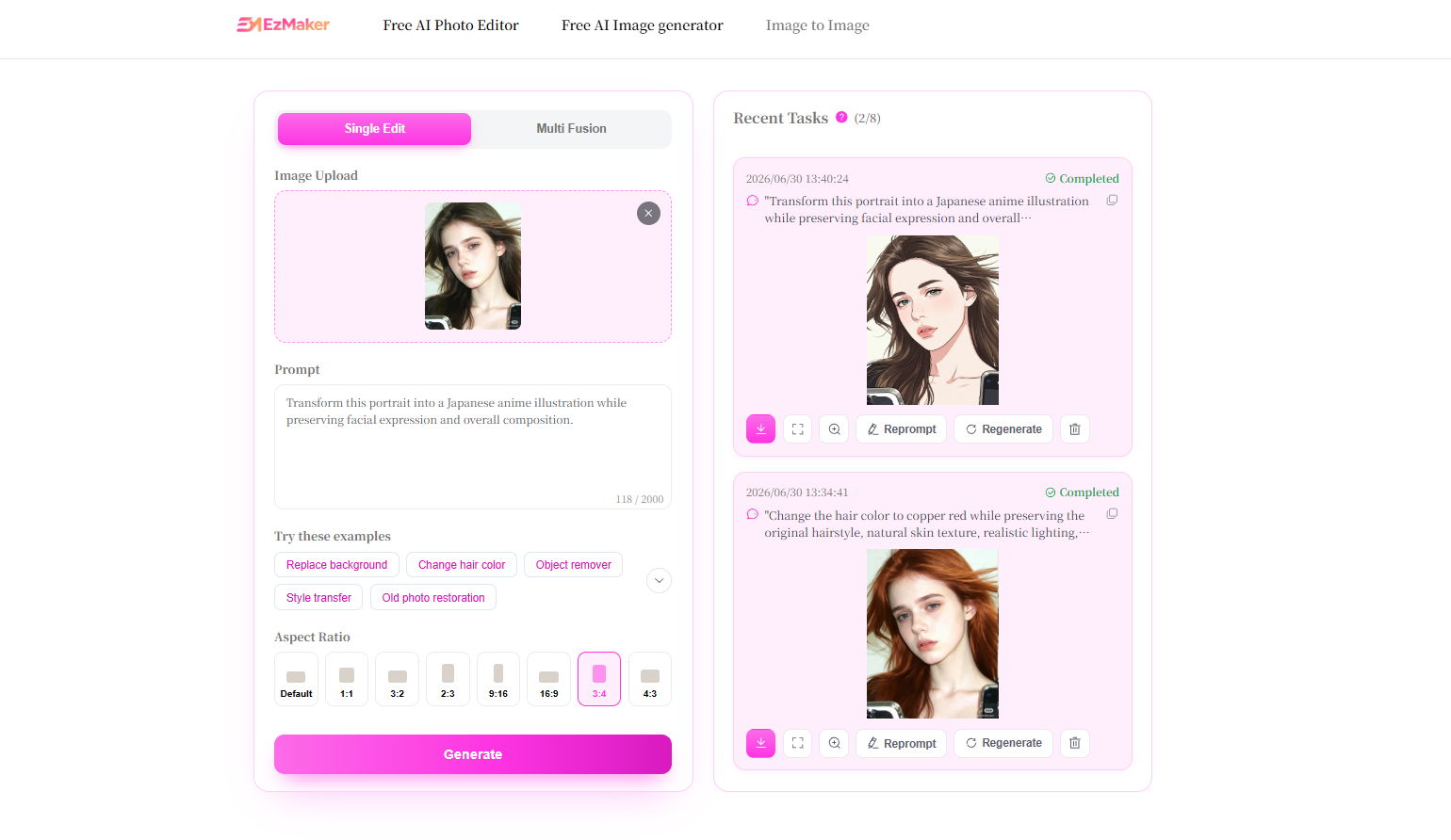
Change the hair color to copper red while preserving the original hairstyle, natural skin texture, realistic lighting, and facial features.
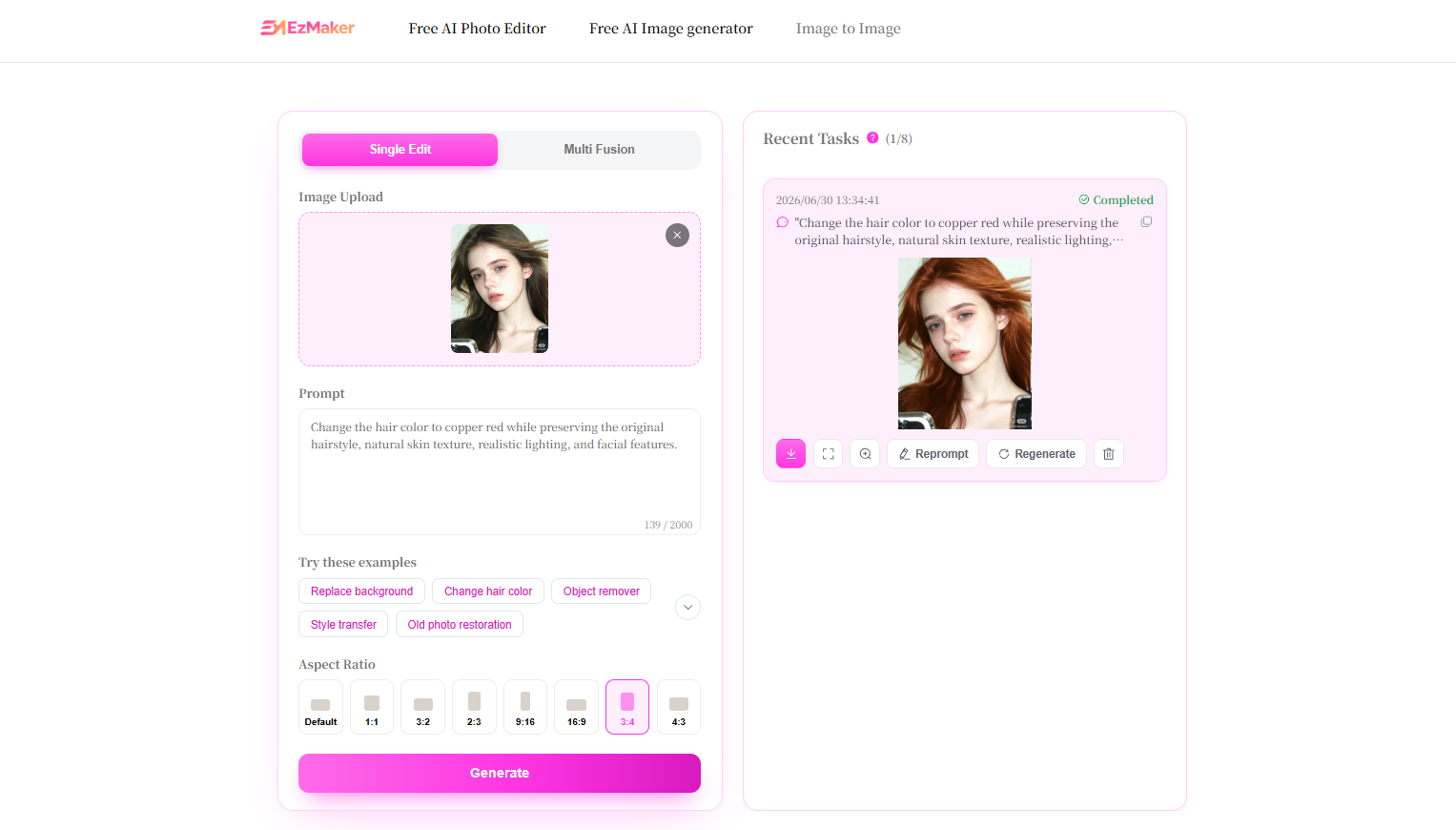
Anime Style
Transform this portrait into a Japanese anime illustration while preserving facial expression and overall composition.
Background Replacement
Replace the background with a modern office while maintaining realistic shadows and perspective.
Old Photo Restoration
Restore this old photograph by removing scratches, sharpening details, reducing noise, and restoring natural colors.
Product Photography
Transform this product photo into a premium advertising poster with dramatic studio lighting, luxury marble background, and realistic reflections.
6. Why Choose EzMaker AI for Image to Image?
EzMaker AI is designed to deliver a more complete creative workflow rather than a single isolated feature. It combines advanced AI editing with an intuitive interface, allowing beginners and professionals alike to recreate input image.
100% Free
Many AI image editing platforms limit free users with daily credits, watermarks, or premium-only features, making it difficult to fully explore their capabilities before subscribing. EzMaker AI takes a different approach by offering a truly free experience, allowing users to access powerful Image to Image editing without worrying about hidden fees or restrictive paywalls.
Fast Image Generation
Combined with high-performance GPU processing, most images are generated within seconds, allowing users to iterate quickly and maintain an efficient creative workflow.
Unlimited Access
EzMaker AI offers unlimited access to premium AI editing features without requiring mandatory registration, making it easy to experiment freely whenever inspiration strikes.
Ease to Use & No Skills Needed
The AI understands your instructions and automatically generates realistic results, making advanced photo editing accessible to everyone.
Privacy You Can Trust
EzMaker AI is designed with privacy in mind. Uploaded images are automatically deleted within 24 hours and are never stored permanently or used for third-party AI model training.
7. Frequently Asked Questions
Is Image to Image free?
Yes. EzMaker AI offers free access to its Image to Image feature.
Does it keep the original composition?
Yes. Image to Image is designed to preserve the core of your original image while applying the changes described in your prompt. The more specific your instructions, the more accurately the AI can maintain the original look while making edits.
How long does it take?
Most images are generated in just a few seconds. Processing time may vary slightly depending on image size, prompt complexity, and current server demand.
What's the difference between Image to Image and Text to Image?
Text to Image generates a new image from a prompt, while Image to Image starts with an existing image and transforms it according to your instructions, preserving the original subject and composition whenever possible.
Conclusion
Image to Image has fundamentally changed how people approach photo editing by replacing complicated manual workflows with simple natural language instructions. Instead of learning professional software or spending hours making precise adjustments, users can now upload an existing image, describe their ideas, and receive high-quality results within seconds. Whether you're enhancing portraits, redesigning product photography, creating marketing materials, or exploring new artistic styles, Image to Image makes professional-level editing more accessible than ever before.
As one of the newest features available in EzMaker AI, Image to Image is backed by a complete ecosystem of AI-powered editing tools, allowing creators to handle everything from background removal and object erasing to image enhancement and upscaling within a single platform. Whether you're a designer, marketer, entrepreneur, or everyday creator, with an AI image editor like EzMaker AI, it helps transform creative ideas into polished visuals quickly, efficiently, and with confidence.
Join Chloe on Peerlist!
Join amazing folks like Chloe and thousands of other builders on Peerlist.
0
2
0