

You must create "comparison" and "alternatives" pages for your business
How creating "comparison" and "alternatives" pages can help you get more organic traffic.
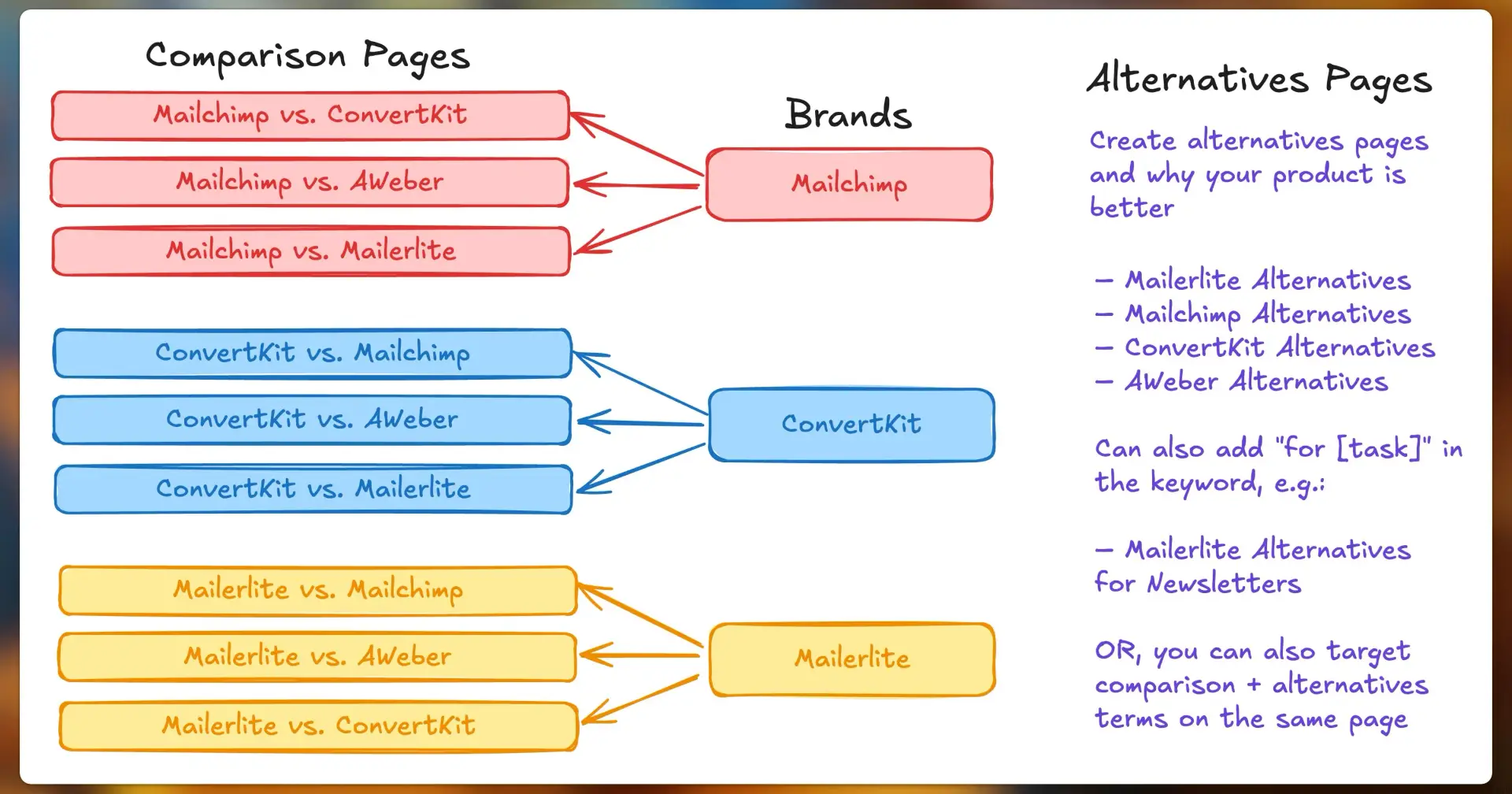
Why aren't you creating "comparison" and "alternatives" pages featuring your competitors – especially when your potential customers are already searching for them?
This is one of the simplest ways to capture high-intent traffic. These pages work because they target people who are:
Comparing different tools to make a decision
Unhappy with their current provider
Actively searching for better solutions
🧭 Why This Works
Most buyers don't start by visiting your homepage – they start with a Google search.
"Mailchimp vs ConvertKit"
"Best Mailchimp alternative for newsletters"
"ConvertKit vs AWeber"
"MailerLite alternatives"
If you're not showing up on these pages, your competitors are. These pages let you control the story and guide the user toward your product, right when they're about to make a decision.
🆚 Comparison Pages
These are for people in the decision-making phase. They're already comparing options and looking for a reason to pick one over the other.
You can use these pages to:
Highlight key feature differences
Showcase pricing/value comparisons
Point out where competitors fall short
Show off use cases where you're stronger
Example pages for the email marketing field:
Mailchimp vs ConvertKit
ConvertKit vs AWeber
MailerLite vs Mailchimp
🔄 Alternatives Pages
These target people who are unhappy or underserved by their current tool. Maybe it's too expensive, missing a key feature, or just not working well for them.
You can use these pages to:
List your product as a better alternative
Explain how you solve the pain points the other tool doesn't
Include comparisons, testimonials, and feature highlights
Example keywords:
Mailchimp alternatives
ConvertKit alternatives
MailerLite alternatives for newsletters
📑 How to Best Create these Pages:
If you have only 1 or 2 competitors, then it's the best to create these pages manually, but if there will be multiple combinations it's best to use programmatic SEO to create these pages.
Because creating the pages programmatically not only accelerates the process, but also lets you update the pages faster, in case your competitor's pricing or features change.
📌 But do not publish too many pages fast. Publish a few, wait, test, and then publish a few more.
And... if you're feeling skeptical about directly mentioning competitors on your website, a lot of SaaS businesses do it. You can go through the examples here:
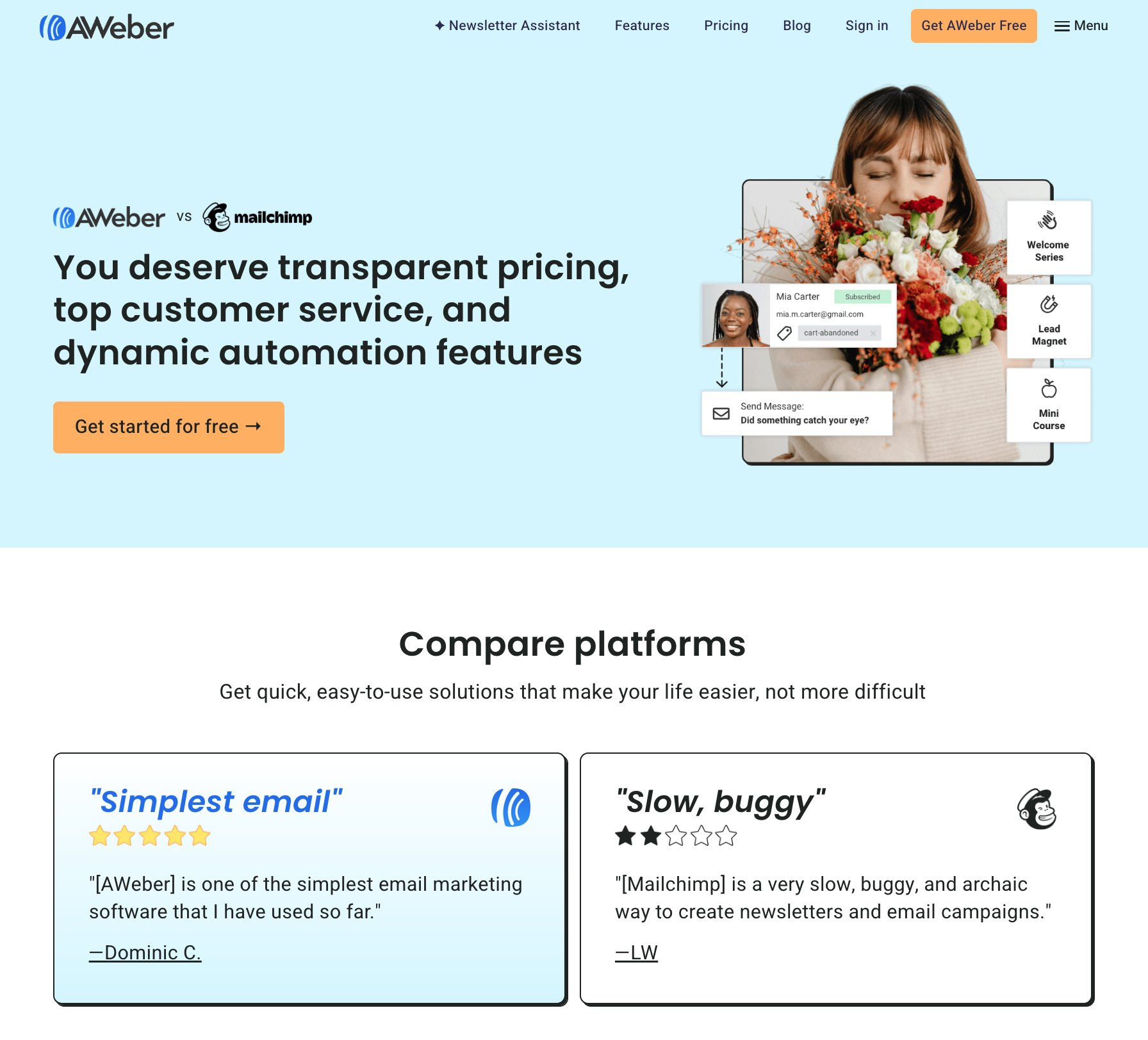
AWeber has these vs. pages for all their major competitors
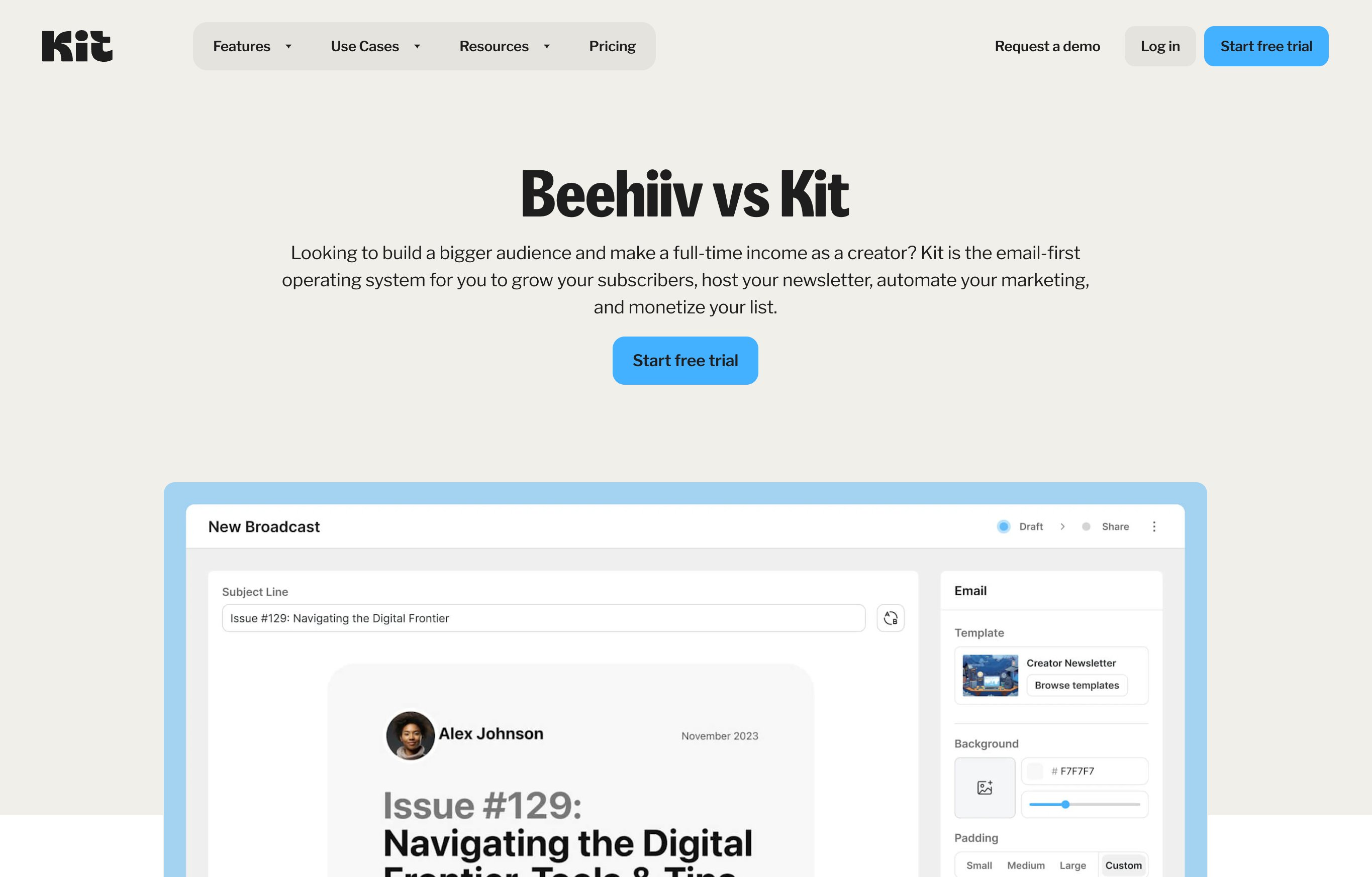
Then Kit (ConvertKit) has these as well.
By the way, I've written a lot about programmatic SEO at https://untalkedseo.com that you can refer to.
One more interesting thing:
Google shows AI Overviews for these terms sometimes, but since Google hasn't tried these tools, so it looks for the content somewhere. And if you have written about it, you have the chance to influence AI's answer and can even appear as a source.
For example, I searched for "ScreenshotOne vs URLBox" and you can see that AI is favoring ScreenshotOne here as it's influenced by the sources it's citing.
And guess what... all the sources are from ScreenshotOne itself. Crazy, right?
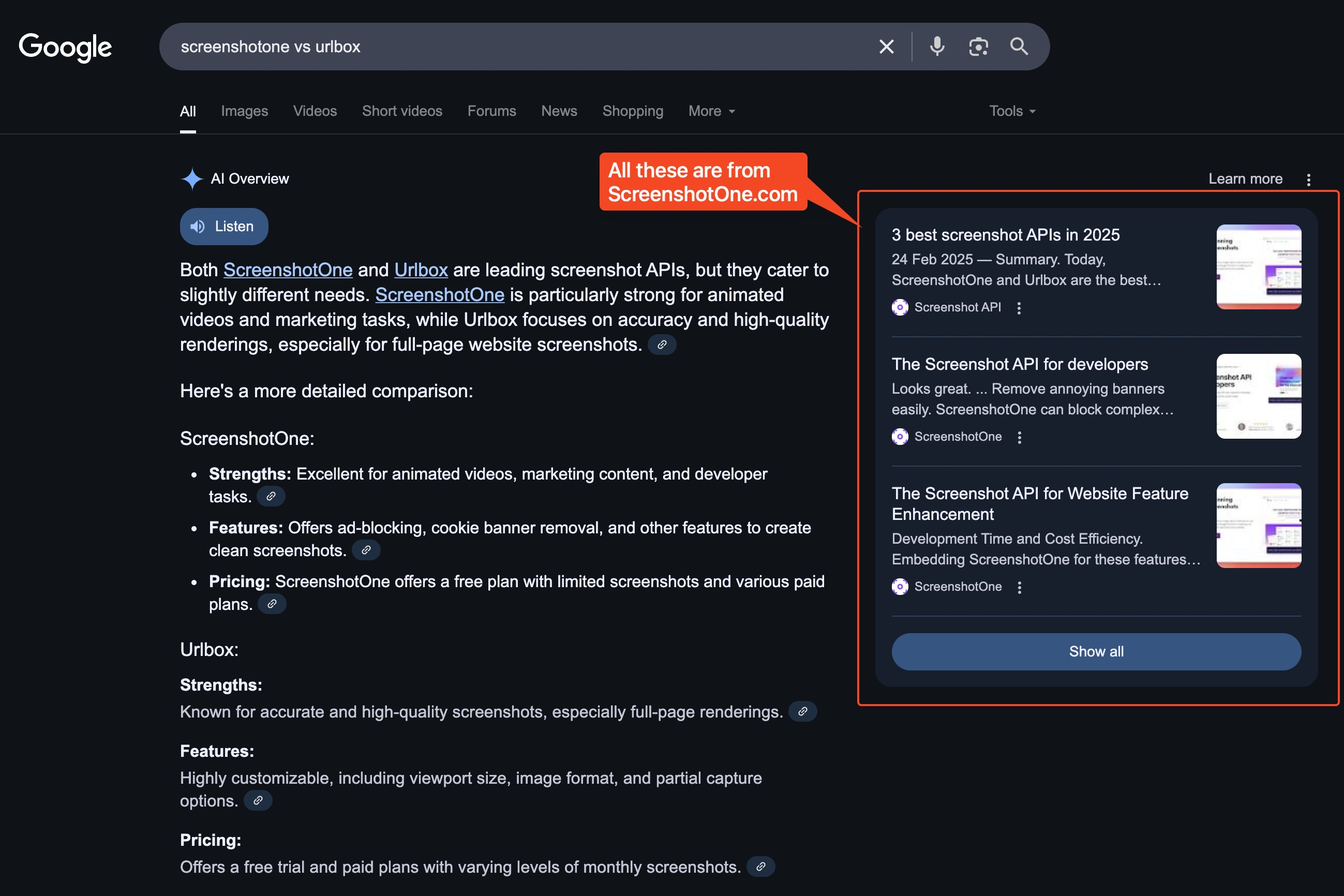
And not just Google; this way you can also influence AI answers from ChatGPT and other AI tools. Plus, there are other search engines as well where you can appear in organic results.
Hope this helps.

Join Deepak on Peerlist!
Join amazing folks like Deepak and thousands of other builders on Peerlist.
0
13
0