

I built a teleprompter because I kept looking away from the camera
The story of building GhostPrompter—a desktop teleprompter designed to help creators stay focused, maintain natural eye contact, and present confidently without interrupting their workflow.
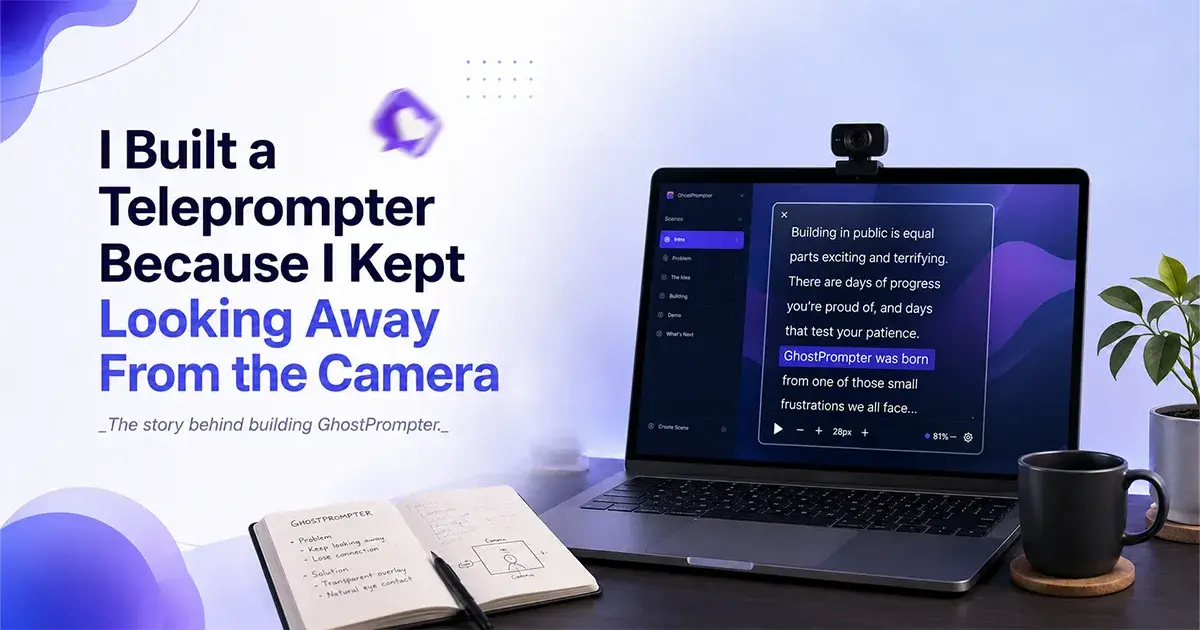
I used to record demos at my agency. Screen recordings, client walkthroughs, tutorials. The kind of video where you're talking and clicking at the same time.
I'd lose my train of thought. Forget a point. Ramble to fill the silence. Nothing terrible, but bad enough that I'd re-record just to get the talking part right.
So I tried a teleprompter. Seemed like the obvious fix.
It wasn't. Every teleprompter out there is built for one thing: sit still, read the script, look at the camera. News anchor mode. The moment I needed to actually use my computer, click through a demo, open a tab, type something, the teleprompter got in the way. Literally. It sat right on top of the screen I needed to use.
So I switched to a second monitor. Script on one screen, work on the other. It worked, kind of. But now I was doing something worse than forgetting my lines: I was visibly glancing off to the side, mid-recording. Anyone watching could tell I was reading something. It looked worse than having no script at all.
The real problem
The problem was never "I need to read a script." It was "I need to read a script and use my computer, on the same screen, without it looking like I'm reading a script."
Nothing solved that. Every teleprompter on the market assumes you're either reading or working, never both at the same time. That assumption doesn't hold if you're narrating your own actions on your own screen live. That's a different job. Nobody had built for it.
So I built it myself.
What that actually meant
Simple to describe, harder to build: an overlay that sits on your screen but doesn't block it. You can see it. Your mouse and keyboard pass straight through it to whatever's underneath. Click, type, scroll, switch windows, all as if it wasn't even there.
That's click-through mode, and it's the whole reason GhostPrompter exists. Without it, I'd have just built another teleprompter.
Building it
The first version came together in about a week. That part was fast, because the idea was specific enough that there wasn't much to design around: the script shows up on screen, and you can click straight through it to whatever's underneath. Click-through overlay, script on screen, done.
Everything after that is what actually took the time.
The first was making the overlay properly invisible, not just to screen recorders like OBS, Loom, and Zoom's own recording, but to the other side of the camera too. If you're on a live Google Meet or Zoom call, GhostPrompter doesn't show up on the other person's screen or in the call recording. You can read from it while looking like you're just talking, on a live call, not just a solo recording. That distinction, live calls versus recorded video, ended up mattering a lot, and getting it right wasn't a one-week job.
The second was voice-activated scrolling, the script auto-advancing as you talk instead of you scrolling manually. This is the part that actually ate the time. The syncing was off when we first built it, the script would drift ahead of or behind what I was actually saying, so we had to go back and fix the voice tracking until it followed naturally.
On top of that, getting from a working prototype to something I could actually sell meant sorting out Windows and Mac code-signing so people wouldn't hit scary security warnings on install, and setting up Lemon Squeezy to handle licensing and payments at launch. That took its own share of work too.
None of that is a good story. But it's most of what building actually is.
The soft launch
Before any of that was finished, I put up a website and started collecting emails from people who wanted early access. No hype, no polished launch video. Just a page explaining the problem and the fix, and a waitlist.
Around 100 people signed up before we soft-launched. That mattered more to me than it probably should have. It meant the problem wasn't just mine.
Where it stands now
GhostPrompter is a real, working desktop app for Windows and Mac. One-time purchase, $49 for a 2-device license, 14-day free trial, no credit card needed to try it.
We're now at 173 trial users and 9 paying customers. Click-through mode is still the headline feature, still the thing nothing else on the market does. Ghost mode (invisible overlay) and voice-activated scrolling round it out.
I didn't build this because I spotted a market gap on a spreadsheet. I built it because I was the guy doing awkward double-takes in his own demo recordings, and the fix that should've existed didn't.
It does now.
Building software is never really finished. Every piece of feedback changes how you think about the next version.
I recently shared GhostPrompter on Peerlist. If you've ever struggled with this same problem—or solved it in a different way—I'd genuinely love to hear your thoughts.

Join Eldho on Peerlist!
Join amazing folks like Eldho and thousands of other builders on Peerlist.
0
8
3