

What is Auto Trading?
A complete guide to auto trading with TradersPost, covering signal sources, supported brokers, prop firm integrations, asset classes, and how to get started in three minutes.
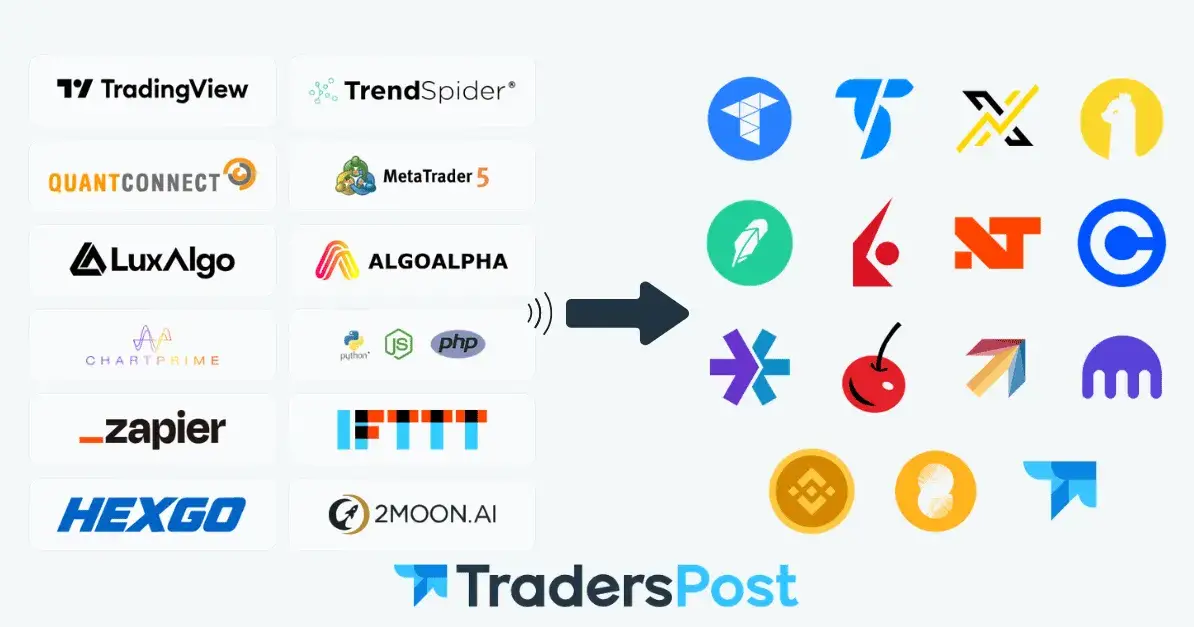
Auto trading is the process of using software to execute buy and sell orders in financial markets automatically, based on pre-defined rules, without requiring manual input for each trade.
Instead of watching charts and placing trades by hand, a trader defines entry and exit conditions once, connects them to a broker, and the system handles execution automatically whenever those conditions are met.
Auto trading is available to retail traders today through no-code platforms that remove the need for programming knowledge or direct broker API access.
What is Auto Trading and Why Use It?
Remove Emotion from Execution
Fear, hesitation, and overconfidence are among the most common causes of poor trading outcomes. An automated system executes every signal exactly as defined, without deviation.
Trade with Consistency
A manual trader may miss a signal due to distraction, time zone differences, or fatigue. An automated system operates 24 hours a day, executing every qualifying signal without interruption.
Scale Across Multiple Accounts
Executing the same strategy manually across multiple broker accounts simultaneously is not feasible. Auto trading platforms handle this with a single signal routed to every connected account at once.
Validate Strategies Before Going Live
Automated strategies can be tested against historical data to measure performance across different market conditions before any real capital is committed.
What is Auto Trading with TradersPost?
TradersPost is a cloud-based, no-code, event-driven trading automation platform that connects trade signals from TradingView and TrendSpider directly to your brokerage, exchange, or prop firm accounts.
The platform serves over 40,000 traders with more than $200 million in connected accounts and has processed over 20 million executed trades.
TradersPost was founded by Jonathan H. Wage on January 1st, 2021, with the goal of making automated trading accessible and affordable to independent retail traders regardless of technical background.
🏷️Get 20% Off TradersPost Here
How Auto Trading Works with TradersPost
Step 1: Create
Define your strategy inside TradersPost by selecting your asset class, configuring entry and exit rules, and setting stop loss, take profit, and position sizing parameters. Each strategy receives a unique webhook URL that external signal sources use to deliver trade instructions.
Step 2: Connect
Link your broker, exchange, or prop firm account to TradersPost via a subscription. Each subscription carries independent settings for position size, order type, allowed tickers, trading windows, and risk controls. Multiple subscriptions can be attached to a single strategy, allowing one signal to execute across many accounts simultaneously.
Step 3: Send
When your signal source fires an alert, a JSON message is sent via webhook to your TradersPost strategy URL. TradersPost parses the message, applies your subscription settings, and routes the corresponding order to every connected broker in real time.
Auto Trading Features on TradersPost
Cloud-Based Execution
TradersPost runs entirely in the cloud. Trade execution is not dependent on your computer, internet connection, or browser session, and strategies operate continuously and independently of your local setup.
No Code Required
You do not need programming knowledge to automate strategies on TradersPost. Published TradingView strategies can be connected directly to your webhook URL, and TrendSpider's drag-and-drop builder requires no code to deploy automated rules.
Paper Trading
TradersPost includes a built-in paper broker for strategy testing in a simulated environment. A free 7-day trial is included from day one with a paper account ready to use immediately.
Multi-Account Execution
A single signal can be routed to multiple broker and prop firm accounts simultaneously. Each subscription maintains independent settings for position size, order type, and risk parameters from one unified dashboard.
Auto Submit
When auto submit is enabled, incoming signals are executed immediately without manual intervention. When disabled, each trade is held in a pending state for one-click approval or rejection before being sent to the broker.
Backtesting Support
Test strategies against historical data using TradingView's Strategy Tester or TrendSpider's chart-based backtesting tool. Key metrics to evaluate include net profit, win rate, maximum drawdown, and annualised return.
Order Queueing
If a signal arrives outside of market hours, TradersPost queues the order and submits it at the next market open rather than rejecting it outright.
Notifications
Email notifications are available for new signals, failed signals, new trades, and failed trades. Traders can opt to receive failure-only notifications to reduce inbox volume while staying informed of execution issues.
Mobile Friendly
The TradersPost platform is fully functional on mobile devices, allowing traders to monitor positions, review signals, and manage subscriptions from any device.
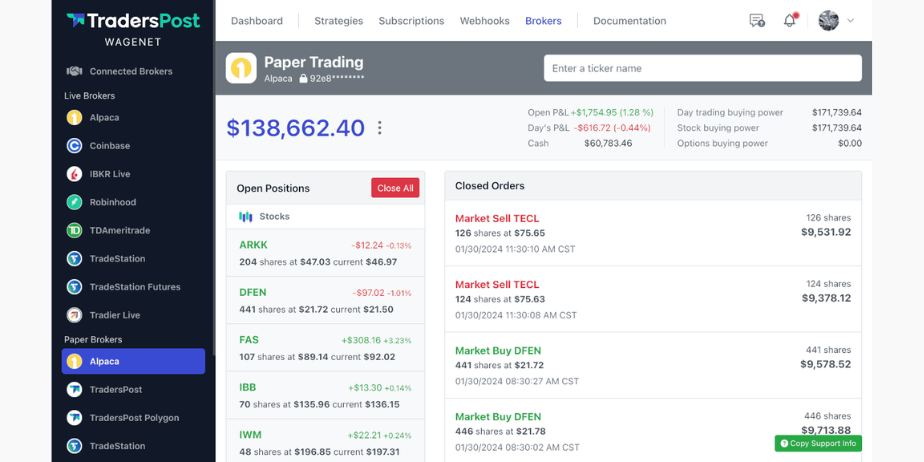
Auto Trading Asset Classes on TradersPost
Stocks: Buy, sell, and short US equities and ETFs through TradeStation, Alpaca, Robinhood, Interactive Brokers, E*TRADE, Tastytrade, Tradier, and Webull.
Futures: Trade futures contracts through TradeStation and Tradovate with support for over 100 tickers.
Options: Automate directional call and put options trades through TradeStation, Alpaca, E*TRADE, Tastytrade, and Tradier.
Crypto: Trade spot crypto markets 24/7 through Coinbase, Kraken, Bybit, Alpaca, and Binance.
Crypto Futures: Coming soon.
Forex: Coming soon.
Auto Trading Signal Sources on TradersPost
TradingView
TradingView is the most widely used signal source for TradersPost, with a community of 30 million traders and investors. Pine Script strategies and indicators connect to TradersPost via TradingView alerts using a JSON webhook message. Webhook delays of 2 to 60 seconds or more are possible, which TradingView considers within normal operating range.
TrendSpider
TrendSpider provides technical analysis software with a drag-and-drop strategy builder that requires no code. Alerts are configured as webhooks and sent to TradersPost using the standard JSON message format. TrendSpider's dedicated trading bots feature integrates directly with TradersPost for fully automated execution.
Custom Code
Traders who prefer proprietary signal logic can send webhooks to TradersPost from custom code written in PHP, Python, or any other language capable of sending an HTTP POST request. This allows any external data source or signal engine to connect to TradersPost for broker-level execution.
Discord Bots
TradersPost can receive signals from custom Discord bots, allowing trade instructions posted in a Discord channel to trigger automated order execution across all connected broker accounts.
Auto Trading Bracket Orders and Risk Management on TradersPost
Simple Orders
A single entry or exit order with no attached legs. Supported by every broker connected to TradersPost.
Bracket Orders (OTOCO)
A three-leg order combining an entry, take profit, and stop loss. Supported by TradeStation, Alpaca, Tradier, Tradovate, NinjaTrader, Tastytrade, and Interactive Brokers.
OTO (One-Triggers-Other)
An entry order that triggers either a take profit or stop loss on fill, without requiring both legs. Supported by TradeStation, Alpaca, Tradier, Tradovate, NinjaTrader, and Interactive Brokers.
OCO (One-Cancels-Other)
A take profit and stop loss submitted together after an entry is already filled, where one cancels the other when triggered. Available across supported brokers where bracket functionality is enabled.
Auto Trading Position Sizing on TradersPost
Fixed Quantity: A set number of shares or contracts per trade.
Dollar Amount per Position: A fixed dollar value used to calculate quantity at the entry price.
Risk Dollar Amount: Calculates quantity based on the maximum dollar loss allowed if the stop loss is hit.
Risk Percentage: Calculates risk dollar amount dynamically as a percentage of total account equity.
Percent of Equity: Allocates a percentage of total portfolio value to each position.
Percent of Position: Used for partial exits, calculating quantity as a percentage of the open position.
Fractional share trading is supported for Alpaca to 6 decimal places and Robinhood to 9 decimal places. Fractional orders must be simple good-for-day market orders and cannot carry stop loss or take profit attachments.
Auto Trading Supported Brokers on TradersPost
TradersPost currently integrates with 17 or more broker and exchange connections, with new brokers added on an ongoing basis.
Tradovate, ProjectX, TradeStation, Alpaca, Robinhood, Interactive Brokers, NinjaTrader, E*TRADE, Coinbase, Webull, Tastytrade, Tradier, Kraken, Binance, Bybit, Crypto.com, TradersPost Paper.
Brokers currently on the connection wait list include Fidelity, Schwab, OANDA, FOREX.com, FXCM, Pepperstone, OKX, KuCoin, Moomoo, Gemini, Coinbase Pro, Ally Invest, Firstrade, Lightspeed, TradeZero, Binance US, Bitstamp, BitMEX, Ironbeam, Optimus Futures, and others. Traders can join the wait list directly from the TradersPost connections page.
Auto Trading Supported Prop Firms on TradersPost
TradersPost connects to evaluation and funded accounts across 29 supported prop firms via the Tradovate and ProjectX integrations. One signal executes across multiple prop firm accounts simultaneously from a single strategy dashboard.
Alpha Futures: $79 per month, $3,000 profit target (6%), $2,000 max drawdown (4%), 50% consistency rule, Bi-Weekly payouts.
Alpha Ticks: $79 per month, $3,000 profit target (6%), $2,000 max drawdown (4%), 50% consistency rule, Bi-Monthly payouts.
Alpha Trader: $249 one-time, $4,000 profit target (8%), $3,000 max drawdown (6%), no consistency rule, Monthly payouts.
Apex Trader Funding: $167 per month, $3,000 profit target (6%), $2,500 max drawdown (5%), no consistency rule, Weekly payouts.
Blue Guardian: $335 per month, $5,000 profit target (10%), $3,000 max drawdown (6%), 40% consistency rule, Bi-Weekly payouts.
BluSky Trading: $112 per month, $3,000 profit target (6%), $2,000 max drawdown (4%), 30% consistency rule, Daily payouts.
Elite Trader Funding: $165 per month, $3,000 profit target (6%), $2,000 max drawdown (4%), no consistency rule, Weekly payouts.
Emerge Profit: $75 per month, $2,500 profit target (5%), $2,500 max drawdown (5%), no consistency rule, Bi-Weekly payouts.
Funded Futures Family: $179 per month, $3,000 profit target (6%), $2,000 max drawdown (4%), 40% consistency rule, Bi-Weekly payouts.
FundedNext: $150 one-time, $3,000 profit target (6%), $2,000 max drawdown (4%), no consistency rule, Bi-Weekly payouts.
Funding Futures: $95 per month, $3,000 profit target (6%), $2,500 max drawdown (5%), no consistency rule, Bi-Weekly payouts.
FundingTicks: $138 per month, $2,500 profit target (5%), $2,000 max drawdown (4%), 25% consistency rule, Weekly payouts.
FXIFY Futures: $89 per month, $3,000 profit target (6%), $2,000 max drawdown (4%), 30% consistency rule, Bi-Weekly payouts.
GoatFunded: $99 per month, $4,500 profit target (9%), $2,500 max drawdown (5%), 50% consistency rule, Weekly payouts.
Legends Trading: $185 per month, $3,000 profit target (6%), $2,000 max drawdown (4%), 30% consistency rule, Bi-Weekly payouts.
LifeUp Trading: $75 one-time, $3,000 profit target (6%), $2,500 max drawdown (5%), 50% consistency rule, Bi-Weekly payouts.
Lucid Trading: $155 one-time, $3,000 profit target (6%), $2,000 max drawdown (4%), 20% consistency rule, Daily payouts.
My Funded Futures: $127 per month, $3,000 profit target (6%), $3,000 max drawdown (6%), 50% consistency rule, Weekly payouts.
OneUp: $150 per month, $3,000 profit target (6%), $2,500 max drawdown (5%), 80% consistency rule, Bi-Weekly payouts.
Purdia Capital: $179 per month, $2,000 profit target (4%), $1,500 max drawdown (3%), no consistency rule, Daily payouts.
Take Profit Trader: $170 per month, $3,000 profit target (6%), $2,000 max drawdown (4%), 50% consistency rule, Daily payouts.
The Futures Desk: $119 per month, $2,000 profit target (4%), $1,000 max drawdown (2%), 20% consistency rule, Daily payouts.
TickTickTrader: $112 per month, $3,000 profit target (6%), $2,500 max drawdown (5%), 20% consistency rule, Daily payouts.
TopOneFutures: $389 per month, $2,500 profit target (5%), $2,000 max drawdown (4%), 20% consistency rule, Bi-Weekly payouts.
Topstep: $49 per month, $3,000 profit target (6%), $2,000 max drawdown (4%), 50% consistency rule, Daily payouts.
TradeDay: $99 per month, $3,000 profit target (6%), $2,000 max drawdown (4%), 30% consistency rule, Daily payouts.
Tradefundrr: $149 one-time, $2,500 profit target (5%), $3,000 max drawdown (6%), no consistency rule, Bi-Weekly payouts.
Tradeify: $509 one-time, $3,000 profit target (6%), $2,000 max drawdown (4%), 20% consistency rule, Weekly payouts.
Trading Pit: $349 one-time, $5,000 profit target (10%), $3,500 max drawdown (7%), no consistency rule, Bi-Weekly payouts.
Before linking TradersPost to any prop firm account, confirm that your trading approach complies with that firm's rules and automation policies. You are solely responsible for understanding and adhering to each firm's policies.
Auto Trading Trade Journaling Compatibility on TradersPost
Order data can be exported from TradersPost and imported into a range of third-party trade journaling platforms for performance analysis and strategy refinement.
Compatible platforms include TradeZella, TraderVue, TraderSync, TradesViz, Trademetria, Chartlog, TradeUnafraid, and FX Replay.
Who Is TradersPost Auto Trading For?
Systematic Traders
Systematic traders can connect TradingView or TrendSpider strategies to TradersPost and have every signal executed automatically across all linked accounts. The platform supports fully automated execution as well as a one-click approve or reject workflow for traders who prefer manual confirmation before orders are routed to the broker.
Discretionary Traders
Discretionary traders can route manual trades across multiple accounts simultaneously by trading from TradingView price lines or the TradersPost dashboard. Every decision is instantly reflected across every connected brokerage and prop firm account in real time.
Prop Firm Traders
Prop firm traders can synchronise evaluation and funded accounts from 29 supported firms through the Tradovate and ProjectX integrations. One signal executes across multiple prop firm accounts simultaneously, with independent risk controls applied at the subscription level for each account.
How to Get Started with TradersPost Auto Trading
Register a free account at TradersPost
Connect a broker or use the built-in TradersPost paper broker for initial testing
Create a strategy and select your asset class
Configure subscription defaults including position size, order type, allowed tickers, and risk settings
Connect a TradingView or TrendSpider strategy to your unique webhook URL
Enable auto submit on your subscription
Monitor your signal list and trade log from the strategy dashboard

Join Enda on Peerlist!
Join amazing folks like Enda and thousands of other builders on Peerlist.
0
0
0