

Generation Is Not the Finish Line
Why I started treating review as a real product state in an image-to-image workflow.
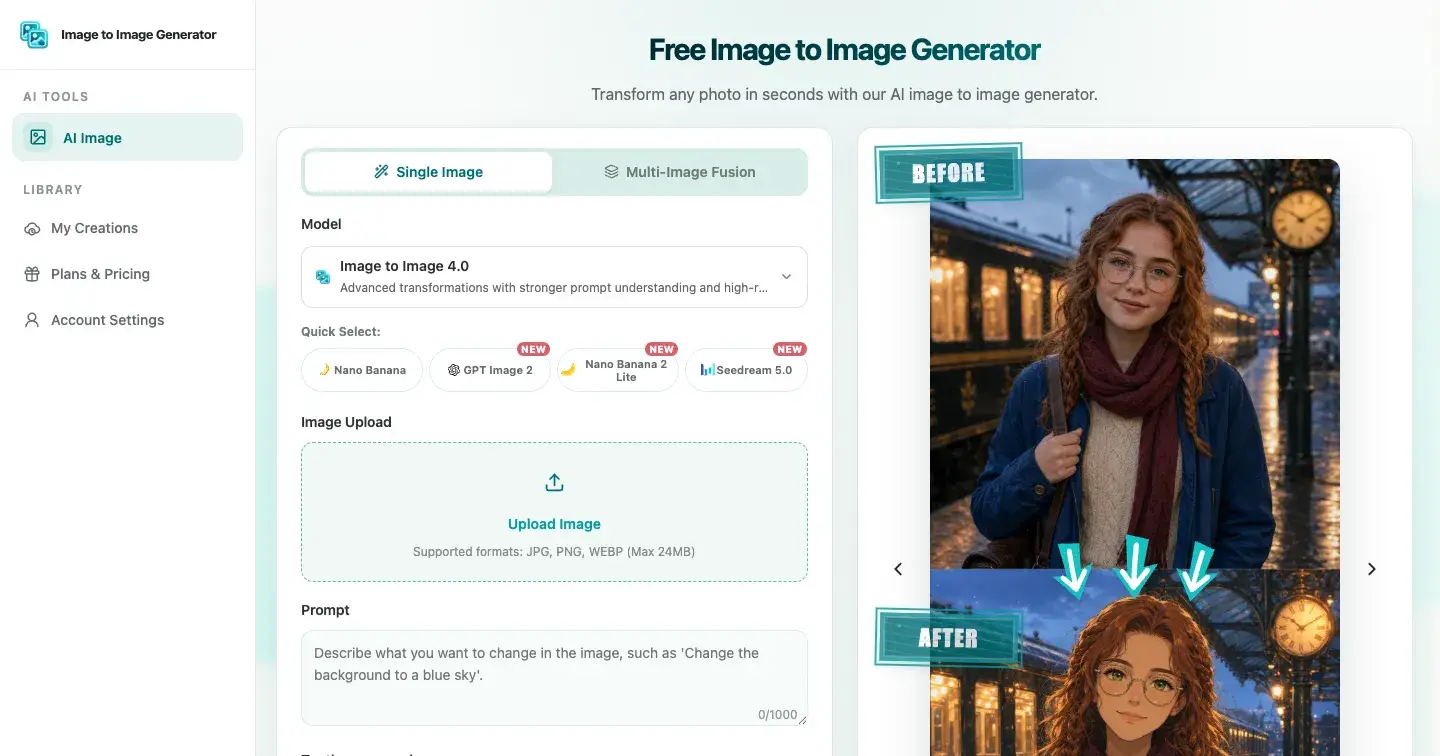
The first version of an AI image workflow is easy to imagine: upload, prompt, generate, download.
It is also incomplete.
The generated file may exist, but the user has not yet decided whether it preserves the subject, follows the request, or is safe to move into the next piece of work. Treating generation as the finish line makes the UI feel fast while pushing all of the real judgment outside the product.
While working on an image-to-image tool, I started treating review as a first-class product state. That small change affected the status language, the result layout, what data stays visible, and how retries should work.
“Completed” describes the system, not the image
A provider can complete a request successfully and still return a poor result. The output may change a face, distort a product edge, damage text, shift perspective, or ignore part of the prompt.
This distinction seems obvious, but many interfaces blur it. A progress indicator reaches 100%, the download button appears, and the workflow implies success.
I now separate two ideas:
Generation completed: the system produced an output.
Result accepted: the user reviewed it for the intended use.
The first is measurable by the application. The second belongs to the user.
That changed the state model from:
ready;
generating;
completed.
to:
preparing;
submitting;
processing;
reviewing;
accepted or revise.
“Reviewing” is not an interstitial screen. It is where the user finishes the job.
Keep the brief next to the output
A result is difficult to judge if the original request disappears.
The review surface should retain the source image or image set, prompt, model or mode, aspect ratio, and resolution. If the prompt separated what should change from what should be preserved, those two clauses should remain visible too.
For example:
Change: turn the daylight scene into a rainy evening.
Preserve: camera angle, storefront geometry, and subject position.
Now the review has an acceptance test. Did the scene change? Did the protected structure survive?
Without that context, the user is left with a vague aesthetic reaction. “Looks good” can hide the fact that the result failed the actual brief.
Review at two scales
The full frame answers one set of questions:
Is the requested transformation obvious?
Does the composition still work?
Are subject placement, lighting, and color coherent?
Did the framing drift?
Detail inspection answers another:
Are faces and hands plausible?
Did typography change?
Are product edges clean?
Do reflections and shadows agree?
Are repeated patterns consistent?
Did a small identifying detail disappear?
The second pass matters because many failures are invisible in a small preview. A product mockup can appear polished until the packaging geometry is inspected. A character image can hold the right pose while changing the face. A room transformation can look convincing while quietly moving doors or furniture.
The product does not need to automate every judgment. It needs to make that judgment easy to perform.
Make revision cheaper than restarting
When a result misses, the worst recovery path is an empty form.
The user has already supplied valuable context: source files, a prompt, selected settings, and evidence from the failed result. A revision should preserve all valid inputs and let the user change the smallest relevant part.
I find it useful to classify a miss before retrying:
Transformation miss: the intended change is too weak.
Preservation miss: a protected source detail drifted.
Composition miss: framing or object placement changed.
Reference conflict: multiple source images compete.
Artifact miss: a local detail fails under inspection.
Each diagnosis suggests a focused revision. Strengthen one change clause, add one preservation constraint, clarify the role of a reference, or select another currently supported setting.
This is better than encouraging the user to add more adjectives and hope.
Multiple references make review more important
A single source already contains competing visual information. Multiple references add explicit conflicts in perspective, scale, lighting, style, and identity.
When a workflow accepts several images, each should have a role: subject, material, environment, composition, or style. Those roles should survive into the review record.
More references do not automatically mean more control. Sometimes a second image makes the brief clearer. Sometimes it adds ambiguity. The result screen should help the user see which case occurred.
In the reviewed Image to Image Generator interface, Single Image accepts one source and Multi-Image Fusion accepts two to five. The current interface accepts JPEG, PNG, and WebP files up to 24 MB each. Those are useful boundaries, but they describe the reviewed interface rather than guaranteeing that every live model and mode supports every combination.
State language should stay honest
Words such as “perfect,” “fixed,” or “ready to publish” make claims the system cannot verify.
An image-to-image product cannot guarantee exact identity preservation, artifact-free output, uniqueness, commercial clearance, fixed processing time, or perfect prompt compliance. It can report system state, show the request and result, and give the user a reliable path to inspect, revise, or download.
Availability also changes. Models, modes, source counts, aspect ratios, resolutions, sign-in requirements, and credit costs can vary. Higher-resolution output applies only to eligible combinations.
Those limitations are product requirements. They belong in control availability, status copy, and retry behavior—not only in a legal footer.
The builder lesson
The most useful interface decision was not adding another generation option. It was acknowledging that output creation and output acceptance are different events.
Once review becomes a real state:
the original brief stays visible;
the user can compare change and preservation criteria;
revision keeps prior effort;
system status stops pretending to measure quality;
download becomes a deliberate handoff.
That is the model I am using in Image to Image Generator, the project behind this reflection. The product supports a browser workflow from reference upload through generation, review, and download, but the broader lesson applies to any AI product that produces something a person must still judge.
Generation is a machine event. Acceptance is a human decision. Good workflow design makes room for both.

Join Ethan on Peerlist!
Join amazing folks like Ethan and thousands of other builders on Peerlist.
0
1
0