

The small workflow behind downloading a YouTube transcript as TXT
A builder-first note on plain-text transcript download, output handoff, and honest limits around source caption tracks.
The interesting part of this small workflow is the product decision behind it.
It is tempting to describe every transcript feature at once: search, timestamps, language choice, TXT, SRT, VTT, copy controls, and whatever else fits on the page. But a builder-facing article gets clearer when the surface has one job.
For this topic, that job is downloading a YouTube transcript as TXT.
The Builder Question
The question I would ask is not "how many transcript features can fit here?"
It is "what does the user need to carry away from this page?"
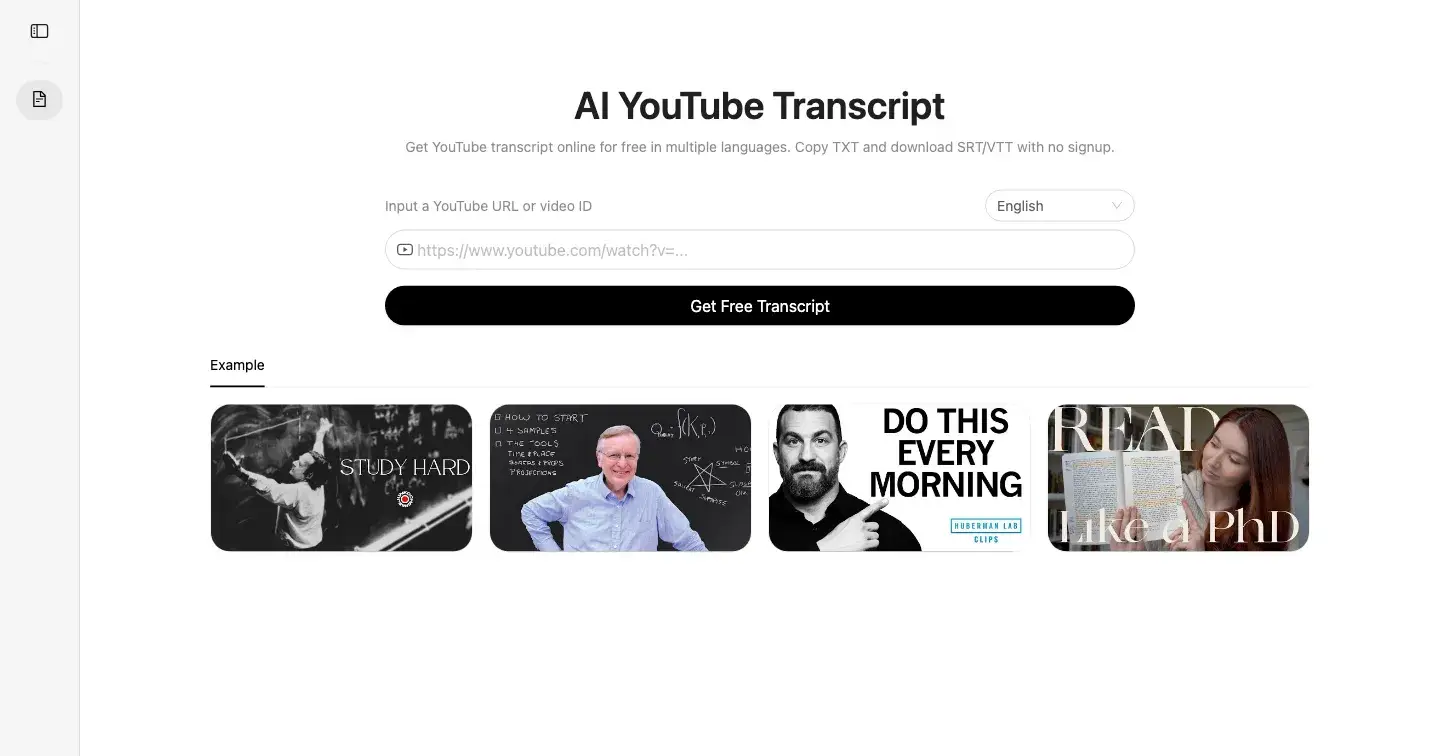
In this case, the answer is plain text. AI YouTube Transcript lets users paste a YouTube URL or video ID, open available transcript text, and download a copy-ready TXT file with no signup.
That answer shapes the whole asset. The title, body, screenshots, and CTA should all point toward the same end state: a reusable text file for notes, quotes, outlines, and drafts.
Why A Narrow Surface Can Be Stronger
A narrow page is easier to evaluate.
If the user wants subtitle timing, this is not the whole story. If the user wants searchable transcript text while staying in the browser, this is only part of the product. But if the user wants plain text to move into another tool, the scope is right.
That kind of separation is useful for indie products because it avoids one common trap: turning every page into a general feature brochure.
What I Would Show
For a builder audience, I would make the workflow visible instead of just describing it:
URL or video ID input
transcript language selection
readable transcript preview
TXT download affordance
explicit unavailable state when no transcript track is exposed
Those are not just UI details. They are the proof that the page understands the handoff.
The Asset Should Prove The Narrowness
For Peerlist, I would keep the post closer to a maker note than an SEO article.
That means showing the product reasoning: why this page exists separately, what the user should be able to finish, and what the product intentionally does not promise. The owned-site link can come later because the useful part for builders is the scope decision itself.
The body should also avoid sounding like the same article that would run on a blog, newsletter, or developer community. A Peerlist article works better when it turns the feature into a product lesson: small surfaces become stronger when they define the exact output the user came for.
That is why the examples should stay close to the builder decision. The useful artifact is not a long feature tour. It is a clear explanation of why the product chooses a plain-text exit for one narrow workflow and leaves the broader transcript story somewhere else.
The Boundary
TXT availability depends on subtitle or caption tracks exposed by the source video.
That boundary should stay in the post because it prevents the product claim from becoming too broad.
Closing Thought
The lesson is that a tiny format decision can define an entire page. TXT is not glamorous, but for many real workflows it is the most useful exit point.
You can try AI YouTube Transcript here:

Join Ethan on Peerlist!
Join amazing folks like Ethan and thousands of other builders on Peerlist.
0
0
0