

Mastering AI Prompts for Image Generation
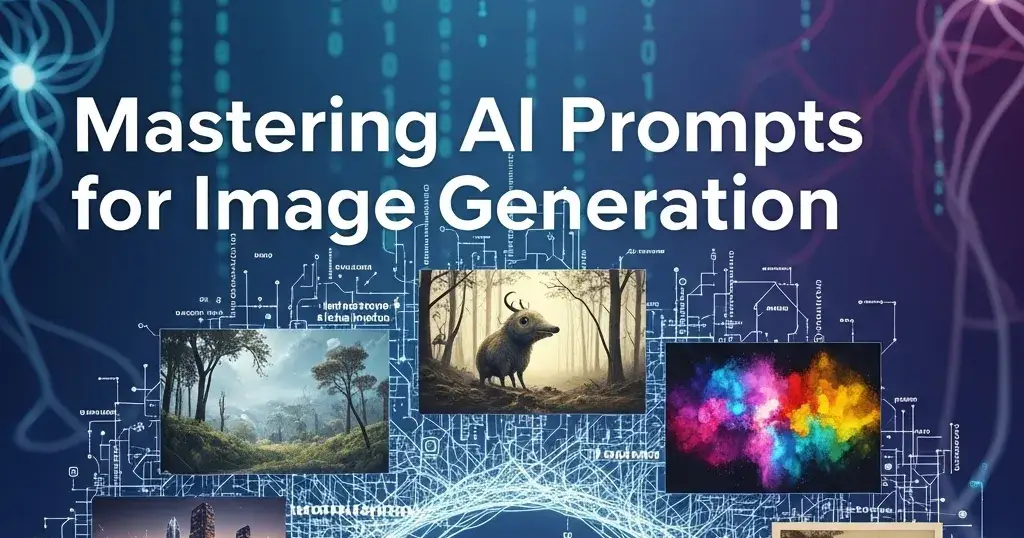
As a Ghost‑style content writer and expert prompt engineer, I'm here to guide you through crafting powerful text prompts for image generation. Whether you're using tools like DALL·E, Midjourney, or Stable Diffusion, a well‑structured prompt unlocks stronger, more vivid, and focused visuals.
1. Why Prompt Engineering Matters
Prompt engineering is the art and science of turning a creative idea into a clear, expressive instruction for an AI model. Strong prompts help:
Establish context and mood
Determine style, color, and lighting
Guide composition and subject placement
Avoid ambiguity and overly generic outputs
2. Anatomy of an Effective Prompt
A solid prompt typically includes:
Subject & Action – what is happening, who or what is in the scene
Setting or Environment – where it occurs
Art Style or Medium – digital, painting, photorealistic, cartoon, etc.
Lighting & Mood – cinematic lighting, dreamy, moody, vibrant, pastel
Detail & Resolution – ultra‑detailed, 8K, hyperreal, textured
Optional Tokens/Parameters – aspect ratio strings, quality tags (if supported by the tool)
Template:
[Subject or action], [environment], [art style], [lighting/mood], [detail level], [optional tokens]
3. Example Prompts & Expected Outputs
Prompt Example 1
a lone samurai walking down a misty bamboo forest path at night, moonlight filtering through leaves, dramatic chiaroscuro lighting, ultrarealistic 8K detail
Expected Output: A dark, moody forest scene with soft moonlight, visible mist curling around the samurai’s silhouette, and finely detailed bamboo textures.
Example 2
cute cartoon squirrel chef holding a wooden spoon, cooking pancakes in a pastel kitchen, kawaii style, warm studio lighting, soft shadows, high detail
Expected Output: An adorable anthropomorphic squirrel with big expressive eyes, surrounded by soft pastel kitchen décor—bright, cozy, whimsical vibe.
Example 3
massive floating rock arch hovering above a desert canyon under stormy skies, glowing bioluminescent plants on the rock surface, cinematic fantasy scene, HDR, ultra‑detailed
Expected Output: A surreal dreamscape featuring a giant levitating arch, dramatic clouds, and glowing plant life accentuating the fantasy mood; crisp, high dynamic range visuals.
4. Pro Tips & Best Practices
Start with a core concept, then refine with adjectives and style tags
Specify composition: foreground vs. background, centered, wide-angle, close‑up
Experiment with style references: oil painting, 3D render, photojournalism, etc.
Use lighting cues: golden hour, neon glow, dramatic shadows, soft ambient
Adjust detail level: ultra‑realistic, painterly, minimalistic, textured
Iterate: small tweaks in wording (“foggy” vs. “misty”) can change the output dramatically
5. Sample Prompt Variations
Use these based on mood or tool support:
a cyberpunk hacker typing at neon-lit terminal, futuristic city in background, photorealistic, bluish-magenta glow, ultra-detailed, 4K --ar 16:9ancient dragon coiled around a medieval castle tower at dusk, mist rolling over moor, fantasy oil painting style, painterly brush strokes, cinematic lightingcozy vintage reading nook by a rain-streaked window, warm lamplight, hardcover books and tea cup, digital watercolor, soft pastel tones
6. What to Do When Things Don’t Look Right
Images too blurry or vague? Add: “photorealistic”, “ultra‑detailed”
Subject off-center or lost? Include: “foreground”, “centered”, “framed”
Are the colors dull or flat? Use: “vibrant colors”, “high contrast lighting”
Unwanted repetitions or artifacts? Vary synonyms or alter style tags
Final Thoughts
Great prompts blend clarity, creativity, and structure. With practice, you’ll cultivate prompt templates that consistently produce rich, artistic, and expressive images. The more detailed and expressive your language, the more the AI grasps your vision.
Explore More with Promptshub.net
If you’d like to accelerate your prompt engineering process—or tap into a large collection of fine‑tuned prompts and templates—check out Promptshub.net. Their platform offers:
A curated library of image-generation prompts across themes and styles
Templates that streamline prompt writing
Tools for optimizing, previewing, and organizing prompts
For creators, hobbyists, and professionals alike, Promptshub.net is a powerful partner to refine your AI‑driven visuals.
Join Fahim on Peerlist!
Join amazing folks like Fahim and thousands of other builders on Peerlist.
1
3
0