

How to Install Docker Desktop onto your PC

This article is a simple demo on how to install Docker Desktop onto your personal Laptop/Desktop.
We use docker when we have to containerize our application and run it on our own machine before we move further down the SDLC. In that sense Docker Desktop is the best platform/technology to do it.
Below is an example of how to install Docker Desktop on a Windows PC.
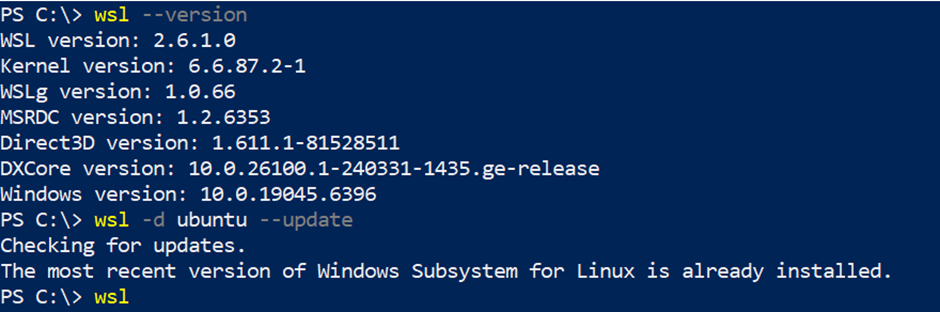
Ensure that the WSL is the latest/updated version:- Docker Desktop cannot be directly installed on a Windows OS. It requires a Linux based system as Docker is a primarily a Linux based platform. So either instal, WSL2/Hyper-V. Below is the screenshot for reference.

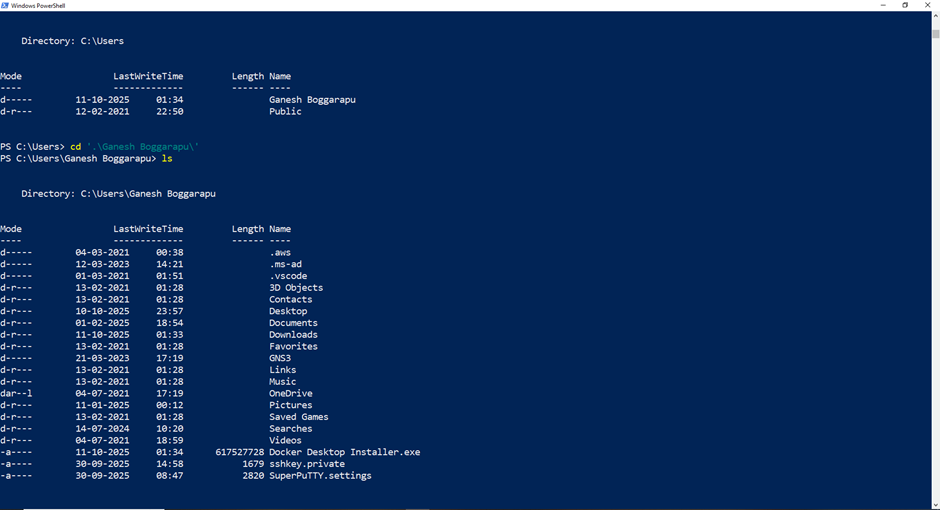
2. Move to the location where the file "Docker Desktop" located/downloaded

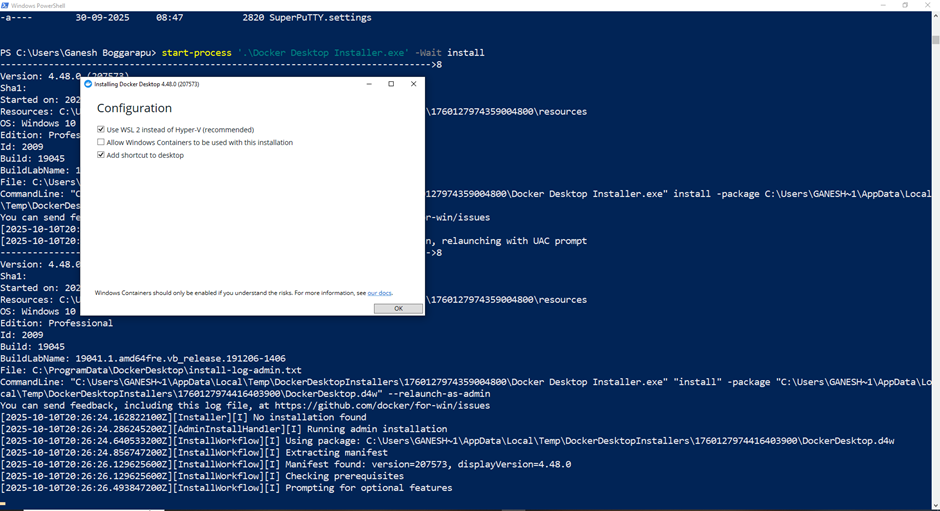
3. Run the install cmd and wait for docker to install all the packages and test the features

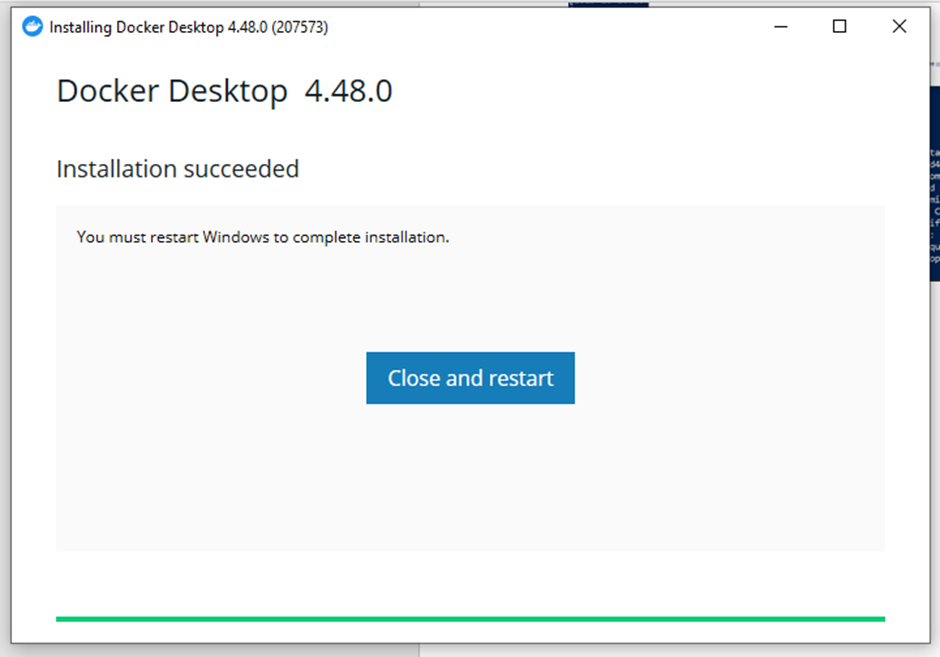
4. Once installation is done. you can run sample cotainers and see if you can access to see them on the Laptop/Desktop.


Join Ganesh on Peerlist!
Join amazing folks like Ganesh and thousands of other builders on Peerlist.
0
5
0