

How to Manage Your Screens Remotely Without Spending a Lot
Digital signage is no longer just about displaying content—it’s a key part of the in-store experience. But once businesses start factoring in entry costs, it can feel like too much, doesn’t it?
Real Case Example and Budget: Cafe Using LG ScreensThe Challenge
A mid-sized cafe chain wanted to modernize its in-store experience. They installed multiple LG commercial display screens across locations.
However, they quickly ran into problems:
Content updates required manual USB uploads
Promotions were inconsistent across stores
Staff spent time managing screens instead of customers
The Solution
The café adopted Buzzblender digital signage player for WebOS for remote management.
They connected all LG screens to the platform and centralized control.
Implementation Steps
Step 1 – Screen Integration
All LG displays were connected to a cloud-based system. To do this, the manager downloaded the app on the TV and created an account in the web admin panel.
Content Library Setup
Menus, promotions, and seasonal campaigns were uploaded.
Scheduling
The marketing manager began by setting up a simple schedule.
Morning menu: breakfast items
Afternoon: lunch combos
Evening: desserts and drinks
Automation
Content rotated automatically based on time of day. Set-up takes one day including time to create promotions using Canva.
Results
Within weeks, the cafe saw:
Faster campaign rollouts across all locations
Improved visual consistency
Reduced manual workload
Better customer engagement at point-of-sale
Most importantly, marketing and operations finally worked in sync.
Delightful savings!
In addition, the company saved hundreds of dollars:
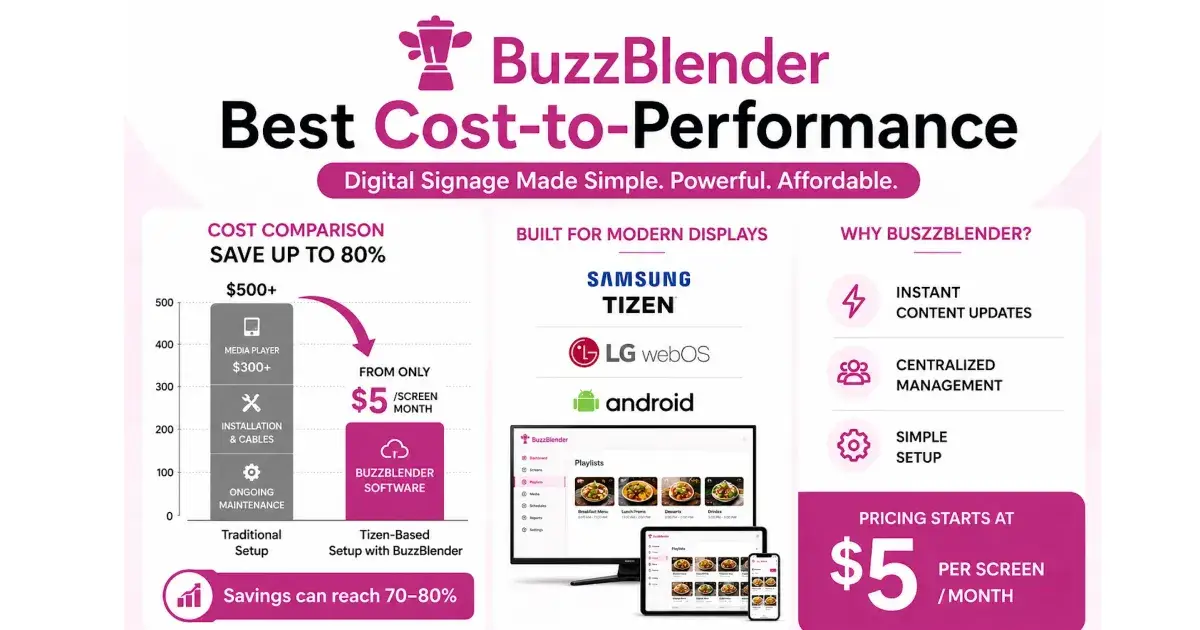
Buzzblender costs just $5 per screen per month, compared to $20 per screen per month for official apps from LG and Samsung.
The system is so easy to install that the manager set it up without any assistance.
Implementation Steps
Step 1 – Screen Integration
All LG displays were connected to a cloud-based system. To do this, the manager downloaded the app on the TV and created an account in the web admin panel.
Content Library Setup
Menus, promotions, and seasonal campaigns were uploaded.
Scheduling
The marketing manager began by setting up a simple schedule.
Morning menu: breakfast items
Afternoon: lunch combos
Evening: desserts and drinks
Automation
Content rotated automatically based on time of day. Set-up takes one day including time to create promotions using Canva.
Results
Within weeks, the cafe saw:
Faster campaign rollouts across all locations
Improved visual consistency
Reduced manual workload
Better customer engagement at point-of-sale
Most importantly, marketing and operations finally worked in sync.
Delightful savings!
In addition, the company saved hundreds of dollars:
Buzzblender costs just $5 per screen per month, compared to $20 per screen per month for official apps from LG and Samsung.
The system is so easy to install that the manager set it up without any assistance.

Join Gulfiia on Peerlist!
Join amazing folks like Gulfiia and thousands of other builders on Peerlist.
0
1
0