

How to Use Firebase Auth Across Multiple Domains (Without Whitelisting Every Domain)
A simple breakdown of why Firebase authentication fails on embeddable widgets and how to fix it the right way.
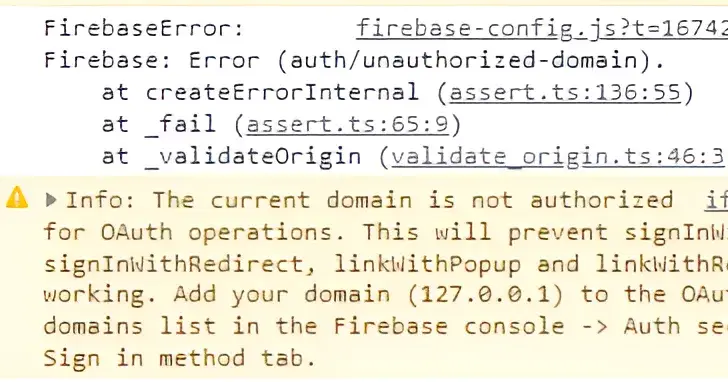
If you’ve ever tried to build something embeddable, you’ve probably hit this wall.
Everything works fine on your own website. Then you give your customers a simple script to embed, and suddenly Google login breaks with an error like:
auth/unauthorized-domain
At first, it feels like a configuration issue. Maybe you forgot to add a domain. Maybe Firebase is acting up.
But the truth is simpler and more frustrating.
Firebase does not trust unknown domains.
And if you are building a widget that runs on other people’s websites, every one of those websites becomes “unknown.”
So unless you manually whitelist every customer domain, your authentication will fail.
That is not scalable. And for a SaaS product, it’s a dead end.
Why this happens
Firebase Authentication checks where the request is coming from.
Not where your script is hosted. Not your backend.
It checks the actual website where your widget is running.
So if your widget is embedded on:
https://clientwebsite.com
Firebase sees that domain and asks:
“Is this domain allowed?”
If the answer is no, it blocks the login.
There is no wildcard support. You cannot say “allow all domains.”
That’s the core limitation.
The wrong way to solve it
A lot of people try this first:
Add every client domain to Firebase
Keep updating the list as new customers come in
This works for a few users.
Then it becomes a mess:
You forget to add a domain
Customers complain login is broken
Preview URLs and staging sites fail
You spend time fixing config instead of building product
It does not scale.
The simple shift that fixes everything
The solution is not to fight Firebase.
The solution is to change where authentication happens.
Instead of running Firebase Auth inside the widget, you move it to a domain you control.
Think of it as adding a small layer in between.
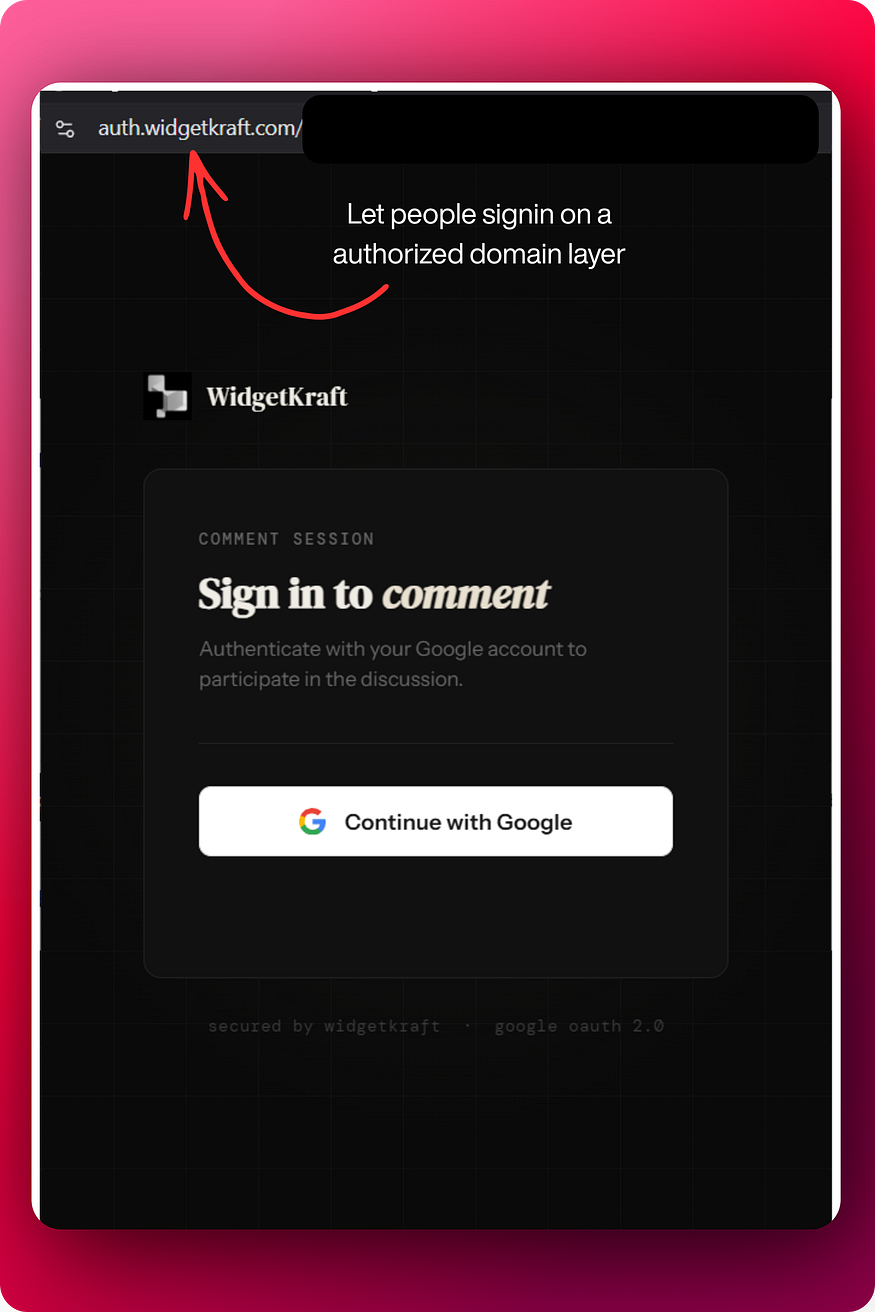
Step 1: Use your own domain for authentication
Set up a dedicated auth page on your domain, for example:
https://auth.yourproduct.com
This is the only place where Firebase runs.
In Firebase settings, you only authorize:
yourproduct.com
auth.yourproduct.com
That’s it.
No client domains. No scaling issues.
Press enter or click to view image in full size
Step 2: Trigger login from the widget
Now your widget becomes simple.
When a user clicks “Login with Google”, instead of calling Firebase directly, it opens your auth page:
https://auth.yourproduct.com/googleThis can be a popup or a redirect.
At this point, the user is no longer on the client’s website. They are on your domain.
Firebase is happy.
Step 3: Authenticate and generate a token
Once the user logs in:
Firebase verifies the user
Your backend creates a session or JWT token
This token represents the logged-in user.
Step 4: Send the token back to the widget
Now you pass that token back to the widget using a browser feature like postMessage.
The widget receives the token and stores it.
From this point on:
The widget does not need Firebase
It just sends API requests with the token
Simple and clean.
Why this works
Because Firebase only sees your domain.
It never sees:
clientwebsite.com
anotherclient.com
randomblog.net
So it never blocks anything.
You’ve effectively created a safe “authentication layer” that sits between Firebase and the outside world.
Press enter or click to view image in full size

This is how most SaaS products solves this
Any serious embeddable product follows this pattern.
Because the alternative simply does not hold up in real usage.
If authentication depends on customer domains, your product becomes fragile.
If authentication depends on your domain, your product becomes stable.
Try Widgetkraft

Join Darshan on Peerlist!
Join amazing folks like Darshan and thousands of other builders on Peerlist.
0
1
0