

🚀 Updated Rippl Post: Sharing & Deep Linking on Android
Seamless Sharing: How Rippl Connects Web and Mobile via Deep Links
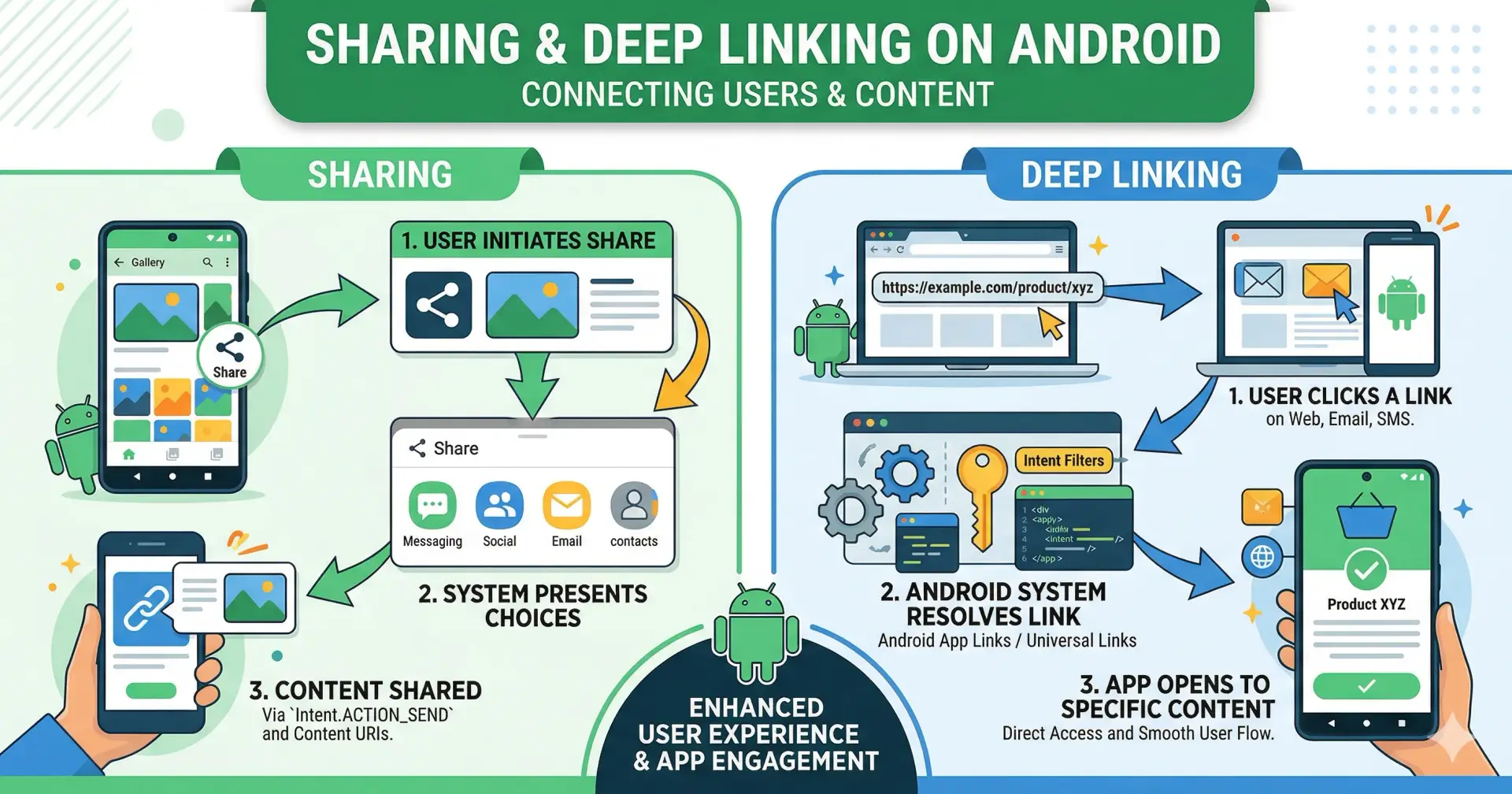
At Rippl, we believe that a great conversation should never be interrupted by a platform switch. We’ve just rolled out a major update to our Post Sharing ecosystem, ensuring that when you share a vibe from Rippl, it lands perfectly everywhere.
📤 1. Sharing Made Simple
Sharing a Rippl post is now a first-class experience. Whether you’re on the Web App or the Android App, you can:
Universal URLs: Shared links use the
app.rippl.space/post/:idformat.Dynamic Previews: Links carry rich metadata for high-quality social media cards.
Deep Integration: Opening a link instantly launches the Rippl App if installed.
🔗 2. The Magic of Deep Linking (Android)
Ever wondered how clicking a link like https://app.rippl.space/post/69b8... magically opens the exact screen in your app without asking "Open with Chrome or Rippl App?" Here is the Triple-Step Verification we implemented:
Step 1: Domain Verification (The Web Side)
Android requires proof that the app owner also owns the website. We host a specific validation file at: .well-known/assetlinks.json
This file contains our app's Package Name and SHA-256 Fingerprint. It tells Android: "Yes, the app with this signature is authorized to handle links for this domain."
Step 2: Manifest Declaration (The App Side)
In our AndroidManifest.xml, we use android:autoVerify="true". This tells the OS to check the assetlinks.json file the moment the app is installed:
<intent-filter android:autoVerify="true">
 <action android:name="android.intent.action.VIEW" />
 <category android:name="android.intent.category.DEFAULT" />
 <category android:name="android.intent.category.BROWSABLE" />
 <data android:scheme="https" android:host="app.rippl.space" android:pathPrefix="/post/" />
</intent-filter>
Step 3: Handling the Intent (The Code Side)
When the app launches, our MainActivity captures the URI, and our GSON-Hardened Repository fetches the post data. We use a Skeleton Shimmer UI to ensure there is zero perceived lag for the user.
🛠️ How to test it yourself
You can simulate a deep link launch from your terminal to verify the integration:
adb shell am start -W -a android.intent.action.VIEW \
 -d "https://app.rippl.space/post/69b8c229a...." \
 space.rippl.app
Stay Connected. Stay Rippling.

Join Hemanshu on Peerlist!
Join amazing folks like Hemanshu and thousands of other builders on Peerlist.
0
1
0