

AI Video Face Swapping: How to Use AI to Create Movie-Level Special Effects at Zero Cost?
video face swap
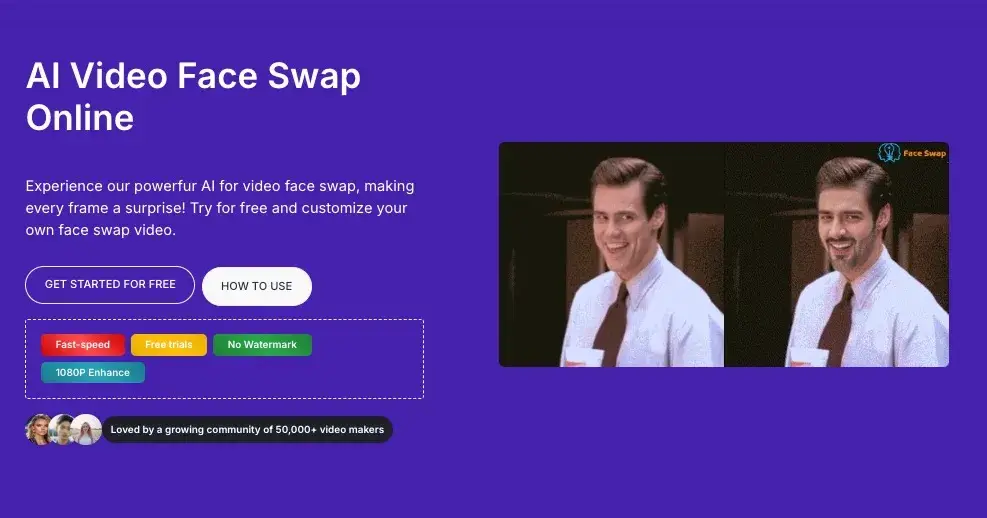
Short videos have swept the globe. Have you ever seen those hilarious "face-swapped" videos on TikTok, Instagram, or Bilibili? Or seen your friends replace their faces with those of Iron Man or Titanic characters? Did you think this required professional post-production skills or expensive computer configurations? The truth is—AI technology has made it all incredibly easy.
Today, we'll delve into a powerful online tool—AIFaceSwap's Video Face Swap AI feature. Whether you want to create prank videos, GIFs, or generate creative content, this tool lets you do it in seconds.
What is AI Video Face Swap?
Simply put, it's a tool focused on replacing faces in videos, solving many post-editing problems. It utilizes deep learning technology to accurately identify facial features (such as facial feature positions, expression changes, and lighting angles) and seamlessly integrate the target face. Unlike traditional post-editing, video face swapping must ensure that the new face perfectly follows the movements and expressions of the original video in every frame.
Previously, this technology was called "Deepfake," requiring coding and hours of rendering. Now, AIFaceSwap simplifies this complex process into three steps: "upload - click - download."
Why We Choose AIFaceSwap?
Many face-swapping tools exist on the market, with varying levels of quality. AIFaceSwap stands out due to several key advantages, perfectly meeting users' core needs:
Online Operation, No Installation Required
Many face-swapping apps (such as DeepFaceLab) require complex environment configurations and high-end NVIDIA graphics cards. AIFaceSwap.io is entirely cloud-based. This means that whether you're using a mobile phone, tablet, or a laptop with a standard configuration, as long as you have internet access, you can use it.
100% Free and Fast
For most users who just want to try it out, paid subscriptions are the biggest hurdle. This platform offers free use and extremely fast processing speeds. Thanks to powerful server computing power, face-swapping a short video typically takes only a few seconds to a few minutes.
High Realism and Natural Blending
This is the only standard for judging the quality of a face-swapping tool. AIFaceSwap uses advanced AI models to intelligently handle skin tone differences, lighting conditions, and facial occlusion. The face-swapped videos not only resemble the facial features, but even micro-expressions (blinking, frowning, opening the mouth) are perfectly synchronized, with extremely low jarringness.
Data Privacy and Security
Users often worry about the misuse of uploaded photos. This platform typically follows strict privacy policies; uploaded videos and photos are only used in the processing and are automatically deleted from the server shortly after processing, ensuring user privacy and security.
Ultimate Tutorial: Create Your First AI Face Swapping Video in 3 Steps
Want to experience the "protagonist aura"? You can do it with a single click by replacing faces in videos. Follow these easy steps:
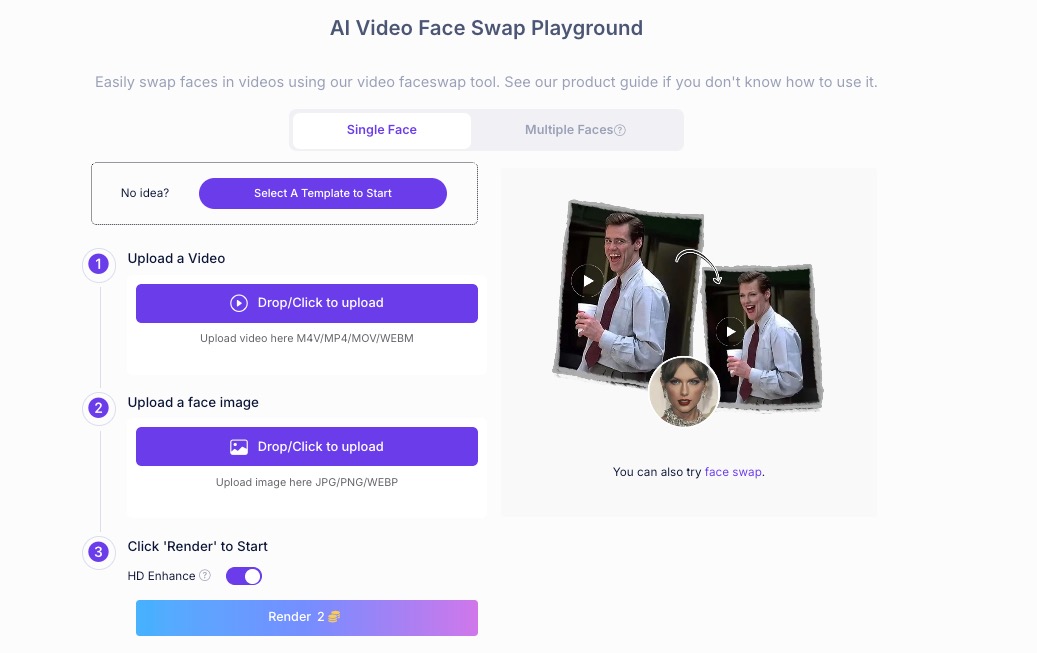
Step 1: Upload Source Video
Visit the video face swapping feature. Click the upload area and select the base video you want to swap faces with.
Tip: It's recommended to choose a video with clear image quality, minimal facial obstruction, and plenty of frontal shots for better results.
Step 2: Upload Target Face
Upload a photo of the face you want to replace.
Tip: The photo must be clear, with complete facial features and even lighting. A passport photo or a high-quality selfie works best.
Step 3: Swap Face Now
Click the "Swap" or "Generate" button. The AI engine will start working in the background. After a short wait, you can preview and download the processed video.
Application Scenarios of AI Video Face Swap
What can you do with this tool even if you master it? This is a common question among those unfamiliar with video face swapping. Based on current user usage, I've roughly categorized it as follows:
Creating viral social media content: Swap your face to that of a popular celebrity or movie clip to create funny Reals or TikTok videos, easily garnering likes and shares.
Personalized GIFs and emojis: Capture classic emoji videos, replace your face with your own or a friend's, and create fun in group chats.
Holiday greeting videos: On Christmas or birthdays, swap your face to that of a dancing Santa Claus or a specific character and send it to friends and family—a thoughtful and unique gesture.
Faceless appearance: Video creators who want to appear in videos but don't want to show their face can use AI to replace their face with a virtual face or someone else's face (with authorization).
Frequently Asked Questions (FAQ)
Why does the face-swapping effect sometimes look unnatural?
This is usually related to the quality of the source material. If the person's face in the source video is turned at too large an angle (e.g., a completely profile view), or the lighting is too dim, the AI may not be able to accurately capture the features. Try using clearer, better-lit material.
Does this tool have a watermark?
No, it doesn't. AIFaceSwap generally strives to provide high-quality results with no watermarks or minimal interference, depending on the platform's latest policies. This is a huge plus for users who prioritize video aesthetics.
Is this video face-swapping tool free?
Yes, it's completely free to use; there are no charges whatsoever.
Is this tool safe?
Yes, it's safe. You can use it without logging in, and uploaded records are deleted immediately. There are no issues with personal privacy or security.
Conclusion
AIFaceSwap's AI-powered video face swap represents the trend of democratizing AI image processing technology. It breaks down technological barriers, allowing everyone to become a video effects master. Whether you're looking for a laugh or exploring the infinite possibilities of AI, this tool is worth adding to your bookmarks.
Try it now and see what amazing stories you create with your new "face"!

Join Jason on Peerlist!
Join amazing folks like Jason and thousands of other builders on Peerlist.
0
11
0