

EzMaker AI Review: A Free AI Photo Editor for Faster, Easier Image Editing
Image editing has become part of everyday work.
Creators need better visuals for social media. Ecommerce sellers need clean product photos. Marketers need images for ads, landing pages, and campaigns. Bloggers need attractive cover images. Even casual users often want to remove unwanted objects, improve blurry photos, or change a background before sharing an image online.
The problem is that traditional photo editing software can be difficult to learn. Tools like Photoshop are powerful, but they often require time, design knowledge, and manual editing skills.
This is why an AI Photo Editor is becoming more useful. Instead of spending hours learning layers, masks, selections, and retouching tools, users can now upload an image and let AI handle many common editing tasks automatically.
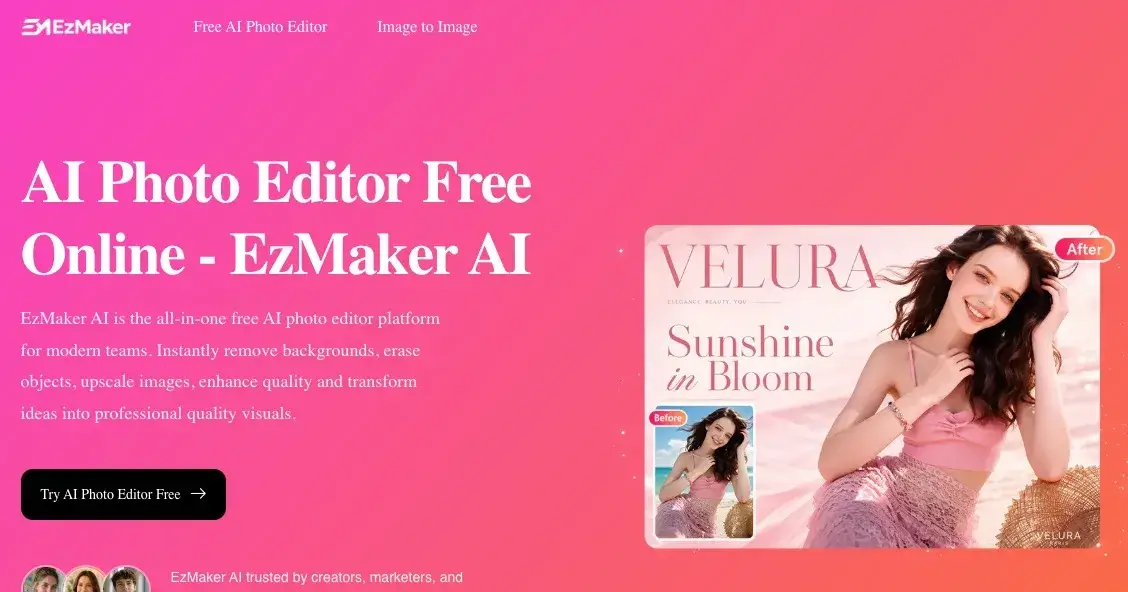
One tool worth trying is EzMaker AI, a free online AI Photo Editor designed to help users remove backgrounds, erase objects, enhance image quality, upscale photos, and create better visuals with less effort.
What Is EzMaker AI?
EzMaker AI is a free online AI Photo Editor that helps users edit, enhance, and transform images directly in the browser.

It is designed for people who want professional-looking results without using complicated design software. You can upload an image, choose an editing tool or enter a simple prompt, and let the AI process the photo automatically.
EzMaker AI focuses on common image editing needs, including:
Removing unwanted objects from photos
Removing or replacing backgrounds
Enhancing blurry or low-quality images
Upscaling images for higher resolution
Editing photos with simple prompts
Preparing visuals for social media, ecommerce, blogs, and marketing
According to the EzMaker AI website, the tool is available online with no sign-up, no watermark, and no credit card required, which makes it easy for new users to test it immediately.
EzMaker AI is not just a basic image filter. It works more like an all-in-one AI image editor for everyday visual tasks.
Why Use an AI Photo Editor Instead of Traditional Editing Software?
Traditional photo editors are still important for professional designers. However, not every image editing task needs advanced software.
Many users simply want to make an image cleaner, sharper, or more useful. For those needs, an AI Photo Editor can be faster and easier.
Lower Learning Curve
With traditional software, users often need to understand technical editing concepts such as layers, masks, brushes, curves, exposure, and manual selections.
With EzMaker AI, the workflow is much simpler. You upload your image, select what you want to change, or describe the edit with a prompt.
This makes AI photo editing more accessible for beginners, creators, small business owners, and people who do not have design experience.
Faster Editing Workflow
Many common edits can take several minutes or even hours when done manually.
For example:
Removing a background
Cleaning up a product photo
Erasing a person from a travel picture
Improving a blurry image
Enlarging a low-resolution photo
An AI Photo Editor can complete many of these tasks in seconds. This is especially useful when you need to create images quickly for social media posts, product listings, blog articles, or marketing campaigns.
More Accessible for Non-Designers
Not everyone has the budget to hire a designer for every image.
EzMaker AI gives non-designers a practical way to create cleaner, more polished visuals. It can help ecommerce sellers improve product photos, bloggers upgrade article images, marketers prepare campaign visuals, and everyday users fix personal photos.
Key Features of EzMaker AI Photo Editor
EzMaker AI includes several practical AI image editing tools. These features cover some of the most common reasons people search for an online AI Photo Editor.
1. AI Object Remover: Remove Unwanted Objects from Photos
One of the most useful features of EzMaker AI is its AI object remover.
Sometimes a good photo is ruined by small distractions: a person in the background, random clutter on a table, a sign, a shadow, or an unwanted object near the subject.
Instead of manually cloning pixels or carefully editing the image yourself, you can use EzMaker AI to remove unwanted objects. The AI analyzes the surrounding area and fills the removed space naturally.
This is useful for:
Travel photos
Product photos
Real estate images
Social media content
Personal portraits
Marketing visuals
For example, if you have a product image with distracting background items, EzMaker AI can help clean the image so the product becomes the focus.
2. AI Background Remover: Create Cleaner Product and Profile Images
Background removal is one of the most common image editing tasks.
Ecommerce sellers often need product photos with clean backgrounds. Creators may need profile images or thumbnails. Marketers may want to place a subject on a new visual background.
EzMaker AI includes an AI background remover that helps separate the subject from the original image. This can make photos look cleaner and more professional.
Common use cases include:
Product listing images
Profile photos
YouTube thumbnails
Social media posts
Marketing banners
Presentation visuals
For ecommerce, this is especially helpful. A clean product image can make a listing look more trustworthy and easier to understand.
3. AI Image Enhancer: Improve Blurry or Low-Quality Photos
Not every useful image starts with perfect quality.
Sometimes an image is blurry, dark, noisy, or too low-resolution. This can happen with old photos, screenshots, phone pictures, compressed images, or downloaded assets.
EzMaker AI includes an AI image enhancer that helps improve image quality. It can make photos look sharper, clearer, and more polished.
This feature is useful when you want to:
Improve old photos
Make social media images look better
Clean up low-quality product photos
Enhance blog images
Improve marketing assets
Make personal photos clearer
For creators and small businesses, this can save time because you do not always need to reshoot or redesign an image from scratch.
4. AI Image Upscaler: Enlarge Images Without Losing Quality
Low-resolution images are difficult to use in modern content workflows.
A small image may look acceptable on a phone screen, but it may become blurry when used on a website, product page, banner, or printed material.
EzMaker AI offers AI image upscaling, which helps enlarge images while preserving or improving visual quality.
This is useful for:
Product pages
Website images
Posters
Marketing materials
Presentations
High-resolution social posts
Restoring old or compressed images
Instead of stretching an image manually and losing clarity, an AI image upscaler can generate a cleaner high-resolution result.
How to Use EzMaker AI Photo Editor
EzMaker AI is designed to be simple. The basic workflow is easy to follow.
Step 1: Upload Your Image
Start by uploading your photo to EzMaker AI. The platform supports common image formats such as JPG, PNG, JPEG, and WebP.
You do not need to install software. Everything works online in the browser.
Step 2: Choose an Editing Tool or Enter a Prompt
Next, choose what you want to do.
You can use tools such as:
Background remover
Object remover
Image enhancer
Image upscaler
Prompt-based AI editing
If you prefer, you can also describe your desired edit using natural language.
Step 3: Let AI Process the Image
After you choose the edit, EzMaker AI processes the image automatically.
The AI analyzes the image and applies the selected change. This reduces the need for manual editing and helps users complete common tasks more quickly.
Step 4: Download the Edited Image
Once the result is ready, you can download the edited image and use it for your project.
The final image can be used for product listings, social media, blog posts, marketing campaigns, profile photos, presentations, and more.
What Makes EzMaker AI Different?
The biggest advantage of EzMaker AI is accessibility.
Many tools claim to be easy, but they still require registration, payment, watermarks, or complicated setup. EzMaker AI focuses on reducing those barriers.
Key advantages include:
Free online AI Photo Editor
No sign-up required
No watermark
No credit card required
Beginner-friendly workflow
Multiple AI image editing tools in one place
Works directly in the browser
Useful for both personal and business images
EzMaker AI does not need to replace every professional design tool. Its real value is helping users finish everyday image editing tasks faster.
If you need advanced graphic design, professional software may still be necessary. But if your goal is to remove a background, erase an object, enhance a photo, or upscale an image quickly, EzMaker AI is a practical option.
Pros and Cons of EzMaker AI
Like any tool, EzMaker AI has strengths and limitations.
Pros
Free to use
No sign-up required
No watermark
Easy for beginners
Works online
Supports multiple AI photo editing features
Good for creators, marketers, ecommerce sellers, bloggers, and everyday users
Helps reduce time spent on basic image editing
Cons
Advanced designers may still need professional editing software for complex projects
AI results may vary depending on the original image
Some images may require more than one attempt to get the best result
It requires an internet connection
Overall, the advantages are strongest for users who want fast, simple, and accessible image editing.
Final Thoughts: Is EzMaker AI Worth Trying?
If you are looking for a free AI Photo Editor that can help with everyday image editing, EzMaker AI is worth trying.
It brings together several useful AI tools, including object removal, background removal, image enhancement, image upscaling, and prompt-based editing. The workflow is simple enough for beginners but practical enough for creators, marketers, ecommerce sellers, bloggers, and small businesses.
The main reason to try EzMaker AI is simple: it makes image editing faster and easier.
You do not need design skills. You do not need to install complex software. You do not need to sign up just to test the tool.
For anyone who wants to remove backgrounds, erase unwanted objects, improve photo quality, or create cleaner visuals online, EzMaker AI is a practical AI Photo Editor for modern content creation.

Join Jason on Peerlist!
Join amazing folks like Jason and thousands of other builders on Peerlist.
0
2
0