

Make Your Own Face Swap GIFs in One Click — Free with PixNova AI
gif face swap
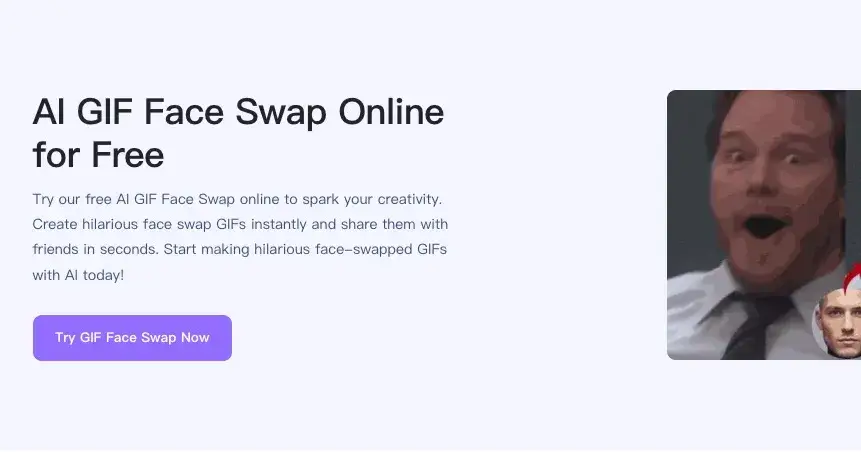
Always losing meme battles in group chats? Still using outdated memes from years ago? It's time to upgrade your arsenal!
Try replacing the faces of classic movie characters with your own, or letting your friends "debut" in trending dance GIFs. This might sound like it requires complex video editing skills, but today we're introducing PixNova AI GIF Face Swap, a tool that lets you create viral GIFs for free with just a few clicks.
What is AI GIF Face Swap?
PixNova AI is a powerful online AI image processing platform, one of its main functions being GIF Face Swap. Unlike traditional image face swapping, PixNova can recognize each frame of a GIF animation and use advanced AI algorithms to perfectly blend the target face into the dynamic image.
Most importantly, it not only preserves the original image's motion and lighting changes, but also allows the new face to move naturally with facial expressions, resulting in stunningly realistic effects.
Why Choose PixNova GIF Face Swap?
The following five core advantages will help you understand its strengths, making it the top choice for meme enthusiasts among numerous AI tools on the market:
100% Free & No Sign-up: Many tools require you to register an account or even link a credit card before you can try them. PixNova breaks down this barrier; simply open a webpage to use it, truly achieving "use and go," perfect for users who value privacy and efficiency.
No Watermark Issues: The most frustrating thing is having your carefully crafted image covered by a large software logo. It offers a watermark-free download function, generating clean and crisp GIFs that can be directly used for sharing on social media or as video material.
Lightning-Fast AI Processing: Thanks to powerful cloud computing, the GIF face-swapping tool processes images extremely quickly. Typically, the AI can complete the entire process from facial feature extraction to rendering in just a few seconds to a dozen seconds, eliminating long waiting times.
Intelligent Facial Fitting Technology: Worried about looking like a "sticker" after face swapping? Based on advanced algorithms, it intelligently analyzes the original material's facial angles, skin tone, and lighting, automatically performing color correction and edge softening to ensure a natural and seamless face swap.
Supports Multiple Formats: While primarily supporting GIFs, this page also typically supports uploading JPG, PNG, and other static images, as well as MP4 video formats, meeting your diverse creative needs.
Step-by-Step Tutorial: Create Your Own GIF in 3 Steps
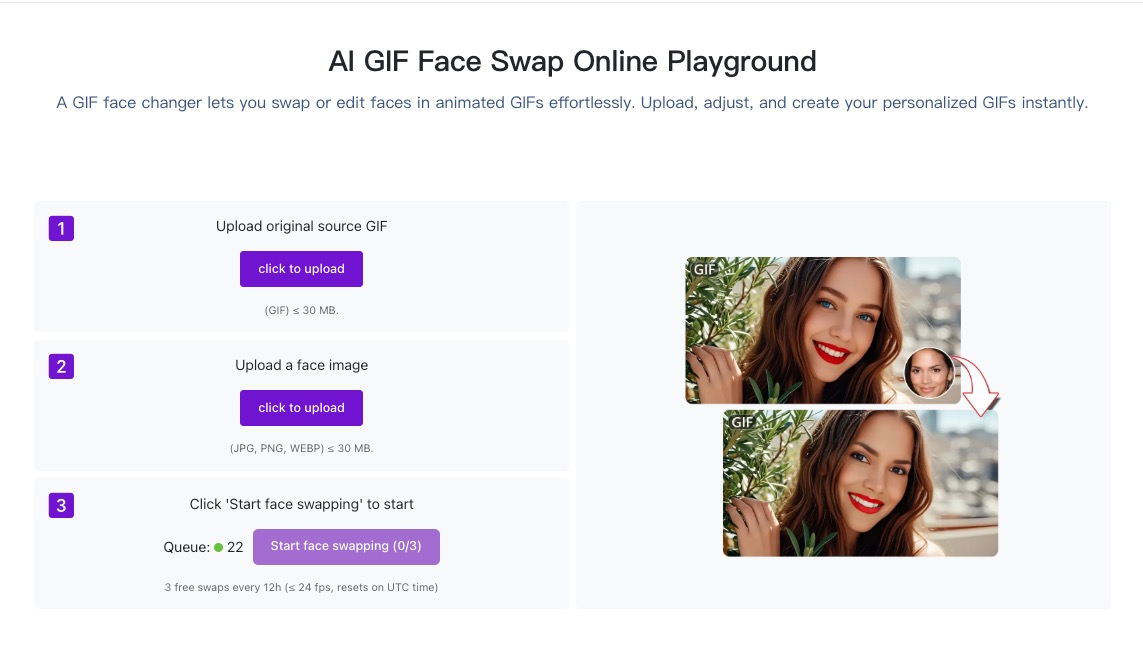
Follow these steps and you can learn in just one minute:
Step 1: Upload Source GIF
Open the GIF face-swapping feature, click the upload box, and select the GIF you want to modify.
Tip: Choosing a GIF with a clear face and good lighting will yield better results.
Step 2: Upload Target Face
Upload a photo of the face you want to replace (e.g., a selfie).
Tip: Ensure the photo shows a frontal view and that facial features are not obscured by hair or sunglasses.
Step 3: Swap Face
Click the "Swap Face Now" or "Generate" button. The AI engine will start working; wait a moment, and you can preview and download your personalized GIF!
What Can You Do with GIF Face Swapping Feature?
Prank your friends: On a friend's birthday, swap their face onto a funny dancing GIF for the best laugh of the day.
Holiday greetings: Transform yourself into Santa Claus for Christmas, or the God of Wealth for Chinese New Year to send unique animated greetings.
Fan-created content: If you're a fan of a movie or game, you can immerse yourself in classic scenes and fulfill your "protagonist dream."
Marketing and traffic generation: Social media operators can create fun GIFs featuring their boss or brand's IP to increase post engagement and click-through rates.
Conclusion
In today's rapidly developing AI technology, the barrier to creativity is being lowered immeasurably. PixNova AI brings professional video face-swapping technology to every ordinary user with the simplest operating logic. Whether you want to create the next viral meme or simply have a laugh, it's the best free tool.
Start unleashing your imagination now and create your first AI face swap GIF!

Join Jason on Peerlist!
Join amazing folks like Jason and thousands of other builders on Peerlist.
0
2
0