

MCP Server Workflow: A Step-by-Step Workflow
Bridging the Gap Between AI Models and Private Data Securely
The Model Context Protocol (MCP) has revolutionized how artificial intelligence interacts with external data sources.
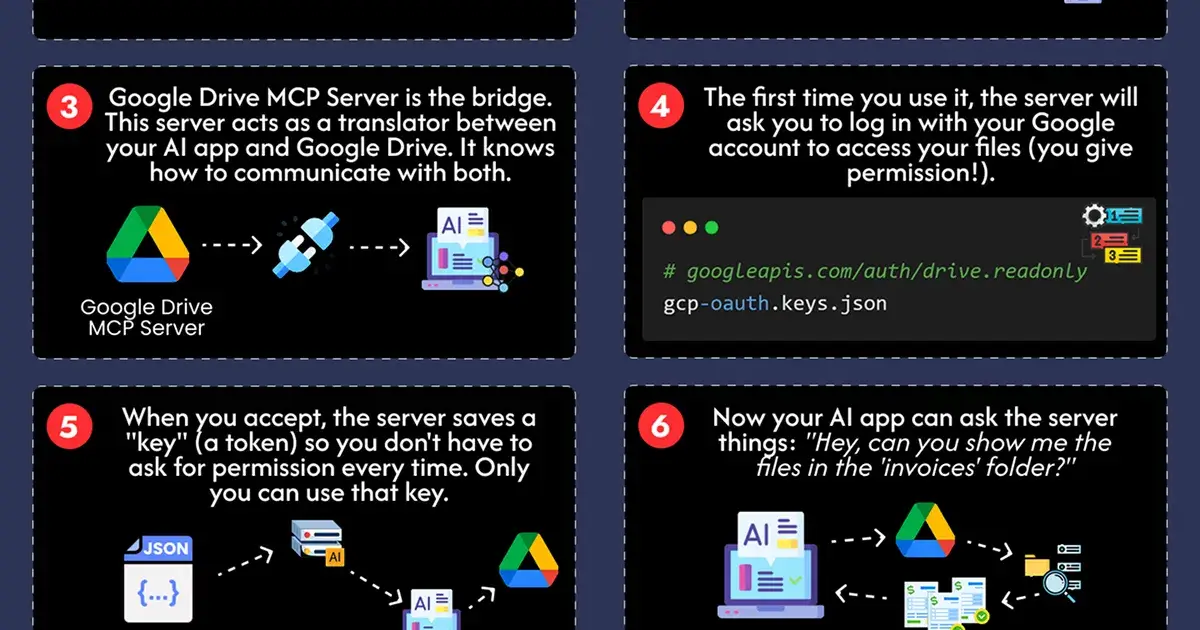
Instead of forcing an AI model to have direct, ungoverned access to your files, an MCP Server acts as a secure intermediary. This "bridge" ensures that tools like ChatGPT or Claude can interact with your personal data—such as Google Drive—only when permitted and under strict user control.
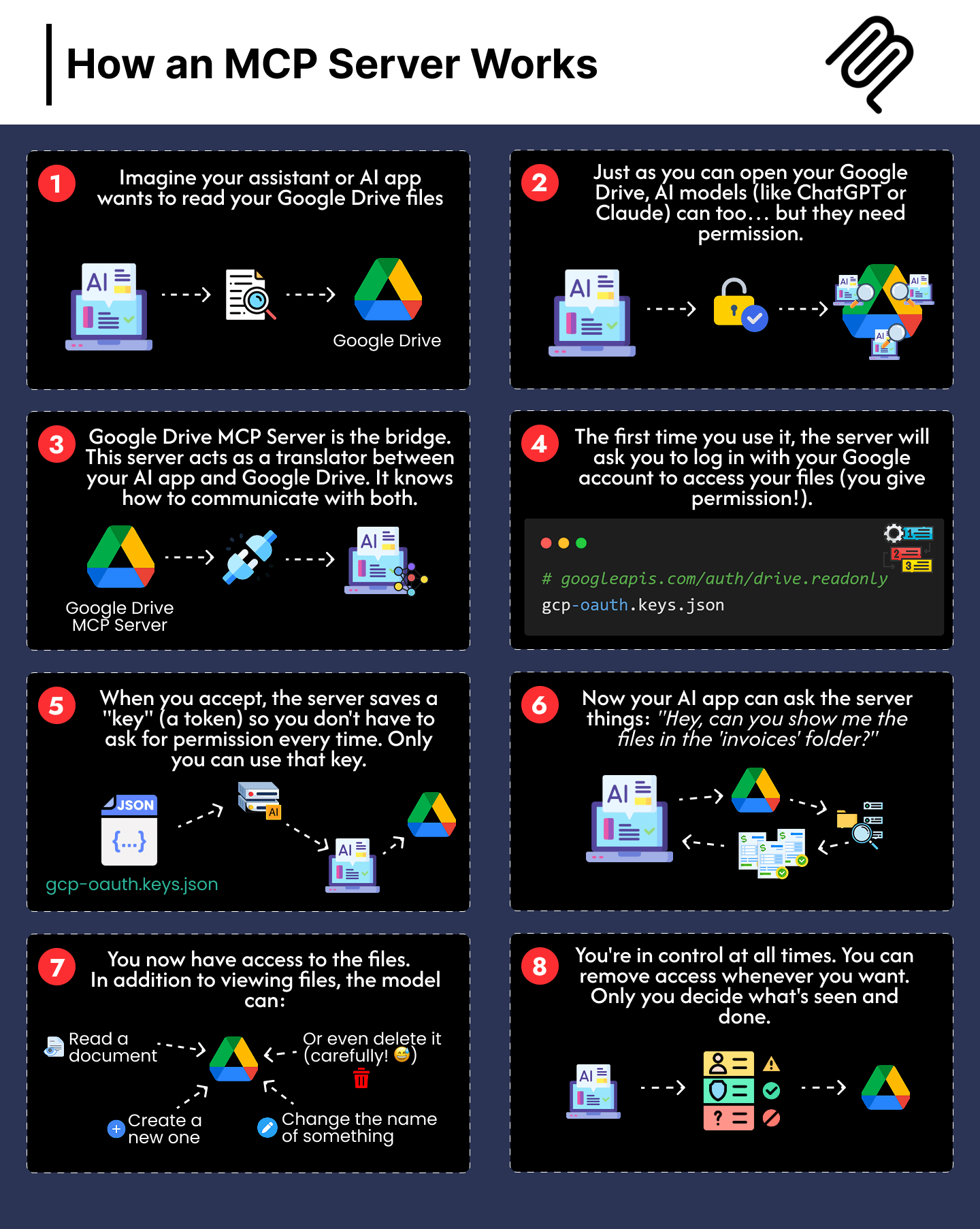
Here is the 8-step workflow of how an MCP Server facilitates this connection:
1. The Initial Request and Permission Phase
The process begins when an AI application or assistant needs to access specific external information.
The Intent: An assistant or AI app wants to read files from a source like Google Drive.
The Permission Requirement: Much like a human user, AI models require explicit permission to open and interact with these files.
The Bridge: The Google Drive MCP Server serves as a translator, knowing exactly how to communicate with both the AI app and the data source.
2. Authentication and Secure Access
Security is handled through standard authentication protocols to ensure the user remains in charge.
User Login: The first time the service is used, the server prompts the user to log in with their account to grant necessary permissions.
Token Generation: Once the user accepts, the server saves a secure "key" (a token). This prevents the need for the user to grant permission manually every single time the AI makes a request.
3. Execution and Data Interaction
With the connection established, the AI can perform complex tasks through the server.
The Query: The AI app can now ask the server specific questions, such as "Can you show me the files in the 'invoices' folder?".
File Manipulation: Beyond just viewing files, the model can be authorized to read documents, create new ones, rename items, or even delete them if instructed.
4. Constant User Control
The final step of the workflow emphasizes safety and autonomy.
Ongoing Monitoring: The user remains in control at all times.
Revocation: Access is not permanent; a user can remove the server's permission whenever they want, deciding exactly what information is seen or handled.
Gift
A picture is worth a thousand words, so here's an image showing the workflow of an MCP server:
Conclusion
The MCP Server workflow provides a sophisticated balance between AI functionality and data privacy. By acting as a translator and a gatekeeper, the server allows AI models to become truly useful assistants that can manage real-world files while keeping the user’s security tokens and permission settings as the top priority.
This modular approach ensures that you can empower your AI tools without ever losing control over your digital footprint.

Join Juan on Peerlist!
Join amazing folks like Juan and thousands of other builders on Peerlist.
0
12
2