

I got tired of juggling terminal windows for every AI agent, so I built this all in one IDE - 1DevTool
The problem
If you use AI coding agents like Claude Code, Codex, Gemini CLI, or Amp, you probably have a mess of terminal windows scattered across your screen. Switching between projects means losing context, and there's no easy way to see what all your agents are doing at once.
What it is
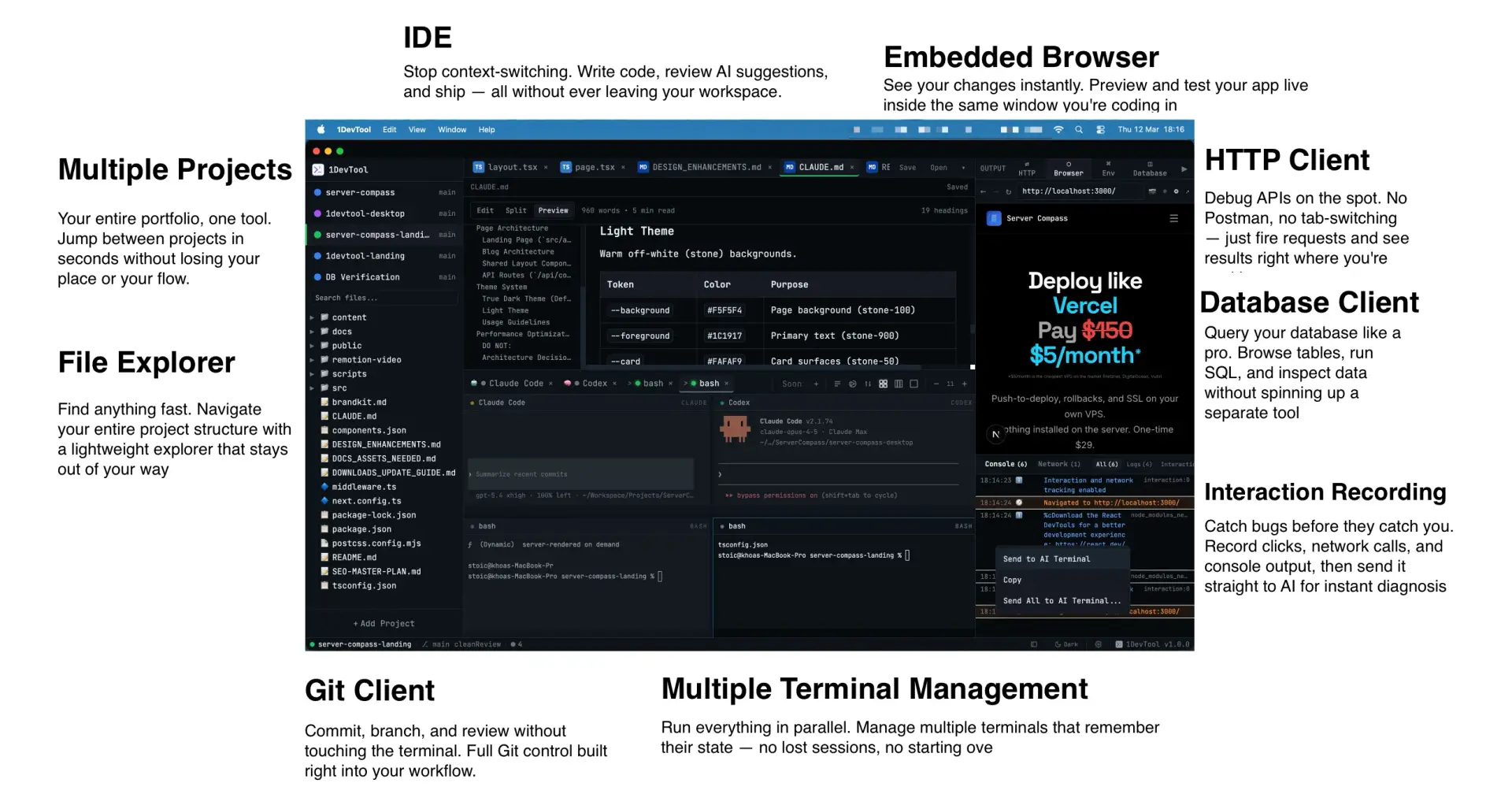
1DevTool is an Electron app that gives you a single workspace per project with multiple real terminals, a file explorer, code editor, HTTP client, database client, and an embedded browser — all in one window.
What makes it useful
🔲 Multi-agent layout — run multiple AI agents simultaneously in a 2×2 grid, columns, or single-focus layout
💾 Terminal persistence — sessions survive app restarts via tmux; your scrollback is always there
🔔 AI Activity Feed — live notifications when any agent finishes or generates files, across all your projects
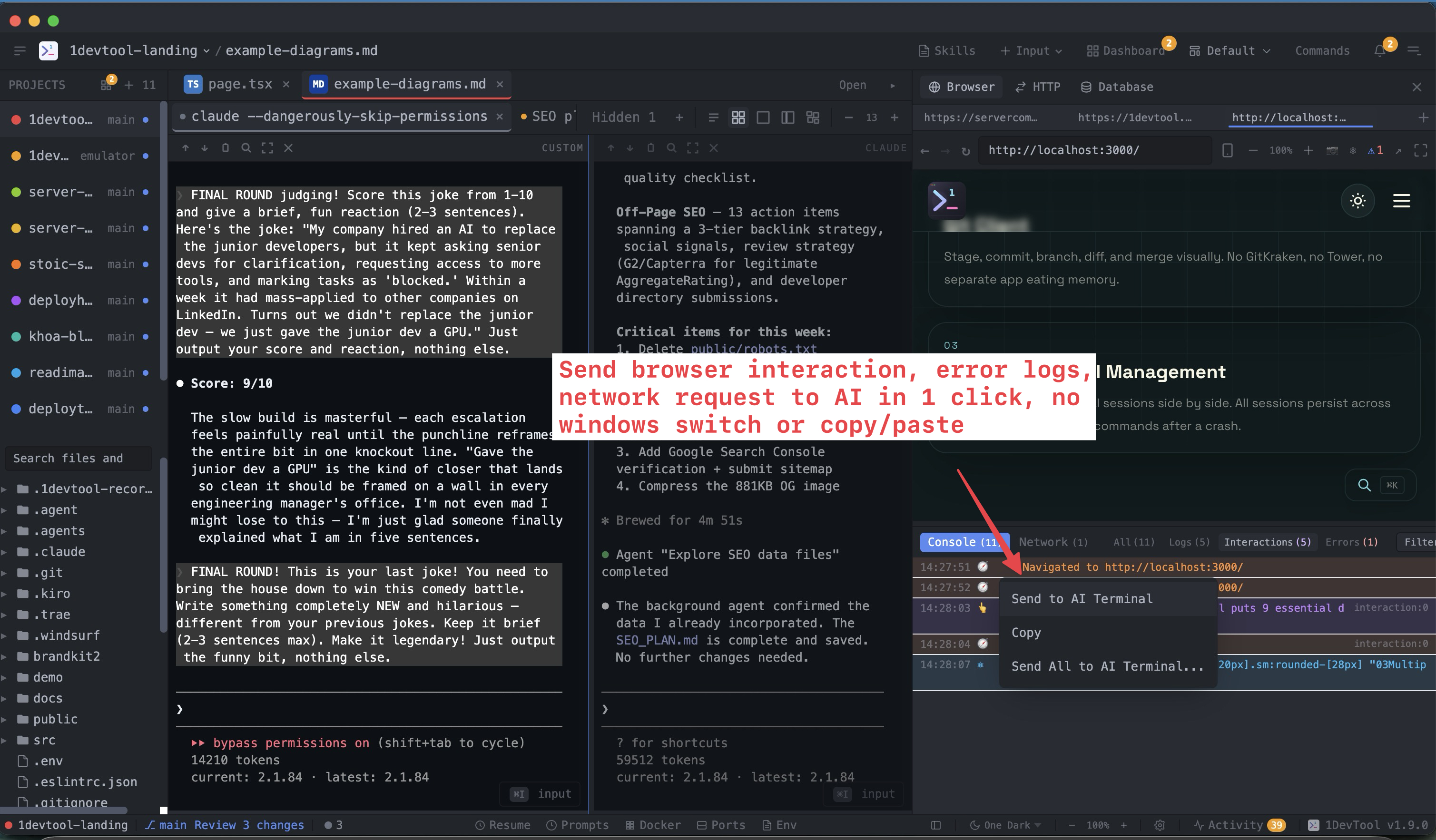
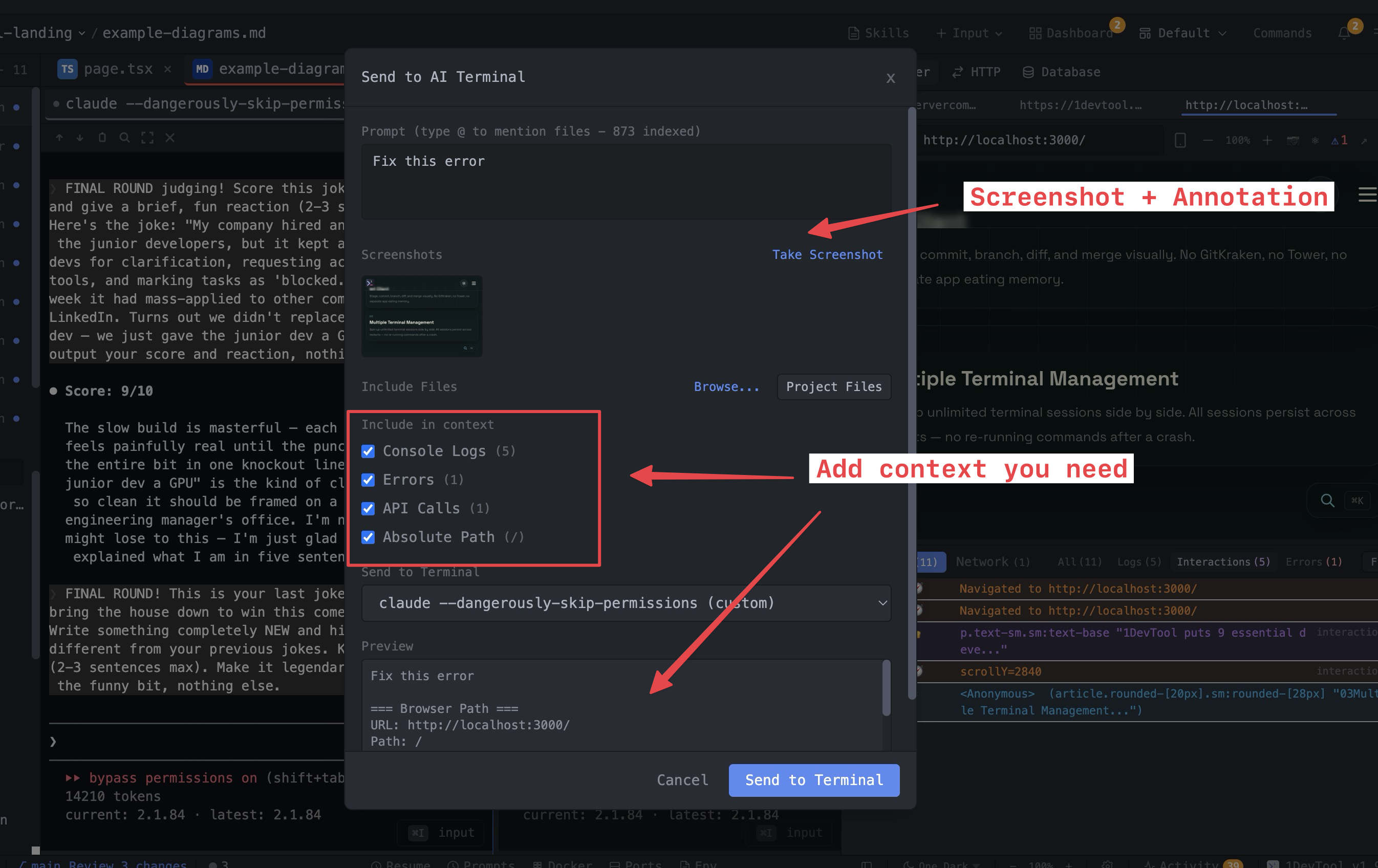
✂️ Send code to AI — select code in the editor, right-click, and send it to any running agent with file path and line numbers included
🔄 Resume AI sessions — browse and continue past conversations from Claude Code, Codex, Gemini CLI, and Amp
🧠 Skills manager — browse, install, and manage AI agent skills with built-in security scanning
🎨 VS Code themes — import any VS Code theme file and it applies across the entire workspace
🗄️ Database client — connects to Postgres, MySQL, MongoDB, Redis, ClickHouse, and 8 more engines
📂 Drag & drop projects — drop a folder from Finder onto the sidebar to add it
🧩 Customizable layouts — drag panels between sidebars, save layout presets, hide/show header items
Available on macOS, Windows, and Linux. Free for 1 project and 4 terminals
Happy to answer any questions or hear feedback!

Join Khoa on Peerlist!
Join amazing folks like Khoa and thousands of other builders on Peerlist.
0
1
1