

Nobody Told Me Debugging Could Feel This Easy. DeepTracer MCP on Claude Changed Everything.
It was a Tuesday morning. 8:47am. Coffee still hot. My phone buzzes a user DM on Twitter: "hey your app is throwing errors, checkout is broken.
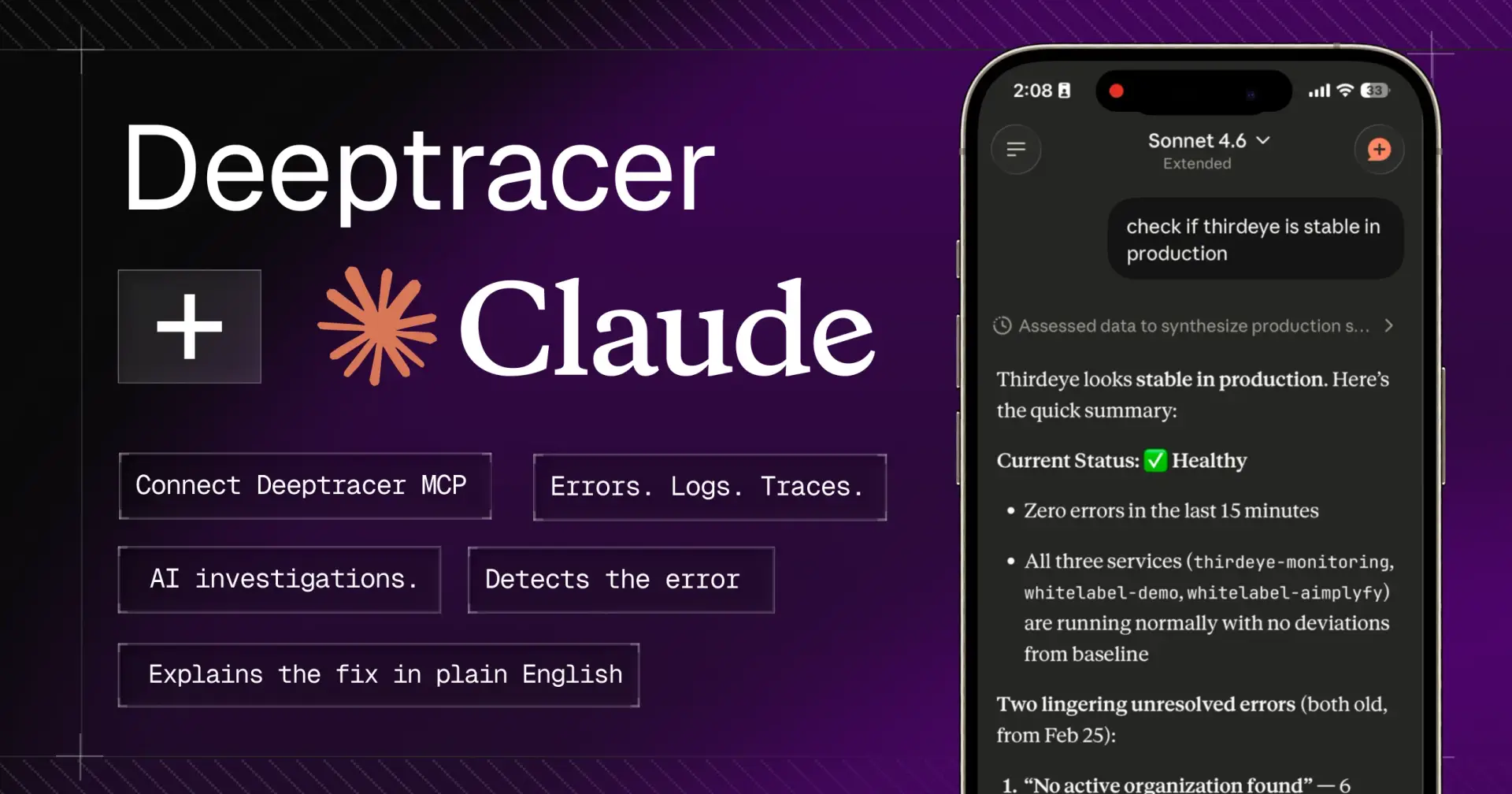
Old me would've panicked. Opened the laptop. Fired up Sentry. Filtered through 400 events. Copied the stack trace. Switched to my editor. Pasted it into Claude. Asked what's wrong. Got a half-answer because Claude had no idea what my actual runtime looked like. Switched back to Sentry. Grabbed more context. Back to the editor.
Forty minutes later bug fixed, coffee cold, mood ruined.

That was me every single time something broke in prod. Until I found DeepTracer's MCP Server
That same morning, I asked Claude directly "What's crashing in production right now?"
It called DeepTracer, pulled my live errors, ran an AI investigation, gave me the root cause and the exact file and line number to fix. I was done before I finished my coffee.
Nobody told me debugging could feel this easy. And honestly, it kind of made me angry because I'd been doing it the hard way for years.
What Is DeepTracer MCP and Why Should You Care?
Before we get into it MCP stands for Model Context Protocol. It's a standard that lets AI editors like Cursor and Claude Code call external tools in real-time during a conversation.
Without MCP, your editor is smart but isolated. It reasons about your code but it can't see outside your project.
With MCP, your editor gets hands. It can reach into external services like DeepTracer and pull live data mid-conversation. No tab switching. No manual copy-paste. No context loss.
DeepTracer is a production monitoring and observability platform built for developers who ship fast. Their MCP Server is the bridge between your live production environment and your AI editor so Claude Code, Cursor, or Windsurf can query your actual errors, logs, and app health the moment you ask.
This is not a gimmick. This is a workflow change.
What Happens When You Connect DeepTracer MCP to Claude
Here's a real example of what the conversation looks like inside your editor after setup:
You → "What's crashing in production right now?"

Claude → [calling DeepTracer: get_errors]

🔴 TypeError: Cannot read 'user' of undefined
 847 occurrences · critical · unresolved

🟡 ECONNREFUSED: Redis timeout
 124 occurrences · high · unresolved

You → "Investigate the TypeError"

Claude → [calling DeepTracer: get_investigation]

Root cause : Null session after JWT expiry
Fix : Add null check at route.ts:23
Confidence : 94%
Blast radius: api/dashboard — affects all authenticated routes
You typed two messages. Claude fetched your live production errors, ran an AI root cause analysis, and handed you the exact file, line, and fix with a confidence score.
You never left the editor. You never opened a dashboard. You never copy-pasted a stack trace.
That's the whole thing.
5 Built-In Tools Your Editor Gets
DeepTracer's MCP Server ships with 5 tools scoped to your workspace. Your editor calls them automatically when you ask about errors, logs, or app health. Here's what each one actually does:
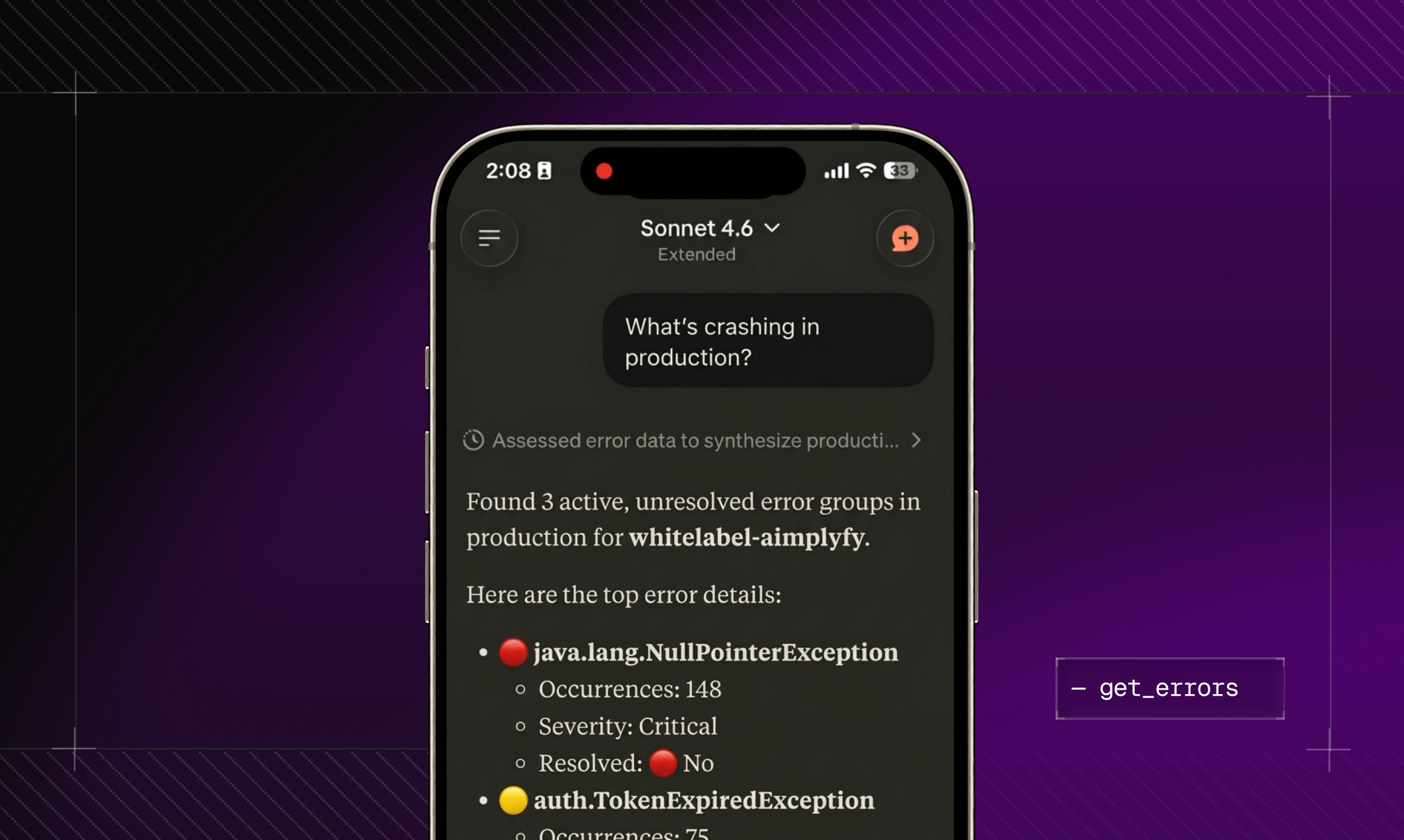
get_errors
"What's crashing in production?"
Lists your active error groups with occurrence counts, severity levels, and resolution status. You can filter by environment, project, or service. This is your first question every morning and now you don't need a dashboard to answer it.
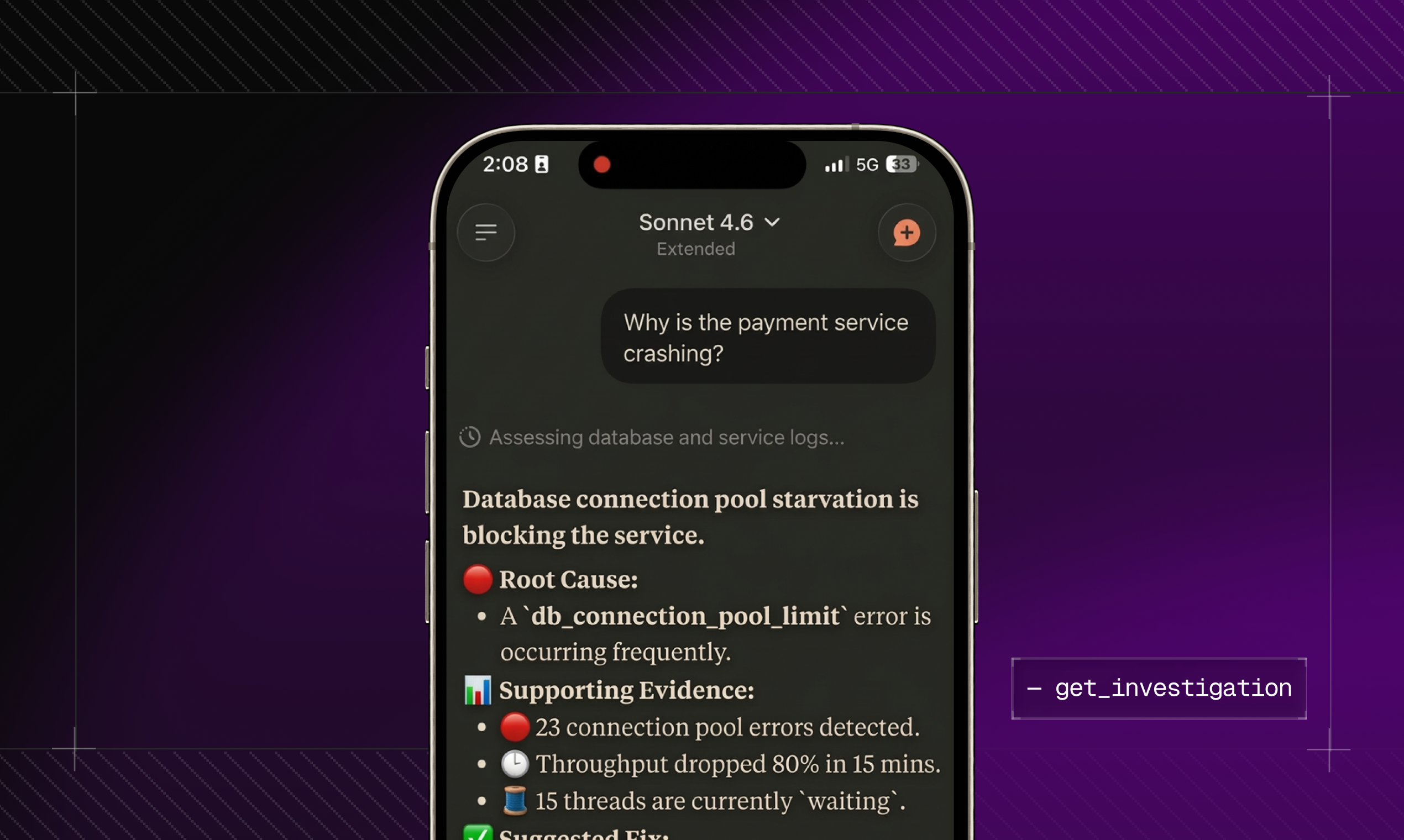
get_investigation
"Why is this crashing?"
This is the magic one. Fetches an AI-generated root cause analysis for any error including a fix suggestion, supporting evidence, and blast radius (how much of your app is affected). Comes with a confidence score so you know how solid the analysis is.
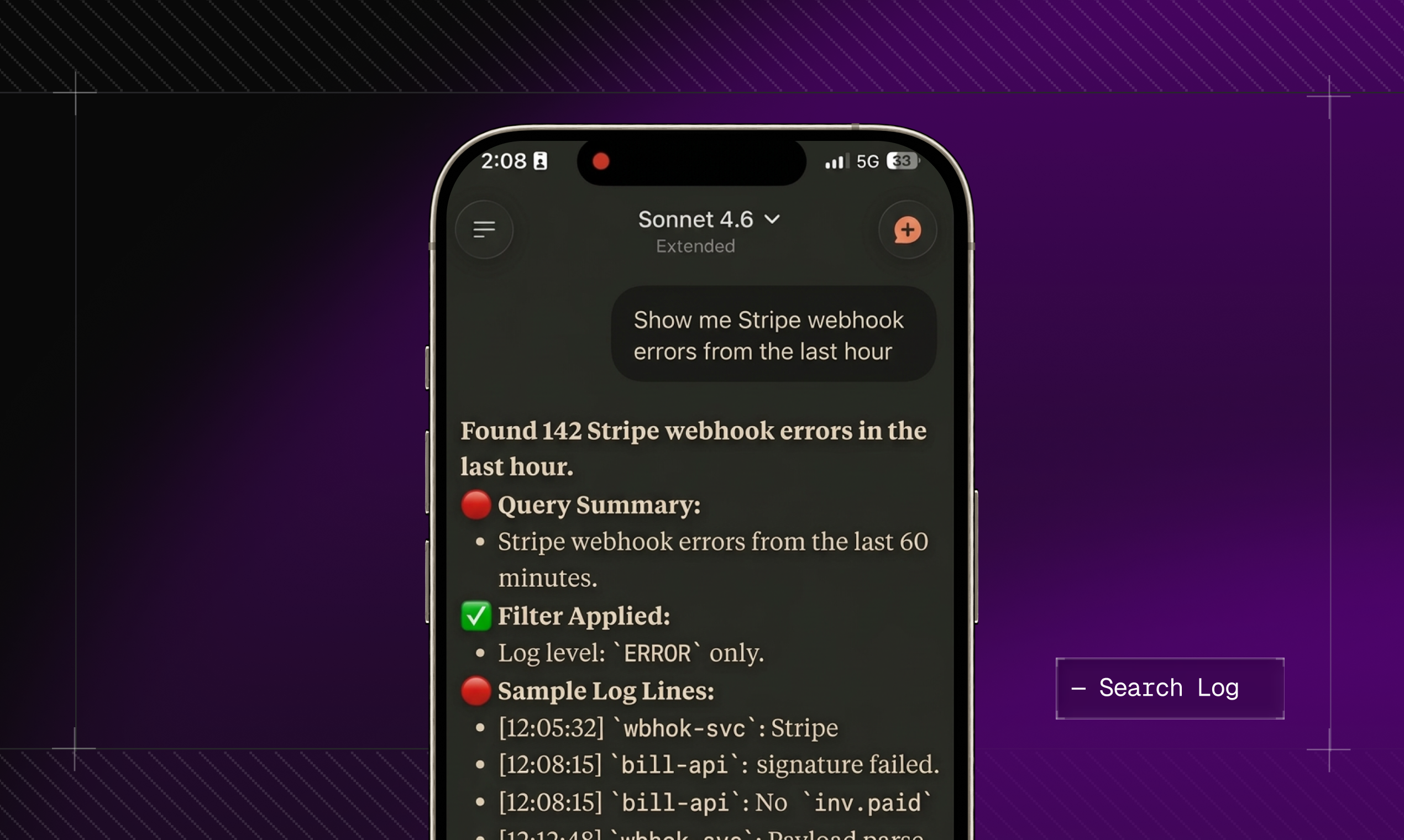
search_logs
"Show me Stripe webhook errors from the last hour"
Query your application logs with flexible filtering by log level, keyword, service name, or time range. Returns up to 200 results. Natural language query, real log output. Ask it like you'd ask a teammate.
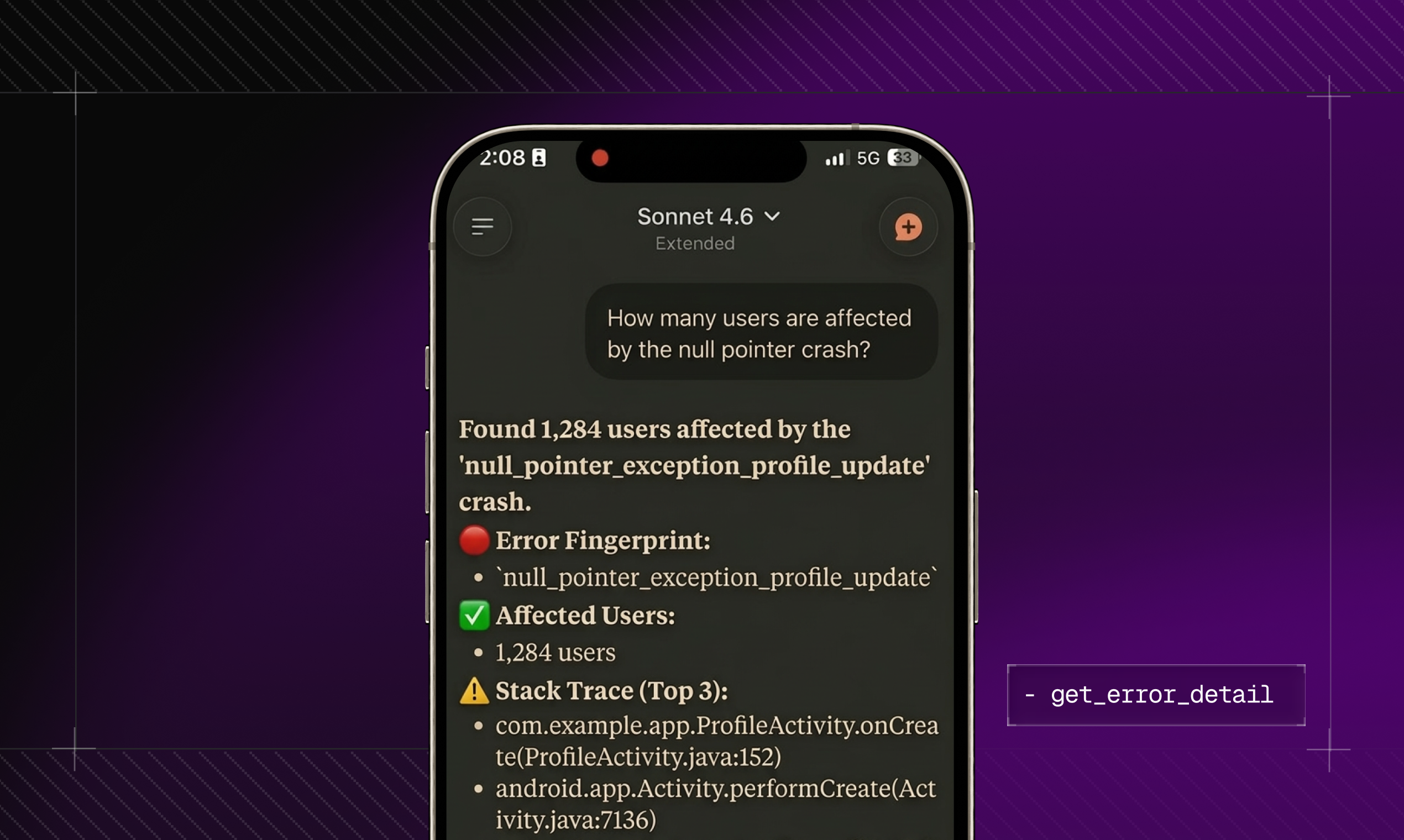
get_error_detail
"How many users are actually affected by this?"
Full details on any specific error fingerprint complete stack trace, number of affected users, and the last 10 occurrences with their request URLs. Critical for triaging what to fix first.
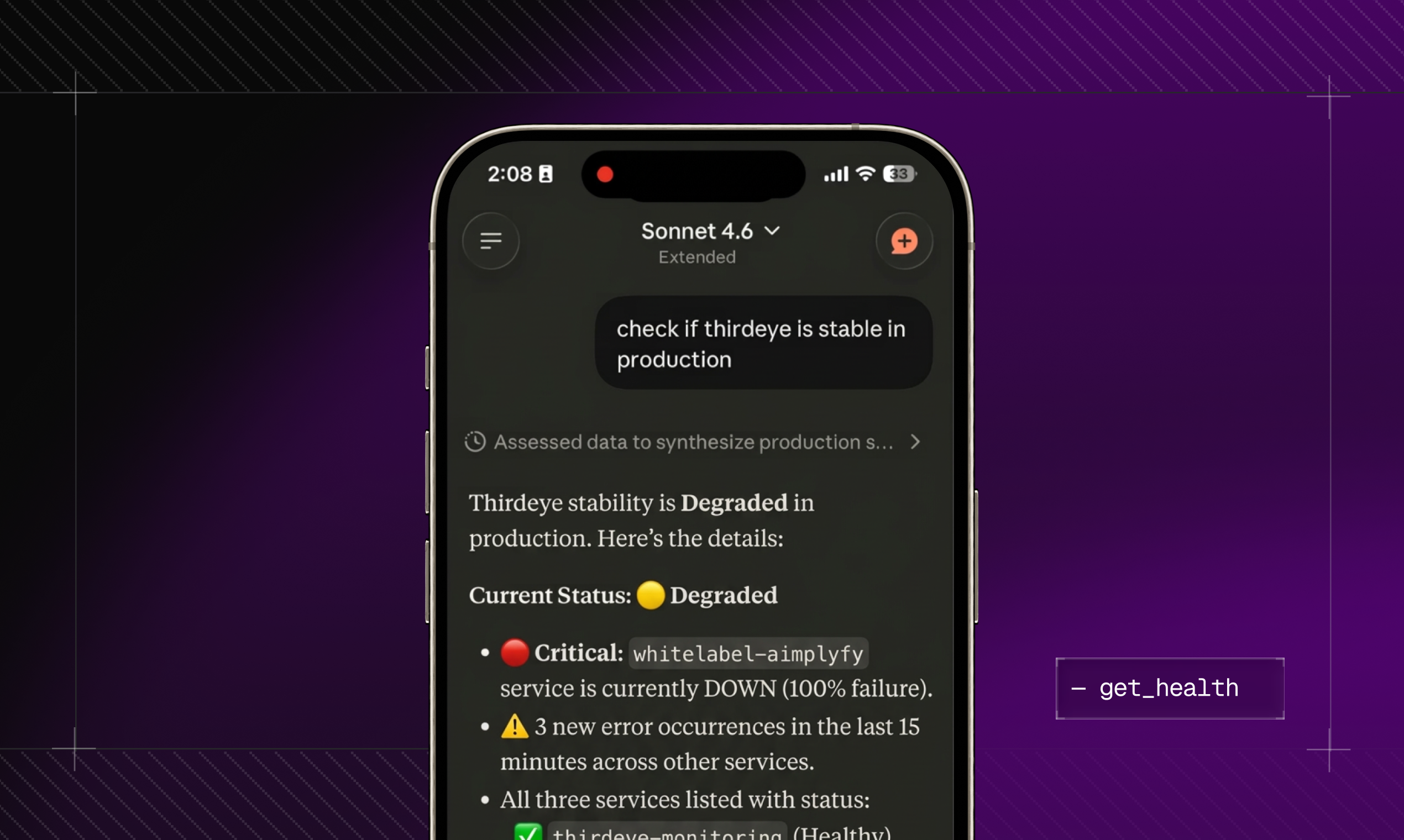
get_health
"Is my app healthy right now?"
An AI-generated health summary that runs every 5 minutes in the background overall status, detected anomalies, uptime, error rate, and P95 latency. The kind of thing you'd check after every deploy. Now you just ask.
Setup: One JSON Block. One Click. Three Minutes.
This is the part that surprised me most. I expected a complex SDK setup, some YAML config, a CLI tool, the works.
It's literally one JSON block in your editor's MCP config file.
For Cursor — add this to .cursor/mcp.json:{
"mcpServers": {
"deeptracer": {
"url": "https://app.deeptracer.dev/mcp",
"transport": "http"
}
}
}For Claude Code same JSON, drop it in your Claude Code MCP config.
For Windsurf same config works here too.
After you save the file and restart your editor, it opens DeepTracer's OAuth page in the browser. You click Authorize, grant access to your workspace's monitoring data, and that's the entire setup. Five seconds.
From that moment on, DeepTracer is a live tool your AI editor can call during any conversation.
Note: DeepTracer uses standard MCP over HTTP transport so it'll work with any editor that supports MCP, including VS Code with MCP extensions and Zed. If your editor isn't listed officially, try the Cursor config format it's the most compatible.
Real Questions You Can Ask Claude After Setup
These aren't hypotheticals. These are exact prompts that work:
→ "What errors are happening in production right now?" Claude calls get_errors, returns your live error groups sorted by severity and occurrence count.
→ "Why did my API error rate spike an hour ago?" Claude calls get_investigation, returns root cause analysis tied to that time window with evidence.
→ "Show me the last hour of Stripe webhook logs" Claude calls search_logs, filters by keyword and time range, returns up to 200 matching entries.
→ "How many users were affected by the TypeError in api/dashboard?" Claude calls get_error_detail, returns the full fingerprint stack trace, user count, occurrence history.
→ "Is my app healthy right now?" Claude calls get_health, returns the latest AI-generated summary uptime, error rate, latency, anomalies.
Every single one of these used to require opening a separate tool, navigating a UI, and copy-pasting results back into your editor. Now it's one message.
"But Does DeepTracer See My Source Code?"
No. And this was my first question too, so let's be precise about it.
The MCP Server only has access to runtime observability data errors, logs, traces, and health summaries collected by your SDK. It never reads your source files, environment variables, or git history. The OAuth token is scoped exclusively to your workspace's monitoring data.
On the security side: access tokens are stored as SHA-256 hashes in DeepTracer's database. The plaintext token is never persisted after the OAuth flow completes. And you can revoke access for any connected editor instantly from Settings → Editor tab the token stops working immediately, no grace period.
Same level of access you'd grant any monitoring tool. Nothing more.
Pricing — The Free Plan Is Real
The MCP Server is available on all plans, including Free. Here's exactly what you get:
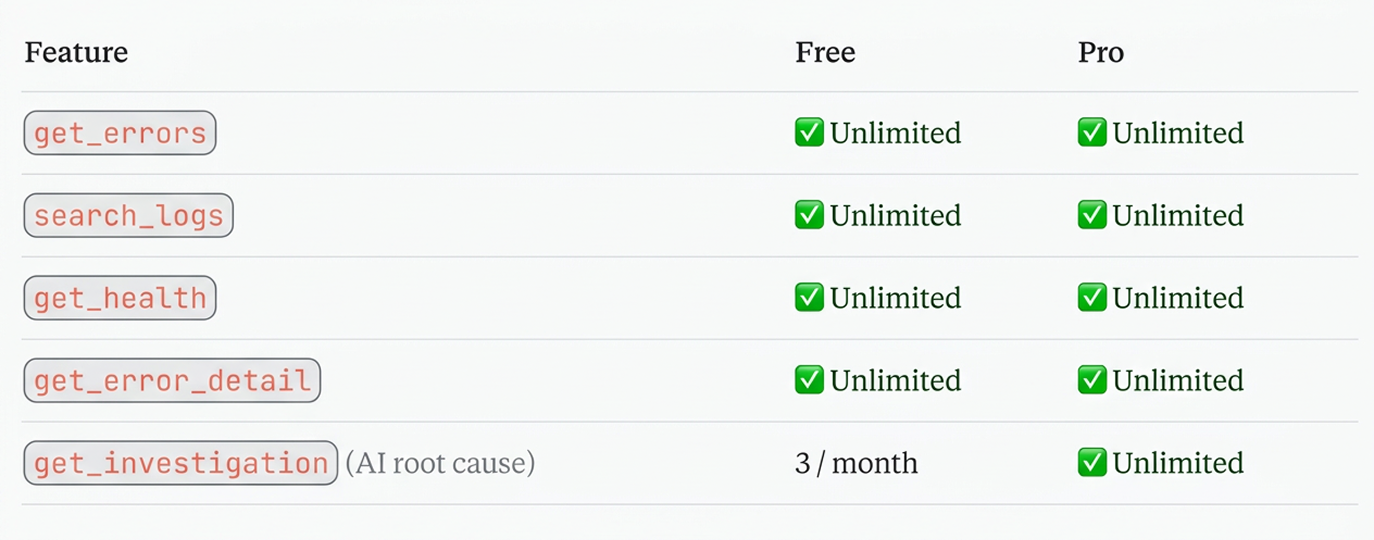
No credit card required to get started. The free tier is genuinely enough to feel the difference in your workflow plug it in, use it for a week, and decide from there.
The Before and After Nobody Talks About
Here's the real shift it's not just about saving time. It's about staying in flow.
Every context switch when debugging isn't just a few minutes lost. It's a full mental reset. You lose the thread of what you were thinking. You have to rebuild context every time you come back. That's where the real cost is.
DeepTracer MCP keeps the entire debugging loop inside your editor the same place you're already thinking about the code, talking to Claude, and writing the fix. The context never breaks. The thread never drops.
You go from "let me go check what's happening" to "Claude, what's happening?" and the answer comes back in the same conversation.
Final Thoughts
I've tried a lot of developer tools that promised to change my workflow. Most of them added steps, not removed them.
DeepTracer's MCP Server actually removes steps. It takes a workflow that required 4–6 context switches and compresses it into a single conversation thread inside your editor.
One JSON block. One OAuth click. Three minutes of your life.
And then the next time prod breaks at 8am you stay in your editor, ask Claude what's wrong, and fix it before your coffee gets cold.
That's the workflow now.
→ Set it up free: deeptracer.dev/mcp Free forever · No credit card required · Works with Cursor, Claude Code, and Windsurf

Join Gautam on Peerlist!
Join amazing folks like Gautam and thousands of other builders on Peerlist.
1
6
4