

From Blender-MCP to 3D-Agent: Production-Ready AI for Blender (Text-to-3D, Clean Topology)
#blender #ai #mcp #python #3dmodeling #addon #textto3d
“If I have seen further, it is by standing on the shoulders of giants.”
Huge thanks to the Blender-MCP creators, especially Siddharth Ahuja, for pioneering AI + Blender.
Check more here
TLDR:
Check how I built Cursor for Blender !
Why This Matters
If you’ve explored AI-powered 3D modeling in Blender, you’ve likely tried Blender-MCP—the open-source project that first connected Claude (via MCP) to Blender’s Python API. It proved the dream: type natural language → get 3D geometry. But for production work, many of us hit friction.
This post covers:
What Blender-MCP got right (and where it struggled)
How 3D-Agent builds on that foundation
A practical comparison with real prompts (spiral staircase)
A migration guide if you’re switching
What Blender-MCP Is (and Why It Was Important)
Blender-MCP links Blender to AI assistants using Anthropic’s Model Context Protocol. Instead of sculpting manually, you describe a model and MCP translates into Blender ops.
Typical flow:
# Prompt: "Create a simple chair"
bpy.ops.mesh.primitive_cube_add(size=0.5, location=(0, 0, 0.5))
bpy.ops.mesh.primitive_cylinder_add(radius=0.05, depth=0.5, location=(-0.2, -0.2, 0.25))
# ...and so on
Promise: Natural language → 3D model
Reality: Complex setup, inconsistent results, stalled development
Where Blender-MCP Fell Short (from a production perspective)
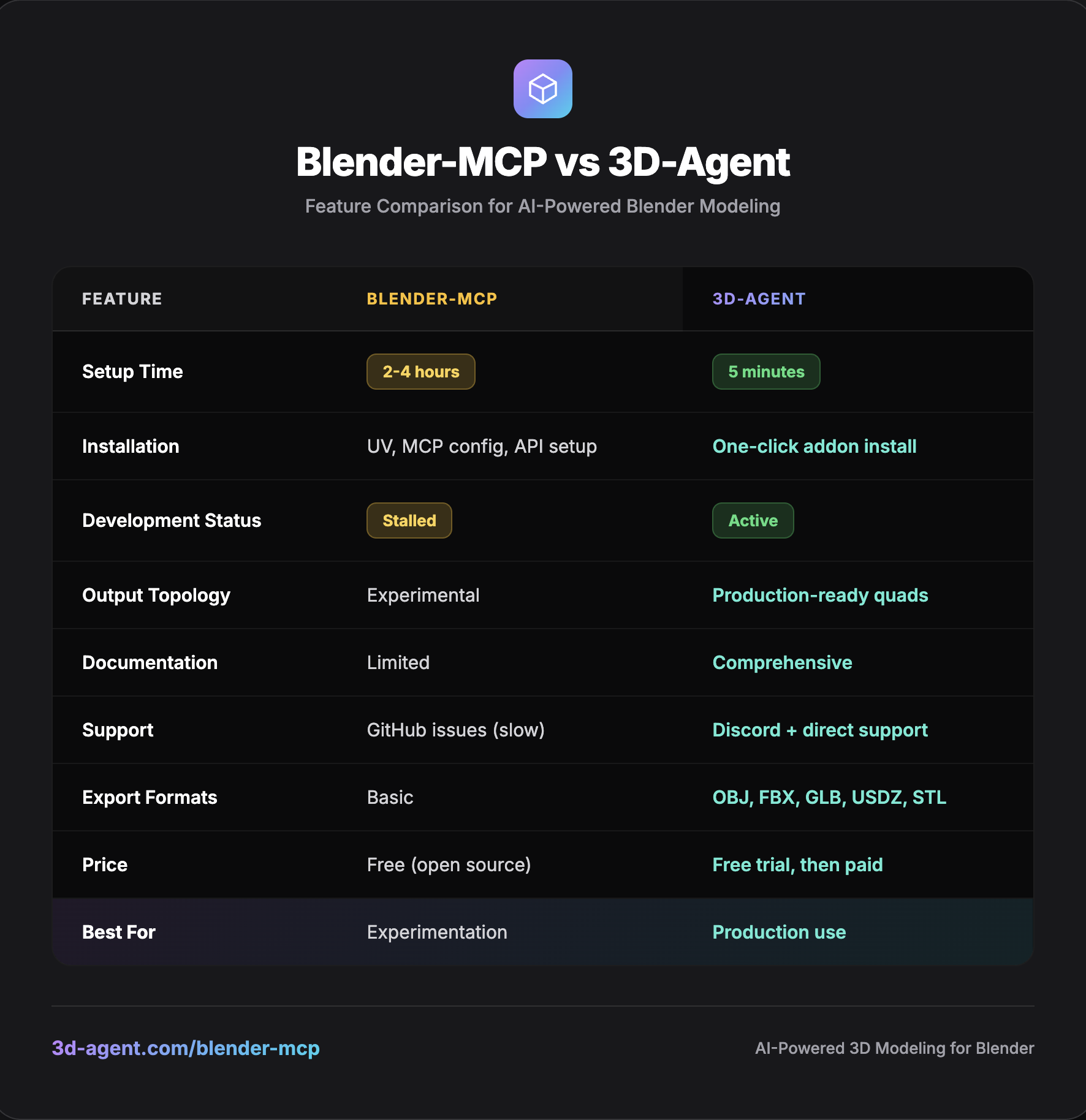
Setup complexity: UV package manager, MCP server configs, Claude Desktop/API credentials, WebSocket quirks, Python paths. Time-to-first-model: 3+ hours (if successful).
Development slowed: Issues lingered, feature requests stagnated.
Output quality: Good for demos, but topology often needed heavy cleanup (non-manifold edges, messy triangles).
No support channel: Hard to rely on for client deadlines.
Why I Built 3D-Agent
I loved the MCP vision. But I needed:
Reliability for real projects
5-minute install (not hours)
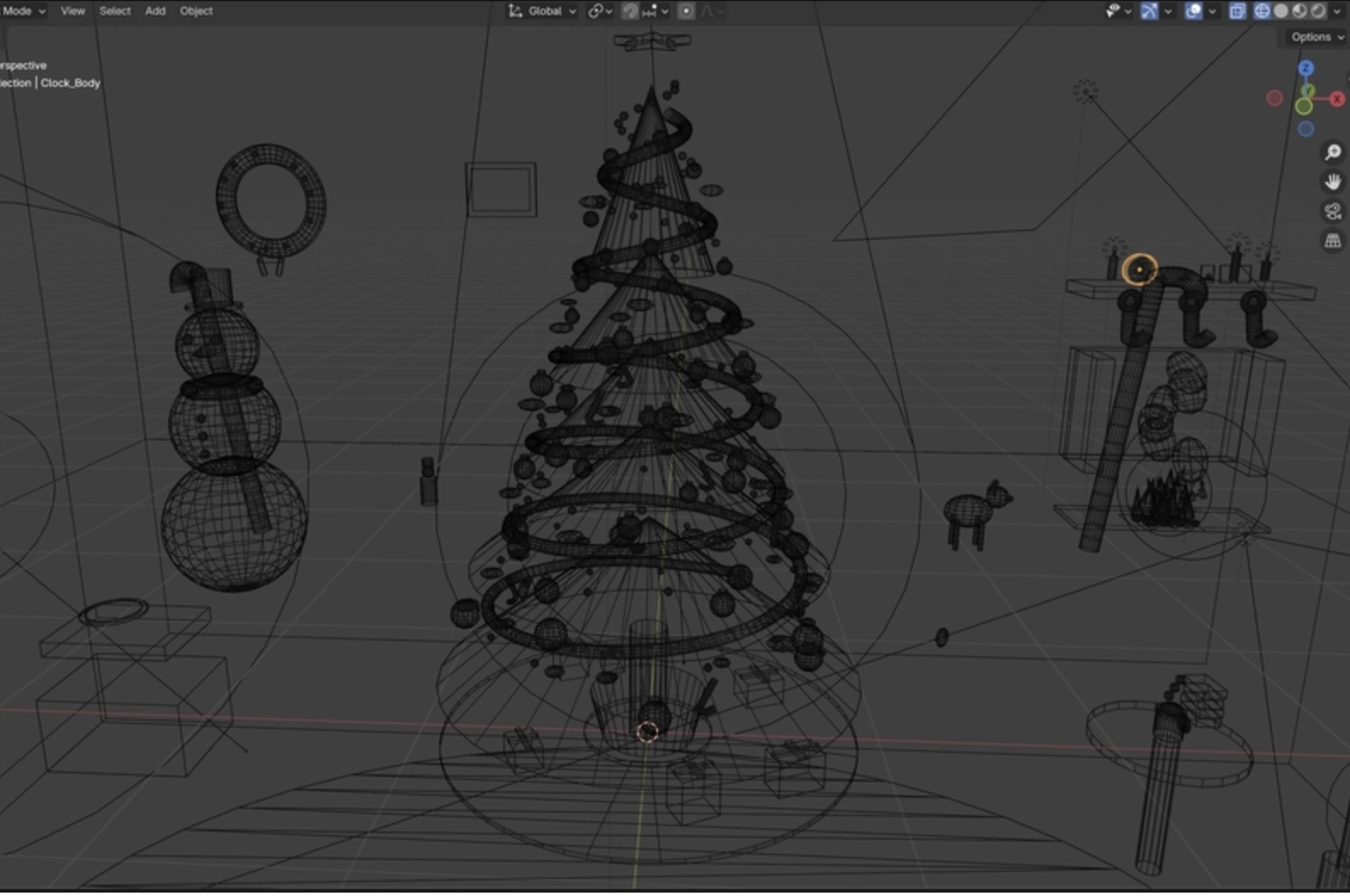
Clean quad topology (subdivision-ready, UV-friendly)
Active support + updates
API efficiency (doesn’t torch your Claude/OpenAI credits)
So I built 3D-Agent to carry that vision into daily production.
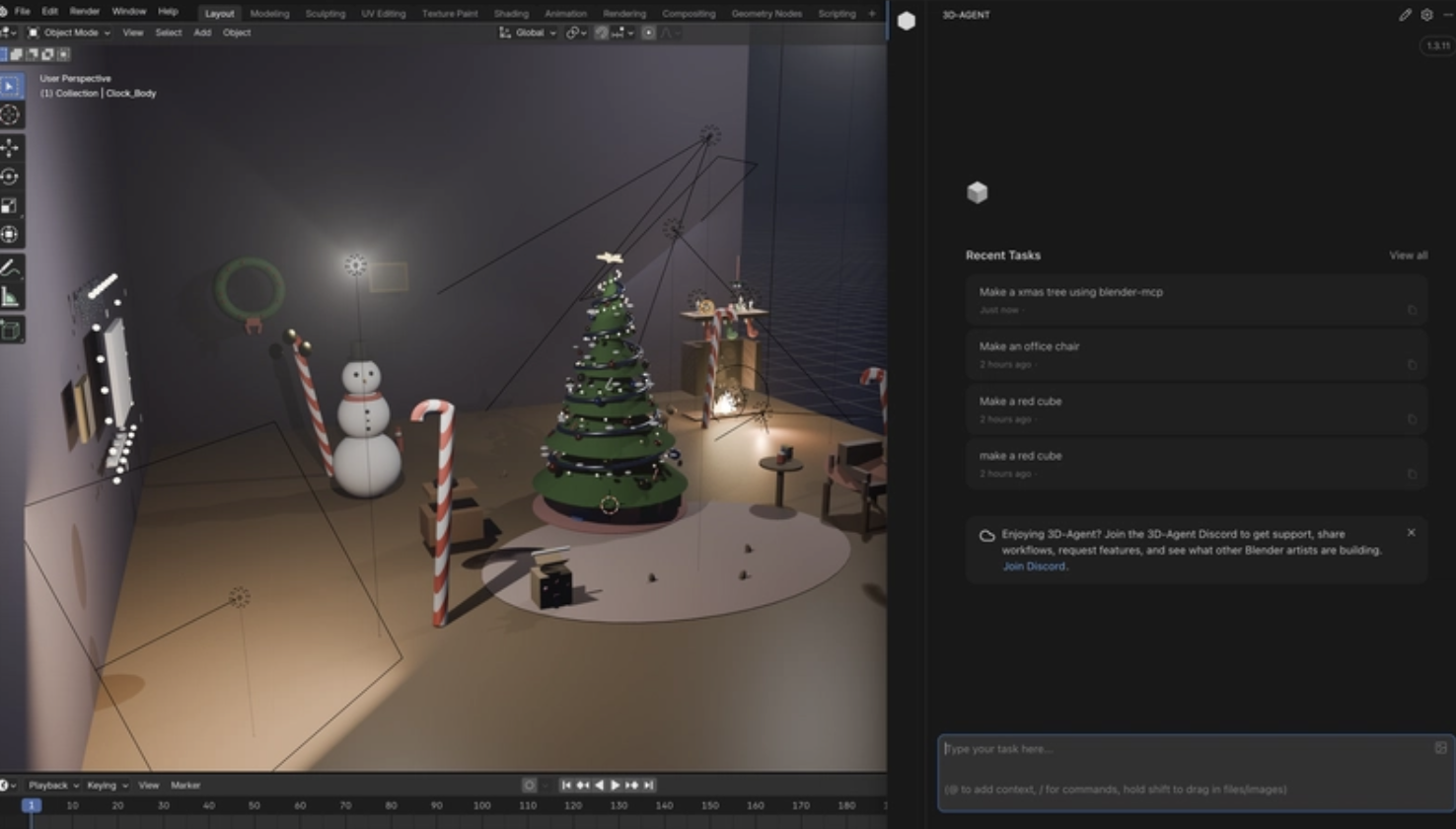
Quick Look at Clean Wireframes
Honest Comparison: Blender-MCP vs 3D-Agent
Real Test: Spiral Staircase Prompt
Prompt: “Create a spiral staircase with metal railings”
Blender-MCP: ~45 minutes incl. troubleshooting; geometry needed hours of cleanup; missing/floaty steps.
3D-Agent: ~8 minutes; clean quads; exported straight to FBX for Unity/Unreal/Godot.
Under the Hood: How 3D-Agent Improves on MCP
Simplified connection: No separate MCP server or config files. Install the .zip, authenticate, and go.
Prompt engineering tuned for Blender: Knows when to use modifiers vs manual ops, preserves edge flow, aims for UV-friendly meshes, and optimizes for engines.
Migration Guide: Blender-MCP → 3D-Agent (5 minutes)
Use your migration-steps image (PNG) or the text below:
1) Download the addon (3d-agent.com).
2) Blender → Edit → Preferences → Add-ons → Install → select the .zip.
3) Enable and login.
4) Generate your first model: “Simple wooden chair, game-ready, low poly.”
Total time: ~5 minutes.
When to Use What
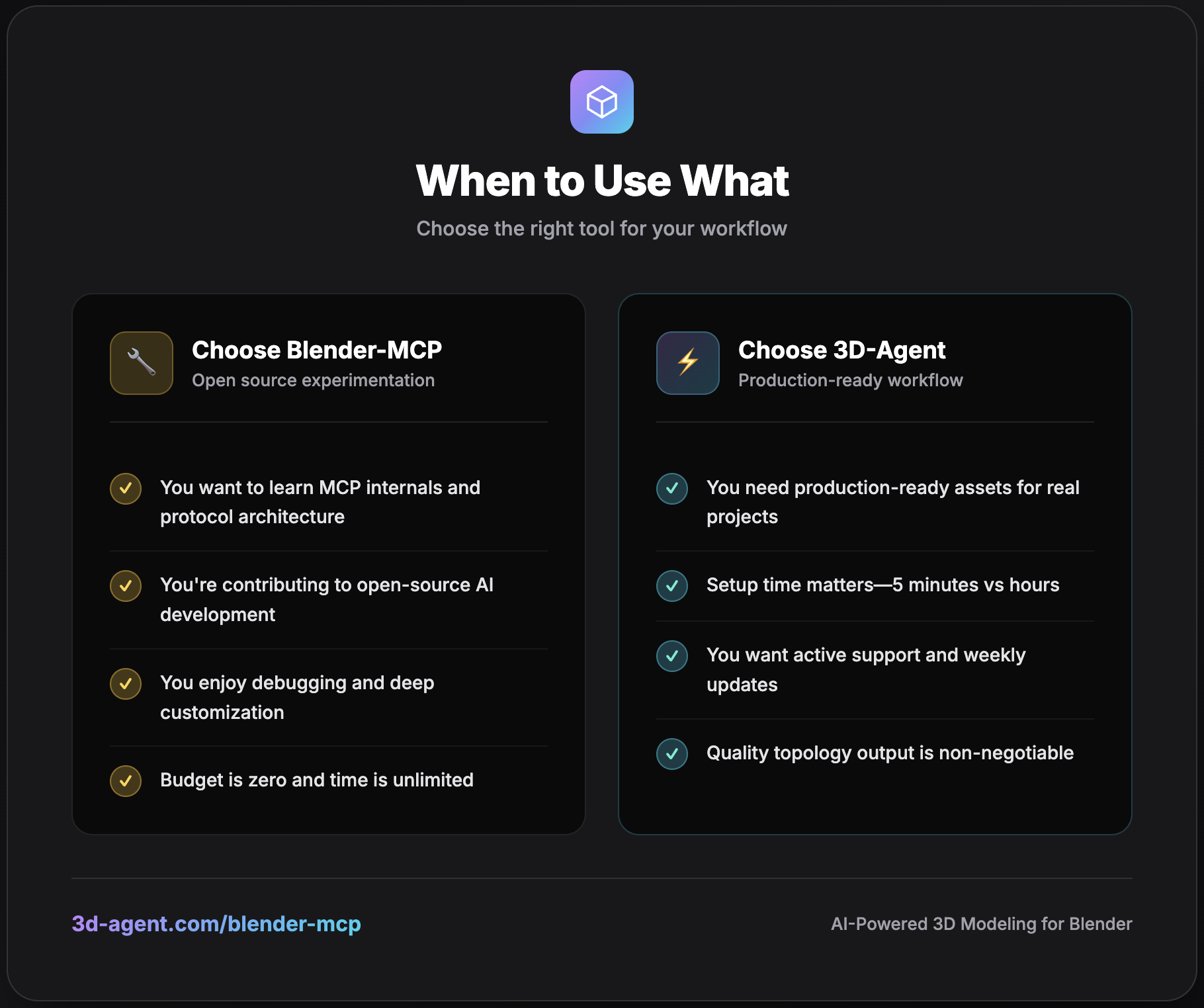
Choose Blender-MCP if:
You want to learn MCP internals
You love debugging and customization
Budget is $0 and time is unlimited
Choose 3D-Agent if:
You need production-ready assets now
Setup time matters
You want support and ongoing updates
Topology quality is non-negotiable
The Future: AI 3D Modeling in Blender
Both projects point to the same future: AI-assisted 3D is becoming standard.
The real question: which tools are reliable enough for daily pipelines? I’m betting on:
Production quality over demo impressiveness
Reliability over feature sprawl
Developer experience over config complexity
That’s the bar I’m building toward with 3D-Agent.
Try It (Free Trial)
→ 3d-agent.com
Works with Blender 3.0+ (and 5.0)
5-minute setup
Acknowledging the Pioneer
Blender-MCP (Siddharth Ahuja) was genuinely groundbreaking. It proved Claude + MCP + Blender is possible and inspired the rest of us. 3D-Agent exists because that path was cleared first. Different tools, different trade-offs—both push the space forward. 🙏

Join Guilherme on Peerlist!
Join amazing folks like Guilherme and thousands of other builders on Peerlist.
2
8
1