

Send Anonymous Text Messages on iPhone? Full Guide
Want to keep your identity private? This comprehensive guide explores the various ways to send anonymous text messages on iPhone.
Let’s be honest: at one point or the other, we’ve all wanted to send text messages without revealing our identity. It could be to silently warn a friend about something, play pranks on loved ones, expose secret information in a corporate setting, or for journalism purposes.
Apparently, there’s no way to completely hide your phone number when using the standard SMS on an iPhone. The good news, however, is that there are professional tricks to send messages anonymously.
In this guide, we will unveil the various methods to send anonymous text messages on iPhone and ensure that you’re not discovered.
Can You Send an Anonymous Text on an iPhone?
You cannot send an anonymous text message directly from the iPhone’s built-in Messages app because your phone number is automatically sent alongside the message.
The way out is to use third-party apps or web-based services that are designed to send anonymous text on iPhone. They give you a temporary phone number or allow you to choose a customized name to keep your real identity private.
How to Send an Anonymous Text on iPhone?
Below, we will share several third-party apps and web-based services that you can use to send anonymous text messages on iPhone.
Use Burner App to Send Anonymous Text on iPhone
There are 2 major burner apps (third-party apps) that are reliable when seeking how to anonymously text someone on iPhone. They are: TextNow and Hushed.
TextNow
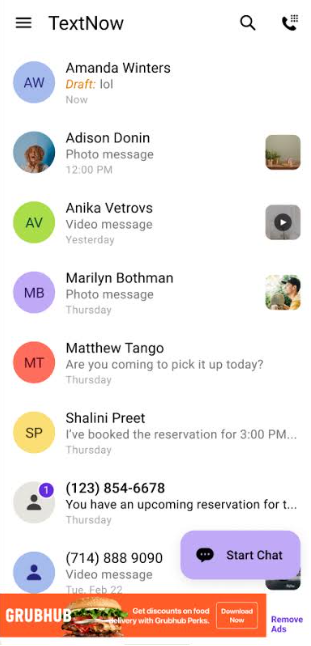
TextNow gives you a free phone number to send messages over Wi-Fi (you can also use it to make calls). No need to provide your name or any personal information, which ensures that your privacy is guaranteed. You also have the option of customizing your voicemail and caller ID, as well as selecting an area code that’s different from your real location.
The shortcomings, however, are that the free version offers limited functions and is often interrupted by ads. To enjoy all-round features, like unlimited texting and access to apps like Maps and Email, you need to make a monthly subscription of $35.99.
Hushed
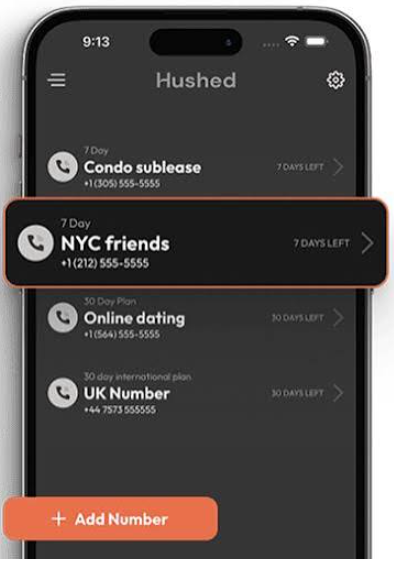
Just like TextNow, the Hushed app gives you a temporary phone number to send text messages and make calls, without asking for your personal information. The better side to this app is that you have access to more than one number. You can create multiple disposable numbers for different purposes, whether Condo sublease, NYC friends, Online dating, UK number, etc. The numbers are valid for as long as you need them (you can delete them at any time).
Unlike TextNow, the Hushed app is not free. There are several subscription plans, including prepaid options like a 7-day for around $1.99 or a 30-day for $5.99, and unlimited plans for about $4.99 a month.
Use Anonymous Text Services to Send Anonymous SMS on iPhone
There are 3 top anonymous text services (web-based services) that are reliable when seeking how to text someone anonymously on iPhone. They are: Anonsms, Textem, OpenTextingOnline
Anonsms
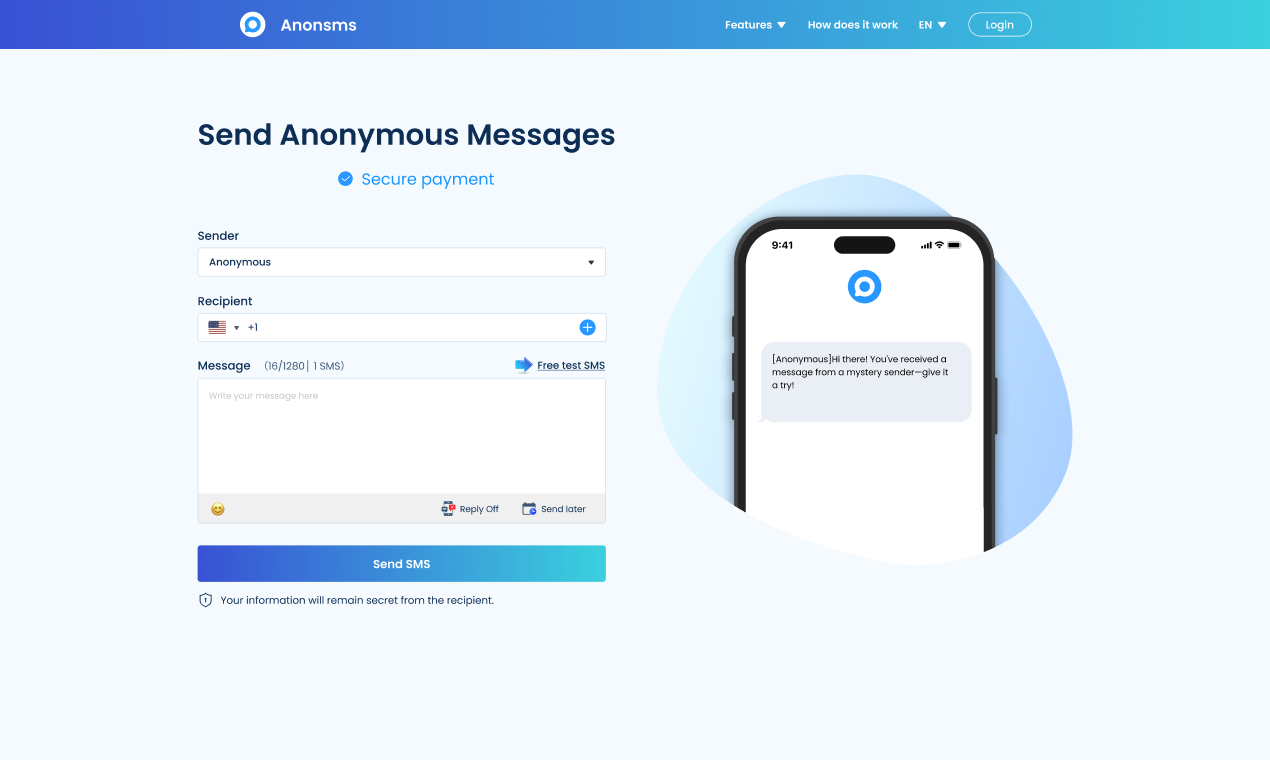
If you need a texting service that can send anonymous messages to anyone, anywhere in the world, Anonsms is the answer. It doesn’t require any registration or app installation. Just go to the website, enter the recipient’s phone number, type your message, and send. Each SMS can contain as many as 1,280 characters.
Anonsms supports bulk messaging; you can send messages to over 100 people at once. It also allows you to schedule your messages i.e., you can type the messages and set them to be sent at specific dates and time.
This texting service even has a “Reply” feature, which allows you to receive responses to your messages, but to enjoy this benefit, you need to register an account. Using Anonsms is not free, however, you only pay for what you send (no subscription needed). Each message costs $1.99, which is totally worth it considering the extensive benefits it offers.
Textem
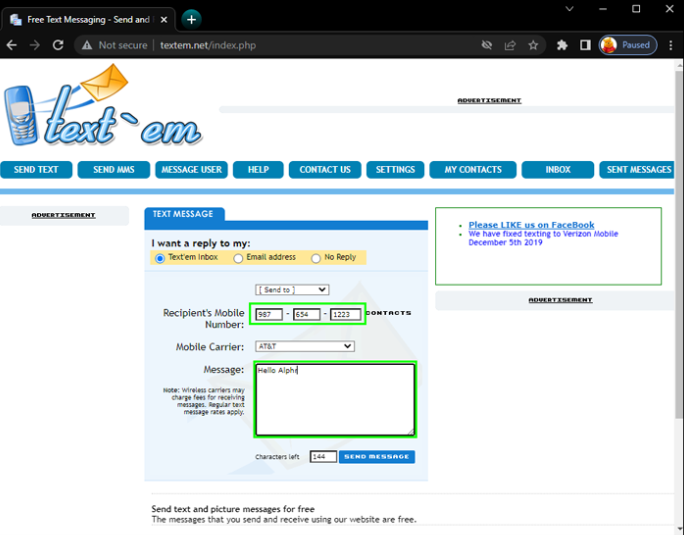
This is a U.S.-based anonymous texting service. If you reside outside the U.S.A., sorry this option is not for you. The website has a simple interface, and all you have to do is enter the recipient’s phone number, select the mobile carrier, and drop your message to send. You even get unlimited characters, so there’s no need to worry about streamlining your message.
Textem is totally free, but you need to know the right mobile carrier that the recipient uses. Selecting the wrong carrier may cause your message not to be delivered.
OpenTextingOnline
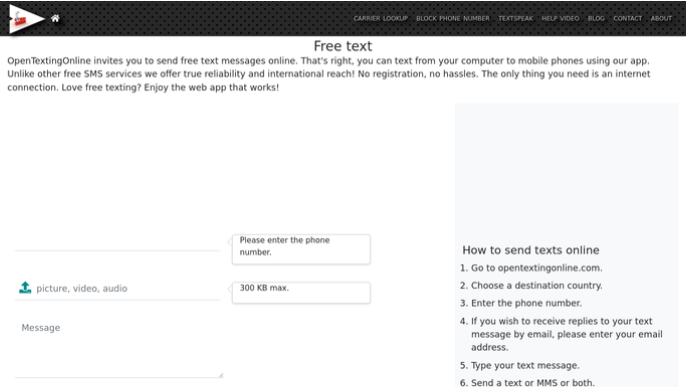
OpenTextingOnline is like the others—it does not require you to share your personal info for registration. But while it’s a web-based service, it’s also available as an app for mobile phones. And instead of just sending texts, it allows you to also send pictures, voice notes, or videos, as long as they are not above 300KB.
This texting service is available worldwide. All you have to do is go to the website, choose the destination country, enter the recipient’s phone number, type your message, and send. The problem with this service, however, is that it fails to successfully deliver messages in countries with rigid carrier regulations.
How to Send Text from iPhone But Not Display Phone Number
Normally, your phone number is displayed when you send a text message but there are 2 possible methods to hide your number.
Turn Off Caller ID
You can go to your iPhone’s settings and disable “Show My Caller ID” to ensure your number is invisible when you send a message.
👉Here are the steps involved:
Go to your iPhone’s Settings and scroll down to click Phone.
Navigate downwards and select Hide My Caller ID.
Switch OFF the green bar.
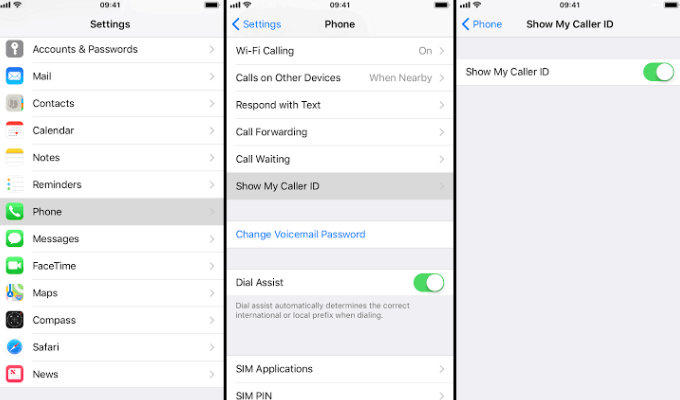
This method doesn’t always work for all carriers (such as Verizon), meaning the phone number will still be visible.
SMS Gateway
First of all, what’s an SMS Gateway? It’s a passage for sending a text message to a person’s phone number through your email. To use this method, you must know the person’s mobile carrier.
👉Here’s how to text anonymously from iPhone using SMS Gateway:
Create a new email address that’s not tied to your personal information. This email address will show in place of your phone number, so make sure it cannot be traced back to you.
Know the person’s carrier, whether Verizon, AT&T, etc.
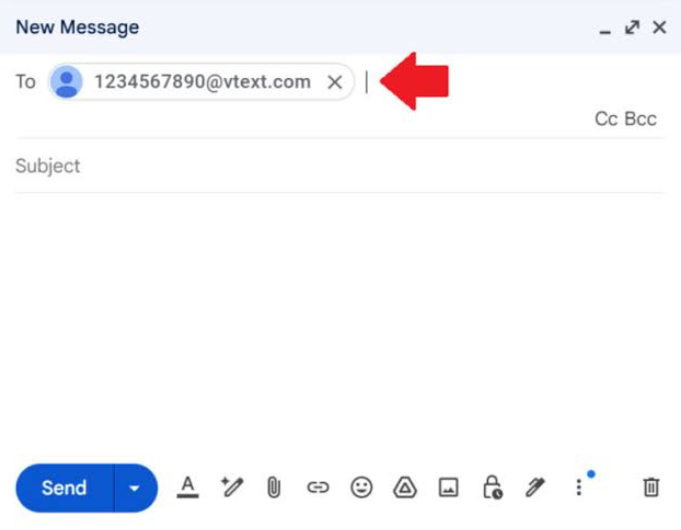
Research for their SMS gateway address. For example: Verizon is @vtext.com while AT&T is @txt.att.net.
Simply input the person’s phone number in front of their SMS gateway address (e.g., [email protected]). This is the email address you’ll send your message to.
Compose your message using the new email address you created, and send. The message will be automatically converted to an SMS for the recipient.
Conclusion
At first thought, sending an anonymous text message on iPhone may seem impossible, but it can be done when you know the technical ways. In this post, we’ve shared several methods (including burner apps and web-based anonymous texting services) to send messages on iPhone without revealing who you are.

Join Ruth on Peerlist!
Join amazing folks like Ruth and thousands of other builders on Peerlist.
1
1
0