

wordly
192
One word. One day. One terminal.
Try: brew install nikhil25803/tap/wordly
For Windows/Linux, please use the cURL-based installation mentioned in the project's GitHub README.
About Wordly
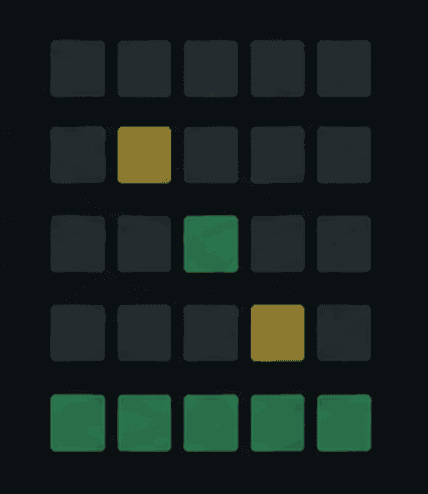
Wordly is a daily, six-attempt word guessing game built for the command line. Every user gets the same five-letter puzzle each UTC day, with the entire experience running directly inside the terminal.
It is designed to feel like a complete Wordle experience rather than just a simple CLI game — with a responsive terminal UI, persistent progress, statistics, spoiler-free sharing, and local-first storage.
Easy Installation: Download the latest release for your platform and start the game with wordly.
Daily Puzzle: Everyone gets the same five-letter Wordle puzzle every UTC day.
Six Attempts: Try to find the hidden word within six guesses, with clear feedback after every attempt.
Interactive TUI: Built with Bubble Tea and Lip Gloss, with dedicated screens for Home, Game, Result, and Statistics.
Responsive Layout: The interface adapts to different terminal sizes, providing a larger layout on wide terminals and a compact layout on smaller screens.
On-Screen Keyboard: Includes a QWERTY keyboard that visually tracks used letters and their current state.
Smart Letter Matching: Correctly handles repeated letters and provides accurate feedback based on their occurrence in the target word.
Dictionary Validation: Guesses are validated against the local dictionary. Invalid words do not consume an attempt.
Save & Resume: Your current game is automatically saved, allowing you to close Wordly and continue the same puzzle later.
Persistent Results: Completed games and result screens are restored when you reopen the application.
Statistics: Track daily and all-time performance, including wins, losses, current streak, best streak, and guess distribution.
Spoiler-Free Sharing: Share your results directly from the terminal without revealing the solution. Shared results include the puzzle date and number of attempts.
Terminal Clipboard: Uses OSC52 for clipboard-based result sharing, allowing results to be copied directly from compatible terminals.
Local-First: All gameplay data is stored locally on your machine. There is no account system, backend, or cloud dependency.
SQLite Storage: Uses an embedded SQLite database for game history, statistics, dictionary data, daily puzzles, and user information.
Privacy Focused: Wordly does not require an account, send gameplay data to a server, or collect telemetry.
Offline Friendly: Once installed, Wordly can be played without a network connection.
Cross-Platform: Supports Linux, macOS, and Windows with platform-specific installers and release archives.
CLI Commands
The CLI keeps the interface simple with a few useful commands:
wordly — Start or resume today's game.
wordly --stats — View your game statistics.
wordly --words — Check the number of words available in the dictionary.
wordly --reset — Reset local game data.
wordly --help — View available commands and options.
Built With
Go — Core application and game logic
Bubble Tea — Terminal user interface
Lip Gloss — Terminal styling and layout
SQLite — Local persistence
GoReleaser — Cross-platform builds and releases
Why Wordly?
Wordly started as a simple idea: build Wordle for the terminal.
Instead of creating just another basic command-line guessing game, the project focuses on making the terminal experience feel like a real application. It combines a clean TUI with persistent state, daily puzzles, statistics, responsive layouts, and privacy-first local storage.
It is also a practical Go project exploring terminal UI development, state management, SQLite persistence, cross-platform builds, release automation, and CLI application design.
The project is open source and available on GitHub.
Built with


