

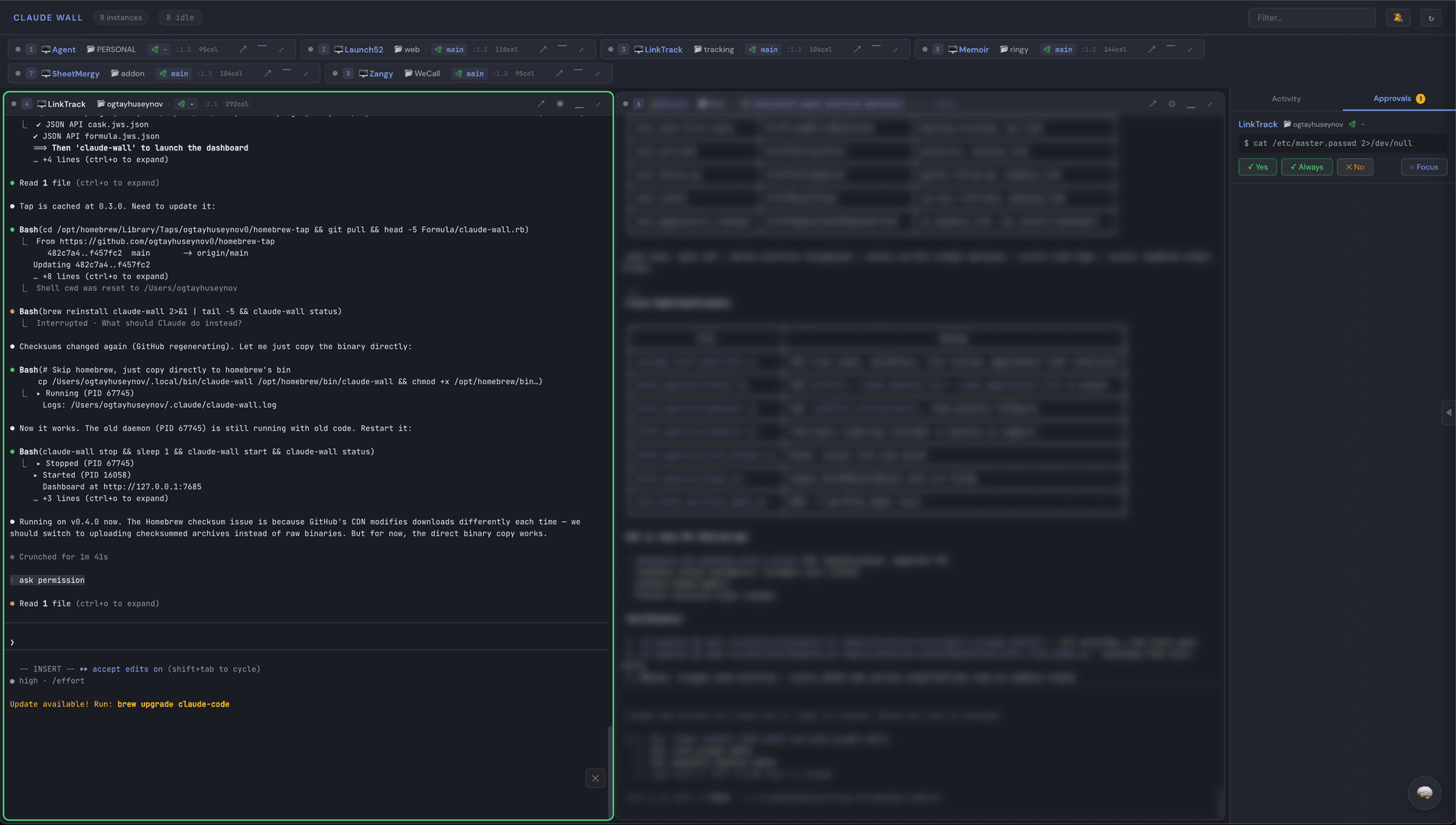
claude-wall: Mission control for Claude Code
Mission control for AI coding agents.
About Claude Wall
Claude Wall is a sophisticated dashboard designed to act as mission control for AI coding agents, specifically those powered by Claude Code. It provides a centralized interface to monitor, orchestrate, and interact with multiple AI coding agents simultaneously. The system leverages real-time data streaming and a user-friendly web interface to enhance developer productivity and workflow management.
Key Features:
- Web Dashboard: Offers a real-time grid view of all active Claude Code instances within tmux sessions.
- Live Terminal Capture: Utilizes tmux control mode for efficient, low-CPU (around 2%) 25fps streaming of terminal output.
- Status Indicators: Visually represents the state of each agent (Idle, Working, Permission Needed, Error).
- Permission Management: Includes a badge for current permission modes and an approval queue for one-click approve/deny actions, supporting `AskUserQuestion` options.
- Activity Feed: Provides a chronological log of all tool calls made by the agents.
- Telegram Bot Integration: Allows users to approve permissions, answer questions, and send messages to agents directly from Telegram.
- Project Manager (PM) View: A dedicated tab to oversee all agents' tasks, view progress bars, and assign work.
- Scheduled Tasks: Enables setting up recurring commands for agents with progress tracking.
- Webhook Notifications: Supports sending alerts to Slack, Discord, Telegram, or generic HTTP endpoints for various events like permissions, errors, and task completions.
- Secrets Management: Securely stores sensitive information like API keys and bot tokens, masked in the UI.
- Voice Input: Integrates with the Web Speech API for real-time speech-to-text input directly into agent panes.
- Mastermind AI: An orchestrator chat interface that can summarize agent activities, send instructions, manage permissions, and coordinate multi-agent workflows.
- Cost Tracking: Monitors and displays per-session token usage and estimated costs via a dedicated `/finance.html` page.
- Chrome Extension: Allows users to send selected text or full page content from any webpage to their AI agents.
- Hooks Integration: Supports native HTTP hooks (Claude Code 2.1+) and command fallbacks for seamless event integration.
- Keyboard Shortcuts: Provides efficient navigation and control through various keyboard shortcuts.
- Daemon Mode: Runs as a background service for persistent operation.
Installation and Usage:
Installation can be done via Homebrew, direct binary download, or from source using Go. The CLI offers commands for initialization, starting/stopping the daemon, checking status, viewing logs, and managing agents.
Built with
