

Redesigning StrictBlock: building a better iPhone app blocker for real focus
I recently relaunched StrictBlock with a complete redesign.
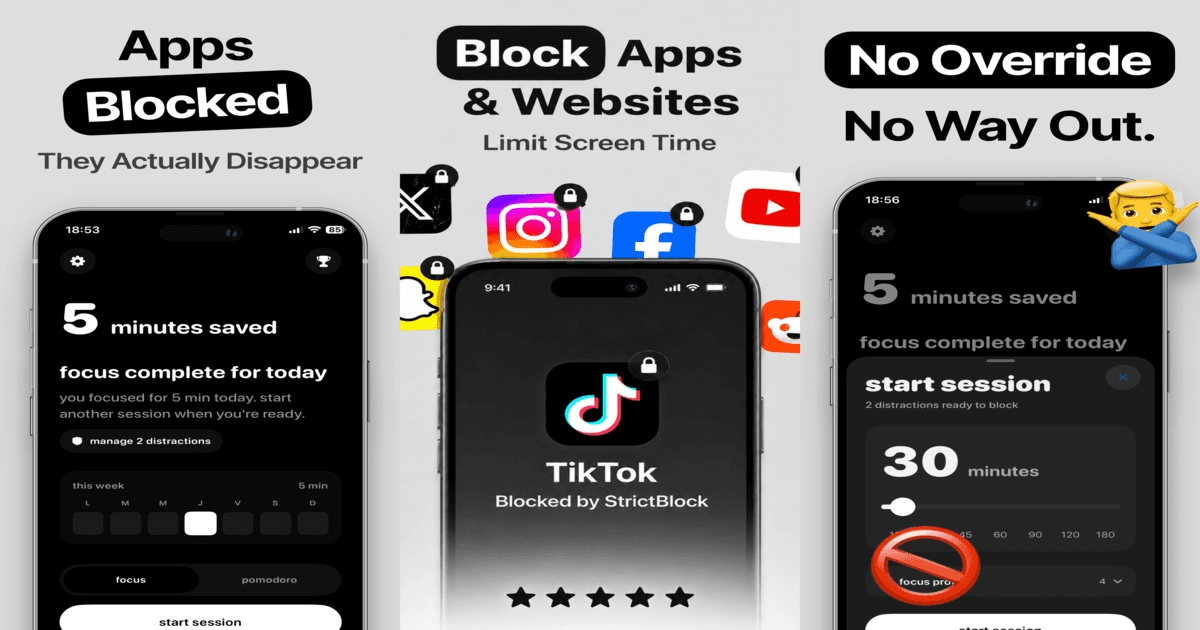
StrictBlock started with a simple idea: what if a focus app did not just remind you to stop procrastinating, but actually helped you create a real boundary between you and the distractions on your phone?
For the new version, I wanted to focus on one main thing: giving users a better experience from the moment they open the app to the moment they finish a focus session.
Not just a cleaner UI. Not just new screens. I wanted the whole product to feel more intentional, more useful, and more aligned with the reason people install an app blocker in the first place: they want help staying focused.
Why I redesigned it
The previous version of StrictBlock worked, but I felt the experience could be much stronger.
Blocking apps is already a strict action. If the app feels confusing, heavy, or annoying, users will not trust it during moments when they actually need help. So the redesign was about making StrictBlock feel clear, calm, and direct.
I wanted users to understand three things quickly:
What should I block?
How long do I want to focus?
What am I working toward?
That became the foundation of the redesign.
Making focus sessions easier to start
One of the biggest goals was reducing friction.
When someone opens StrictBlock, they are probably already fighting distraction. They do not need a complicated setup. They need to start a session fast.
So I redesigned the app around focus profiles. Users can create blocking setups for different situations like studying, work, sleep, deep work, or Pomodoro sessions.
Instead of rebuilding the same blocking list every time, they can choose a profile, start a session, and let StrictBlock handle the distractions.
Making accountability part of the experience
A lot of productivity apps focus only on tracking. But tracking alone does not always help when the problem is procrastination.
For StrictBlock, I wanted accountability to be part of the core experience.
The new version includes streaks, trophies, weekly reports, widgets, and consequences for ending sessions early. The idea is to make focus feel visible and give users a reason to keep showing up.
Not in a stressful way, but in a way that makes discipline easier to build over time.
Adding Pomodoro with real blocking
Pomodoro timers are useful, but they are even better when your distractions are actually blocked during the session.
That is why the new StrictBlock includes Pomodoro sessions with app and website blocking built in. Users can work in structured intervals while the apps and websites that usually break their focus stay out of reach.
This makes Pomodoro feel less like a timer and more like a protected work mode.
Designing for reflection, not just restriction
I also added a session journal because focus is not only about blocking things. It is also about understanding yourself.
After a session, users can reflect on what helped, what made the session harder, and what they want to improve next time.
I think this matters because procrastination is not always just about willpower. Sometimes it is about patterns, environment, energy, and habits. The journal gives users a simple space to notice those patterns.
What changed in the relaunch
This relaunch includes:
A complete visual redesign
A cleaner focus session flow
Custom focus profiles
App and website blocking
Pomodoro sessions
Weekly focus reports
Streaks and trophies
Session journal
Home Screen widgets
Better accountability around ending sessions early
The goal was to make StrictBlock feel like a stricter, more intentional alternative to basic Screen Time limits.
What I learned
The biggest thing I learned while redesigning StrictBlock is that a productivity app should not just add features. It should reduce the distance between intention and action.
When users open the app, they already know what they want: focus, study, work, sleep, or stop wasting time.
The product should help them get there with as little friction as possible.
That is what I tried to build with this new version of StrictBlock.
Try StrictBlock
StrictBlock is now relaunched with a complete redesign.
If you struggle with procrastination, deep work, study focus, or spending too much time on distracting apps, I would love for you to try it and share your feedback.

Join Paul on Peerlist!
Join amazing folks like Paul and thousands of other builders on Peerlist.
0
1
0