

The Packet Format: 90 Bytes and One Cursed Byte
Part 2 of a series on building a native Razer mouse controller for macOS.
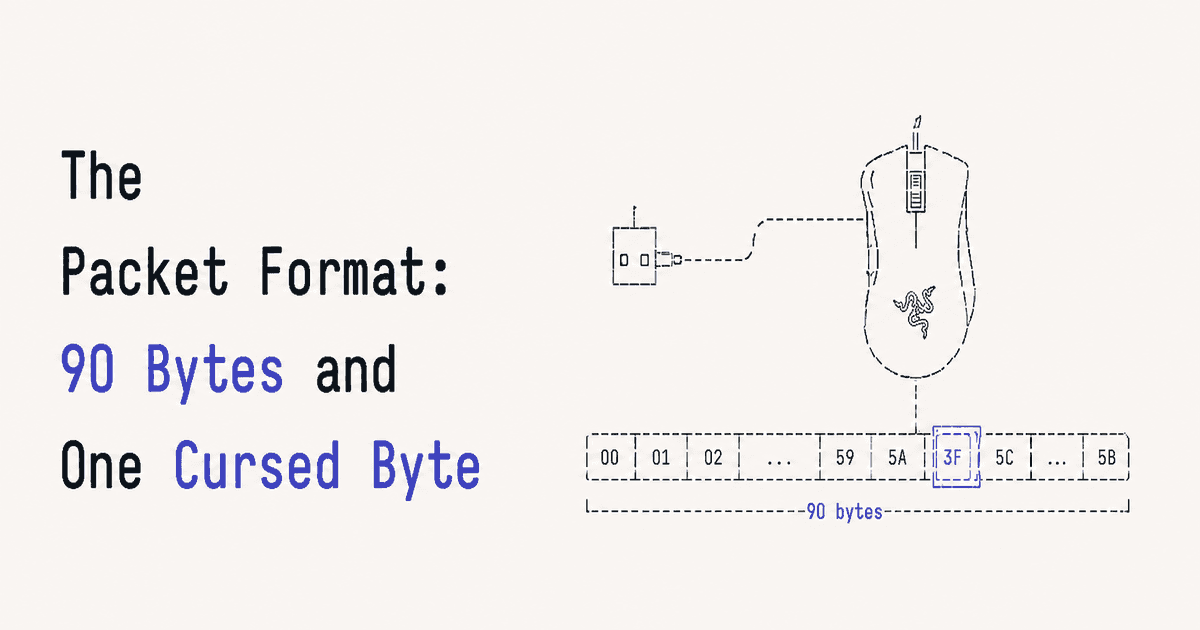
In part 1 we found the right HID interface and learned how to push a feature report at it. The report was just 90 zero bytes, which does nothing. This part is about what actually goes in those 90 bytes.
Every Razer config command uses the same fixed layout. Once you have the layout, every feature (DPI, lighting, polling rate) is just different values in the same envelope.
The Layout
[0] status
[1] transaction_id
[2-3] remaining_packets
[4] protocol_type
[5] data_size
[6] command_class
[7] command_id
[8-87] arguments (80 bytes)
[88] CRC
[89] reserved
When you send a command, byte [0] (status) is 0. When the device replies, it writes a status code back into byte [0]. Same buffer shape both ways.
The two bytes that pick what the command does are command_class ([6]) and command_id ([7]). Think of class as the subsystem (DPI, lighting, profiles) and id as the specific action inside it. Everything from byte 8 onward is arguments, and what they mean depends entirely on the class/id pair.
data_size ([5]) is how many of the argument bytes are meaningful. If your command uses 3 argument bytes, data_size is 3. Get this wrong and the device usually ignores you.
The CRC
Byte [88] is a checksum. It's an XOR of every byte from index 2 through 87, inclusive.
report[88] = report[2...87].reduce(0, ^)
That's the whole thing. No polynomial, no lookup table, just XOR. If the CRC is wrong the device rejects the packet, and you'll get a status that isn't 0x02 or no response at all.
The range matters. It's 2...87, not 0...89. The status and transaction ID at the front are excluded, and so are the CRC and reserved bytes at the end. I got this wrong the first time by including byte 1 and spent a while convinced my command bytes were the problem.
The Transaction ID
Byte [1] is the transaction ID, and it is the single most annoying byte in the whole format.
It's not part of the command. It doesn't change behavior. It's a tag the device firmware checks before it will even look at the rest of the packet. If it's wrong, the device acts like you said nothing.
The catch: the correct value is different across Razer devices, and nobody documents it per model. For the DeathAdder V2 it's 0x3F. Other devices use 0xFF or 0x1F. There's no command to ask the device what its transaction ID is. You either know it or you guess.
report[1] = 0x3F // DeathAdder V2
If you're porting this to another Razer mouse and nothing works even though your command bytes look right, this is the first thing to change. Try 0xFF, then 0x1F, then 0x3F. One of them will start returning 0x02.
I hardcoded it. There's no reason to make it configurable in the app, because a wrong value just means a dead command.
A Real Command
Here's the firmware version request, which is the simplest useful command and a good first target because it returns data you can sanity-check:
var report = [UInt8](repeating: 0, count: 90)
report[1] = 0x3F // transaction id
report[5] = 0x02 // data_size
report[6] = 0x00 // command_class: standard
report[7] = 0x81 // command_id: get firmware
report[88] = report[2...87].reduce(0, ^)
Send it, wait 300ms, read the response. If the stack is working, byte [0] of the response comes back 0x02, and the firmware version sits in bytes [9] and [10]:
print("firmware: \(response[9]).\(response[10])")
// firmware: 2.0
Seeing 2.0 print instead of 0.0 is the moment you know the whole chain works: right interface, right transaction ID, right CRC, right delay. Everything after this is just changing class, id, and arguments.
What's Next
Part 3 builds the real commands on top of this envelope: setting DPI, reading it back, and the static color command that I got wrong twice before it worked. There's a good lesson buried in that one about why "command accepted" doesn't mean "command did anything."

Join Paul on Peerlist!
Join amazing folks like Paul and thousands of other builders on Peerlist.
0
1
0