

What Shipping a Payment Platform Release Actually Looks Like
Inside a Payment Platform Release: What Changes and Why It Matters
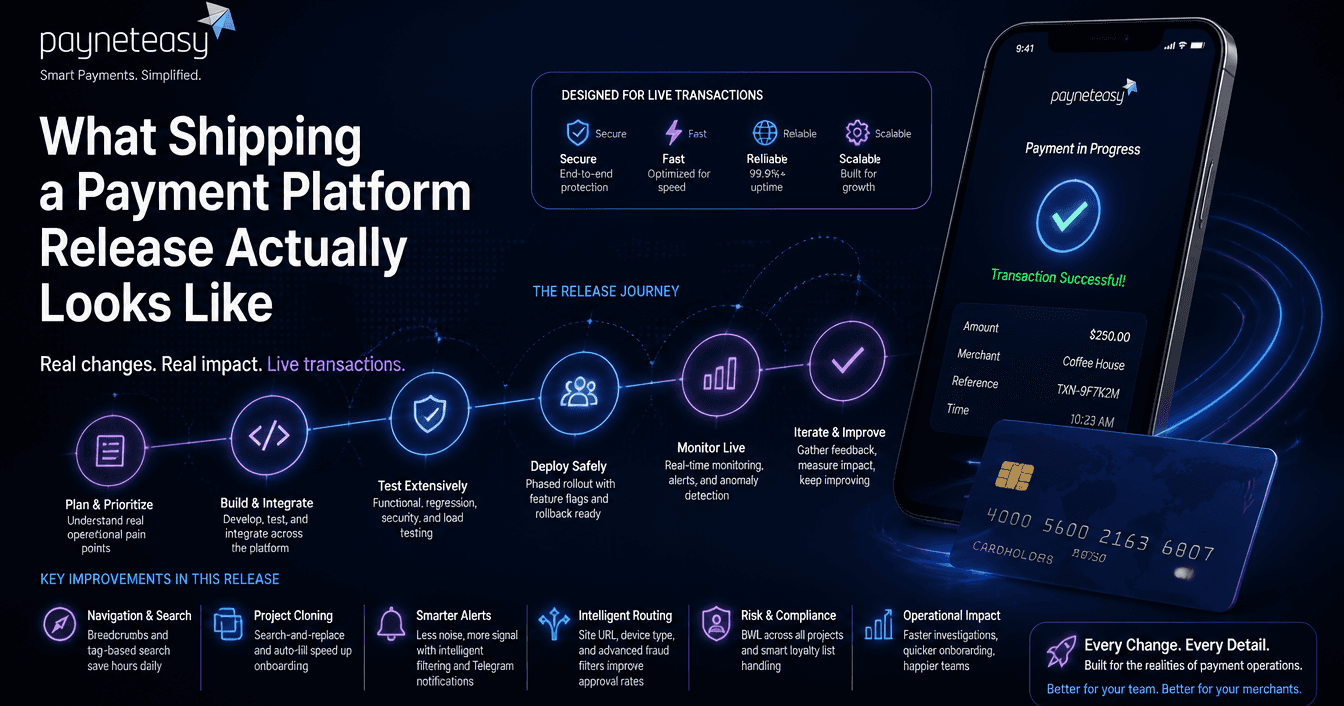
Most product release notes read like feature lists. Checkbox items. "Improved performance. Bug fixes." They tell you what changed without explaining why it matters or what it took to ship.
Payment platform releases are different. Every change touches live transaction flows. A UI improvement in the wrong place can slow down a fraud analyst during an active investigation. A routing enhancement that is not backward-compatible can break merchant integrations. A notification change that fires incorrectly can wake up an entire operations team at 3 AM for no reason.
Here is a breakdown of what actually goes into a payment platform release, using a recent set of changes as a real example.
Navigation and search: small changes, large impact at scale
This release added breadcrumb navigation across the platform and introduced terminal search by tag.
Breadcrumbs sound trivial. They are not, in a payment operations context. A fraud analyst investigating a suspicious transaction needs to navigate from transaction detail → merchant → project → terminal configuration → back to transaction -- multiple times per investigation. Without consistent navigation, this involves memorising URL paths or keeping multiple tabs open. Breadcrumbs cut investigation time per case.
Terminal search by tag is similarly practical. A large merchant may have hundreds of terminals (physical or virtual). Tags allow grouping by region, business unit, or integration type. Without tag search, finding the right terminal means scrolling through a flat list or using the browser's Ctrl+F -- which does not work when the list is paginated. These are the kind of changes that do not appear in product marketing but determine whether an operations team can handle 200 cases per day or 150.
Project cloning: reducing manual work in onboarding
The release improved project copying with search-and-replace in fields and auto-fill capabilities.
Context: when a payment platform onboards a new merchant or creates a new project, the configuration involves dozens of fields -- endpoint URLs, notification URLs, credential references, routing rules, fee structures. Many of these are similar across projects, with small variations (different merchant IDs, different callback URLs).
Previously, cloning a project required manually editing each field after copying. The new search-and-replace means an operations team member can clone a project, run a find-replace on the old merchant's credentials with the new one's, and have a working configuration in minutes instead of an hour.
This directly impacts onboarding speed. Faster merchant onboarding means faster time-to-revenue.
Monitoring and alerting: from noise to signal
Three changes in this area, each addressing a real operational pain point.
Balance alerts now exclude zero balances. Before this change, inactive accounts with zero balance triggered "balance running low" alerts. These are noise - the account is intentionally inactive. When you have hundreds of merchants, noise alerts train the operations team to ignore alerts, which means they also ignore real ones. Filtering zero balances is a small logic change with a significant impact on alert trust.
Merchant identification in reconciliation monitoring. The reconciliation screen now shows merchant ID and name alongside balance data. Previously, identifying which merchant had a reconciliation discrepancy required cross-referencing IDs manually. When you are reconciling across dozens of merchants daily, this saves significant time.
Telegram bot notifications for limits. Limit alerts - when a merchant approaches or exceeds a configured transaction limit - now push to Telegram in addition to existing channels. This is an operational speed improvement: Telegram delivers instantly to mobile, so the responsible person sees the alert within seconds regardless of whether they are at their desk.
Transaction processing: routing and fraud filters
The more technically complex changes in the release:
Email-based duplicate detection filters at project and gateway level. This addresses a specific fraud pattern: the same email address appearing across multiple transactions in a short window can indicate card testing or credential stuffing. The filter operates at two levels - project (across all gateways in a project) and gateway (within a single gateway) - because the appropriate sensitivity differs by business context.
Site URL routing and blacklisting. Transactions now carry a site_url parameter that can be used in routing rules and processor-level blacklists. This is useful for platforms that process transactions from multiple merchant websites through a single integration -- routing and risk rules can now differ by originating site.
Automatic device type detection in routing. The purpose parameter now auto-detects whether the transaction originates from a mobile device, desktop, or other channel, and makes this available for routing decisions. Mobile transactions have different risk profiles and approval patterns than desktop; routing based on device type can improve authorisation rates.
Decline-to-Approve status changes. The UI now supports changing a transaction status from Declined to Approved for any session in the gateway chain. This handles edge cases where a transaction was incorrectly declined (manual review, issuer error) and needs to be reprocessed without creating a new transaction.
BWL and loyalty list handling
BWL download across all projects. Black/white list data can now be downloaded at the merchant level across all projects, instead of project by project. For merchants with multiple projects, this is a compliance and audit requirement - they need a unified view of blocked and allowed entities.
Loyalty list upload with expired card handling. When uploading loyalty lists (6+4 digits plus expiry date), cards with expired dates are now automatically skipped without stopping the upload. Previously, a single expired card in a batch could halt the entire import, requiring manual cleanup and re-upload.
What this means in practice
None of these changes are headline features. There is no "AI-powered" marketing language. No "revolutionary" paradigm shift.
What there is: a set of changes that make fraud analysts faster, operations teams less fatigued by noise, merchant onboarding quicker, and transaction routing more intelligent. The kind of work that compounds over months - each small improvement reduces the operational overhead of processing payments at scale.
This is what shipping a payment platform release actually looks like. Not a splash page. A series of targeted improvements

Join Daniel on Peerlist!
Join amazing folks like Daniel and thousands of other builders on Peerlist.
0
1
0