

🧠 30 UX Laws & Psychology Principles Every Designer Should Know
Design isn’t just visuals—it’s about human behavior. Using psychology-driven UX principles, we create intuitive, simple, and delightful experiences. This article explores 30 essential rules.
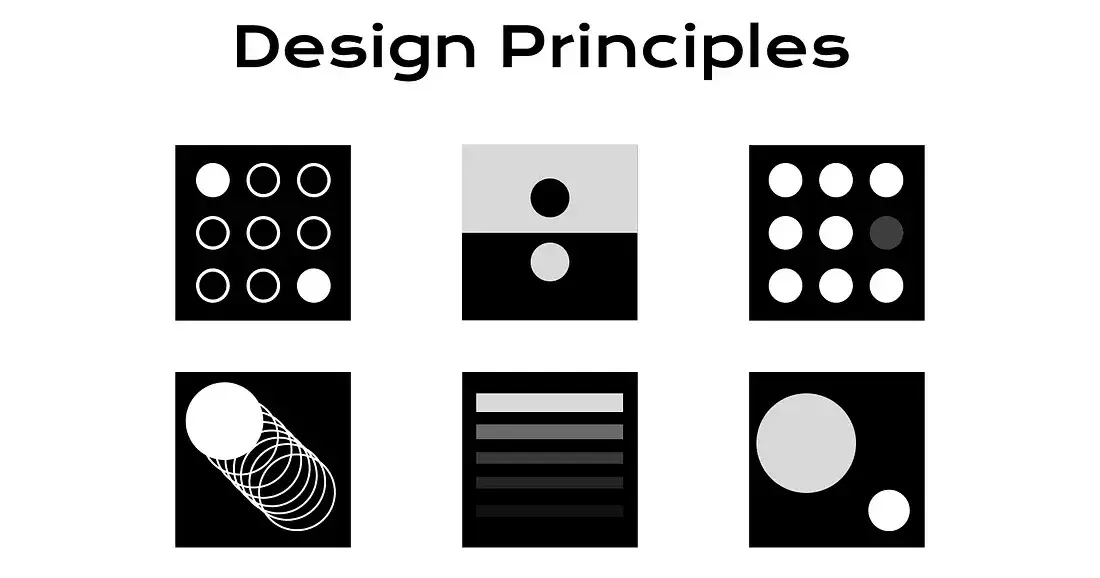
1. Hick’s Law
📖 Definition: The more choices a user has, the longer it takes them to decide.
🧠 Easy: Fewer options = faster decisions.
🌍 Example: Netflix organizes movies into categories instead of showing thousands at once.
2. Fitts’s Law
📖 Definition: The time to reach a target depends on its size and distance.
🧠 Easy: Bigger and closer = easier to click.
🌍 Example: Large “Submit” button at the bottom of forms.
3. Miller’s Law (7±2 Rule)
📖 Definition: People can remember 5–9 things at once in working memory.
🧠 Easy: Don’t overload users.
🌍 Example: Phone numbers are split into chunks (123-456-7890).
4. Jakob’s Law
📖 Definition: Users expect your design to work like other familiar platforms.
🧠 Easy: Consistency reduces learning.
🌍 Example: E-commerce sites always use a 🛒 cart icon.
5. Law of Proximity (Gestalt)
📖 Definition: Elements close to each other are perceived as related.
🧠 Easy: Grouping builds meaning.
🌍 Example: Labels placed right next to input fields.
6. Law of Similarity (Gestalt)
📖 Definition: Similar elements are seen as part of the same group.
🧠 Easy: Same look = same function.
🌍 Example: Navigation links styled in the same way.
7. Law of Closure (Gestalt)
📖 Definition: People see complete shapes even if parts are missing.
🧠 Easy: Our brain fills the gaps.
🌍 Example: WWF’s panda logo.
8. Law of Continuity (Gestalt)
📖 Definition: The eye naturally follows smooth lines and curves.
🧠 Easy: Visual flow = easy scanning.
🌍 Example: Breadcrumb trails on websites.
9. Von Restorff Effect
📖 Definition: Unique items stand out and are remembered.
🧠 Easy: Highlight important actions.
🌍 Example: Bright “Sign Up Free” button.
10. Peak-End Rule
📖 Definition: People remember peak moments and how an experience ends.
🧠 Easy: End on a high note.
🌍 Example: A success message after checkout.
11. Serial Position Effect
📖 Definition: People remember the first and last items best.
🧠 Easy: Start & finish strong.
🌍 Example: Logout placed at the end of a menu.
12. Zeigarnik Effect
📖 Definition: Unfinished tasks are remembered more than finished ones.
🧠 Easy: Progress keeps users engaged.
🌍 Example: Signup forms with progress bars.
13. Paradox of Choice
📖 Definition: Too many options create decision fatigue.
🧠 Easy: Limit choices.
🌍 Example: Spotify recommends a few playlists instead of all songs.
14. Pareto Principle (80/20 Rule)
📖 Definition: 80% of effects come from 20% of causes.
🧠 Easy: Focus on high-value features.
🌍 Example: Gmail users mostly use Inbox + Compose + Search.
15. Occam’s Razor
📖 Definition: The simplest solution is usually best.
🧠 Easy: Don’t overcomplicate.
🌍 Example: Google’s minimal homepage.
16. Aesthetic-Usability Effect
📖 Definition: Attractive designs are perceived as easier to use.
🧠 Easy: Beautiful = trustworthy.
🌍 Example: Apple’s clean, minimal product designs.
17. Doherty Threshold
📖 Definition: Systems feel smooth when responses happen within 400ms.
🧠 Easy: Fast feedback = happy users.
🌍 Example: Instagram’s instant heart animation.
18. Tesler’s Law
📖 Definition: Complexity is constant; designers must handle it, not users.
🧠 Easy: Hide complexity in design.
🌍 Example: Tax apps show totals, not raw calculations.
19. Postel’s Law
📖 Definition: Be liberal in what you accept, strict in what you send.
🧠 Easy: Allow flexible input.
🌍 Example: Phone fields accept “123-456-7890” or “1234567890.”
20. Progressive Disclosure
📖 Definition: Show info only when needed.
🧠 Easy: Reveal step by step.
🌍 Example: FAQs with “Show more.”
21. Affordance Principle
📖 Definition: Design should suggest its function.
🧠 Easy: Buttons should look clickable.
🌍 Example: Raised shadow buttons.
22. Feedback Principle
📖 Definition: Every action should have a clear response.
🧠 Easy: Keep users informed.
🌍 Example: “Message sent ✔” toast.
23. Consistency Principle
📖 Definition: Similar actions should behave the same.
🧠 Easy: Predictability builds trust.
🌍 Example: Copy shortcut (Ctrl+C) works across apps.
24. Mapping Principle
📖 Definition: Controls should match natural expectations.
🧠 Easy: Interface = real-world logic.
🌍 Example: Volume slider → right = louder.
25. Cognitive Load Theory
📖 Definition: Too much info overwhelms working memory.
🧠 Easy: Keep it simple.
🌍 Example: Multi-step sign-up forms.
26. Anchoring Effect
📖 Definition: People rely heavily on the first piece of info.
🧠 Easy: First impression matters.
🌍 Example: “$99” crossed out next to “$49.”
27. Endowment Effect
📖 Definition: People value things more if they feel ownership.
🧠 Easy: Mine = valuable.
🌍 Example: Free trial that saves your work.
28. Framing Effect
📖 Definition: How info is framed changes decisions.
🧠 Easy: Words shape perception.
🌍 Example: “95% fat-free” vs “5% fat.”
29. Social Proof
📖 Definition: People follow others’ actions.
🧠 Easy: Trust what others approve.
🌍 Example: “10,000+ users signed up today.”
30. Reciprocity Principle
📖 Definition: People return favors.
🧠 Easy: Give something → get something.
🌍 Example: Free eBook in exchange for email sign-up.
📌 Final Thoughts
UX isn’t just about designing interfaces—it’s about designing for human psychology. By applying these 30 principles, you’ll create products that feel natural, trustworthy, and delightful.
👉 For deeper dives, check out:

Join PRINCE on Peerlist!
Join amazing folks like PRINCE and thousands of other builders on Peerlist.
0
1
2