

How a Single Space Character Cost Me 6 Hours: A Cloudflare Turnstile Integration Story
Sometimes the smallest mistakes cause the biggest headaches. Here’s how I nearly lost my mind over a trailing space in an environment variable.
The Setup: Just Another Tuesday
I’ll be honest with you — I’m what you might call a “vibe-coder.” Most of my projects come to life through conversations with Cursor AI rather than me grinding through documentation at 2 AM. It’s not traditional, but it works for me, and I’ve shipped several projects this way.
My Wu-Tang name generator had been humming along nicely on Cloudflare Pages, bringing joy to hip-hop fans who wanted to discover their inner Clan member. But recently, I noticed something annoying: bots were hammering my API endpoints, probably trying to scrape data or just being generally obnoxious. The traffic was getting ridiculous, and I needed to do something about it.
Since I was already using Cloudflare Pages for hosting and Workers for my backend, Turnstile seemed like the obvious choice. I’d integrated it before on other projects — how hard could it be to do it again?
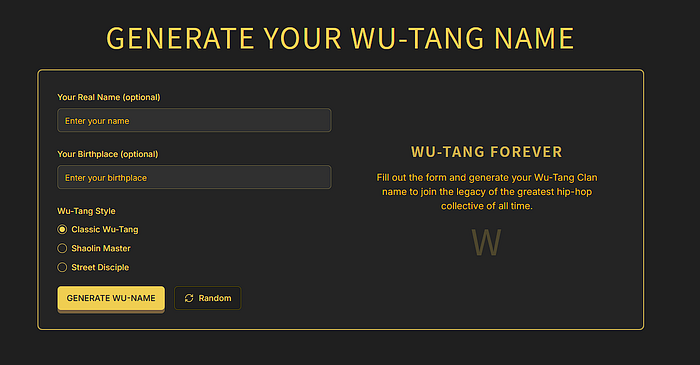
My Wu-Tang name generator working perfectly — before the bot attack and my Turnstile nightmare began
Spoiler alert: Famous last words.
The Confident Start (And Quick Reality Check)
I approached this integration with the swagger of someone who’d done it before. Turnstile frontend widget? Easy. Backend verification? I’ve got this. Environment variables? Child’s play.
I quickly integrated the Turnstile widget into my frontend, created what I thought was the right API endpoint, and set up my environment variables in the Cloudflare dashboard. Everything looked good on my local machine. Time to deploy.
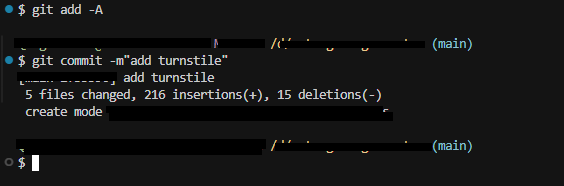
The confident commit that started everything — ‘add turnstile’ seemed so simple at the time
I pushed to GitLab, and Cloudflare started its deployment process. Then I saw it — that soul-crushing message that every developer knows too well:
Failed: an internal error occurred. If this continues, contact supportThe deployment logs showed the usualsuspects — cloning repository, checking for configuration files, and then… nothing. Just that vague, unhelpful error message that tells you absolutely nothing about what went wrong.
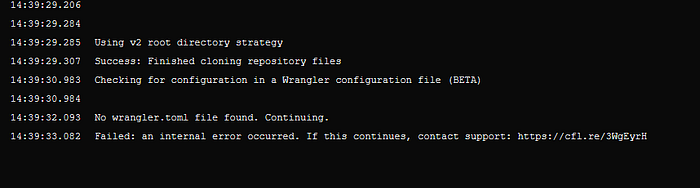
The deployment logs that gave me no useful debugging information
Down the Rabbit Hole: When Simple Becomes Complex
My first instinct was to blame my approach. I was using API routes for the Turnstile verification, but wait — I’m using Cloudflare Workers for my backend. Maybe that was the issue? Workers have their own way of handling things, after all.
I spent the next hour refactoring my code to use Workers properly instead of API routes. The logic made sense: if I’m running on Cloudflare’s infrastructure, I should embrace it fully. I updated my verification endpoint, made sure everything was properly configured for the Workers environment, and deployed again.
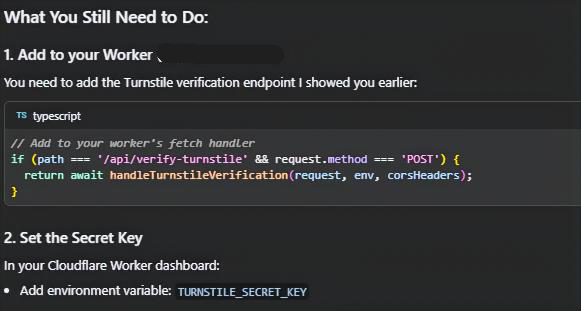
Use Worker Rather API Route
Same error.
At this point, I’d been at this for over two hours. The confidence was fading, replaced by that familiar developer frustration — you know the one. It’s that feeling when something that should be straightforward starts fighting back.
The Great Help-Seeking Adventure
When you’re stuck, you reach out. I started casting a wide net:
Peerlist: Posted my problem, got some sympathy but no solutions.
Twitter/X: Threw my error message into the void, hoping someone had seen it before.
Discord communities: Found a few people with similar issues, but nothing that quite matched my setup.
Cloudflare Community Forums: This is where things got interesting. I discovered I wasn’t alone — lots of developers were hitting this same “internal error” wall. Some mentioned issues with D1 database bindings, others talked about environment variable problems.
The D1 binding suggestions didn’t apply to my case, but they sparked an idea. Maybe the issue wasn’t just in my code — maybe it was in how I’d configured the Workers environment. I decided to move my secret key configuration from Pages to Workers, thinking that might resolve some binding issues.
Nope. Same error.
The Breaking Point (And the Importance of Walking Away)
By this point, I was getting genuinely frustrated. You know that feeling when you’ve been staring at the same problem for hours, and every solution you try feels like you’re just randomly changing things and hoping something sticks? That was me.
I’d been at this for several hours, I was starting to get snippy with my AI assistant, and I could feel that familiar developer rage building up. So I did something that took me years to learn: I walked away.
I spent the next few hours with my son, completely disconnecting from the code. We played, we laughed, and I let my brain reset. It’s amazing how important this step is, but it’s something we often skip when we’re in the thick of a problem.
The Fresh Perspective (And a New Suspicion)
When I came back to the code later that evening, I had a different conversation with my AI assistant. This time, it suggested something that initially annoyed me: “This might be a Cloudflare infrastructure issue. You should contact their support.”
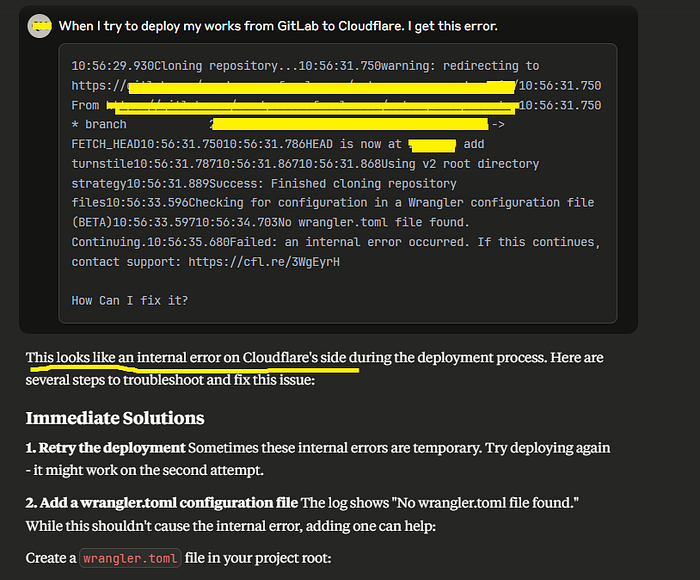
AI keep telling me this is an Cloudflare issue
I was ready to accept this verdict, but something nagged at me. Before I went down the support ticket rabbit hole, I decided to test my theory. I had other projects on Cloudflare Pages — what if I tried to redeploy one of them?
I picked a simple static site and triggered a redeployment. It worked perfectly.
This was the moment I knew: the problem wasn’t Cloudflare. It was me.
The Strategic Retreat
Accepting that the issue was on my end was both humbling and oddly relieving. At least I could fix my own mistakes. But first, I needed to isolate the problem.
I did what my AI assistant had suggested hours earlier (and what I should have done from the beginning): I completely rolled back all my changes. Every piece of Turnstile code, every environment variable, every configuration change — gone.
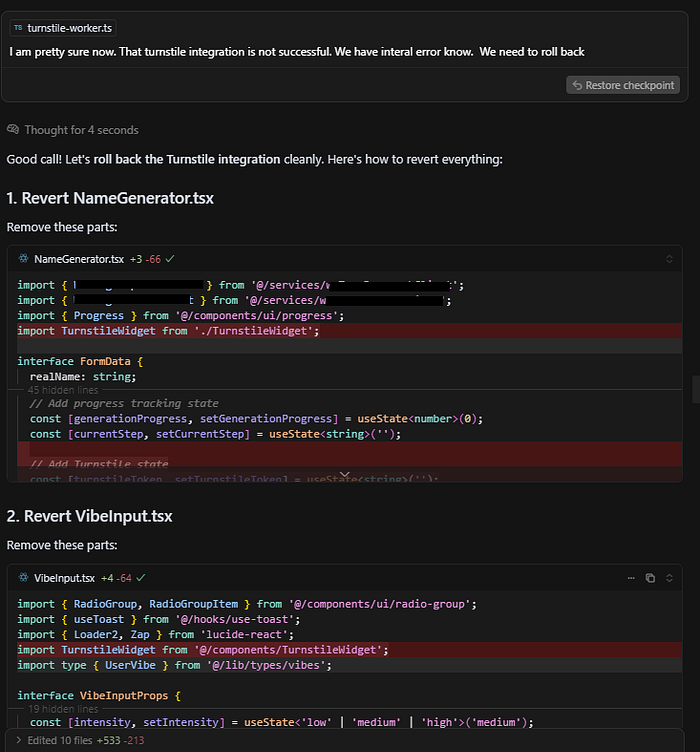
My AI assistant finally convincing me to roll back everything and start fresh
I deployed the clean version of my site. It worked.
Now I knew the problem was somewhere in my Turnstile integration. But instead of rushing back into the same approach that had failed me for hours, I decided to be systematic.
The Methodical Approach (Finally)
This time, I asked my AI assistant to create a complete step-by-step plan for Turnstile integration with Cloudflare Pages and Workers. No shortcuts, no assumptions based on my previous experience — just a clean, methodical approach.
The plan was simple:
Add the Turnstile widget to the frontend
Set up the verification endpoint in Workers
Configure environment variables properly
Test each step before moving to the next
I started with step one. Added the widget, deployed — success. Step two. Added the basic Worker endpoint, deployed — success. Step three. This is where I needed to add my environment variables.
I opened the Cloudflare dashboard and started adding my variables:
NEXT_PUBLIC_TURNSTILE_SITE_KEY: [my site key]TURNSTILE_SECRET_KEY: [my secret key]
I was being extra careful this time, double-checking each value as I copied it from my Turnstile dashboard.
Deployed again.
Same error.
The Moment of Truth (And Extreme Embarrassment)
At this point, I was genuinely puzzled. I was following the exact same process that had worked on other projects. I started going through each environment variable character by character, comparing them to my Turnstile dashboard.
Site key: correct. Secret key: correct.
Wait.
I looked at the variable names again. Something looked… off. The spacing seemed weird.
I copied the environment variable name from my Cloudflare dashboard and pasted it into a text editor:
NEXT_PUBLIC_TURNSTILE_SITE_KEY
There it was. A single trailing space at the end of the variable name. When I had copied and pasted the variable name from my documentation, I’d accidentally included a space. My application was looking for NEXT_PUBLIC_TURNSTILE_SITE_KEY, but Cloudflare was storing it as NEXT_PUBLIC_TURNSTILE_SITE_KEY (with a space).
The environment variable wasn’t found, the Turnstile verification failed, and somehow this caused Cloudflare’s build process to throw that generic “internal error” message.
The Fix (And Sweet, Sweet Relief)
I deleted the incorrectly named environment variable and recreated it without the trailing space.
Deploy.
Success.
My Wu-Tang name generator was back online, now properly protected by Turnstile. The green “Success!” checkmark from Cloudflare appeared right where it should, and users could generate their hip-hop aliases without feeding the bot army.
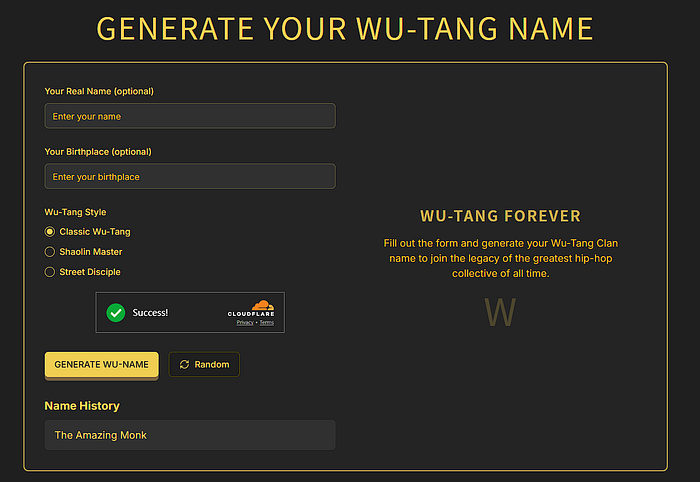
Sweet victory — the Wu-Tang generator finally working with Turnstile protection
Six hours of debugging, multiple community posts, frustration, breaks, systematic debugging, and it all came down to a single character I couldn’t even see.
What This Taught Me (The Hard Way)
1. Make a Plan, Even for “Simple” Tasks
The biggest mistake I made was assuming that because I’d done Turnstile integration before, I could wing it this time. But the context had changed — I was now working with Cloudflare Workers instead of a traditional backend, and I didn’t take the time to understand the differences.
Even for tasks that seem straightforward, taking 10 minutes to write out a step-by-step plan can save hours of debugging later. It forces you to think through the process and identify potential gotchas before they bite you.
2. Your Emotions Are Part of the Process (Manage Them)
Debugging isn’t just a technical challenge — it’s an emotional one. Frustration clouds your judgment, makes you skip steps, and turns you into a less effective problem solver. I spent hours in a frustrated state, randomly trying things instead of being systematic.
Taking breaks isn’t procrastination — it’s a debugging strategy. Some of my best insights have come after walking away from a problem and letting my subconscious work on it.
3. The Devil Is in the Details (Especially the Invisible Ones)
This experience reinforced something every developer learns eventually: the smallest mistakes can cause the biggest problems. A single trailing space, a missing semicolon, a typo in a variable name — these tiny errors can bring entire applications to their knees.
The particularly insidious thing about this error was that it was invisible. I was looking at NEXT_PUBLIC_TURNSTILE_SITE_KEY and seeing NEXT_PUBLIC_TURNSTILE_SITE_KEY. My brain was autocorrecting the visual information.
4. Community Help Is Valuable (But Verify Everything)
The community responses I got were genuinely helpful, even when they didn’t directly solve my problem. The D1 binding suggestions, while not relevant to my specific issue, got me thinking about configuration problems rather than just code problems.
But community help also led me down some rabbit holes. It’s important to take suggestions and verify them against your specific situation rather than blindly implementing them.
5. Error Messages Aren’t Always Helpful
Cloudflare’s “Failed: an internal error occurred” message was about as useful as a chocolate teapot. It didn’t point me toward environment variables, configuration issues, or anything actionable. Sometimes you have to dig deeper than the error message to find the real problem.
This is why systematic debugging is so important. When error messages fail you, having a methodical approach to isolating the problem becomes your lifeline.
The Technical Details (For Those Who Want Them)
For anyone dealing with similar Turnstile integration issues, here’s what actually worked:
Frontend Integration
// Basic Turnstile widget integration
'use client'
import { Turnstile } from '@marsidev/react-turnstile'

interface Props {
  onSuccess: (token: string) => void
  onError?: () => void
  onExpire?: () => void
}

export default function TurnstileWidget({ onSuccess, onError, onExpire }: Props) {
  return (
    <div className="flex justify-center">
      <Turnstile
        siteKey={process.env.NEXT_PUBLIC_TURNSTILE_SITE_KEY || ''}
        onSuccess={onSuccess}
        onError={onError}
        onExpire={onExpire}
      />
    </div>
  )
}


// Integrated to Name Generator
{/* Add Turnstile widget */}
            {process.env.NEXT_PUBLIC_TURNSTILE_SITE_KEY && (
              <div className="space-y-3">
                <TurnstileWidget
                  onSuccess={setTurnstileToken}
                  onError={() => {
                    setTurnstileToken('');
                    toast({
                      title: "Verification Error",
                      description: "Security verification failed. Please try again.",
                      variant: "destructive",
                    });
                  }}
                  onExpire={() => {
                    setTurnstileToken('');
                    toast({
                      title: "Verification Expired",
                      description: "Please complete the verification again.",
                      variant: "destructive",
                    });
                  }}
                />
              </div>
            )}
Worker Endpoint
// Cloudflare Worker for Turnstile verification

async function handleTurnstileVerification(request: Request, env: Env, corsHeaders: Record<string, string>) {
 try {
  // If no secret key, just return success (fallback mode)
  if (!env.TURNSTILE_SECRET_KEY) {
   return new Response(JSON.stringify({ success: true }), {
    headers: { 'Content-Type': 'application/json', ...corsHeaders },
   });
  }

  const { turnstileToken } = await request.json() as { turnstileToken: string };

  if (!turnstileToken) {
   return new Response(JSON.stringify({ success: false, error: 'No token provided' }), {
    status: 400,
    headers: { 'Content-Type': 'application/json', ...corsHeaders },
   });
  }

  const formData = new FormData();
  formData.append('secret', env.TURNSTILE_SECRET_KEY);
  formData.append('response', turnstileToken);

  const result = await fetch('https://challenges.cloudflare.com/turnstile/v0/siteverify', {
   method: 'POST',
   body: formData,
  });

  const outcome = await result.json() as { success: boolean; 'error-codes'?: string[] };

  return new Response(JSON.stringify({
   success: outcome.success,
   error: outcome['error-codes']?.[0] || null
  }), {
   headers: { 'Content-Type': 'application/json', ...corsHeaders },
  });

 } catch (error) {
  console.error('Turnstile verification error:', error);
  return new Response(JSON.stringify({ success: false, error: 'Verification failed' }), {
   status: 500,
   headers: { 'Content-Type': 'application/json', ...corsHeaders },
  });
 }
}
Environment Variable Configuration
The key (pun intended) is making sure your environment variable names are exactly correct:
NEXT_PUBLIC_TURNSTILE_SITE_KEY(no trailing spaces!)TURNSTILE_SECRET_KEY(also no trailing spaces!)
Debugging Checklist for Similar Issues
Verify environment variable names character by character
Check that variables are available in the right environment (Pages vs Workers)
Test with console.log to ensure variables are actually loaded
Try deploying without Turnstile to isolate the problem
Use browser dev tools to check if the widget is loading correctly
Why I’m Sharing This (And Why You Should Share Your “Stupid” Mistakes Too)
I debated whether to write this post. There’s something embarrassing about admitting you spent six hours debugging a trailing space. It feels like the kind of mistake that marks you as an amateur.
But here’s the thing: every developer has these stories. Every single one of us has spent hours chasing down a problem that turned out to be something ridiculously simple. The difference is that most of us don’t talk about them.
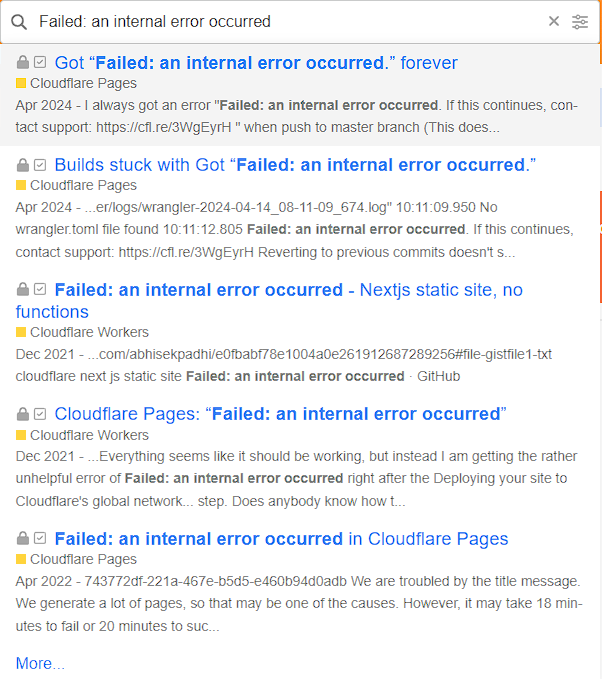
Not just I have this problem
By sharing these experiences, we do a few important things:
We normalize the debugging process: New developers need to understand that debugging is often messy, frustrating, and seemingly irrational. It’s not a sign that you’re bad at programming — it’s just part of the job.
We create searchable solutions: Someone else dealing with Cloudflare Turnstile integration issues might find this post and realize they should check their environment variable names for trailing spaces.
We practice intellectual humility: Admitting our mistakes helps us remember that we’re all learning, all the time, regardless of our experience level.
The Bigger Picture
This six-hour debugging session taught me more than just how to be careful with environment variables. It reminded me about the importance of systematic thinking, emotional regulation, and the value of stepping away from problems when frustration sets in.
In our field, we often focus on the technical skills — learning new frameworks, mastering algorithms, understanding system design. But the soft skills of debugging — patience, systematic thinking, knowing when to ask for help, managing frustration — are just as important.
The next time you find yourself in a similar situation, remember: take a step back, make a plan, check the details (especially the invisible ones), and don’t be afraid to walk away and come back with fresh eyes.
And if you spend six hours debugging a trailing space? Don’t worry — you’ll be in good company.
Epilogue: The Wu-Tang Generator Lives On
My Wu-Tang name generator is now happily serving users their hip-hop alter egos, protected from the bot army by Cloudflare Turnstile. The irony isn’t lost on me that a tool designed to generate creative names was nearly defeated by a single invisible character in a variable name.
But that’s software development for you — equal parts creativity and attention to microscopic details, with a healthy dose of debugging humility thrown in for good measure.
What’s your most embarrassing debugging story? Share it in the comments — let’s normalize these human moments in our technical journeys.

Join RANDY on Peerlist!
Join amazing folks like RANDY and thousands of other builders on Peerlist.
1
10
0