

The Mechanics of Compression: How 100GB Becomes 25GB
A deep dive into the mathematical 'magic' behind data compression, from Huffman Coding to the architectural differences between ZIP and TAR.GZ.
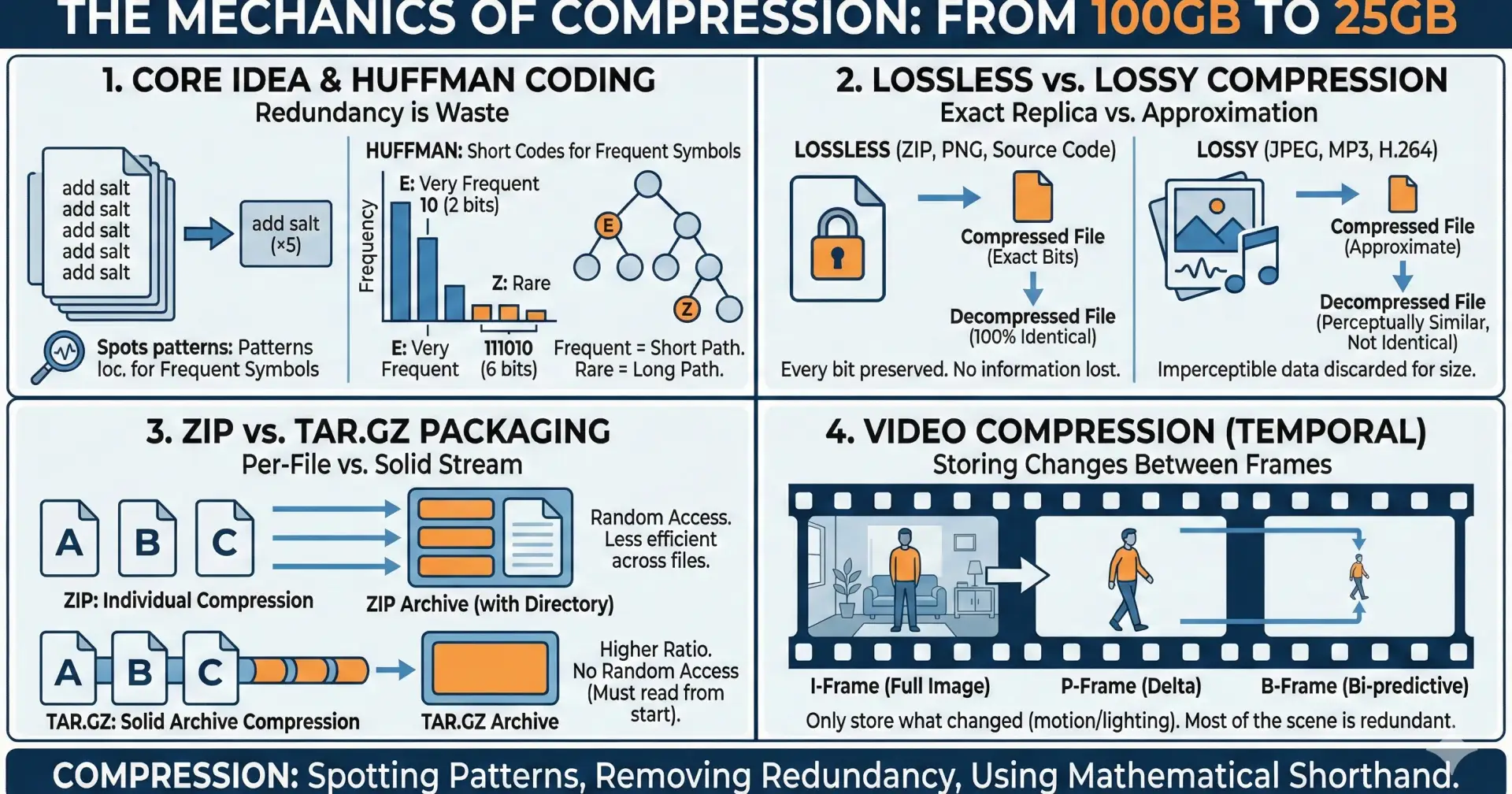
1. The Core Idea: Redundancy is Waste
Compression works because most data is repetitive. Whether it's a text document with the word "the" appearing a thousand times or a backup of a database with identical row structures, storing every bit every time is inefficient. Compression finds these patterns and replaces them with mathematical shorthand.
2. Lossless vs. Lossy: The Two Paths
Lossless (ZIP, PNG, FLAC): Every single bit is preserved. When you decompress a 25GB ZIP file back to 100GB, it is identical to the original. This is vital for code, text, and databases.
Lossy (JPEG, MP3, MP4): This purposefully discards data that the human eye or ear likely won't notice. It achieves massive space savings but cannot "reconstruct" the original perfectly.
3. The Power Duo: LZ77 and Huffman Coding
Most modern lossless tools (like those used in GZIP) combine two clever tricks:
LZ77 (Dictionary Coding): Instead of writing a repeated phrase again, the computer writes a "back-reference." It basically says: "I've seen this before—go back 50 characters and copy the next 10."
Huffman Coding (Entropy Coding): In standard files, every character usually takes up the same amount of space (e.g., 8 bits). Huffman coding assigns short codes to frequent characters (like 'e' or 'a') and long codes to rare characters (like 'z' or 'q'). This ensures the most common data takes up the least amount of "room."
4. Why "Solid" Archives (TAR.GZ) Compress Better
A ZIP file compresses each file individually. This is great for grabbing one file out of a folder quickly, but it misses patterns that exist between different files. A TAR.GZ (or "Solid" archive) bundles everything into one giant stream first and then compresses the whole thing. This allows the algorithm to see that "File A" and "File Z" are almost identical, leading to much higher compression ratios—perfect for those 100GB to 25GB backups.
5. Moving Pictures: Temporal Redundancy
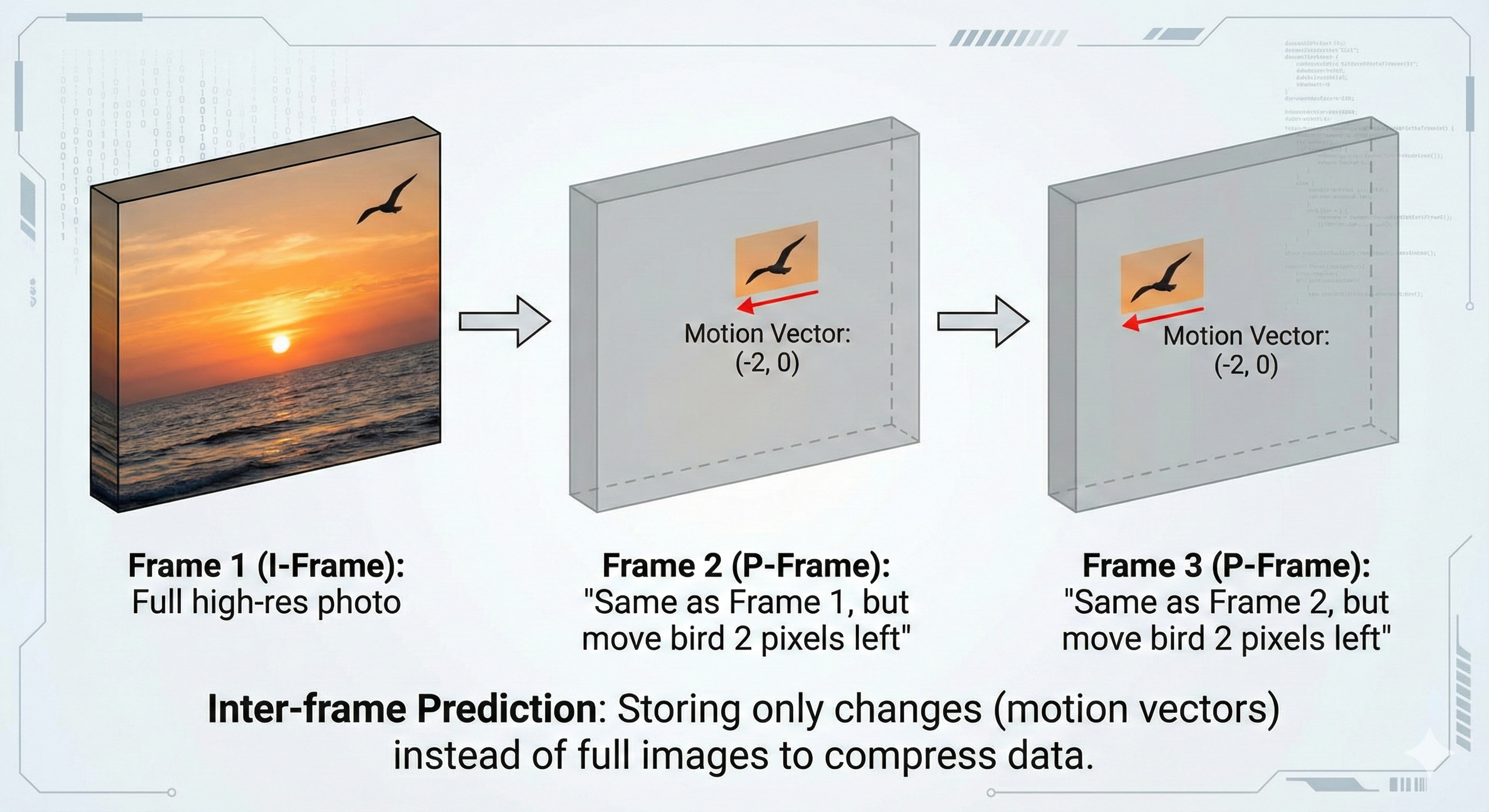
Video compression (like H.264) goes a step further by looking at time. Since most pixels in a video don't change much from one frame to the next (e.g., a person talking in front of a still background), the computer only stores the "anchor" frame and then records only the small changes (deltas) for the frames that follow.
For more: https://blog.ratnesh-maurya.com/blog/The-Mechanics-of-Compression-How-100GB-Becomes-25GB/ read it here.

Join Ratnesh on Peerlist!
Join amazing folks like Ratnesh and thousands of other builders on Peerlist.
0
3
0