

Automate Your Flutter Build Workflow
with flutter_build_uploader 🚀
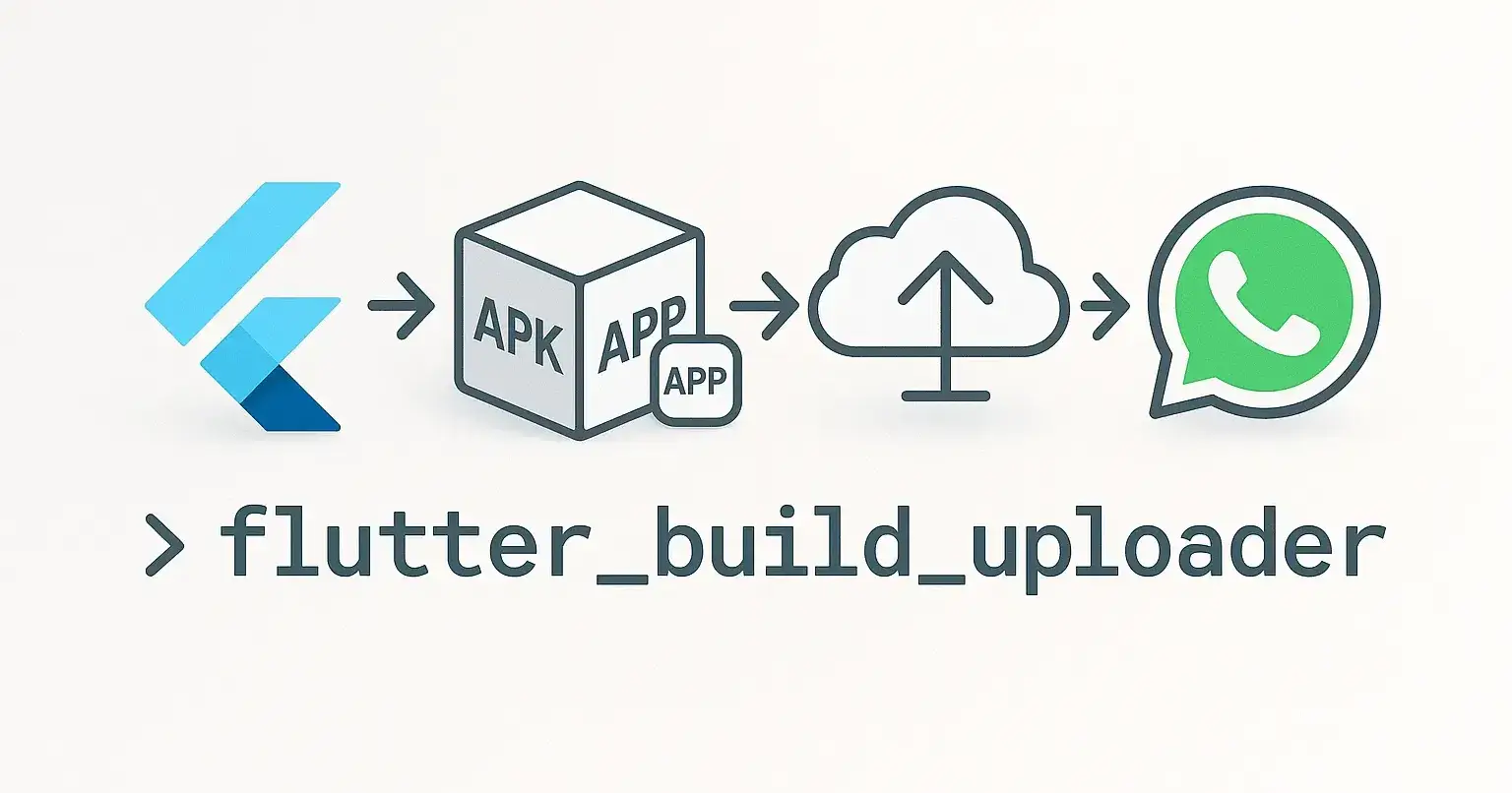
As a Flutter developer, you’ve probably gone through the same repetitive steps after building your app:
Renaming the APK with a version or timestamp
Uploading it to a cloud storage service
Sharing it via WhatsApp or another platform
It gets tiring fast. That’s exactly why I built flutter_build_uploader, a small but powerful Flutter CLI tool that automates all of this — and more.
🌟 What is flutter_build_uploader?
flutter_build_uploader is a developer-friendly CLI utility that runs after your Flutter build and performs these tasks:
✅ Automatically renames the generated APK (with version & timestamp)
☁️ Uploads it to GoFile.io, returning a shareable link
💬 Optionally opens WhatsApp Web with the link preloaded
⚙️ Allows configuration from
pubspec.yaml🖥️ Creates a
.batfile for Windows users for one-click build + upload
It’s perfect for solo developers, QA engineers, or small teams shipping builds frequently.
⚖️ Why flutter_build_uploader over Flutter’s App Distribution?
Flutter’s Firebase App Distribution is a great solution for teams that already use Firebase. But for many developers, especially individual devs or smaller teams, it can feel like overkill.
Press enter or click to view image in full size
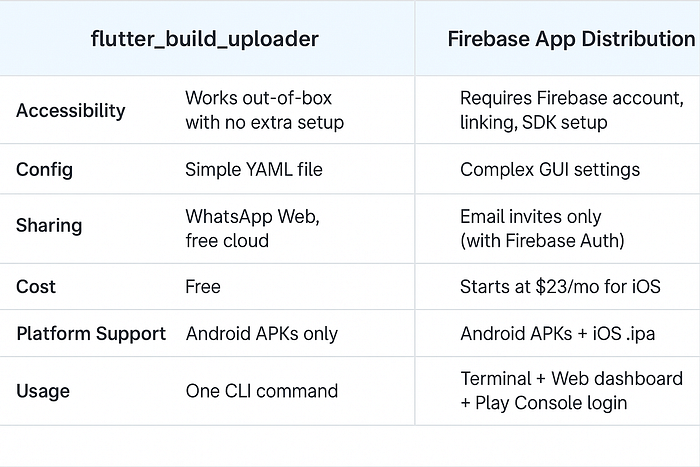
If you’re an indie dev, working fast or frequently sharing test builds with clients or testers — flutter_build_uploader simplifies that workflow drastically.
⚙️ How to Install
1. Project Dependency
Add it to your pubspec.yaml as a dev dependency:
dev_dependencies:
 flutter_build_uploader: ^0.0.4
Then run:
dart run flutter_build_uploader2. Global CLI
Install globally via Dart:
dart pub global activate flutter_build_uploaderThen run from anywhere:
flutter_build_uploader🔧 Configuration via pubspec.yaml
flutter_build_uploader:
 release: true # Use release build (default: true)
 whatsapp: true # Open WhatsApp Web with the download link (default: true)
You don’t have to pass command-line flags. The tool reads your config from here.
🪟 Bonus for Windows Users
On the first run, flutterapk.bat is auto-generated in your project folder:
flutter build apk --release
dart run flutter_build_uploader
Just double-click it next time to save time.
💡 Why I Made This
As someone who builds Flutter apps frequently, I was tired of repeating the same post-build steps. Naming builds properly, uploading them, and sending links became muscle memory and wasted time. So I turned that routine into a CLI tool.
This is my way of contributing a small tool back to the Flutter community, especially for developers in Bangladesh and similar ecosystems.
🧠 What’s Next?
This is just the beginning. Planned features include:
Support for
.aabfilesUpload to Google Drive & Telegram
QR code preview pages
GitHub release automation
GUI version (Flutter Desktop)
If you have any suggestions, feel free to open issues or PRs on GitHub.
📦 Try it Out!
You can find the package here:
👉 https://pub.dev/packages/flutter_build_uploader
📣 Final Words
If you’re a Flutter developer who wants to save time post-build, give flutter_build_uploader a try.
It’s open-source, free to use, and built with love 💙
Feel free to share feedback, issues, or improvements. Let’s keep building together.

Join Ratul Hasan on Peerlist!
Join amazing folks like Ratul Hasan and thousands of other builders on Peerlist.
0
5
0