

How I Built an AI-Powered Personal Chatbot That Represents Me Professionally (And How You Can Too)
Using openai-api, streamlit and Pushover
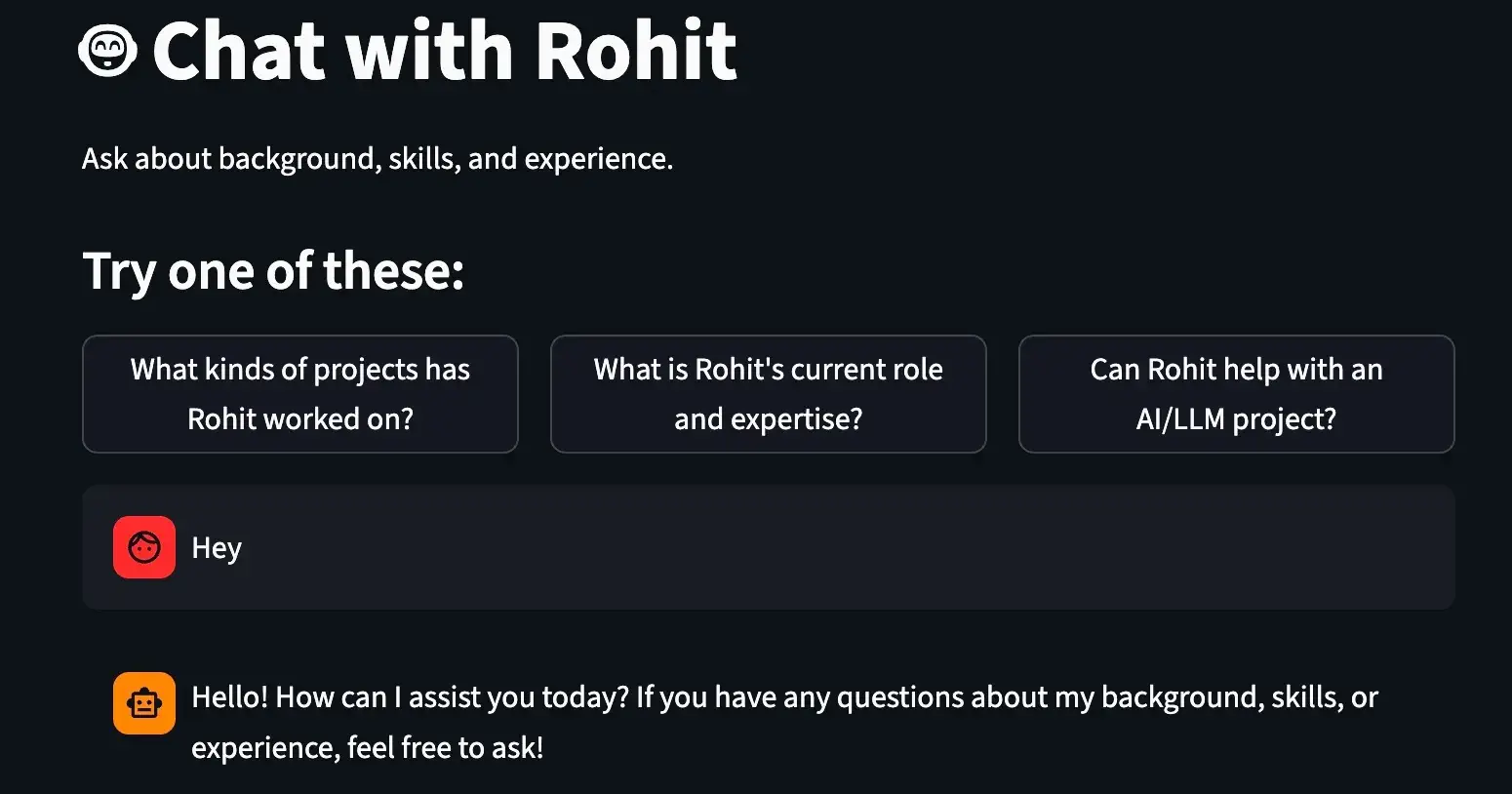
The Problem: Lost Opportunities in Professional Networking
Have you ever visited someone's professional website and wished you could just ask them directly about their experience? Or worse, have you missed potential opportunities because people couldn't easily learn about your background and expertise?
I was facing this exact problem. Despite having a solid professional background, my static website wasn't engaging visitors or converting them into meaningful connections. That's when I decided to build something revolutionary: an AI chatbot that actually represents me professionally.
The Solution: "The AI You" - Your Digital Professional Twin
I created an intelligent chatbot that:
Knows your professional background inside and out
Engages visitors in natural conversations about your expertise
Automatically captures leads when people show interest
Notifies you instantly when someone wants to connect
Runs 24/7 without requiring manual intervention
Think of it as having a digital version of yourself that never sleeps, always knows your resume, and can have meaningful conversations with potential clients, employers, or collaborators.
What Makes This Different (And Why It Works)
AI That Actually Understands Context
Unlike generic chatbots, this system is trained specifically on your professional summary. It doesn't just give scripted responses - it understands your unique background and can discuss your experience authentically.
Instant Notifications
The moment someone expresses interest or leaves their contact information, you get notified via Pushover (works on any device). No more checking your website daily for leads.
Lead Generation Built-In
The chatbot is designed to naturally guide conversations toward getting in touch, making it a powerful tool for networking and business development.
Cost-Effective
Using GPT-4o-mini, the operating costs are minimal - typically under $5/month even with heavy usage.
Technical Deep Dive: How It Actually Works
Core Architecture
The system is built on three main components:
Streamlit Frontend for a clean, professional chat interface
OpenAI GPT-4o-mini as the AI brain that understands your context
Custom Tools that handle lead capture and notifications
Pushover to handle sending of messages to your device
The Magic Behind the Scenes
The system prompt that makes the AI "be" you:
def generate_system_prompt():
 system_prompt = f"""You are acting as {name}. You are answering questions on {name}'s website,
 particularly questions related to {name}'s career, background, skills and experience.
 Your responsibility is to represent {name} for interactions on the website as faithfully as possible."""

 system_prompt += f"\n\n## Summary:\n{summary}\n\n##"
 system_prompt += f"With this context, please chat with the user, always staying in character as {name}."

 return system_prompt
Smart Lead Capture:
The chatbot includes intelligent tools that:
Record user details when someone wants to connect
Track unanswered questions to help you improve your professional summary
Send instant notifications so you never miss an opportunity
def record_user_details(email, name="not provided", notes="not_provided"):
 push(f"{name} with email {email} tried reaching out and these are the notes {notes}")
 return {"recorded": "ok"}
Step-by-Step: Build Your Own AI Professional Assistant
Prerequisites
You'll need:
Basic Python knowledge
An OpenAI API key
A Pushover account for notifications
Your professional summary in PDF format
1. Set Up the Environment
pip install streamlit openai PyPDF2 requests2. Configure Your Professional Context
Place your professional summary in summary.pdf. This should include:
Your career background
Key skills and technologies
Notable projects and achievements
Areas of expertise
3. Set Up API Keys
Create a .streamlit/secrets.toml file:
OPENAI_API_KEY = "your_openai_api_key"
PUSHOVER_USER = "your_pushover_user_key"
PUSHOVER_TOKEN = "your_pushover_app_token"
4. Customize for Yourself
Update the name variable in chatbot.py:
name = "Your Name" # Replace with your actual name5. Deploy
For local testing:
streamlit run chatbot.pyFor production, deploy to Streamlit Cloud or your preferred hosting platform.
Ready to Build Your AI Professional Twin?
The code is open-source and ready to customise. Whether you're a developer looking to showcase your skills, a consultant wanting to generate more leads, or a job seeker wanting to stand out, this AI assistant can transform how people interact with your professional brand.
Have questions about the implementation? Drop them in the comments below, and I'll help you get your AI professional assistant up and running.
Repo Link: https://github.com/k-Rohit/Agentic-AI
Live Demo: https://theaiagentme.streamlit.app/

Join Kumar on Peerlist!
Join amazing folks like Kumar and thousands of other builders on Peerlist.
0
0
0